

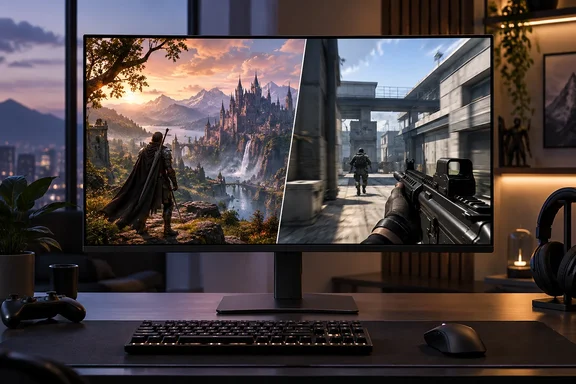
Gigabyte's AORUS ELITE FO32U24G adds a 1080p/480 Hz mode to a 4K OLED
TechPowerUp, working from Gigabyte's material via VideoCardz, describes the panel as a 31.5-inch display that combines 4K at 240 Hz with a Dual Mode that switches the panel to 1920x1080 but raises the refresh rate to up to 480 Hz, trading image quality for higher refresh rates in competitive games. Gigabyte's own US product page describes it the same way. It calls the monitor a 32-inch 4K WOLED that lets gamers switch between 4K 240Hz for immersive visual detail and FHD 480Hz for ultra-fast competitive gameplay.
The monitor has been public for a while. According to Aroged, Gigabyte first showed the FO32U24G at Computex 2026, and in June NVIDIA added it to its list of G-Sync-compatible devices, along with other models in Gigabyte's Aorus Elite WOLED series. Gigabyte followed with a preview in August. This week's news is the full technical specifications, including connectors, brightness, and gaming features.
The two modes are alternatives. You cannot have 4K and 480 Hz at the same time. The "32-inch" name is rounded up: the detailed specifications list a 31.5-inch diagonal.
Tandem WOLED and the 1,500-nit number in context
Gigabyte says the panel uses LG Display's 4th Gen Primary RGB Tandem OLED architecture, delivering up to 1500 nits peak brightness, 99.5% DCI‑P3, and 84% BT.2020 coverage while reducing power consumption by 20%. Those numbers come from Gigabyte and LG Display. No independent reviewer has measured this panel yet.
Read the 1,500-nit figure carefully. TweakTown and Gigabyte's specification sheet both call it an HDR peak value, meaning brightness in a small highlight, not the whole screen. DisplaySpecifications' database lists the monitor at 335 cd/m² brightness, 1,850,000:1 static contrast, and a 48 Hz – 240 Hz refresh range. Our reading is that 335 nits is roughly the typical full-screen SDR brightness and 1,500 nits is the best case for small HDR highlights. The monitor carries DisplayHDR True Black 500 certification, which is VESA's HDR tier for OLED-class displays.
The screen is glossy. TechPowerUp notes that Gigabyte is using a glossy RealBlack surface treatment, and Gigabyte claims reflectance as low as 1.1% with an anti-reflective layer. Glossy screens generally make blacks look deeper and colours punchier than matte coatings, but they still reflect windows and lamps. Anyone gaming in a bright room should keep that in mind.
Gigabyte quotes a 0.03 ms GtG response time. GtG, or gray-to-gray, measures how quickly a pixel changes from one shade to another. Low figures like this are typical of OLED panels. Motion clarity also depends on refresh rate, which is the whole reason the 480 Hz mode exists.
How the 4K 240 Hz and 1080p 480 Hz modes trade off
Gigabyte's reasoning is straightforward. 4K has four times the pixels of 1080p, which is too much data for this monitor to accept at 480 Hz. So Gigabyte gives buyers a choice: full pixel density at 240 Hz, or a quarter of the pixels at twice the refresh rate. According to DisplaySpecifications, the switch is handled through Tactical Switch, a hardware shortcut designed to give players immediate access to the mode that best fits the moment.
One detail is simple arithmetic and helps explain the design. 1920×1080 is exactly half of 3840×2160 in each direction, so each 1080p pixel can map cleanly onto a 2×2 block of physical pixels. In principle, that avoids the soft, uneven look you get when a panel has to stretch a non-matching resolution. Gigabyte has not said exactly how the FO32U24G scales in this mode, and the result will only be clear once reviewers get units.
Tactical Switch 2.0 can also shrink the picture. NXTMAG reports that players can quickly change resolutions, aspect ratios and display sizes to suit different games, and NT Compatible describes it as a way to toggle resolution and aspect ratios on the fly. Many competitive players prefer a 24- or 25-inch screen area so the whole view stays in their line of sight. With this feature, a 32-inch monitor can show a smaller active area at 480 Hz for a ranked match, then return to full-screen 4K for a single-player game.
The limit is on the PC side. A 480 Hz panel only shows 480 new frames per second if the GPU and CPU produce them. In demanding modern games, even high-end systems at 1080p usually fall well short of that. The 480 Hz mode makes the most sense for lighter esports titles that already run at very high frame rates. On a mid-range PC, you will get more out of 4K at 240 Hz than out of a 480 Hz mode your hardware cannot feed.
FO32U24G gaming features and burn-in protection
Gigabyte lists its usual set of monitor-side gaming features. TechPowerUp names NVIDIA G-SYNC Compatible certification, along with Tactical Switch, Tactical HUD, Tactical Crosshair, AI Black Equalizer, VRR Anti-Flicker and AI OLED Care Pro. Here is what the main ones do, based on Gigabyte's descriptions:
- Ultra Clear Technology inserts black frames to reduce motion blur, sharpening fast‑moving scenes, while upgraded VRR Anti‑Flicker tuning minimizes flicker during variable refresh rate operation. Gigabyte has not published how much brightness black-frame insertion costs. The technique generally dims the image, so expect a trade-off.
- AI Black Equalizer enhances visibility in dark scenes without overexposing bright regions, and Game Assist adds timers, crosshairs, and PIP/PBP options for advanced multitasking.
- Tactical HUD copies a chosen part of the screen, such as a minimap, to a position you prefer. Tactical Crosshair changes its colour when it would otherwise blend into the scene.
VRR flicker is a known weakness of OLED monitors. When a game's frame rate swings around, the panel's brightness can shift slightly with it, and that is visible in dark scenes. Gigabyte says its anti-flicker feature adjusts the variable-refresh range to reduce the effect, and the company says it needs the latest firmware. It reduces flicker. Gigabyte does not claim to eliminate it.
For burn-in, TweakTown reports that AI OLED Care Pro combines Adaptive Light, Auto Lock and Cooling Force. Auto Lock uses ambient sensing and step-away detection to turn the screen off when you leave and wake it when you return. Cooling Force uses heat pipes and thermal materials to spread heat across the panel. TechPowerUp says Gigabyte was keen to point out this new thermal design as extra protection during long gaming sessions. These are Gigabyte's descriptions. There is no independent durability data yet, and the features reduce burn-in risk without guaranteeing against it. Buyers should check the regional warranty terms for burn-in coverage once they are published.
Ports, KVM and stand make it a desk hub
Connectivity is where the FO32U24G matters beyond gaming. Gigabyte's specifications list DisplayPort 2.1, two HDMI 2.1 ports, USB‑C with 65W power delivery, USB‑A, USB‑B, and an earphone jack. One HDMI port supports eARC, which sends audio out to a soundbar or AV receiver. There are also two 5 W speakers and a built-in power supply.
Together, the 65 W USB-C port and the KVM switch let one monitor serve a gaming desktop and a work laptop. According to DisplaySpecifications, the built‑in KVM switch allows users to control multiple devices with a single keyboard and mouse, accessible through Gigabyte's dedicated KVM button. In practice, a USB-C laptop could get video, charging and the shared keyboard and mouse over one cable, while the desktop connects over DisplayPort. Gigabyte has not detailed exactly how the KVM switches between sources. 65 W is also enough for many thin-and-light laptops but not for heavier workstation or gaming laptops.
There is one DisplayPort detail to watch. NVIDIA's Computex partner listing includes an FO32U24GP variant, described as otherwise identical but with DisplayPort 2.1 UHBR20 at 80 Gbps for the highest colour depths and formats at 4K. Gigabyte's FO32U24G specifications say only "DisplayPort 2.1" and give no bandwidth tier. Do not assume the standard model has the full-bandwidth UHBR20 link. If uncompressed 4K at high refresh rates and high bit depth is a priority, wait to see how Gigabyte positions the P model.
The stand adjusts properly. Gigabyte lists tilt from −5° to +21°, swivel of ±15°, pivot up to 90° for portrait use, and 130 mm of height adjustment.
When the FO32U24G ships and what it will cost
Gigabyte has not published a price. TechPowerUp reports that Gigabyte has yet to announce final pricing and availability for the FO32U24G in all markets, and the monitor is expected to become available later in 2026. In its August preview, Gigabyte gave a narrower target. NT Compatible reported that the display is scheduled to launch in Q4 2026, with full pricing and availability details yet to be announced, and NXTMAG also reported Q4 2026. Some aggregator headlines say the monitor has "launched". That refers to the published specifications. No verified retail listings or regional ship dates exist yet.
What this means for you
If you play both demanding single-player games and fast esports titles and want one 32-inch OLED for both, add the FO32U24G to your list, but wait for reviews and a price before buying. If you only play one kind of game, the dual mode is less useful. A single-player gamer gets little from 480 Hz, and a dedicated esports player may be better served by a smaller native-1080p or 1440p high-refresh panel. People who use a work laptop and a gaming PC at the same desk should look closely at the USB-C and KVM combination, which is the most practical non-gaming feature here.
- The FO32U24G switches between 3840×2160 at up to 240 Hz and 1920×1080 at up to 480 Hz using Tactical Switch. You pick one mode at a time.
- The 480 Hz mode only pays off if your PC can render close to 480 fps. In practice that means lighter competitive titles, not demanding AAA games.
- The 1,500-nit figure is Gigabyte's HDR peak rating. DisplaySpecifications lists about 335 cd/m² for everyday brightness, so don't expect a full-screen image anywhere near 1,500 nits.
- Once connected, check in Windows display settings that the refresh rate matches the mode you selected on the monitor (240 Hz at 4K, 480 Hz at 1080p). A cable or port that can't carry that bandwidth will limit what Windows offers.
- The standard model is listed only as DisplayPort 2.1. Buyers who need 80 Gbps UHBR20 should watch for the FO32U24GP variant.
- Pricing and regional ship dates are still unannounced, and Gigabyte's target is Q4 2026.
On paper, the AORUS ELITE FO32U24G makes a good case for being one monitor that suits two very different kinds of gaming, built on LG Display's newest Tandem WOLED panel and with more desk-hub features than most gaming monitors. Nobody has tested it independently yet. Two things will decide whether it is worth buying: whether reviews confirm the brightness, flicker and burn-in claims, and whether Gigabyte's Q4 2026 price puts it ahead of competing 4K/1080p dual-mode OLEDs.