

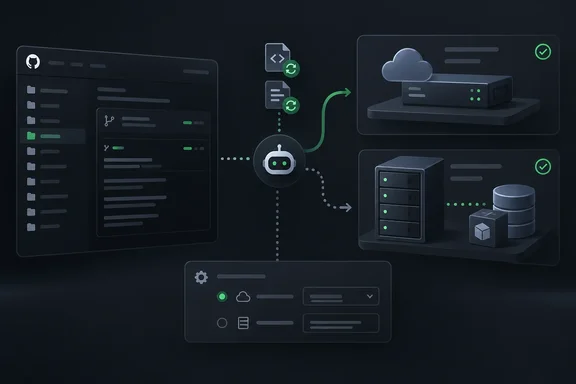
That distinction matters when one project needs access to a private package registry while another is content with GitHub’s standard hosted environment. A labeled runner can direct jobs to a matching self-hosted runner or larger GitHub-hosted runner. Selecting Standard GitHub runner instead uses the default GitHub-hosted environment. The setting chooses where Dependabot runs; it does not provision a runner or grant one access to internal resources.
Who gets the new control?
GitHub says the repository-level settings are available for private and internal repositories on GitHub.com. The controls are hidden for public repositories and are unavailable on GitHub Enterprise Server. That is a boundary on this new settings interface, not an announcement of a new Dependabot configuration option for public repositories.
How to select a runner
Before choosing a self-hosted runner, GitHub’s documentation says Dependabot must be installed and enabled, GitHub Actions must be enabled and in use, and the runner environment must meet Dependabot’s requirements. Assign the intended label to a runner first; if you plan to specify a runner group, verify that it exists and that the repository can access it.
For an eligible repository:
- Open the repository’s Settings, then Advanced Security.
- Under Dependency scanning, find Dependabot version updates and edit Runner type.
- Select Labeled runner, optionally entering a custom label and runner group, then save the selection. If you leave the label blank, Dependabot uses
dependabot. - Alternatively, select Standard GitHub runner for the default hosted environment.
Do not expect an immediate update run. GitHub’s setup documentation explicitly says changing the runner setting does not trigger a new Dependabot run. If the control cannot be changed, an organization restriction on actions or self-hosted runners may be the reason; GitHub advises contacting the organization owner.
What administrators should watch
Runner placement has operational consequences beyond the settings screen. GitHub says Dependabot jobs on standard hosted or self-hosted runners do not count toward included GitHub Actions minutes, while jobs on larger runners are billed at the organization’s regular rate. A self-hosted choice also means the team must keep a suitable runner available and maintain the access its dependency jobs require.
If an update does not complete, inspect Dependabot’s runs in the repository’s Actions tab and open the run logs. GitHub generates these as dynamic workflows for individual jobs, so searching for a conventional workflow file in .github/workflows is the wrong first troubleshooting step.
Finally, this is a repository setting, not a new dependabot.yml runner key or a centrally enforced security policy. GitHub explicitly says security configurations do not currently enforce Dependabot runner settings. For teams that rely on those configurations for consistency, runner choices therefore warrant a separate administrative check.
References
- Repository custom runner settings for Dependabot GitHub Changelog · 2026-09-29T19:10:00+00:00
- Configuring Dependabot on self-hosted runners - GitHub Docs docs.github.com
- Dependabot on GitHub Actions runners - GitHub Docs docs.github.com