

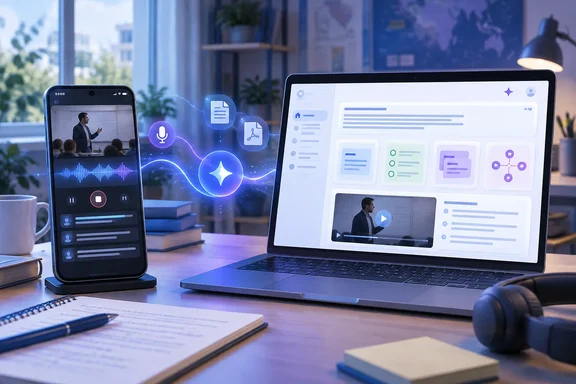
For Windows PC users, the practical change is that a lecture or voice memo captured on a phone can become part of the same source-backed notebook later used in a browser to ask questions, create study material, and trace claims back to uploaded notes. For school and Workspace administrators, the update also has an important management boundary: users must belong to a group or organizational unit where Gemini Notebook is enabled.
The new audio recorder turns spoken notes into notebook sources
The mobile Gemini Notebook app now includes an audio recorder intended for lectures and spoken notes. Google says recordings are placed beside a notebook’s existing sources, rather than being treated as a separate chat attachment. Once a recording has been processed, its notes can be edited, cited, used in conversations, and incorporated into later outputs.
That workflow matters more than simply having a transcription tool. A student can capture a professor’s explanation on a phone, then open the same notebook on a Windows laptop and compare the recording-derived notes with slides, reading assignments, worksheets, or other uploaded material. The notebook’s outputs should therefore be grounded in the collection of sources supplied to it, rather than in a general web search.
There is a material limitation: Google’s product announcement says this audio-notes capability supports web and mobile use with English selected as the output language, including for users under 18. Students who normally work in another output language should not assume recordings will have the same support at launch.
Google’s initial product post described the recorder as arriving the following week, while the September 18 Workspace notice lists it as available through an extended rollout. In practice, a missing recorder button is more likely to mean that the update has not reached that account yet than that the account is ineligible.
Spoken notebook chats are a separate, age-limited feature
Gemini Notebook is also gaining real-time voice conversations in its Android and iOS app. Google says users can ask questions, receive step-by-step guidance, and interrupt the response while it is being spoken. The company says replies remain grounded in the notebook’s sources and that the feature supports nearly 100 languages.
This is not the same as recording a lecture. The recorder adds material to the notebook; voice conversation is an interface for questioning material already in it. Keeping those roles separate is useful when deciding what a notebook can reliably answer. A voice exchange can help walk through an equation or prompt recall questions, but the quality of the answer remains dependent on whether the relevant class materials, notes, or reference documents are already present.
The voice-conversation feature is restricted to users aged 18 or older. Google said the rollout starts with Google AI Ultra subscribers and will subsequently expand to Google AI Pro subscribers and other users. Android Authority independently reported the same staged availability and the distinction between voice conversation and the newly added mobile recorder.
Students with school-managed accounts should also check their institution’s AI policy before uploading recorded lectures, particularly where recordings include classmates, instructors, protected course material, or discussions that were not intended to be shared. Google’s announcement describes the product behavior, but it does not override a school’s consent, privacy, or academic-integrity rules.
Learning Overviews bring several study outputs together
The larger workflow change is Interactive Learning Overviews, found under the Reports area. Google describes these as a way to weave together summaries and Studio outputs such as quizzes, flashcards, mind maps, and infographics. Instead of generating each format separately, the goal is to produce a unified review resource based on the notebook’s selected sources.
The feature should be useful when a notebook has moved beyond simple document Q&A. A student preparing for an exam might begin with course readings and lecture notes, generate a summary, then create questions and flashcards from the same source pool. An interactive overview is intended to bring those materials into a connected review experience rather than leave them as unrelated outputs.
Google says Learning Overviews are rolling out to all users over the next few weeks. That means they should be treated as a staged addition, not a feature guaranteed to appear in every notebook immediately.
The company is also changing its exam-prep tools:
- New quiz formats include short answer, multiple choice, and fill in the blank.
- Users can ask the notebook about their performance on the most recently completed quiz and flashcard set.
- Quizzes and flashcards can be adjusted by adding or editing questions.
One wording difference is worth noting. Google’s consumer announcement describes the objective-question option as “multiple select,” while the Workspace update calls it “multiple choice.” The practical result may depend on the final interface shown to an account, but neither description supports assuming that every existing quiz format will be replaced.
Short Video Overviews are designed for quick explanations
Google is also adding Short Video Overviews: approximately 60-second narrated videos with educational animations. The company says these can explain formulas, diagrams, and scientific concepts, can be created in more than 80 languages, and can be shared with other people.
The intended use is explanation and review, rather than a replacement for the underlying source material. A minute-long AI video can be a useful recap before a class or a way to approach an unfamiliar diagram, but it is too compressed to serve as authoritative revision material for complex subjects. Students should verify important definitions, calculations, quotations, and assignment requirements against the original materials in the notebook.
Sharing creates a similar boundary. A generated overview may be easy to distribute to classmates, but its accuracy and appropriateness still rest on the uploaded sources and on whether those materials may be shared. Group-project notes can be suitable; licensed textbooks, private instructor feedback, or recorded classes may not be.
What Workspace and school admins need to check
Google’s Workspace Updates post says the features are available to Google Workspace customers, Workspace Individual subscribers, and personal Google accounts as the rollout completes. For managed organizations, however, access is controlled through the Gemini Notebook service setting.
Admins should confirm that Gemini Notebook is enabled for the right organizational units or groups before treating the new tools as broadly available. They should also avoid confusing user eligibility with feature visibility: a permitted user may still not see a feature while the extended rollout is in progress.
For students working across a Windows PC and a phone, the immediate value is continuity. Record a thought or lecture on mobile, then return to the same source collection in a desktop browser for deeper review. The key constraint is equally clear: Gemini Notebook can organize, summarize, and generate practice material from supplied sources, but it does not remove the need to review the originals or follow the rules governing classroom recordings and AI-assisted coursework.
References
- Google adds new back-to-school features to Gemini Notebook Neowin · 2026-09-20T16:44:01+00:00