

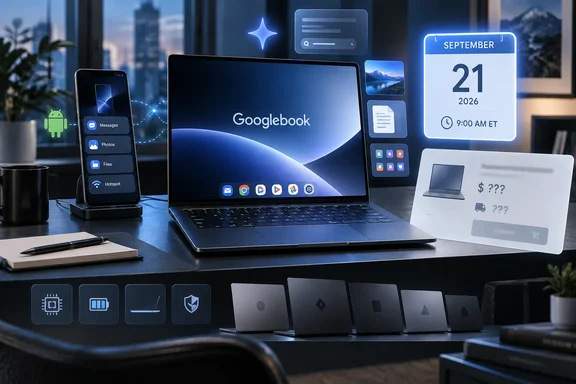
Google’s own Googlebook page confirms the September 21 date and says the first systems will arrive in the fall from Acer, Asus, Dell, HP, and Lenovo. VideoCardz, Chrome Unboxed, and Android Central each report that a Google email to people registered for updates adds the 9 a.m. ET time. Those reports agree on the timing, but Google’s public page still does not identify the first models, their configurations, prices, markets, or shipment dates.
That is an unusually incomplete setup for a pre-order window. Readers should treat September 21 as the point when Google and its hardware partners are expected to reveal the missing commercial details, rather than as a reason to reserve a machine before the basic terms are known.
Googlebook Is a New Laptop Category, Not a Renamed Chromebook
Google introduced Googlebook in May as a new class of laptop built around what it calls “Gemini Intelligence.” The company says it is combining Android’s app platform with ChromeOS’s browser experience, then selling that combination through established PC makers instead of as a single Google-branded notebook.
The distinction from a Chromebook is consequential. Google’s own FAQ says Chromebooks continue to run ChromeOS and are meant to prioritize simplicity, speed, and efficiency. Googlebooks, by contrast, are described as flagship machines with premium materials, higher performance expectations, Gemini features, and closer integration with Android phones.
For Windows users and PC administrators, the interesting part is not the branding. Google is trying to establish a third mainstream client platform in the laptop market: neither traditional Windows nor macOS, and no longer simply ChromeOS with Android apps added on top. Its success will depend on whether applications, device management, peripherals, browser workflows, and support policies behave predictably on actual hardware—not on whether a cursor can summon an AI assistant.
Google’s first public feature list is centered on two Gemini functions. Magic Pointer is meant to let a user select something on screen and ask Gemini to interpret, compare, or create from it. Create My Widget generates a desktop widget from a written prompt and can pull information from Google services such as Gmail and Calendar.
Those are product claims, not evidence of a mature desktop platform. Google has not yet published the sort of details IT departments need to assess: supported management frameworks, update cadence, local versus cloud processing behavior, data controls for Gemini features, encryption and recovery options, enterprise licensing, or compatibility with existing Android Enterprise and Chrome Enterprise deployments.
The Operating System Still Has No Public Name
The submitted report describes Googlebook as running “AluminiumOS,” a hybrid intended to replace ChromeOS. That goes beyond what Google has publicly confirmed.
Google has said Googlebook is built using part of the Android technology stack and brings together elements of Android and ChromeOS. It has not, however, publicly used AluminiumOS or Aluminum OS as the name of the Googlebook operating system. Android Central likewise reported that Google had not disclosed the operating system’s official marketing name as of the pre-order announcement.
That leaves an important gap between the project’s public pitch and claims circulating around it. A platform can borrow Android components, expose Android applications, and use Chrome technology without being a clean replacement for ChromeOS in the way customers understand that phrase. Google has not announced a retirement plan for ChromeOS, a migration tool for existing Chromebooks, a support cutoff, or a timetable for moving schools and enterprises from ChromeOS administration to Googlebook.
The official Googlebook page points the other direction in one respect: it explicitly keeps Chromebooks and Googlebooks as separate categories. That does not rule out deeper convergence later, but it means prospective buyers should not interpret the September 21 pre-order opening as confirmation that their existing ChromeOS fleet has a defined upgrade path.
Android Phone Integration Has a Clear Catch
Googlebook’s most concrete capability is its reliance on an Android phone as a companion device. Google says Cast My Apps will allow users to open phone apps on a Googlebook without installing them locally, while Quick Access will make phone files available through the laptop’s file interface.
This is more specific than a generic Android-app promise. Google’s public fine print says the phone integration features require setup and an Android 17-or-newer phone. The experience therefore depends on having a compatible handset, keeping it configured, and accepting that some workflows originate on the phone rather than being native laptop applications.
That could be useful for personal users who frequently move between an Android phone and a laptop. It has a more complicated implication in managed environments. A company with mixed iPhone and Android use, older Android deployments, bring-your-own-device policies, or restrictions on personal-device access will not get the full headline experience for every employee. Google has not said whether the feature works with a managed work profile, what data crosses between devices, or how administrators can control it.
The same caution applies to the claim that Googlebook will run Android applications. Google has emphasized Android’s Google Play catalog, but it has not published a compatibility list, listed desktop-specific application requirements, or explained which apps can take full advantage of keyboard, mouse, multiple windows, external displays, and laptop-class processors. Mobile apps can be plentiful without being good desktop software.
Cloud services and browser-based tools can fill part of that gap. Google Workspace runs in a browser, and services such as GeForce NOW can deliver games through a web app. But neither point answers the harder question for buyers considering a premium laptop: whether the applications they depend on will feel native and reliable rather than merely accessible.
Pre-Orders Arrive Before the Essential Buying Details
Google has placed five major PC vendors behind the first wave: Acer, Asus, Dell, HP, and Lenovo. That provides more potential choice than a single-vendor launch, but it also raises practical questions that remain unanswered six days before pre-orders begin.
Google has not publicly said which of those manufacturers will have machines available on September 21. It has not announced processor families, memory and storage tiers, displays, ports, battery targets, repair options, regional availability, or prices. It has also not confirmed when ordered systems will ship.
VideoCardz noted that the email carrying the pre-order timing did not provide prices or identify the specific devices that will be available. Android Central separately reported the same omissions, including the lack of a shipping date. Those are not small missing footnotes: they are the information buyers need to compare a Googlebook with an ARM Windows laptop, a Copilot+ PC, a MacBook, or a high-end Chromebook.
The timing is also split from Google’s September 15 media presentation. Chrome Unboxed reported that coverage of that event remains under embargo until the pre-order date. If that holds, the practical effect is that the first comprehensive hands-on reporting, full hardware specifications, and the checkout window should arrive together on September 21.
That is a defensible launch tactic only if Google and its partners disclose the full story before asking for money. A pre-order system can make sense for a scarce, fully specified product. For a new computing category whose operating system, application behavior, and management model remain only partly defined, it risks asking early adopters to fund the discovery process.
What Existing Chromebook and Windows Users Should Do
Chromebook owners should not assume Googlebook replaces their machine or that they need to upgrade immediately. Google continues to position Chromebooks as a distinct ChromeOS category, and it has announced no migration program. Organizations with ChromeOS fleets should wait for formal statements on administration, lifecycle support, identity controls, and device policy interoperability.
Windows users should judge the launch against their real workloads rather than Google’s Gemini demonstrations. A Googlebook may be appealing for Android-phone continuity, browser-first work, Google services, and users who want AI features woven into the interface. It remains an unproven choice for Windows-only applications, conventional desktop software, specialized peripherals, local development environments, and line-of-business tools until vendors and independent reviewers establish what works.
September 21 will determine whether Googlebook is ready to be bought or merely ready to be watched. Google has confirmed the date; it has not yet supplied the price, the hardware, the delivery schedule, or the operational answers that turn a new laptop platform into a credible purchase.