

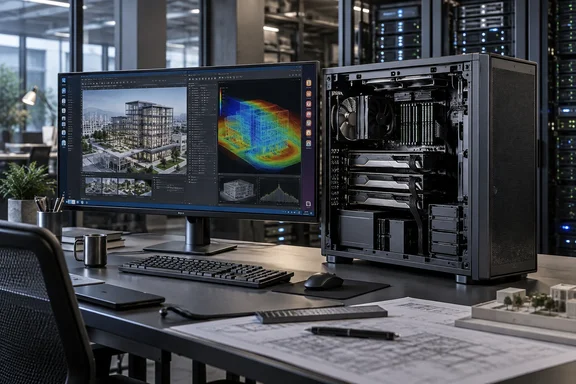
HP Z4 G6i Pairs the Xeon 678X With RTX PRO 6000 Blackwell in a Rack-Ready Tower
The Z4 G6i belongs to HP's workstation refresh around Intel's Xeon 600 family. AEC Magazine covered the launch in April. The HP Z4 G6i offers a range of CPU options from the 12-core Xeon 634 to the 48-core Xeon 678X, can support up to two Nvidia RTX Pro 6000 Blackwell Max-Q 300W GPUs, and up to 512 GB DDR5 6400 MT/s memory. HP's own product page gives the same maximums. It adds that the memory is ECC registered, each GPU can carry up to 96GB of VRAM, the machine has five PCIe slots up to Gen 5, and storage can reach 76TB.
IT Pro positions the machine the way HP does. The reviewer calls it absolutely not suitable for general computing and names the target buyers as data scientists, AI developers, product designers and engineers, architects, CG artists, and many more who handle the most demanding workflows.
The top CPU option is the same in every review so far. The Xeon 678X has 48 cores, a 2.4GHz base clock speed and up to 4.9GHz turbo clock. postPerspective lists the chip as Intel Xeon 678X (2.4GHz, up to 4.9GHz w/Boost, 192MB cache, 48 core, 300W), which agrees with HP's datasheet, including 96 threads. Performance at the bottom of the range will look nothing like these results. The entry model uses the 12-core Xeon 634.
Three Reviews of the Z4 G6i Tested Nearly the Same Configuration
The three published reviews used almost identical hardware, so their results can be read side by side. IT Pro's unit had the Xeon 678X, 128GB of DDR5, the Nvidia RTX PRO 6000 Blackwell Workstation Edition and 4TB of storage across two drives. Phoronix tested a unit with the Intel Xeon 600 series "Granite Rapids WS", the same 48-core chip, four 32GB DDR5-6400 ECC RDIMMs, two 2TB NVMe SSDs and an RTX PRO 6000 Blackwell. postPerspective reported 128 GB (4x32GB DDR5-6400 ECC Registered Memory) with the same GPU and 2x2TB NVME.
The GPU variant is easy to miss. HP's two-GPU option is built around the 300W Max-Q edition of the RTX PRO 6000. The reviewed units had the full Workstation Edition card instead. AEC Magazine explains how the chassis handles that card: the optional 'HP Max' side panel which increases the width of the chassis to accommodate larger GPUs such as the 600W Nvidia RTX Pro 6000 Blackwell Workstation Edition. If you want one very large GPU, plan for that side panel. If you want two GPUs, HP's documentation points you to the Max-Q cards.
The results were consistent. IT Pro found nothing that pushed the machine hard, including recent PC games at maximum settings, which the reviewer notes are not what these components are built for. Phoronix ran the same unit through a month of kernel, filesystem and compiler benchmarks. It reported no problems and recorded no thermal issues over 13 hours of mixed workloads.
Where the Z4 G6i Benchmarks Help and Where They Mislead
IT Pro published Geekbench 6 results and flagged their limits. The reviewer warned that Xeon parts are not tuned for the short bursts consumer benchmarks favour. Even so, the Intel Xeon 678X scored a respectable 2,474 for single-core performance and 22,557 for multi-core performance. A multi-core score around nine times the single-core score, on a 96-thread chip, supports that warning. Geekbench does not keep 48 cores busy the way a render, simulation or compile job does. Treat these numbers as a sanity check, not a measure of throughput.
The GPU result is more useful. The RTX PRO 6000 Blackwell scored 368,849 in Geekbench's OpenCL test. IT Pro describes that as near-impossible to outpace without investing in the sort of GPUs that Nvidia ships off to AI data centers.
The storage results carry a practical lesson. IT Pro measured sequential reads and writes of 14,219MB/s and 11,536MB/s on the C: drive, but only 7,244MB/s and 6,878MB/s on D:. Its spec sheet lists two differently named HP Z Turbo drives, and the second ran at roughly half the speed of the first. Judging by those numbers, the two slots or drive models are not interchangeable. If you plan to put scratch data, datasets or render caches on the second drive, check which drive and slot your quote includes.
For a real-world workload comparison, Phoronix ran Windows 11 against Ubuntu 26.04 LTS on its unit. Microsoft Windows 11 Pro was tested in its out-of-the-box configuration shipped by HP with all available Windows updates as of testing. Ubuntu was a clean install on Linux 7.0. Those results cover one configuration and one set of workloads, but they are the most detailed public data on how this CPU behaves under each operating system.
Z4 G6i Pricing Swings From About $6,000 to Over $40,000
This is the most important point for buyers. IT Pro says the machine starts at $8,219.00 (roughly £6,000), and that its test unit came in at a staggering $50,000 (approximately £37,000). Other figures don't line up. HP's US configurator showed a base price of $5,833 during research for this piece, for a Xeon 634 model with 16GB of RAM and a 512GB SSD. Phoronix priced its near-identical test unit at $41,479 at the time of writing, down from about $46,000 a few weeks earlier. The reviewer suggested the drop may have been a Labor Day promotion.
The price differences come from HP's pricing moving over time, not from different hardware. Don't budget from any single review's figure. Price your exact configuration on the day you order.
The expensive parts are clear. Phoronix found that going to the full 512GB of RAM adds about $44,000 over the single 16GB module in the base model. That is $34,000 more than the 128GB it tested. A second RTX PRO 6000 Blackwell adds about $13,400. IT Pro reaches the same conclusion from the other end. It says the price of this machine scales monstrously with component choices, with falling value for money as you go up. The reviewer thinks the roughly $8,000 base model offers good value given how much computing prices have risen recently.
The base model is small. HP lists it with the 12-core Xeon 634, an Nvidia RTX A400 and 16GB of RAM. That is a sensible starting point for building your own configuration, but it is nowhere near the machine the reviews tested.
HP Wolf Security, Remote Management and Rack Mounting on the Z4 G6i
For IT departments, the chassis and management options may matter more than benchmark scores. HP's product listing says the Z4 G6i enables tool-less access for quick upgrades, and the optional rail kit makes it rack-ready. IT Pro called the screwless side panel the machine's best feature. postPerspective agreed, saying it's very simple to crack open the case and replace parts or just tinker around. Both reviews note it is ready to be mounted in a standard 4U rack, so a team can start with towers under desks and later move them into a rack.
There are two notable management add-ons. HP says you can add an HP Remote System Controller to enable remote out-of-band management, and HP Z Boost to share its idle GPUs across teams. The CPUs include Intel vPro. IT Pro also lists low-cost factory options, each priced between $1 and $5. They include Ultimate Performance Mode enabled by default, a Corporate-Ready Image, the HP Wolf Security Enterprise Security Edition, and a Smart Cover sensor that detects when the case is opened. HP also offers front-accessible, hot-swappable NVMe bays with LED and email status alerts.
The reviews list a few smaller drawbacks. IT Pro found the front I/O panel slightly loose and awkwardly placed across the grille. It also reported an "almighty roar" when the machine was first switched on. postPerspective heard something similar but found the machine otherwise quiet. That reviewer wrote that the Z4 G6i is relatively quiet for the power it contains, and that loud fan noise came only during boot. Phoronix measured about 430W of typical system draw on its unit, with a peak of 886W. Those figures come from one configuration, but they give facilities teams a rough idea of the power and cooling a top-end unit needs.
Two details in IT Pro's spec sheet need checking. The review gives the dimensions as 20.98 x 46.99 x 43.82 inches and calls it a 43L chassis. A tower four feet tall doesn't fit that volume. The same numbers in centimetres come to about 43 litres, so metric units were most likely intended. The review also lists Bluetooth 5.3 in its table but Bluetooth 5.4 in the text. Wireless is optional, so check the version for the module you actually select. The review also compares the machine with Dell's Pro Max Tower T2. It says the HP starts at 13kg against the Dell's 23kg, even though the HP is the larger chassis.
Windows 11 Pro Ships by Default, but Linux Works Well on the Z4 G6i
The review units shipped with Windows 11 Pro. HP's datasheet also lists Windows 11 Pro for Workstations, Ubuntu 24.04 LTS, Linux-ready configurations and Red Hat Enterprise Linux. IT Pro notes that the machine is Ubuntu-certified by Canonical, that a RHEL license is an optional (and expensive) extra, and that WSL 2 remains available if you stay on Windows.
Phoronix tested Linux more thoroughly. It found that Windows 11 Pro is the default operating system of the HP Z4 Gi but Ubuntu LTS releases are supported and it's "Linux-ready" at large. The site reported no problems with Ubuntu 26.04 LTS, Ubuntu 26.10 daily builds, Fedora Workstation 44 or CachyOS. It recommends Nvidia's official Linux driver over the open-source Nouveau/NVK drivers for the RTX PRO Blackwell cards.
Keep two kinds of support separate. HP lists a small set of supported operating systems. A reviewer running Fedora or CachyOS without trouble is useful to know, but it doesn't make those systems supported. For a fleet, pick from HP's list and check that your ISV applications are certified on your chosen OS and GPU.
What This Means for You
Decide based on your workload first and the headline figures second. For most buyers, the right Z4 G6i sits well below the one the reviews tested. Put the money where your applications need it: cores for rendering and simulation, VRAM for AI and large scenes, ECC capacity for data that has to stay in memory. Teams already running heavy GPU work on older workstations can use the matching review configurations as a reliable upper benchmark. Teams whose work fits comfortably on a 16- or 24-core workstation don't need the Xeon 678X or the 600W GPU.
- Price your exact configuration on the day you order. Published figures range from HP's $5,833 base price to IT Pro's $50,000 test unit, and Phoronix saw the same high-end build drop from about $46,000 to $41,479 in a few weeks.
- Memory is the steepest cost jump. Going from 128GB to 512GB added about $34,000 in Phoronix's pricing, so size RAM to your actual datasets.
- If you want the full 600W RTX PRO 6000 Blackwell Workstation Edition, plan for the HP Max side panel. HP's two-GPU option uses the 300W Max-Q cards.
- Check which NVMe drive and slot will hold your scratch or project data. In IT Pro's test, the second drive ran at roughly half the speed of the boot drive.
- If you expect to manage these machines centrally or move them into a rack later, add the Remote System Controller, vPro management and rail kit when you order.
- Choose Linux distributions from HP's supported list for fleet deployments, and use Nvidia's official driver on the RTX PRO cards.
HP's Z4 G6i reviews hold up across all three outlets. The platform is fast, stable under long workloads, easy to open and upgrade, and runs Windows 11 and Linux equally well. What decides the value is the configuration. Every component upgrade can add thousands of dollars, and prices have already moved by several thousand in a matter of weeks. Buyers who specify only the cores, memory and GPU their software needs will get what the reviews praised, at a fraction of the cost of the $50,000 test machine.