

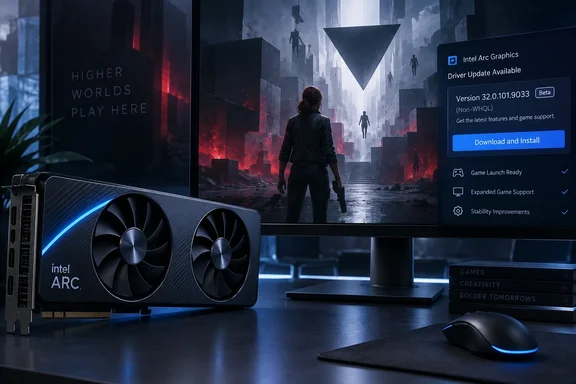
Intel Arc Driver 32.0.101.9033 Adds CONTROL Resonant Support and Nothing Else
Intel's release notes list the build as Driver Version: 32.0.101.9033 Non-WHQL. The only highlight is Intel Game On Driver support on Intel Arc B-series, A-series Graphics GPUs and Intel Core Ultra with built-in Intel Arc GPUs for: CONTROL Resonant. The German site Deskmodder read the notes the same way. It reported that Intel shipped this driver a week after the previous one, and that according to the release notes, no other changes were made.
TechPowerUp, which reported the release, calls it a beta that brings day-one support for the new game CONTROL Resonant. The outlet says it has separately benchmarked the game on discrete GPUs and on handhelds with integrated graphics, including Intel's. Those numbers are TechPowerUp's own and come from a separate review. Intel's release notes promise no specific performance gain for the game. "Game On" support is Intel's label for driver validation and readiness for a title at launch, not a measured frame-rate improvement.
One German outlet, it-blogger.net, describes the release as also bringing "the usual bug fixes and improvements as well as various optimizations". Intel's own notes list no fixed issues. Deskmodder's reading matches Intel's: the only change is the game-support entry.
Which Arc GPUs, Core Ultra Chips and Windows Versions Driver 101.9033 Supports
Intel's download page says the package installs Intel Graphics Driver 32.0.101.9033 for Intel Arc B-Series Graphics, Intel Arc A-Series Graphics, and Intel Core Ultra Processors with Intel Arc Graphics. The platform list is broad. It includes the Intel Arc Graphics family (Codename Alchemist, Battlemage) Intel Core Ultra processor family (Codename Meteor Lake, Lunar Lake, Arrow Lake-S, Arrow Lake-H, Panther Lake), plus Intel Core processors codenamed Wildcat Lake.
Supported operating systems are Microsoft Windows 10-64 - October 2022 Update (22H2) and every Windows 11 feature update from 21H2 to 25H2 (the September 2025 Update). If a Windows 10 machine is on an older feature update than 22H2, it is outside the supported list.
The installer is gfx_win_101.9033.exe, and Intel lists its size as 889.2 MB. Intel's product page publishes a SHA512 hash for the file. If you download the installer from anywhere other than Intel, compare the file's hash against that value before running it. VideoCardz also mirrors the package, marked for Windows 11 and 10 on desktop and mobile.
The page's product list includes Arc Pro cards such as the B50, B60, B65 and B70. However, Intel also points professional users to a separate, dedicated Arc Pro graphics driver. Workstation owners who have standardized on the Pro branch should stay on it rather than switch to a game-focused beta.
Known Issues From Driver 101.9030 Carry Over Into 101.9033
The known-issues list is where this release matters most in practice. Deskmodder compared it with the previous build and found that nothing changed in the open issues compared with the previous driver from last week, which was 32.0.101.9030. So if something crashed for you on 9030, it will most likely still crash on 9033.
Intel groups the issues by hardware family. Here they are in full.
| Hardware | Known issue in 32.0.101.9033 |
|---|---|
| Core Ultra Series 3 (Panther Lake) integrated Arc | Mafia: The Old Country (DX12) may crash during gameplay; PugetBench for Adobe Lightroom Classic may crash with the extended preset |
| Arc B-Series (Battlemage) | Arena Breakout Infinite (DX12) may crash with Terrain Surface Subdivision on; PugetBench for DaVinci Resolve Studio may crash intermittently; Lightroom Classic extended preset may crash |
| Arc A-Series (Alchemist) | Same three issues as B-Series |
| Core Ultra Series 2 integrated Arc | EA SPORTS FC 27 (DX12) may crash on certain Series 2 platforms; Lightroom Classic extended preset may crash; Procyon AI Image Generation and AI Text Generation benchmarks may fail to complete |
| Core Ultra Series 1 integrated Arc | NBA 2K26 (DX12) may crash on first launch |
| Intel Graphics Software | Shared GPU Memory Override may not show the actual shared memory allocated to the GPU |
| Performance Tuning (beta) | Features may behave unexpectedly; with two tuning-capable GPUs, changes may apply to more than one device at once instead of following the GPU selector |
Several of these issues come with a practical workaround implied by the notes themselves. For example, Intel ties the Arena Breakout Infinite crash to an application crash when the Terrain Surface Subdivision is On. Turning that graphics option off is a reasonable thing to try on A-Series and B-Series cards, though Intel doesn't formally call it a workaround.
The Shared GPU Memory Override issue matters mostly to people with integrated graphics who have changed how much system memory the GPU can use. The override is a control in Intel Graphics Software, and it may not show the true amount of shared memory allocated. Don't rely on that number when troubleshooting memory limits on an integrated-graphics system.
PugetBench Timeout Setting and Intel's Performance Tuning Bugs
For creators and reviewers, this is the one issue where Intel gives a direct fix. On both A-Series and B-Series cards, PugetBench for Davinci Resolve Studio may experience an intermittent application crash while running the benchmark. Intel's advice: change the timeout slider to 1500 seconds or higher, to wait for each test to complete, in PugetBench benchmark settings.
Here is what that means in practice. PugetBench runs a series of timed tests, and the fix is to give each one enough time to finish. If you run the DaVinci Resolve Studio benchmark on an Arc card with 9033 installed, set the timeout to at least 1,500 seconds before you start. A run that finishes every test counts as success. If crashes continue at that setting, you're outside what Intel's workaround covers.
The Lightroom Classic extended-preset crash in PugetBench affects every family except Core Ultra Series 1, and Intel offers no workaround. Core Ultra Series 2 users running UL's Procyon AI Image Generation or AI Text Generation benchmarks may see tests fail to complete. Anyone comparing AI performance across laptops should know that before treating a failed run as a hardware result.
Intel Graphics Software's Performance Tuning feature is still labelled beta. The multi-GPU bug is the one to watch. If a system has two tuning-capable devices, for example an Arc card alongside tuning-capable Arc integrated graphics, the tuning page may apply changes to more than one device at once, even though the GPU selector suggests you're adjusting just one. Until Intel fixes that, avoid overclocking or power-limit changes on dual-Arc setups.
Non-WHQL Driver 101.9033 on OEM Laptops and Business PCs
The "Non-WHQL" label means the build hasn't been through Microsoft's Windows Hardware Quality Labs certification. Intel's own version history shows the pattern. The download page lists 32.0.101.9033 as latest, above 9030, 8993 and 8992, and the most recent WHQL-certified release is 32.0.101.8991. Anyone who wants the certified branch should stay on 8991 or wait for the next WHQL release.
TechPowerUp says readers should expect a fix in the upcoming WHQL driver update. Intel's release notes list these problems as known issues and give no date for fixing them. Treat that expectation as TechPowerUp's, not as an Intel commitment.
The bigger caution is for laptops and prebuilt PCs. On the download page, Intel says its generic driver carries features and fixes that PC makers "might not have customized yet". It warns that installing it "will overwrite your handpicked OEM graphics driver". Intel also says corporate customers should always use OEM drivers and report problems through the vendor they bought the systems from. So for an IT department running Core Ultra laptops, this beta has no place on managed machines. The CONTROL Resonant support also has no business value.
Intel's download page also flags a known annoyance: Windows Update may later offer or install a graphics driver older than the one you installed by hand. Intel points affected users to a separate support article for the fix. Enthusiasts who install 9033 should check the version in Device Manager after the next Windows Update cycle. If it has been replaced, the game-support profile is gone.
What this means for you
Only install 32.0.101.9033 if you play CONTROL Resonant on supported Intel graphics and you're comfortable with a non-certified driver. Nobody else needs it, and business PCs shouldn't get it. On an unmanaged desktop with an Arc A580, A750, A770, B570 or B580, the risk is the same as running 9030, because the known issues haven't changed. On OEM laptops, installing it replaces the manufacturer's customized driver, and Intel's own guidance is to go back to the OEM driver after testing until the manufacturer releases a validated version.
- Driver 32.0.101.9033 is a Non-WHQL beta dated September 24, 2026, and its only listed change is Game On support for CONTROL Resonant.
- Supported systems are Windows 10 22H2 and Windows 11 21H2 through 25H2 with Arc A-Series or B-Series graphics, or with Meteor Lake, Lunar Lake, Arrow Lake, Panther Lake or Wildcat Lake integrated graphics.
- None of the 9030 known issues are fixed, including Mafia: The Old Country crashes on Core Ultra Series 3 and Arena Breakout Infinite crashes on Arc cards with Terrain Surface Subdivision enabled.
- Before running PugetBench for DaVinci Resolve Studio on Arc A-Series or B-Series hardware, set the benchmark's timeout slider to 1,500 seconds or higher.
- On dual-Arc systems, avoid Intel Graphics Software Performance Tuning changes, because they may apply to both GPUs regardless of the selector.
- If you want a WHQL-certified driver, stay on 32.0.101.8991. On corporate machines, use the PC maker's driver as Intel recommends.
Intel now releases these beta drivers weekly, one game at a time, and each builds on a WHQL base that stays the same for longer. Build 9033 fits that rhythm: the CONTROL Resonant profile arrives on launch day, and the fixes readers actually need will come in a later release, possibly the next WHQL driver, though Intel hasn't said so. Until that release shows up with a shorter known-issues list, Arc owners who don't play CONTROL Resonant can stay on whichever driver they already trust.
Update: Neowin reports expanded Game On support for driver 32.0.101.9033 (September 29, 2026)
Neowin reports that version 32.0.101.9033 also adds Game On support for AION 2, STAR WARS: Galactic Racer and The Witcher 3: Wild Hunt – Remastered, alongside CONTROL Resonant. The report additionally describes the build as WHQL-certified, contrary to Intel’s earlier listing of 9033 as Non-WHQL.
Intel’s published known-issues list otherwise appears unchanged, with no new fixes cited. Users interested in any of the three newly reported games should verify the driver’s certification status and game-support list on Intel’s download page before installing, particularly on OEM laptops and managed PCs.
References
- Intel Arc GPU Graphics Drivers 101.9033 Beta Released TechPowerUp · 2026-09-25T07:36:29+00:00
- Intel's latest Arc graphics driver adds support for The Witcher 3 Remastered and more Neowin · 2026-09-29T16:02:01+00:00
- INTEL Arc Graphics 32.0.101.9033 - VideoCardz.com videocardz.com