

Some early coverage translated from Chinese tech site ExtraPower (Expreview) called the game "Gears of War: Incident Day." The official title is Gears of War: E-Day, and that is the name used here.
What 32.0.101.9034 actually delivers
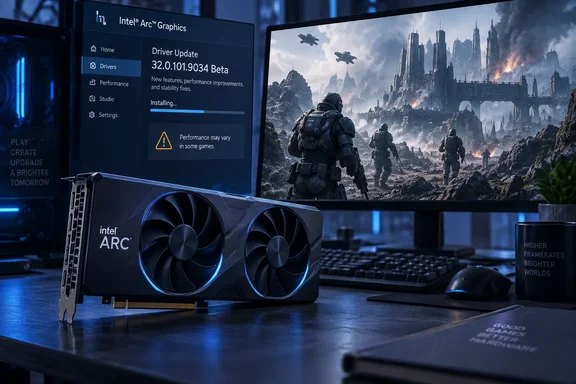
Intel's release notes give the date as October 1, 2026 and label the build 32.0.101.9034 Non-WHQL. The main change is Intel® Game On Driver support on Intel® Arc™ B-series, A-series Graphics GPUs and Intel® Core™ Ultra with built-in Intel® Arc™ GPUs for: ACE COMBAT 8: WINGS OF THEVE and Gears of War: E-Day.
That is close to the whole changelog. TechPowerUp noted that the driver release notes don't specify any new issues being fixed with this release, but Intel identified a handful new issues to fix in future driver updates. Guru3D agreed, saying no individual bug fixes or measured performance improvements are published for this release. "Game On" support means Intel has prepared the driver for these titles. It does not promise a particular frame-rate gain.
Key details at a glance:
| Item | Detail |
|---|---|
| Driver version | 32.0.101.9034 |
| Channel | Beta / Non-WHQL |
| Release-note date | October 1, 2026 |
| New game support | Gears of War: E-Day; ACE COMBAT 8: WINGS OF THEVE |
| Installer | gfx_win_101.9034.exe, 889.4 MB, per Intel's download page |
| Operating systems | Windows 10 22H2; Windows 11 21H2 through 26H2 |
| Bug fixes listed | None |
Who it's for
Intel's download page says the package covers Arc B-series discrete GPUs (Battlemage), Arc A-series (Alchemist), and Core Ultra processors with Arc graphics. The listed Core Ultra code names run from Meteor Lake through Lunar Lake, Arrow Lake-S, Arrow Lake-H and Panther Lake. Wildcat Lake-based Core processors are also listed.
The supported Windows versions are Windows 10 22H2 and every Windows 11 release from 21H2 through the September 2026 Update (26H2). If you're still on an older Windows 10 build, this driver isn't for you.
Section summary: It's a game-readiness beta for nearly every current Arc and Core Ultra graphics part, with no bug fixes listed.
The Gears of War caveat
The driver is meant to prepare Arc hardware for E-Day, but Intel lists E-Day itself as a known issue on several platforms:
- Arc A-series: Gears of War: E-Day (DX12) may experience lower than expected performance.
- Core Ultra Series 2: the game may experience lower than expected performance on certain series 2 platforms.
- Core Ultra Series 1: the same lower-than-expected performance warning applies, according to Intel's notes as reported by TechPowerUp and VideoCardz.
Guru3D summed it up: Gears players should note the accompanying caveat: Intel lists lower-than-expected DirectX 12 performance on Arc A-series, Core Ultra Series 1, and certain Series 2 platforms.
The release notes do not list that performance warning for Arc B-series cards (B580, B570) or Core Ultra Series 3. That doesn't guarantee those parts will run the game well. It only means Intel hasn't flagged them. If you own an A770 or A750, or play on a Meteor Lake laptop, set your expectations before launch day.
French site PauseHardware gave a blunt verdict: the driver mainly makes sense if you plan to play these two games. That's a reasonable reading. If you don't need the new game support, there's little reason to replace a stable driver with this beta.
What the Gears of War team already told Arc owners
The Coalition's PC guidance for the E-Day open beta gives useful context. Microsoft's Gears of War site says the game launches October 6, so this driver arrives a few days ahead of launch.
During the August beta, the studio set a minimum driver version for each GPU vendor: AMD – 26.7.1, Intel – 101.8864, NVIDIA – 610.74. It also listed two Arc-specific problems:
- Intel Arc graphics cards currently recompile shaders on every game launch, resulting in longer start-up times.
- Intel Arc A580 and B580 graphics cards may experience significantly reduced performance if Resizable BAR (ReBAR) is disabled in BIOS. If you are experiencing poor performance, verify that ReBAR and Above 4G Decoding are enabled.
Those are the game team's beta notes. Intel's 9034 release notes don't say the driver fixes either problem, so don't assume it does. The ReBAR advice is still worth following. Arc cards have depended on Resizable BAR since the first Alchemist cards shipped, and a missing BIOS setting is still one of the most common reasons an Arc card runs slower than it should. That last point comes from general industry experience, not from Intel's notes.
Section summary: Make sure Resizable BAR and Above 4G Decoding are enabled, expect longer startup times on Arc, and remember Intel's own performance warning for A-series and Core Ultra Series 1/2.
The full known-issues list
The ExtraPower translation garbled several names. "Dark Zone: Infinite" is Arena Breakout Infinite, and "Mafia: Hometown" is Mafia: The Old Country. Corrected against Intel's notes as reported by Guru3D, TechPowerUp and Overclocking.com, the list is:
Arc B-series and Arc A-series
- Arena Breakout Infinite (DX12) may experience an application crash when the Terrain Surface Subdivision is On. Until a fix arrives, the obvious workaround is to turn that setting off.
- PugetBench for Davinci Resolve Studio may experience an intermittent application crash while running the benchmark. Intel continues to recommend a timeout of at least 1,500 seconds for the DaVinci Resolve benchmark.
- PugetBench for Adobe Lightroom Classic may crash with the extended preset.
Core Ultra Series 3
- Mafia: The Old Country (DX12) may experience an application crash during gameplay.
- Pugetbench for Adobe Lightroom Classic may experience an application crash when using the extended preset.
Core Ultra Series 2
- EA SPORTS FC™ 27* (DX12) may experience an application crash on certain series 2 platforms.
- Lower-than-expected E-Day performance on some platforms (see above).
- The Lightroom Classic PugetBench crash with the extended preset.
- Procyon AI Image Generation and AI Text Generation benchmarks may not finish, per Overclocking.com's summary of the notes.
Core Ultra Series 1
- NBA 2K26 (DX12) may crash the first time it's launched.
- Lower-than-expected E-Day performance.
Intel Graphics Software
- Intel® Graphics Software Shared GPU memory override may not represent the actual value of shared memory allocated to the GPU.
- Performance Tuning is currently in Beta. As such, performance and features may behave unexpectedly.
These are listed for each product category. They're possible problems, not certain ones, and not every system in a family will hit them. The list matters most to content creators who use PugetBench or Procyon to benchmark Arc and Core Ultra machines. Overclocking.com also noted that Intel's known-issues list is still long compared with AMD's and NVIDIA's.
Should you install it? A practical checklist
Intel's download page lists the previous build, 32.0.101.9033, as WHQL Certified. That gives you a nearby stable option if you don't need the new game support. Here's how to decide:
- Check your current driver. In Device Manager, expand Display adapters, open your Intel GPU's properties, and look at the Driver tab. If you're already on 9033 WHQL and don't plan to play E-Day or Ace Combat 8, waiting is a sensible choice.
- Laptop and OEM desktop owners, read this first. Intel's download page warns that installing its generic driver overwrites the OEM-customized driver from your PC maker. It says OEM drivers include customizations for specific platforms. Intel also tells corporate customers to stay on OEM drivers and report problems through their hardware vendor. Fleet admins should keep this beta off managed machines.
- Download the right file. The package is gfx_win_101.9034.exe, listed at 889.4 MB. Intel publishes a SHA512 hash on the download page if you want to verify the file.
- Before you play E-Day: turn on Resizable BAR and Above 4G Decoding in your BIOS, and plan for a slower first launch while shaders compile.
- If you test the beta and want to go back, Intel's guidance is to reinstall your OEM driver until your PC maker validates and releases its own version.
The bigger picture
This release shows where Intel's graphics team stands. Getting a day-one driver out for a major Xbox Game Studios release on PC is what Arc owners need, and Intel has done that across Alchemist, Battlemage and three generations of Core Ultra graphics.
The known-issues list is also unusually honest. Intel says up front that its first-generation A-series cards and older integrated GPUs may struggle with the new Unreal Engine 5 shooter. For buyers, that's a reminder that driver support varies a lot by hardware generation, especially on lower-cost hardware.
Is a beta driver with no bug fixes and a performance warning worth installing? It depends on how badly you want to play Gears on launch weekend. If you do, install 9034, check your BIOS settings, and keep 9033 WHQL as your fallback. If you don't, staying on 9033 is the safer choice.
References
- Intel Arc Graphics Driver 32.0.101.9034: Supports New Games such as Gears of War: Incident Day. (ExtraPower.net) - 超能网 超能网 · Sat, 03 Oct 2026 15:33:00 GMT
- Intel Releases Arc GPU Graphics Drivers 101.9034 Beta techpowerup.com
- Download Intel ARC graphics driver 32.0.101.9034 guru3d.com