

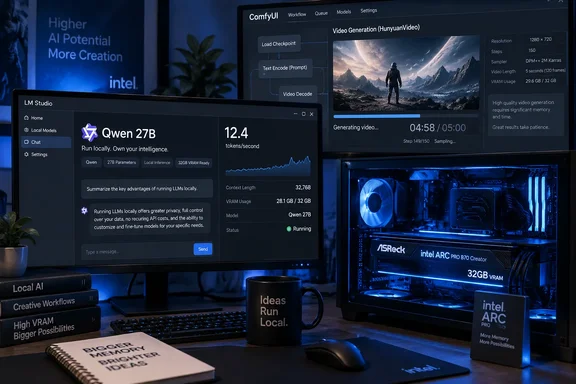
Those are meaningful results for PC users who need a local model to process documents, monitor a mailbox, summarize logs, or run an agent that can take minutes rather than milliseconds to complete work. They are not, however, a clean declaration that Intel has caught Nvidia in generative AI. GIGAZINE’s own MiniMax H3 video-generation run was substantially slower than its comparison with a GeForce RTX 5070 Ti, underlining that memory capacity solves one bottleneck while software maturity and compute throughput still decide others.
Intel officially lists the Arc Pro B70 with 32GB of GDDR6 memory, a 256-bit interface, 608GB/s of memory bandwidth, 256 XMX AI engines, and a 230W total board power rating. The B70 is a real workstation-class Battlemage part rather than a rebranded consumer card, with ECC memory support and PCIe 5.0 x16 connectivity. The important specification is still the memory pool: 32GB changes which local models can remain entirely on the GPU.
Qwen3.8 27B Fits Where 16GB Cards Compromise
GIGAZINE tested two Unsloth-quantized GGUF versions of Qwen3.8 27B: the 4-bit Q4_K_XL build and the 8-bit Q8_K_XL build. The publication reported 30.0GB of VRAM plus 1.0GB of shared system memory in use with the 4-bit model, followed by 23.4 tokens per second during decoding. The 8-bit model used 30.2GB of VRAM and 1.5GB of shared memory, producing 15.9 tokens per second.
The distinction matters more than the raw token figure. A 16GB GPU can run many 27B models only through heavier quantization, partial CPU offload, restricted context windows, or some combination of all three. Those workarounds can be entirely acceptable for occasional prompting, but they complicate a machine meant to serve a local model continuously. Once the model crosses the VRAM boundary, the system is no longer limited by the GPU’s local memory bandwidth; PCIe transfers and system RAM become part of the inference path.
At 23.4 tokens per second, the 4-bit configuration should feel responsive for interactive drafting and ordinary local chat. At 15.9 tokens per second, the 8-bit build is slower but remains viable for background automation, long-form document processing, and agent workflows where output quality or consistency is worth more than immediate replies. GIGAZINE’s conclusion that the 8-bit model is not ideal for real-time conversation is sensible, but “not real-time” is not the same as unusable. A local job that runs at 16 tokens per second can still generate a substantial report without involving an external API or moving internal data off-premises.
There is an important reporting limitation: GIGAZINE identifies the application, model files, driver version, and measured memory use, but the supplied test account does not fully document prompt length, context length, batch settings, GPU-offload configuration, power behavior, CPU platform, or the exact decoding workload behind those tokens-per-second readings. Those omissions prevent a strict apples-to-apples comparison with a different Windows PC, an RTX 5090, or a Linux vLLM server.
That is not a flaw unique to this test. Puget Systems’ separate Arc Pro B70 research illustrates why local-AI benchmarks need the full harness, not just a headline number. In September, Puget corrected an earlier throughput result after discovering its test harness had counted output tokens using the wrong tokenizer for one DeepSeek model, inflating the original result by about 1.9 times. The correction does not undermine GIGAZINE’s observed Qwen3.8 result, but it reinforces the practical rule: treat a local LLM benchmark as a configuration result, not a universal property of the card.
The Memory Advantage Does Not Carry Over Cleanly to MiniMax H3
The same B70 showed a sharper limitation when GIGAZINE moved from language-model decoding to ComfyUI media generation. Its Z-Image-Turbo test at 1024×1024 and eight steps used 23.1GB of VRAM. The first image took 36.23 seconds, while later images took about 5.3 seconds. That warm-versus-cold difference is expected when the first run includes model loading, graph compilation, and cache population; the repeat-generation figure is the more useful number for someone producing a batch.
GIGAZINE then used ComfyUI’s MiniMax H3 workflow with an eight-step configuration, a 0.4-megapixel output, and a five-second video length. VRAM consumption reached 28.3GB. The first video took 302.06 seconds and the second took 351.14 seconds, or roughly five to six minutes per clip.
MiniMax’s own documentation confirms that local H3 use requires several large components: the diffusion model, text encoder, video VAE, audio VAE, and workflow-specific files. That makes the B70’s 32GB capacity significant. It allowed GIGAZINE to complete the pipeline locally rather than failing immediately on a memory allocation or pushing substantial pieces into shared RAM. But fitting the model is only the admission ticket.
The publication says its B70 was slower at MiniMax H3 than an RTX 5070 Ti with 16GB. That result is believable in context, even though GIGAZINE does not provide the 5070 Ti’s matching timings in this article. Video diffusion workloads depend heavily on kernel optimization, data-type paths, framework support, and raw compute performance. Nvidia’s CUDA-first software stack remains the default target for much of the generative-video tooling that arrives in ComfyUI and PyTorch ecosystems.
For a Windows workstation buyer, this divides the B70’s use case clearly. The card has a compelling argument where capacity is the hard limit: local LLMs, high-precision quantized models, larger contexts, and AI services that should remain resident in VRAM. It is much less persuasive where throughput per finished asset is the purchasing metric, particularly for iterative video work where five-minute clips turn prompt tuning into an overnight queue.
Windows Software Is the Product, Not an Afterthought
GIGAZINE used Intel’s consumer-oriented Arc Graphics driver, version 32.0.101.8991, rather than the Arc Pro driver branch that Intel positions around workstation stability. The publication chose the newer, faster-moving driver path because it is intended to adapt sooner to recent environments. That may be reasonable for experimentation with Unsloth Desktop and ComfyUI, but it also places this test closer to an enthusiast AI build than a locked-down enterprise deployment.
Intel’s current product material promises support for oneAPI, OpenVINO, PyTorch through Intel Extension for PyTorch, Vulkan, and standard Windows graphics APIs. Those are necessary building blocks, not a guarantee that every emerging ComfyUI node or model workflow will be equally polished on Arc. A local-AI workstation should be purchased with time budgeted for validation, driver testing, and workflow-specific troubleshooting.
That gap is visible in the difference between the two workloads GIGAZINE ran. Unsloth Desktop’s llama.cpp route produced a coherent, practical result with Qwen3.8 27B. ComfyUI also successfully ran Z-Image-Turbo and MiniMax H3 on the B70, which is itself notable. Yet the video test demonstrates that working does not mean competitive. The system can load the model, allocate the memory, and generate an output while still losing badly on turnaround time.
Puget Systems reached a comparable broader conclusion in its B70 testing: the card is better understood as an affordable high-memory component for local inference and multi-GPU configurations than as the fastest single GPU. Its testing was conducted on Ubuntu with Intel’s vLLM-oriented software container and unquantized FP16 weights, so its performance figures cannot be substituted for GIGAZINE’s Windows GGUF numbers. The overlap is the hardware thesis: 32GB on one card is the feature that makes the B70 interesting.
The Price Claim Needs a Date Attached
GIGAZINE says it bought the ASRock card for ¥224,800 in June 2026 and found it listed at ¥298,054 at the time of its September 19 test. That increase matters. The card still occupies a different price bracket from the extremely inflated RTX 5090 listings described in the article, but its value proposition becomes weaker every time its street price rises.
Recent reporting from Tom’s Hardware found the B70’s U.S. pricing had also climbed sharply, with ASRock Creator listings around $1,299 after lower earlier pricing. That is the risk with declaring any AI GPU a bargain in 2026: memory capacity is scarce enough that a product can retain its technical appeal while losing its price advantage in retail channels.
Buyers should therefore compare the delivered price of the exact board against the alternatives available that week, rather than treating Intel’s original positioning or any one country’s listing as permanent. A 32GB B70 is attractive when it costs materially less than the Nvidia cards needed to run the same local model without offload. It is harder to justify if its price approaches GPUs that offer better CUDA compatibility and materially higher video-generation throughput.
A Good Fit for Always-On Local Inference, Not a Video Workstation Shortcut
The Arc Pro B70 Creator 32GB has passed the more useful test in GIGAZINE’s report: it can run a 27B local model at interactive 4-bit speed and a higher-quality 8-bit variant at a serviceable background-processing speed, all while keeping roughly 30GB of model data in GPU-local memory. For Windows users building a private document assistant, local coding helper, RAG service, or automation box, that is a concrete capability rather than a spec-sheet promise.
MiniMax H3 tempers the enthusiasm. The card can generate the five-second local video, but GIGAZINE’s five-to-six-minute timings make it a poor choice for a creator whose workflow depends on repeated video iterations. The B70 buys access to models that exceed 16GB cards; it does not erase Nvidia’s advantage in software-tuned generative media workloads.
For the right local-LLM machine, 32GB is the purchase. The Arc Pro B70’s speed is the compromise that makes that memory attainable.