

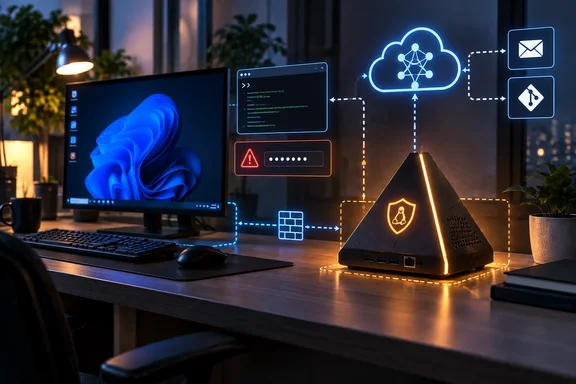
The Register first reported that the glowing 4.7-inch pyramid is marketed as an alternative to dedicating a Mac mini or leaving an agent running on a personal laptop. Intern 2 arrives with either Nous Research’s Hermes or OpenClaw preconfigured, while a black Developer Edition is intended for owners who want to use tools such as Claude Code, Codex, or OpenCode and bring their own agent stack.
For Windows enthusiasts and IT administrators, the appeal is recognizable. An always-on Linux box handling scheduled repository checks, message monitoring, research summaries, or coding jobs is less intrusive than giving those permissions to the desktop machine used for work. But Intern 2 should be treated as a small, cloud-connected server with an AI front end — not as a sealed safety boundary.
Intern 2 separates the agent from the desktop, not from the network
The Register described Intern 2 as an Orange Pi-, Raspberry Pi 4-, or Raspberry Pi 5-based device, saying Autonomous.ai had not clarified which board buyers would receive. Autonomous.ai’s current retail listing is more specific: it names an Orange Pi 4 Pro with an eight-core Arm processor, 6GB of LPDDR5 memory, 64GB of storage and expansion support, plus Wi‑Fi 6 and Bluetooth 5.4.
Those details do not fully line up with the report’s $299 price and Wi‑Fi 5/Bluetooth 5 specification. The company’s own shop currently advertises the Hermes and OpenClaw editions at a discounted $229, against a stated $249 regular price. Its Intern 2 documentation, meanwhile, refers to an “Intern v2 Pro” based on Orange Pi’s sun60iw2 platform. Autonomous.ai has not made clear whether these are different revisions, a retail specification update, or inconsistent product documentation.
That uncertainty is not cosmetic. Buyers evaluating a dedicated appliance need to know the exact board, memory, radio hardware, installed operating-system image and support status before deciding whether it belongs on a home LAN or a business network. An Arm board with 6GB of RAM is ample for the orchestration, messaging and browser-driven control that Intern 2 promotes, but it is not a serious local inference machine for modern large language models. The Register correctly identified the central limitation: the standard service uses remote inference.
Autonomous.ai says Intern selects among cloud models for each task through its own routing service. Its product page lists models including Anthropic’s Opus and Sonnet, DeepSeek and Qwen. In other words, Intern 2 can keep a workflow running locally while the reasoning step may occur elsewhere, depending on the task and configuration.
That is materially different from buying a compact PC to run a local model. The device can store context, API keys and files on its local storage, as Autonomous.ai says it does, while prompts, tool outputs or other task material still may need to pass through an external model gateway. Administrators should ask where data is processed, logged, retained and routed before connecting an Intern to company mailboxes, ticketing systems, GitHub organizations or customer records.
The consumer editions are locked down; the developer unit is deliberately open
Autonomous.ai’s documentation makes an important distinction that The Register’s launch report could not fully explore. The yellow OpenClaw edition and blue Hermes edition ship with SSH disabled. The black Developer Edition exposes SSH and includes a local toolchain for Codex, Claude Code and OpenCode.
That separation makes sense in principle. A consumer appliance with a fixed image is easier to support and reduces the chance that a user breaks the service while experimenting. A developer device needs shell access, logs, local source files and a way to build and deploy custom components.
The security posture of the Developer Edition, however, deserves far more attention than a color-coded product option. Autonomous.ai’s own Device Access guide states that its factory image creates an orangepi user with the password orangepi, and that the same password is used for sudo. It also tells buyers how to identify the device’s DHCP-assigned address and connect over SSH.
A default password documented on the public internet is not merely an onboarding convenience. On any network where another device can reach the Intern, it creates a predictable initial foothold until the owner changes the credentials. Because the account has sudo access, an attacker who reaches the service can potentially obtain complete control of the device, including its agent configuration, stored tokens and connected-service credentials.
Autonomous.ai does not appear to say in that guide that first-time setup forces a password change, disables password authentication after provisioning, or binds SSH only to a trusted management network. Those omissions matter more than the device’s pyramid case or LED capstone.
Anyone buying the Developer Edition should change the default password before connecting it to a normal network, replace password SSH with key-based authentication where possible, and put the device on a segregated VLAN or guest network with only the outbound access it requires. If remote access is necessary, it should go through a controlled mechanism rather than an internet-exposed SSH port. The consumer editions may be a better starting point for people who do not need shell-level control.
An isolated agent can still make high-impact mistakes
Autonomous.ai’s pitch rests on a valid concern: an agent that can run tools, read mail, use web services and execute code should not casually be installed on the same computer containing a user’s documents, browser sessions, credentials and personal data. Separating it onto a secondary machine limits the damage from destructive commands against the primary endpoint.
But physical separation does not make an agent safe to authorize. A device that has access to Gmail, Slack, Discord, GitHub, calendar systems, cloud drives or deployment credentials can still cause harm without deleting a single local file. It can leak data through a chat integration, create or alter repository issues, trigger workflows, spend API budget, or act on a malicious instruction embedded in an email, document or webpage.
The Register reported that Autonomous.ai’s head of AI hardware, Dee Tran, considers automatic outbound email premature and referred to it as “slop.” That restraint is warranted. Drafting an email is low-risk when a human reviews it; sending the same message autonomously turns a generative system’s error into an external action that may be difficult to retract.
The sensible use cases are the narrow ones: recurring checks that collect status, produce a digest, monitor a known feed, prepare drafts, or open a ticket for human review. Those jobs benefit from an always-on machine without requiring the agent to make irreversible decisions.
For software teams, the better implementation pattern is to give Intern a dedicated low-privilege account and narrowly scoped tokens. A GitHub integration should be limited to the required repositories and permissions. A cloud account should not have administrative access merely because the agent may occasionally need to query an API. Email and calendar integrations should begin with read access or draft-only capabilities. The device should be considered an automation worker, not a trusted employee.
Open source helps inspection, but it does not remove the vendor dependency
Autonomous.ai has published Autonomous OS under a mixed licensing structure. The company’s GitHub repository says most of the stack is Apache 2.0 licensed, while the hardware abstraction layer is GPL-3.0. Its documentation presents the operating system as the common foundation for Intern and other physical AI hardware, with services for device setup, a web dashboard, over-the-air updates, messaging channels and agent runtimes.
That is useful for technically capable owners. A buyer can inspect the operating system, adapt a skill, use an OpenAI-compatible endpoint hosted on separate local hardware, or build around a different runtime. The Register noted that Intern can be pointed at a locally hosted model server, which is the route for organizations that want to avoid sending prompts to an external inference provider.
Still, “open source” should not be confused with “fully owner-controlled” in the out-of-box experience. The standard Intern 2 proposition includes Autonomous.ai’s model-routing gateway, preconfigured agent images and a supported provisioning path. The documentation also describes an OTA bootstrap service. Owners who modify a Developer Edition will need to understand whether updates overwrite local changes, which components phone home, and whether agent credentials are preserved or exposed during diagnostics and support.
Autonomous.ai’s docs explicitly advise developers how to stop the fleet updater from overwriting a custom build. That is a practical acknowledgement that the appliance behaves like managed hardware until the owner deliberately takes control of its software lifecycle.
The practical purchase decision is about administration, not compute
Intern 2 costs far less than a dedicated Mac mini or a Windows mini PC, and it uses dramatically less space and power. For someone who wants a preassembled agent host and accepts cloud inference, that convenience is the product. It avoids assembling an Orange Pi, configuring Linux, setting up secure remote access, installing an agent runtime and integrating chat services from scratch.
The trade-off is that the customer inherits a young vendor stack, unclear hardware messaging and a cloud-service relationship that is more important than the small computer inside the enclosure. Autonomous.ai promises an allowance of ten million tokens per day through its gateway, according to The Register, but the current product page emphasizes model routing rather than publishing clear long-term terms for that allowance, rate limits, overage pricing or what happens if the gateway service changes.
The Intern 2 is therefore best viewed as a dedicated agent endpoint for supervised automation, not a replacement for a general-purpose workstation and not a way to make autonomous actions trustworthy. Its separation from a main PC is valuable, particularly for experimental coding and scheduled tasks. Before it touches a Windows user’s accounts or an organization’s services, though, its owner needs to secure the Developer Edition, constrain its credentials, and decide whether cloud-routed inference is acceptable for the information the agent will handle.
References
- If a Mac mini is agentic overkill, try this glowing pyramid that runs personal bots The Register · 2026-09-16T23:28:59+00:00