

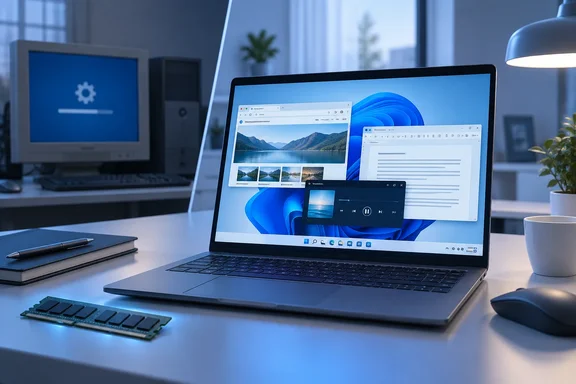
That's worth noting, because Wawro isn't a natural fan. He reviewed Windows 11 when it launched in 2021 and has used it as his daily driver since. He also admits that the constant promotions for Microsoft products, the weak optimization and what he calls "AI nonsense" turned his stomach. Two recent PCWorld projects changed his mind a little. Here's what he saw, what it does and doesn't prove, and what it means if you're still deciding whether to leave Windows 10.
The 8GB XPS 13 that didn't struggle
The first project was a video review of the new Dell XPS 13, a model with only 8GB of RAM. Wawro remembered Windows 11 as a memory hog when he first reviewed it on 16GB to 32GB machines, so he expected this laptop to crawl once he started multitasking.
It didn't. He ran Chrome with more than 20 tabs, streamed music and wrote in Word, and navigation felt about as quick as on his 32GB desktop. He is careful about the limits of that comparison:
- Where it held up: Browsing and everyday productivity felt smooth, with no stutter during his limited testing.
- Where it didn't: The laptop is nowhere near his desktop for gaming, video editing or other heavy work.
- The catch: Task Manager showed memory use of at least 6GB with nothing open. That figure rose steadily as he opened apps and tabs, though he never maxed it out using only productivity apps.
So Windows 11 felt fine on 8GB, but it still uses a lot of that memory before you've opened anything. That leaves little headroom, and a heavier workload would use it up quickly.
Wawro's theory is that years of complaints from reviewers pushed Google and Microsoft to optimize their PC software. That's plausible, and there's some evidence for it, covered below. But it is his interpretation. He didn't test it.
Section summary: On one 8GB laptop, Windows 11 handled light productivity comfortably, but idle memory use was still high. It's a positive data point, not a benchmark.
The ad hunt that came up short
The second project was a video about Windows 11 itself. Wawro did a fresh install on a new machine and went looking for as many annoying built-in promotions as he could find: OneDrive pop-ups, prompts asking for personal information, and the familiar prompt suggesting Bing when you try to download Chrome.
He found it surprisingly hard to collect examples. He's clear that the ads haven't gone away. They just seemed less frequent and less intrusive than he remembered. His verdict is that Windows 11 has "gotten better with age," which he admits is faint praise. He also repeats The Full Nerd team's wish for a Windows Pro edition aimed at enthusiasts.
This part deserves some caution. It compares one fresh install against one person's memory. Nobody counted prompts across multiple installs, editions or regions. How many prompts you see can depend on your account, your region, your edition and how you went through setup. Still, a lifelong skeptic who went looking for ads and struggled to find them is worth something.
Section summary: Microsoft's upsells are still there, but on at least one clean install they looked less aggressive than in Windows 11's early years.
Microsoft is openly working on the 8GB problem
The XPS result fits with what Microsoft has said publicly. In July, PCWorld reported that Pavan Davuluri, head of Windows + Devices, listed "Memory optimization for 8GB and above" as a Windows priority through the end of 2026. The stated goal is to shrink Windows' memory footprint and keep everyday PCs responsive.
According to that report, Davuluri pointed to three ongoing efforts:
- A more efficient memory allocator to cut overhead across apps and system components.
- Continued tuning of WinUI 3, so apps built on the framework use less memory by default.
- Efficiency work on Chromium and WebView2 components where they appear inside Windows.
The report also described 8GB machines as historically "a liability." Part of the pressure comes from 8GB Macs such as Apple's MacBook Neo, which show what tight integration between hardware and software can do on modest memory.
This builds on commitments Microsoft made in March 2026: better speed, stability and control, a more flexible Start menu and taskbar, more control over updates, and less Copilot in Microsoft's own apps. By July, PCWorld had reported Windows Insider program changes, previews of Start and taskbar changes, quieter widgets and File Explorer changes.
Keep these points separate:
- Microsoft describes this work as ongoing through the end of 2026, not finished.
- Microsoft hasn't published the performance metrics it uses to decide what counts as acceptable performance on a low-end PC.
- Not every previewed change has reached every Windows 11 user.
- Nothing shows that these specific changes explain Wawro's XPS experience. The timing fits, but that's all.
Section summary: Microsoft has said publicly that it's working on 8GB performance, and one reviewer's experience lines up with that. Treat it as a promising trend rather than a finished job.
Minimum specs vs. what your workload needs
Microsoft's official Windows 11 requirements still list 4GB of RAM as the minimum. Alongside it, you need a compatible 64-bit processor with two or more cores, at least 64GB of storage, UEFI firmware capable of Secure Boot, and TPM 2.0. Windows 11 Home also needs an internet connection and a Microsoft account to finish first-time setup.
The 4GB figure only determines whether Windows 11 will install. It doesn't mean your workload will run comfortably. If Wawro saw about 6GB in use at idle on an 8GB machine, a 4GB PC is in a very different position. Microsoft also notes that storage needs can grow over time with updates and features, and some features have their own hardware requirements. DirectStorage, for example, needs an NVMe SSD and a supported GPU.
My practical read (from general industry experience, not the reporting):
- 8GB now looks workable for browsing, email, office work and streaming, especially on a recent, well-configured laptop.
- 16GB or more is still the safer choice for gaming, creative work, virtual machines, development tools or anyone who keeps dozens of browser tabs open all day.
- Wawro didn't report the XPS 13's processor, Windows build, extensions or background services. Don't assume every 8GB PC will behave the same way.
How to check your own PC in a few minutes
- Press Ctrl + Shift + Esc to open Task Manager.
- Open the Performance tab and select Memory.
- Note memory use right after startup, with nothing open.
- Open your usual set of apps and tabs, then check again.
- If you're regularly near the limit, or the PC slows noticeably, you probably need more RAM or a lighter setup. If you have plenty of room left, upgrading to Windows 11 is unlikely to feel worse.
Section summary: Meeting Microsoft's minimum only means Windows 11 will install. Test your real workload before deciding whether a machine is good enough.
The Windows 10 clock: October 2027
Wawro notes that people still deciding can keep Windows 10 patched with critical security updates through October 2027. That checks out, and it reflects a change this summer. Microsoft quietly extended its free Windows 10 Extended Security Updates (ESU) program for consumers by an additional year, allowing enrolled devices to continue receiving security updates until October 12, 2027. Originally, the consumer ESU program was set to end on October 12, 2026.
Before you treat that as a permanent escape hatch, here are the terms:
- What you get: Access to critical and important security updates as defined by the Microsoft Security Response Center (MSRC) for devices running Windows 10, version 22H2.
- What you don't get: ESU enrollment does not provide other types of fixes, feature improvements, or product enhancements. It also does not come with technical support.
- Already enrolled? Your coverage will automatically continue through that date—no action needed.
- Enrollment options: Enrollment remains free for anyone syncing PC Settings through a Microsoft account. You can also redeem 1,000 Microsoft Rewards points, or pay a one-time fee of $30 USD.
- How to enroll: According to Windows Latest, go to Settings > Update and Security > Windows Update and select Enroll now.
- Business devices: Systems joined to an Active Directory domain or to Microsoft Entra, or managed through Mobile Device Management, are corporate-controlled and therefore not eligible for the consumer program.
Don't wait just because the deadline is a year away. Microsoft warns that devices will be more vulnerable and susceptible to viruses and malware before enrollment. Most people have already moved: Tom's Hardware reports that Windows 11 has surged to roughly 73% of desktop share against Windows 10's 26%.
Section summary: Windows 10 holdouts have security patches until October 12, 2027. That's time to plan an upgrade, not a way to stay forever.
So, is Windows 11 good enough yet?
The evidence supports a qualified answer: better than a skeptic expected, in the tests he ran. Windows 11 handled light productivity well on an 8GB laptop, and its built-in promotions seemed toned down on a fresh install. Microsoft has also said publicly that it's working on memory use and the other complaints that made Windows 11 unpopular.
The evidence does not support saying Windows 11 is now optimized everywhere, that 8GB is enough for everyone, or that the upsells are gone. This is one reviewer, one laptop and one fresh install. It's a useful signal, but it's not a lab result.
My suggestions:
- If your PC is eligible and you mostly browse and work in Office apps, the old reasons to avoid Windows 11 are weaker than they were a few years ago. Try the Task Manager check above.
- If your PC isn't eligible, enroll in ESU now, then plan a hardware refresh before October 2027.
- If you're buying a new PC, 8GB is more livable than before, but 16GB still gives you real headroom.
Is Windows 11 perfect? No. But even people who've complained about it for five years are starting to admit it has improved. If you've made the move recently, or you're still holding out on Windows 10, share your experience in the forum.
References
- Is Windows 11 good enough yet? PCWorld · 2026-09-25T11:00:00+00:00
- Windows 11's next big priority: Making 8GB PCs less painful to use | PCWorld pcworld.com
- Windows 10 Consumer Extended Security Updates (ESU) microsoft.com