

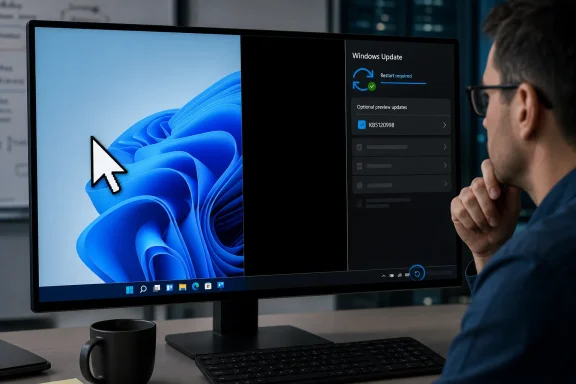
Windows Latest first flagged the problem after users began posting reports immediately after installing KB5120998. Those reports are independently visible in the Windows 11 Reddit discussion linked by Microsoft employee Jen Gentleman: several users describe losing custom HiDPI cursor schemes, being unable to change the default pointer, or getting a black wallpaper after the restart. Some report both behaviors on the same machine.
The practical conclusion is narrower than “never install this update,” but no less useful: skip KB5120998 for now unless you have a controlled test environment and a specific reason to validate its new features. The patch is an optional preview release for Windows 11 24H2 and 25H2, not the August security update.
KB5120998 is a real public preview, not an Insider-only build
Microsoft’s support record identifies KB5120998 as the August 27, 2026 cumulative preview update for Windows 11 24H2 and 25H2. It raises 24H2 systems to build 26100.9278 and 25H2 systems to build 26200.9278. The Microsoft Update Catalog also lists x64 and Arm64 packages for both releases.
That distinction matters for deployment decisions. Preview cumulative updates are where Microsoft places non-security fixes and forthcoming Windows features before they enter the following regular security update. A PC does not need this package to remain protected through the normal monthly servicing path.
Microsoft makes the update available through Settings > Windows Update > Advanced options > Optional updates. It is not offered through Windows Update for Business, according to Microsoft’s deployment table, although administrators can manually import it into WSUS or deploy the standalone packages. In other words, an organization has to make an affirmative decision to put KB5120998 on managed endpoints; it should not be silently appearing in normal business servicing rings.
Jen Gentleman made the same point in the Reddit discussion: skipping the optional release does not permanently exclude the changes, because its contents are expected to be incorporated into the next required Windows update. That is a reason to wait, not a reason to race ahead.
The reported failures point to user-profile state, but the cause is not confirmed
The cursor problem is more than a cosmetic preference for people who use high-contrast, large-pointer, custom-color, or third-party cursor schemes for accessibility or visibility. Multiple reports say the normal pointer returns as a larger white legacy-style arrow and refuses to retain changes made in Windows accessibility or pointer settings. At least one user reported that rolling back from build 26200.9278 to 26200.9267 restored the expected cursor appearance.
The wallpaper reports are similarly specific. Affected users say their normal desktop image is replaced by a black solid-color background after installing the update. Some say they can select their wallpaper again, while others report it reverting after sign-out or restart. The fact that several users describe both the wallpaper and cursor symptoms suggests a possible failure in settings persistence, theme handling, or a component involved in applying per-user visual configuration.
That remains an inference, not a diagnosis. Microsoft has not assigned a root cause, named affected hardware, or identified a display-scaling, graphics-driver, theme, accessibility, or account configuration that predicts whether a machine will be affected. Reports include users who saw no problem after installing the same build, including on more than one PC.
The available evidence is enough to establish that there are real user reports and that uninstalling the update has restored normal behavior for several affected people. It is not enough to claim that every Windows 11 24H2 or 25H2 installation will break, or that the update has a confirmed graphics-driver conflict.
Microsoft’s known-issues page has not caught up
The sharpest discrepancy in the record is between the public feedback and Microsoft’s release documentation. Microsoft’s KB5120998 support page currently says it is “not currently aware of any issues with this update.” Yet the Microsoft-linked Reddit thread contains multiple reports of the same pointer and wallpaper symptoms within hours of release.
That does not prove Microsoft is ignoring the reports. Release-health documentation often lags the first user feedback, and a formal known issue usually requires the company to reproduce the failure, establish scope, and decide whether a server-side mitigation or replacement update is appropriate. But readers should understand the present status accurately: these are reported and reproducible-by-uninstall symptoms, not yet Microsoft-acknowledged known issues.
Windows Latest also mentioned complaints involving DISM error 0x800f0915. That issue should not be bundled into the cursor-and-wallpaper story without stronger evidence. Posts describing component-store repair failures predate KB5120998, and the available reports do not demonstrate that this preview update created the DISM problem. Administrators troubleshooting 0x800f0915 should treat it as a separate servicing investigation rather than assuming that removing KB5120998 will repair a damaged component store.
The new features are valuable, but they are also gradually enabled
KB5120998 includes some long-requested interface changes. Microsoft says users can place the taskbar at the top, bottom, left, or right edge of the display; choose a smaller taskbar size; select small, large, or automatic Start menu sizing; hide their name and profile image in Start; and separately control major Start sections. Windows Search gains clearer result-source labeling and an option to show or suppress web and Microsoft Store suggestions alongside local results.
For administrators, the package also begins rollout of Administrator Protection, Microsoft’s just-in-time privilege model for administrative tasks. Microsoft says the feature is off by default and can be configured through Group Policy or Intune OMA-URI. KB5120998 additionally removes the WMIC command-line utility from Windows 11 24H2 and 25H2, while leaving the underlying WMI platform supported.
There is a catch for enthusiasts installing the preview solely for the interface work: much of the headline functionality is on gradual rollout. Microsoft explicitly says availability can vary by device. A machine can therefore install the package, be exposed to its code and any regression it carries, and still not immediately receive the movable taskbar, Start menu sizing, or Search controls that motivated the installation.
That makes this a poor trade for most users today. The update’s benefits are optional and may not arrive immediately; the reported failures affect basic desktop usability; and Microsoft has not yet published a mitigation or an affected-device list.
What to do if KB5120998 is already installed
If the update installed and the machine is behaving normally, there is no evidence that a healthy system must be rolled back preemptively. Avoid forcing feature flags or applying unsupported feature-enablement tools while Microsoft is still assessing reports, since doing so makes troubleshooting and later support harder.
If the cursor is stuck on the default scheme or wallpaper repeatedly returns to black, first record the installed build with winver, then file a detailed Feedback Hub report using Win + F. Include Windows edition and version, build number, display scale, monitor arrangement, graphics hardware and driver version, whether a custom cursor scheme is used, whether the desktop background is set to Picture, Slideshow, or Windows Spotlight, and whether the problem returns after a reboot or sign-out. Those details are precisely what Microsoft needs to determine whether the failure is tied to a particular configuration.
For a working rollback, go to Settings > Windows Update > Update history > Uninstall updates, remove KB5120998, and restart. That removes the preview’s feature additions as well as the suspected regression, but it is the only remediation consistently reported by affected users so far.
For managed environments, keep KB5120998 out of WSUS approvals and test rings until Microsoft updates its known-issues documentation or publishes a corrected cumulative update. The next routine security release will be the point at which these changes become harder to avoid, so now is the useful window to collect configuration data from affected pilot devices rather than discovering the cursor and wallpaper failures across a broader fleet.
Update: Microsoft acknowledges KB5120998 mouse-personalization issue (August 29, 2026)
Microsoft has now added the mouse-settings regression to its Windows Release Health documentation. The company confirms that KB5120998 can cause cursor appearance and animation preferences to revert, including replacement of high-DPI cursor schemes with a larger white cursor.
Microsoft is investigating and asks affected users to submit Feedback Hub reports. Its notice applies to Windows 11 24H2 and 25H2 client editions, not Windows Server. The black-wallpaper reports remain unconfirmed by Microsoft, so they should still be treated as a related user-reported symptom rather than an acknowledged issue.
Separately, Neowin reports that Microsoft is investigating false “Microsoft Defender Antivirus is turned off” notifications after restarts. That problem is described as affecting supported Windows 10 and Windows 11 client and server releases, rather than being tied specifically to KB5120998.
Update: Microsoft reportedly confirms KB5120998 black-wallpaper regression (September 3, 2026)
Neowin reports that Microsoft has now acknowledged the previously unconfirmed desktop-personalization problem in KB5120998. According to the report, customized desktop backgrounds can fail to load after installation, leaving affected Windows 11 24H2 and 25H2 PCs with a solid black desktop.
The reported scope is broader than a single wallpaper setting: slideshow backgrounds and contrast themes may also fail to apply or persist. Manually selecting a replacement background reportedly does not reliably resolve the issue, with Windows reverting to the black default when personalization settings fail to load.
Microsoft is reportedly working on a resolution for delivery in a future Windows update, but has not provided a workaround or a release timeline. This supersedes the earlier status of black-wallpaper failures as user reports only: they should now be treated as an acknowledged KB5120998 regression, alongside the mouse-personalization issue.
Update: Mouse-settings issue tied to non-English Windows components (September 3, 2026)
According to WindowsReport, Microsoft’s updated release-health guidance narrows the mouse-personalization regression to certain non-English Windows installations. KB5120998 and later updates can prevent the components used to load saved cursor schemes and animations from working correctly, causing Windows to fall back to default mouse settings.
This adds important scope to Microsoft’s earlier acknowledgement: the issue is not simply a one-time reset after installation. Reapplying a preferred cursor scheme or animation may not persist because the affected settings can fail to load again. Microsoft is developing a permanent fix for a future Windows update, with no release date announced.
The report also confirms that Microsoft’s black-desktop advisory covers affected Windows 11 24H2 and 25H2 systems, including failures involving slideshow backgrounds and contrast themes.