

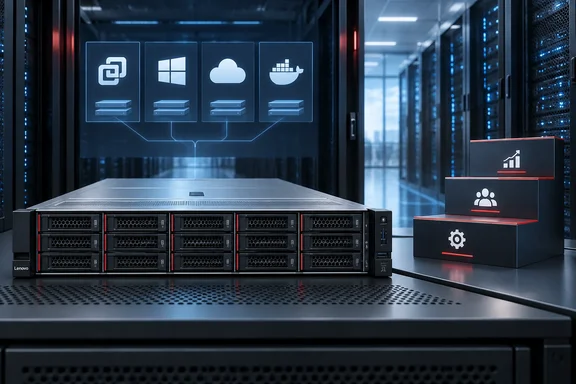
For IT administrators, the useful question is not simply whether these systems are “AI-ready.” It is which platform, licensing arrangement, and deployment responsibilities fit the workloads they already operate.
VX850 V4: substantial hardware, a defined VMware stack
Lenovo’s ThinkAgile VX850 V4 product guide adds concrete specifications beyond the announcement:
- Form factor: 2U, based on the ThinkSystem SR850 V4.
- Processors: Two or four Intel Xeon 6 processors, with up to 86 cores per processor.
- Memory: Up to 16 TB of TruDDR5.
- Storage: Up to 24 front-accessible, 2.5-inch hot-swap drive bays.
- Factory-installed hypervisor: ESXi 9.1.
Lenovo identifies in-memory databases, analytics, business intelligence, transaction processing, and collaboration among its intended workloads. The system supports VMware Cloud Foundation or VMware vSphere Foundation; the guide directs customers to Broadcom or an authorized software partner for subscriptions. Buyers therefore should not assume the hardware purchase automatically includes VMware licensing.
The important boundary: VX850 V4 specifications describe the VMware-based product. They do not establish the configuration or software requirements of Lenovo’s separate Microsoft offerings.
Express Solutions preserve several platform paths
Lenovo describes its expanded Express Solutions as pre-validated hardware-and-software configurations within the Top Choice Express program. The announced paths are:
| Solution | Announced purpose |
|---|---|
| Hyper-V Ready Solutions and Windows Server | A validated foundation for virtualization modernization |
| Azure Local with ThinkAgile MX V4 | Distributed, customer-controlled workloads with Azure-consistent management |
| Red Hat OpenShift Virtualization | Virtual machines and containers on one platform |
| ThinkSystem with Nutanix Compute Cluster | Independent compute scaling |
| SUSE Virtualization on ThinkSystem V4 | Virtual-machine and container workloads together |
These are Lenovo’s stated capabilities, rather than independently measured deployment or performance results.
Hyper-V and Azure Local are not equivalent purchases
Microsoft’s comparison documentation, scoped to Azure Local 2311.2 and later and Windows Server 2025, explains the distinction. Windows Server is a multipurpose operating system that can host Hyper-V virtual machines, run traditional server roles, or operate as a guest. Azure Local provides an infrastructure platform with Azure-integrated management; its workloads run inside virtual machines or containers rather than directly on the host.
Microsoft’s Azure Local overview also identifies Azure Arc as its unifying control plane and describes billing through an Azure subscription, including physical-core charges and additional consumption-based Azure services.
The practical implication is straightforward: evaluate the operating model before comparing server specifications. A Windows Server host refresh and an Azure Local deployment can address overlapping workloads without creating identical management, licensing, or lifecycle obligations.
Deployment services: installation versus handoff
Lenovo’s infrastructure deployment portfolio has three levels:
- Standard Deploy: Readiness preparation and hardware installation.
- Premier Deploy: Adds implementation and operational handoff support.
- Premier Deploy Plus: Adds extended post-deployment assistance and a one-year infrastructure health assessment, excluding DE Storage Array.
That distinction deserves attention. Equipment arriving in a rack and infrastructure being ready for production are different acceptance milestones.
What administrators should establish before ordering
As procurement guidance—not a claim that Lenovo includes these tasks in every package—teams should request written answers to four questions:
- What is the exact validated configuration? Identify hardware, firmware, networking, storage, and supported software versions.
- Which licenses are included? Separate host software, guest operating systems, management subscriptions, and support.
- What does deployment acceptance cover? Define configuration, documentation, operational handoff, and any migration responsibilities.
- How will recovery be demonstrated? Specify backup compatibility, restore testing, and required recovery targets.
Lenovo’s announcement does not publish pricing, detailed availability dates, comparative benchmarks, or complete configuration requirements for the Microsoft paths. Its validation and resilience claims therefore should inform evaluation, not replace it.
The expansion offers more infrastructure and service choices. The strongest buying decision will come from matching those choices to workload requirements and operational capacity—not from treating an “AI-ready” label as a substitute for an architecture plan.
References
- Lenovo unveils new infrastructure solutions and services - FutureCIO FutureCIO · 2026-09-30T01:00:00+00:00
- Compare Azure Local to Windows Server - Key Differences and Benefits - Azure Local | Microsoft Learn learn.microsoft.com
- What Is Azure Local? Overview and Key Benefits - Azure Local | Microsoft Learn learn.microsoft.com