

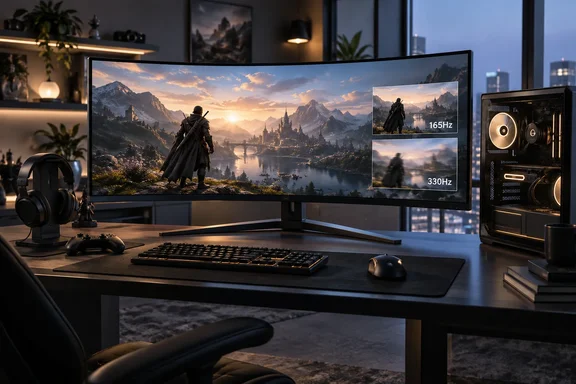
That "one major flaw" is TechRadar's opinion about value, not a hardware defect. Other outlets have raised more caveats, including brightness behaviour, warranty length and the panel's subpixel layout. This piece covers what the monitor is, what the reviewers found and what it asks of your Windows gaming PC.
What LG is selling
LG launched the monitor as the UltraGear evo GX9 (model 39GX950B-B) on April 7, 2026, with US preorders at $1,799.99. LG calls it the world's first 39-inch 5K2K curved OLED gaming monitor. That claim is LG's own and rests on published OLED gaming monitor specs as of March 2026. LG's launch material lists these specs:
| Specification | LG 39GX950B-B (manufacturer figures) |
|---|---|
| Size / aspect | 39-inch, 21:9, 1500R curve |
| Native resolution | 5120 × 2160 (143 PPI) |
| Panel | 4th Gen Primary RGB Tandem OLED |
| Refresh (Dual Mode) | 165 Hz at 5K2K, or 330 Hz at Wide Full HD (2560 × 1080) |
| Response time | 0.03 ms GtG |
| Brightness | 335 nits typical; TechRadar and PC Gamer cite 1,500 nits peak HDR |
| HDR | VESA DisplayHDR True Black 500 |
| Adaptive sync | G-Sync Compatible, FreeSync Premium Pro |
| Inputs | DisplayPort 2.1 (UHBR20), 2× HDMI 2.1, USB-C with 90 W PD |
TFTCentral adds some detail on connections. It says the monitor has 1x DisplayPort 2.1a (with UHBR20 bandwidth, 80Gbps), 1x USB type-C (with DP Alt mode, 90W power delivery and data), and 2x HDMI 2.1 video connections, along with a 4-pole headphone/mic combo jack and 2x USB-A data ports. That's useful if you plan to plug a laptop in over one cable.
One correction: TechRadar gives the Dual Mode resolution as "2580x1080" in one place. LG and other reviewers say Wide Full HD, which is 2560 × 1080. Also note that 330 Hz only works in that lower-resolution mode, never at native 5K2K.
Section summary: it's a 4K-class OLED stretched to 21:9 at 39 inches. You choose between 165 Hz at full sharpness and 330 Hz at 1080p-class resolution.
What TechRadar found
TechRadar reviewer Isaiah Williams used the monitor for two weeks for games, films and work. His test list included Horizon Forbidden West, Control Resonant, Battlefield 6, Resident Evil Requiem, Crimson Desert and Final Fantasy 7 Remake Intergrade, running on an RTX 4080 Super with DLSS 4.5. His main findings:
- HDR and highlight detail: with the monitor's Dynamic Tonemap setting on and brightness set to high, bright scenes kept detail that he says older OLED panels tend to lose.
- Refresh rate: his previous monitor was a 240 Hz LG 45GS95QE at 3440 × 1440. Dropping to 165 Hz didn't bother him, because pixel density jumped from about 83 PPI to 143 PPI.
- Text clarity: this panel uses a WOLED layout with a white subpixel, not the RGB-stripe layout on the Alienware. Even so, he saw no fringing problems and credits the high pixel density.
- ABL (automatic brightness limiting): he barely noticed it in games. It was more visible on the Windows desktop, where windows open and close all the time.
- Design: he liked the matte anti-glare coating in a sunny room, the sturdy stand with height, tilt and swivel, the two 7 W speakers (handy with a PS5) and the 90 W USB-C port. On the downside, the monitor ran noticeably warm after a few hours.
The on-screen menu has high, low and uniform brightness settings. Williams preferred high for games and low or uniform for films and TV, because high made dimming more obvious in video. Uniform keeps brightness steady but lowers the ceiling.
The second opinions
Other reviews broadly agree with TechRadar's enthusiasm but point to different weak spots.
RTINGS published its review on June 1, 2026 and has updated it since. It calls the monitor fantastic for PC gaming and says its sRGB mode is very accurate, but notes that you need to calibrate the monitor if you want it to get bright while being accurate. It also revised its text-clarity score to better reflect its performance compared to other monitors with the same size and resolution. In HDR testing, RTINGS switched its results to the "Gamer 2" picture mode, which has better PQ EOTF tracking than 'Gamer 1.' Owners chasing accurate HDR may want to try that mode.
PC Gamer confirms that brightness varies when uniform brightness is turned off. It also found that full-screen brightness limits can make bright outdoor scenes look less impressive, though it judged this not enough for it to be a major flaw. Its bigger complaints were the two-year warranty and the missing RGB-stripe subpixels.
Digital Trends also pointed to warranty coverage. It says LG provides two years of burn-in coverage with this monitor, which feels short when you're spending this much money. It reported good results on a Mac as well, including Dual Mode.
Section summary: everyone agrees the picture is excellent. Price, brightness behaviour and a short warranty are the recurring complaints.
LG vs Alienware: the real decision
TechRadar's own Alienware AW3926QW review describes the two as the only 39-inch 5K2K OLED monitors currently on sale. Here's how they compare:
| LG 39GX950B-B | Alienware AW3926QW | |
|---|---|---|
| US price (as reviewed) | $1,799.99 | $1,099 |
| Subpixel layout | RGWB (white subpixel) | RGB stripe |
| Coating | Matte | Glossy |
| Rated brightness | 335 typical / 1,500 peak | 300 typical / 1,300 peak |
| Native / Dual Mode refresh | 165 Hz / 330 Hz | 165 Hz / 330 Hz |
| Warranty (per reviews) | Two years | Three years, including burn-in |
In US dollars, the Alienware costs $700 less, or about 39% below LG's launch price. TechRadar's Alienware review makes a less obvious point. The LG's white subpixel raises white brightness more than colour brightness, so in real use the Alienware feels about as punchy, with richer colours. The Alienware has its own flaw, though. An anti-burn-in feature called Convex Power Control can dim the panel's edges during games, and at the time of that review you couldn't turn it off.
Regional prices vary between outlets. TechRadar lists the LG at £1,599.99 in the UK and PC Gamer lists it at £1,549, so check local retailers before assuming the gap. TechRadar suggests LG could win more buyers by cutting the price closer to Alienware's. That's reasonable, but so far it's only a suggestion, not something LG has announced.
So which should you buy? If you work in a bright room and prefer matte screens, or you want the highest rated brightness, the LG has a case. If you want the best colour for the money and a longer warranty, the Alienware is hard to argue with.
What it asks of your Windows PC
This is where the review matters most for Windows users. The pixel counts explain why:
- 5120 × 2160 = 11,059,200 pixels
- 3840 × 2160 (4K) = 8,294,400 pixels, so 5K2K is about 33% more
- 3440 × 1440 (the common OLED ultrawide) = 4,953,600 pixels, so 5K2K is about 2.2× more
If you're moving up from a 1440p ultrawide, your GPU has more than twice as many pixels to draw each frame. TechRadar recommends at least an RTX 4080 Super or RTX 5070 Ti for high frame rates without leaning heavily on upscaling. That's the reviewer's judgement, not an LG requirement. Actual results depend on the game, your settings and your frame-rate target.
A practical setup checklist, based on LG's fine print and general Windows knowledge:
- Use DisplayPort 2.1 for 330 Hz. LG's footnotes say you need a DisplayPort 2.1 graphics card to reach 330 Hz, and actual refresh rates depend on your GPU and configuration. Older GPUs and cables may not get you there.
- Set the refresh rate in Windows. On Windows 11 this is under Settings > System > Display > Advanced display. If 165 Hz or 330 Hz isn't offered, check the cable, the port and your GPU driver before blaming the monitor.
- Use the monitor's AI Upscaling within its limits. LG says AI Upscaling requires an input source of at least Wide Full HD resolution. Sources below Wide Full HD are not supported. TechRadar found that DLSS on the PC gives better results when it's available. LG's upscaler is most useful for consoles or games without DLSS or FSR.
- Try the brightness modes on the desktop. If brightness shifting while you move windows around bothers you, test uniform for productivity work.
- Keep the firmware current. TFTCentral says the LG Switch app works simply over a DisplayPort connection. That also includes support for firmware updates within it, which is simpler than digging through the on-screen menu.
For burn-in, Digital Trends gives sensible advice: don't leave the screen on unnecessarily, and there is little reason to run it at maximum brightness all the time. With a two-year warranty, those habits matter more.
The verdict
TechRadar calls this a no-compromise monitor for image quality, and the other reviews back that up. At 143 PPI and 39 inches, it fixes the fuzzy-text complaint that dogged earlier large OLED ultrawides, and Dual Mode lets competitive players switch to 330 Hz.
But price is only one part of the problem. There's also a cheaper rival with a longer warranty. Brightness still shifts, especially on the desktop. And 5K2K needs a powerful GPU at a time when TechRadar says RAM shortages are pushing hardware prices up. If money is no object and you like matte screens, it's one of the best gaming monitors you can buy. For most buyers, the better move is to compare it with the Alienware first, or wait to see whether LG cuts the price.
References
- LG UltraGear Evo 39GX950B is almost perfect except for one major flaw TechRadar · 2026-09-28T19:00:00+00:00
- The Alienware AW3926QW is a 5K2K 39-inch OLED beast... and probably the best gaming monitor I've ever experienced | TechRadar techradar.com
- LG UltraGear Evo 39GX950B Review - TFTCentral tftcentral.co.uk