

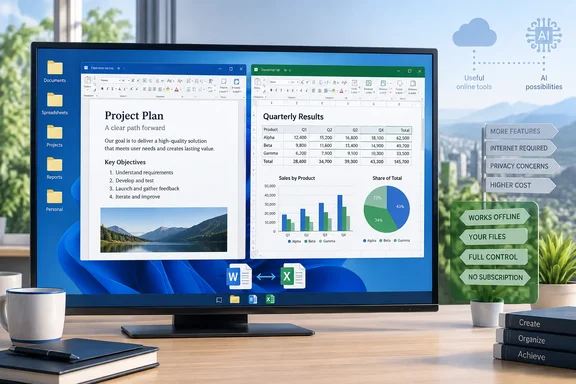
LibreOffice 26.8 Keeps the Office Suite on the Desktop
The XDA writer's argument comes from personal experience. Most "modern" office suites keep adding collaboration layers, connected services and AI tools. LibreOffice stays with the traditional desktop model, where Writer is a word processor and Calc is a spreadsheet. The writer doesn't want a built-in workspace or online dashboard just to draft an article, and says LibreOffice doesn't push them toward a web version.
The Document Foundation's latest release fits that description. There's no AI in LibreOffice 26.8, and It's FOSS reports that the foundation made that choice on purpose, sticking to the basics of an open source office suite. Instead of adding assistants, LibreOffice 26.8 concentrates on three areas: the typographic quality of what the suite produces, the range of writing systems it handles correctly, and the fidelity with which documents survive exchange with other office suites, according to LWN.
Those are core document-editing improvements. Writer gets a new Paragraph Composer. As OMG! Ubuntu explains, spacing gets balanced several lines at once, rather than one at a time, which can result in a better overall look in justified text, and the release adds native support for variable OpenType fonts. Phoronix's list of highlights includes faster opening of very large Writer documents with images, infrastructure to support comparing documents side-by-side in LibreOffice Writer, and a Calc command to shuffle the order of cells in a range. The release is available for Windows, macOS and Linux.
The suite is more than Writer and Calc. It also includes Impress for presentations, Draw for vector graphics and diagrams, Base for databases and Math for formulas. LibreOffice's own documentation calls it compatible with other major office suites and notes that it is free to download, use and distribute. It is licensed under the Mozilla Public License 2.0 and the GNU LGPL 3.0+.
Offline Writer and Calc, and the Limits of the Privacy Argument
The column's most practical point is that working offline costs you nothing. The writer drafts and edits locally, keeps working while travelling or on a bad connection, and never waits for a service to load. For documents and spreadsheets stored on your own PC, that is how a traditional desktop application behaves.
It's FOSS goes further, writing that nothing about the suite talks to a remote server, and none of it needs an internet connection to work. That fits the local-first model, but "local" still depends on your setup. Files on a network share or a synced cloud folder only stay offline if your storage setup allows it. The suite also has at least one outbound channel, and you should know it exists.
The Document Foundation's privacy policy describes crash reporting. When LibreOffice crashes it generates a report, and you are asked before each one is sent. The report includes the LibreOffice version, the loaded modules with their full installation paths, the operating system, CPU and GPU details, UI language and the crash time. The foundation says no user-created documents are included. To turn it off completely, the policy points to LibreOffice | General → Send crash reports to The Document Foundation in the options. That policy is dated February 2022, so menu wording in current builds may differ slightly.
The fair summary: a local-file workflow in LibreOffice gives you more control over drafts and research notes than a suite built around cloud storage. That's a consequence of where your files live and how you configure things. Open-source licensing doesn't guarantee privacy on its own.
No Account and No Workspace: LibreOffice Fits Around Your Other Tools
The column's third point is what LibreOffice doesn't ask for. The writer says they installed it, opened Writer and started working without creating an account or profile. No primary source reviewed here confirms that, so treat it as the author's account of the standard desktop download. Extensions, optional services and organisation-managed installs may work differently.
The writer's broader point is about scope. They already use separate tools for notes, tasks, file storage and communication, and LibreOffice doesn't try to replace them or pull the rest of their work into one platform. You can install it next to whatever you already use without redesigning your workflow. For someone whose main office work is long-form writing and personal spreadsheets, that is a real advantage.
What you give up is built-in real-time co-authoring, shared cloud storage and the connected services that come with a Microsoft 365 account. The column doesn't claim LibreOffice matches those. Its argument is that plenty of users don't need them. That makes the choice mainly about workflow, and the feature list matters less.
Microsoft 365 File Compatibility Is the Real Cost
For WindowsForum readers, whether LibreOffice is "boring" matters less than whether it opens and saves the files everyone else sends. LibreOffice's documentation lists broad support. Writer opens Word formats from .doc through .docx and .docm. Calc opens .xls, .xlsx, .xlsm and the binary .xlsb. Impress opens .ppt and .pptx. Writer can save as .docx and .doc, Calc as .xlsx and .xls, and Impress as .pptx.
Being able to open a format doesn't mean every document will look and work the same. The 26.8 release shows the work is ongoing. Phoronix lists Microsoft XLSX compatibility improvements, plus experimental support for import and re-export of new Chartex chart types that can be created in Microsoft Office and saved to OOXML files. The word "experimental" matters. If your spreadsheets use newer Excel chart types, test them before you switch.
LibreOffice's native format family is OpenDocument (ODF), an XML-based open standard developed at OASIS and adopted as ISO/IEC 26300. The project's documentation strongly recommends ODF as the default save format and suggests PDF for documents recipients won't need to edit. In practice this is a trade-off. ODF keeps your files in an open standard LibreOffice handles natively. .docx and .xlsx are easier for colleagues on Microsoft 365, and the more complex the file, the more likely you'll need to check how it survives the round trip.
The documentation also includes a cautionary note. RTF, often used as a lowest-common-denominator exchange format, is likely to lose formatting and images, and the project advises against relying on it.
Choosing Between LibreOffice 26.8 and 26.2.6 on Windows
The official release notes list two supported branches. LibreOffice 26.8.0, dated August 26, 2026, is the "latest branch" and is recommended for technology enthusiasts. The page warns that it may contain a few annoying bugs which will be fixed in the next bugfix versions to come. LibreOffice 26.2.6 is the "previous branch", described as the mature release, recommended for enterprises and suitable for all users. The official page dates 26.2.6 to September 24, 2026, but Wikipedia's release listing gives September 4. Check the date on the download page itself.
For 26.8, 9to5Linux reports that the branch will receive a total of seven maintenance updates until June 13th, 2027, with 26.8.1 planned for mid-September. Anything older than the two current branches is obsolete and unsupported. Older builds remain in the download archive but no longer get fixes.
The split is simple. If you want the new typography tools, the XLSX improvements or the Writer comparison groundwork, install 26.8 and expect a few more point releases before it settles. If you're setting up a machine for a relative, a small office or anyone who just needs it to work, 26.2.6 is the branch The Document Foundation itself recommends for that.
What This Means for You
LibreOffice is worth installing today if most of your documents live on your own PC and your main tasks are writing, spreadsheets and the occasional presentation. It needs more care if your working day revolves around Microsoft 365 files shared with people who will open them in Word and Excel. The software is free and runs alongside Microsoft Office, so trying it costs you nothing. Just test before you move over completely.
- Pick LibreOffice 26.2.6 for stability on work or family PCs, and 26.8 if you want the newest features and can live with early-branch bugs.
- Before switching, open a representative set of your own Word, Excel and PowerPoint files and check fonts, page layout, formulas, charts and macros.
- Save in ODF when files mostly stay with you, save in
.docxor.xlsxwhen Microsoft 365 users must edit them, and use PDF for documents nobody needs to change. - If you don't want crash reports sent to The Document Foundation, turn off the crash-report option under LibreOffice's General settings; otherwise you'll be asked before each one goes.
- Test newer Excel chart types and heavily formatted workbooks carefully, since 26.8's support for the new Chartex charts is still experimental.
- Remember that offline editing covers local files; synced folders and network storage still depend on your connection and configuration.
LibreOffice 26.8 has put its development effort into typography, text handling and Microsoft-format fidelity, and has left AI features and cloud services out. That makes the "boring" label accurate, and for a large group of Windows users it's a good reason to pick it. The next practical checkpoint is the 26.8 maintenance releases, which will close the gap with the 26.2 branch. Until then, anyone who wants a local, account-free office suite can run 26.2.6 and test their own documents.
References
- This open-source Microsoft 365 alternative is better than others because it stays boring XDA · 2026-09-24T16:30:18+00:00
- Privacy policy in English — LibreOffice libreoffice.org
- Release Notes — LibreOffice libreoffice.org