

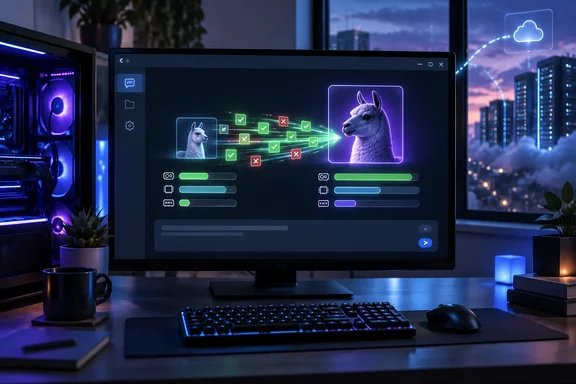
The more practical takeaway is narrower: a second, compatible draft model can make a local LLM feel substantially more responsive without changing the target model that determines its output. LM Studio officially supports the Llama 3.1 8B and Llama 3.2 1B pairing cited by XDA, and identifies speculative decoding as an inference feature that can improve generation speed while preserving the target model’s response quality.
That makes it worth testing for developers, homelab operators, and privacy-conscious Windows users who already use LM Studio or another local inference stack. It does not make the feature a universal cure for slow local AI, and it does not settle the separate question of whether an 8B local model is a replacement for a cloud-hosted frontier model.
The Speed Gain Comes From Fewer Expensive Decode Steps
A conventional autoregressive model generates one token, feeds that token back into its context, then generates the next. Even on a capable consumer GPU, that loop is often constrained by memory bandwidth: the system repeatedly moves model weights and cache data rather than keeping arithmetic units fully occupied.
Speculative decoding changes the sequence. A smaller model first proposes several probable upcoming tokens. The larger target model then evaluates those candidates together, accepting the tokens that match what it would have produced and rejecting the sequence at the point it diverges. The target model remains the authority; the draft model is a fast prediction mechanism rather than a second answer engine.
LM Studio’s own documentation says the models must share a vocabulary, while its recommended pairing table includes Llama 3.1 8B Instruct as the target and Llama 3.2 1B Instruct as the draft model. That is a meaningful implementation detail. Users cannot simply combine their favorite 7B or 8B model with any tiny model that happens to fit in VRAM and expect lossless acceleration.
The result depends on how often the target accepts the draft’s suggestions and how cheap the draft stage is. If the smaller model accurately predicts routine prose, code scaffolding, and common formatting, a target model can advance several tokens in a pass that would otherwise produce only one. If it frequently guesses wrong, the verifier rejects more work and the supposed shortcut loses its value.
XDA’s Benchmark Is Useful, but Incomplete
The 23.35-to-29.46 tokens-per-second result is internally coherent: it compares the same target model with speculative decoding switched off and on, uses the same prompt and settings, warms up the models, and averages three tests. A 26% gain is less spectacular than laboratory claims of two or three times faster generation, but it is credible for a consumer-oriented setup where implementation overhead and memory capacity matter.
The missing variables are more important than they may look. XDA did not identify the PC or Mac hardware, operating system, CPU, GPU, GPU memory, system RAM, model quantization for the target, context length, prompt length, or the exact prompts used for the published average. Any of those can materially change token throughput and draft-token acceptance.
The target model’s quantization is especially relevant. The article names Llama 3.2 1B Instruct in Q8_0 form as the draft model, but does not clearly state the Llama 3.1 8B file format or quantization. A user running an 8B model in a 4-bit GGUF file on an Nvidia GeForce RTX 4060 will have different memory pressure and decoding behavior from somebody using a higher-precision model on Apple unified memory or an AMD Radeon GPU.
The reported settings also leave performance on the table or, depending on the machine, avoid making it worse. XDA used a maximum of three draft tokens. That is a sensible conservative starting point, but it is not proof that three is optimal. Larger draft windows can improve throughput when acceptance is high, but every additional speculative token creates more draft work and can increase verification cost when the draft is frequently wrong.
A recent study of speculative decoding on production-oriented vLLM deployments reached the same broad conclusion: observed gains vary sharply across models, workloads, and serving conditions, and target-model verification can dominate the execution time. Research examining smaller language models has likewise found that draft overhead can be the limiting factor. The feature is a benchmarkable optimization, not a setting that carries the same benefit from one machine to the next.
The Extra Model Does Not Use “The Same Resources”
XDA correctly cautions that both models need to fit in memory, but its section heading says speculative decoding lets the local LLM do more “while the resources it consumes remain the same.” That is misleading.
A draft model adds its own weights, runtime buffers, and KV cache. The additional memory footprint may be modest compared with a much larger target model, but it is not zero. For an 8B target and 1B draft model, the extra allocation can be manageable on a desktop GPU with comfortable VRAM headroom; it can be decisive on an 8GB laptop, an integrated GPU, or a system that is already offloading layers to system memory.
Once either model causes paging, CPU fallback, or aggressive GPU-memory swapping, speculative decoding can become slower than baseline generation. The local inference engine must then coordinate two resident models instead of one while moving data across the slowest available memory path. In that situation, reducing context size, using a smaller target quantization, or selecting a smaller target model is usually a better first intervention.
This is why users should treat free memory as a prerequisite rather than a bonus. If LM Studio loads the target model near the limit of the GPU’s dedicated memory or the machine’s unified-memory budget, adding a draft model is a gamble. A configuration that keeps both models entirely on the intended accelerator has a far better chance of reproducing the improvement XDA observed.
What Windows Users Should Actually Test
The practical procedure is straightforward, but the benchmark needs to be more disciplined than watching one response render faster. In LM Studio, load the main model’s configuration, open the advanced loading settings, enable speculative decoding, and select a compatible draft model. LM Studio’s documentation describes the Llama 3.1 8B/Llama 3.2 1B combination used in the XDA report as a supported recommendation.
Before deciding whether to leave it enabled, test the use case that consumes time on the actual machine:
- Run the same saved prompt set with speculative decoding disabled and enabled, after each model pair has warmed up.
- Include short chat responses, long document summaries, and code-generation prompts rather than measuring one convenient example.
- Record tokens per second, time to first token, GPU-memory use, RAM use, and whether the system begins CPU offload or paging.
- Change the maximum draft-token setting gradually, because the best value is shaped by the hardware and how predictable the workload is.
- Keep generation controls fixed, including temperature, context length, maximum output tokens, and the target model’s quantization.
Token throughput is not the sole measure. A small improvement in average tokens per second can still make a chat session feel noticeably better if time to first token falls and the model emits short answers promptly. Conversely, a higher token-per-second number is of limited value if the configuration uses enough VRAM to constrain context length, destabilize other GPU workloads, or force an application to fall back to system RAM.
Local Responsiveness Is Not a Cloud-API Comparison
The headline’s cloud-API claim is personal preference, not a demonstrated comparison. XDA did not publish matched tests against a named cloud model, API latency measurements, uptime results, context limits, pricing, model-quality evaluations, or the cost of the local hardware and electricity used for inference.
A local Llama 3.1 8B instance has clear advantages where they apply: prompts can remain on the PC, service continues without an internet connection, response timing is under the user’s control, and there is no per-token bill. Those are substantial benefits for private notes, source code, internal documents, offline field work, and repeatable local automation.
Cloud APIs retain advantages that a speculative decoder cannot supply. They can provide much larger models, more current hosted capabilities, elastic throughput, large context windows, and no need to manage model files, GPU drivers, compatibility, or memory headroom. Faster generation improves the experience of the local model already chosen; it does not raise the reasoning quality or factual reliability of an 8B target model.
For Windows users whose local LLM already fits comfortably on the GPU, XDA’s 26% result is enough reason to test speculative decoding. The deciding number should be the one produced by the user’s own model pair and hardware — especially whether both models stay resident — rather than an appealing headline about replacing cloud AI.