

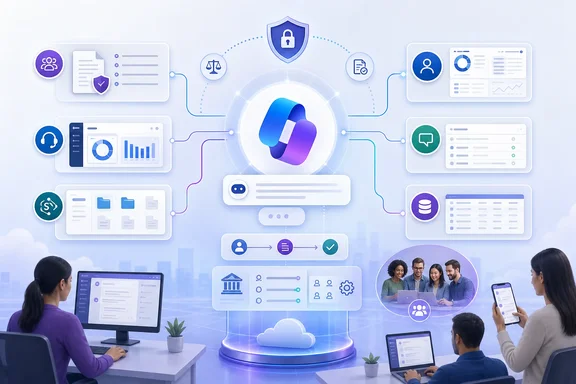
The Roadmap entry says the agent connects employees to authorized knowledge bases and HR or IT systems of record. Microsoft Learn documentation fills in the operational detail left out of that short description: organizations install separate HR and IT starter agents in Copilot Studio, configure their data sources and connectors, then publish and approve the result through Microsoft 365 Integrated Apps.
There is an important timing discrepancy in Microsoft’s own public record. Roadmap ID 487836 lists preview availability as August 2025 and general availability as November 2025, yet its status changed from Rolling out to Launched only on September 1, 2026. Microsoft’s Employee Self-Service documentation says general-availability access has been expanding in waves, beginning with managed customers. In other words, the “Launched” label closes a roadmap phase; it does not establish that every tenant had equal access at the stated November 2025 GA date.
The agent is a deployable Copilot Studio workload
Microsoft describes Employee Self-Service as a custom agent built on Copilot Studio and the Power Platform, rather than a fixed feature that simply switches on when a Microsoft 365 Copilot license is assigned. That distinction changes who owns it. HR may own the policies, the service desk may own ticket workflows, identity teams may own sign-on, and Power Platform administrators control the environment that hosts the agent.
Microsoft offers two starters: Employee Self-Service HR and Employee Self-Service IT. Organizations can deploy either starter or both, but Microsoft’s installation guidance says they must be installed one at a time. They can be presented through one employee-facing experience, though Microsoft recommends keeping the vertical agents in the same Power Platform environment if they will be joined to a central agent.
The out-of-box use cases are relatively specific. Microsoft says the HR configuration can retrieve benefits information and start leave-of-absence processes, while the IT configuration can provide Microsoft 365 assistance and create, retrieve, or update IT tickets. The actual depth of those actions is determined by the systems the organization connects and the permissions granted to them; the Roadmap description should not be read as proof that every tenant gets a ready-made Workday, ServiceNow, or SAP workflow.
Microsoft’s integration matrix identifies SharePoint, Microsoft 365 Self-Help, ServiceNow, Workday, and SAP SuccessFactors among the supported sources and systems. For ServiceNow, the agent can use knowledge content and IT or HR ticketing actions; for Workday and SuccessFactors, Microsoft documents employee-profile read and write scenarios. That is potentially useful, but it also means Employee Self-Service crosses from answering questions into initiating transactions involving employee data.
“Authorized knowledge” depends on the tenant’s preparation
The most consequential part of this release is not its chat interface. It is the quality and governance of the knowledge sources behind it. Microsoft’s responsible-AI guidance says the agent provides authoritative responses based on the knowledge sources and external-system packages an organization configures. A stale leave policy, a broad SharePoint permission, or a poorly tested workflow will still produce a polished answer—just not necessarily a correct or appropriate one.
Before installation, Microsoft requires a Power Platform environment and assigns responsibilities across Global Administrators, Power Platform Administrators, Environment Makers, and infrastructure or change-control teams. A Dataverse-backed environment is part of the setup process. Microsoft also advises capacity planning before enablement because the agent can create additional billing exposure under the tenant’s Power Platform arrangements.
Data loss prevention policy is another hard prerequisite, not an afterthought. Microsoft says that blocked connectors can cause deployment or runtime configuration to fail. The required connector list depends on the deployment, but Microsoft says the Office 365 Users connector is required in all cases because built-in topics and flows look up the signed-in user’s profile.
For environments linking external HR or IT systems, security teams may need to allowlist the Power Platform environment’s outbound IP addresses. That requirement matters for organizations whose ServiceNow, Workday, or other systems are shielded from public networks. The implementation is therefore closer to a modest integration project than the “self-service agent” name suggests.
Microsoft also cautions administrators to create a dedicated, unmanaged solution and make it the preferred solution before customizing the agent. Its documentation warns that without this step, changes to topics, tools, flows, and knowledge sources can land in the Default solution. Those changes then become nonportable across development, test, and production environments and can create unmanaged-layer conflicts with later updates.
The published channel is Copilot, not standalone Teams
The Roadmap lists Android, iOS, desktop, mobile, and web, which is broadly accurate but obscures a notable channel limitation. Microsoft’s current publishing guidance says Employee Self-Service is designed to operate within Microsoft Copilot. It may appear as a Teams app after publication, but Microsoft explicitly says it is not supported in the standalone Teams experience and users might encounter errors or broken functionality there.
Microsoft offers two mitigations: redirect Teams users to Microsoft Copilot, or block the agent in Teams through the Teams admin center. Blocking it in Teams does not remove the agent from Copilot Business Chat. For organizations that rely on Teams as the front door for employee support, that limitation should be part of the rollout communication rather than discovered after users click a visible app that cannot reliably complete their request.
Mobile access is also more qualified than the Roadmap platform list implies. Microsoft says users can access the agent from the Microsoft Copilot app on Android and iOS when it has been enabled on the web, with no separate mobile configuration required. However, mobile does not support handoff to another agent or a live agent; users are redirected to the web experience. Prompt Gallery features, richer landing-page customizations, some multi-agent scenarios, and visible “Official Answer” or source badges are limited or absent on mobile.
Those details matter for help-desk design. If a ticket escalation, live handoff, or a trust indicator is essential to the process, the mobile agent is an entry point rather than a full substitute for the web Copilot experience.
Publishing still has friction
The administrator workflow is deliberate. A maker publishes the agent through its Microsoft Teams channel configuration, makes it available in Microsoft Copilot, chooses an audience, and submits it for approval. A Microsoft 365 administrator must then review it in Integrated Apps and deploy it to a selected user population.
Microsoft recommends beginning with a small pilot group. That advice is sensible given the number of variables: the agent’s grounding data, connector permissions, user consent, authentication, service-desk workflows, and language used in policy answers. A broad launch before HR, IT, and security have tested realistic employee prompts risks putting an attractive front end in front of incomplete or inconsistent back-end processes.
Microsoft documents a potential publishing delay of up to 48 hours before the agent appears in Microsoft Copilot. Its workaround is to download the agent manifest and upload it manually through Integrated Apps. Microsoft also says automatic updating of the core agent and external-system accelerator packages is not supported, leaving makers responsible for manual updates.
The consent experience deserves particular attention. On first use of an SSO-enabled connector, employees can be asked to authorize access to systems such as Workday or ServiceNow. Microsoft says organizations that want tenant-level authorization instead can open a Microsoft 365 admin-center support request to disable that user-facing consent prompt. That should be decided before a pilot, since unexpected authorization dialogs undermine the promise of a low-friction employee service channel.
Treat the launch as a governance checkpoint
Employee Self-Service Agent is now formally launched on the Microsoft 365 Roadmap, but it is not a universal replacement for an HR portal or service-management front end. It is a configurable Copilot Studio solution whose usefulness will reflect the organization’s policy content, least-privilege design, connector governance, lifecycle management, and testing discipline.
The immediate task for Microsoft 365 and Power Platform administrators is to inventory which employee requests are safe to answer or transact through Copilot, identify the authoritative knowledge sources for each one, and pilot the HR and IT starters with a controlled group. Tenants that publish it without settling the Teams limitation, mobile gaps, consent model, update process, and data-access boundaries will have launched an agent—but not necessarily an employee service that users can trust.
References
- Microsoft Copilot (Microsoft 365): Employee Self-Service Agent in M365 Copilot Microsoft 365 Roadmap · 2026-09-01T23:00:02.5707589Z