

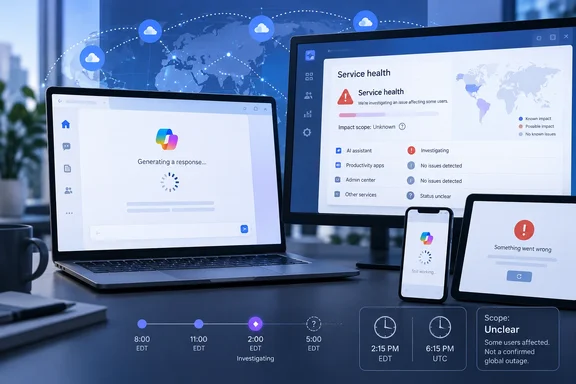
That distinction is more than semantics for administrators. “Copilot” is now a label attached to several separately operated services: the consumer chatbot at copilot.microsoft.com and in Windows, Microsoft 365 Copilot and Copilot Chat for work accounts, GitHub Copilot, Security Copilot, and Copilot Studio. A fault in one can look identical to an end user — a prompt that never completes or a generic error — while having no bearing on the others.
Asbury Park Press reported that roughly 80 percent of the user-submitted reports it saw were categorized as AI-generation failures, with the Copilot app the second-largest category. DownDetector’s public Copilot page also showed AI Generation as the dominant complaint category. Those reports are a useful early-warning signal, but they are reports from users rather than Microsoft’s confirmation of the affected product, regions, tenant types, cause, or repair timetable.
The report used the wrong time-zone label
The outage reports began after 10:30 a.m. Eastern time, according to the submitted reporting, but the article called that “EST.” On September 17, the eastern United States is observing Eastern Daylight Time, or EDT, which is UTC-4; EST does not return until November.
It is a small wording error with a practical consequence during an incident: a timestamp marked “10:30 a.m. EST” translates to 2:30 p.m. UTC, while 10:30 a.m. EDT translates to 2:30 p.m. UTC only because this report was published in a future context that makes clear the offset should be daylight time. Administrators documenting an outage should record both the local zone and UTC, rather than relying on “EST” as a catch-all label for Eastern time.
At 11:50 a.m. EDT, the report was only about 80 minutes old. That makes the absence of a root-cause statement unsurprising, but it also means readers should resist treating an initial DownDetector total as a final measure of either duration or customer impact.
Microsoft 365 health data points to a separate but relevant problem
There is evidence of a broader Microsoft 365 service-health event on September 17, although its publicly visible details do not prove that it caused the consumer Copilot complaints. Network Thinking, a third-party monitor that tracks Microsoft 365 service-health messages, listed an active incident involving Exchange Online messages not being retrieved when users prompted Microsoft 365 Copilot Chat. It also listed a separate advisory involving Microsoft 365 Copilot Analyst and Researcher agents opening a new chat window.
Those entries matter to work-account customers because they describe a different failure mode from the public reports of generic AI generation trouble. The Exchange Online incident indicates that at least some Microsoft 365 Copilot Chat prompts could fail specifically when the service needs to retrieve mail content. The Analyst and Researcher issue, meanwhile, is a workflow problem rather than proof that the underlying model or chat service is unavailable.
Neither status item identifies the consumer Copilot service named in the Asbury Park Press report. Microsoft has not publicly connected the two events, and there is no basis yet to blame a shared model provider, Azure, Windows update, account-authentication issue, or a Microsoft 365 backend dependency.
For Microsoft 365 tenants, the more authoritative view is Microsoft’s own Service health dashboard in the Microsoft 365 admin center. Microsoft says that dashboard is tenant-aware: it shows incidents and advisories relevant to services an organization actually subscribes to, while the public service-status page is chiefly a fallback when the admin center itself cannot be reached. That means a green public page should not be treated as proof that a licensed organization is unaffected.
Consumer Copilot and Microsoft 365 Copilot should be tested separately
The immediate troubleshooting mistake is to assume a broken Copilot button in Windows proves an organization’s Microsoft 365 Copilot deployment is down, or vice versa. They may share identity, networking, model-serving, and content-safety components in places, but they are not a single customer-facing product with one status indicator.
A quick isolation check can prevent a help desk from chasing the wrong cause:
- Test a consumer Microsoft account in the Copilot web experience separately from a work account in Microsoft 365 Copilot Chat.
- Try a short text-only prompt before testing image creation, file grounding, mail retrieval, or an agent workflow.
- Test the web interface and the installed app separately, because an app update, cached session, browser extension, proxy policy, or conditional-access rule can affect one path without affecting the service itself.
- Capture the exact error text, local time with time zone, affected account type, application, and whether ordinary Microsoft 365 access still works.
- Check Health > Service health in the Microsoft 365 admin center before resetting users’ credentials or changing tenant policies.
Microsoft’s own documentation says an administrator who sees a cloud-service problem not listed in Service health can use the “Report an issue” option. That reporting path is more useful than a vague support ticket because it gives Microsoft another tenant-specific signal to determine whether the issue is widespread and service-originated.
Do not turn a service event into a Windows repair job
For Windows users, the reported pattern points to a cloud-side problem: AI-generation requests failing or not returning, rather than an operating-system crash or a broken local component. Reinstalling the Copilot app, running system-file repair commands, resetting Windows, or removing a recent update may consume time without restoring a service that is temporarily unavailable upstream.
A browser-based test is the sensible first check. If Copilot works on the web with the same account but fails only in the Windows app, then local application state, sign-in state, network filtering, or an app-specific defect becomes more plausible. If both fail in the same way, keep the evidence and wait for service-health guidance rather than making disruptive changes to a managed PC.
The same restraint applies to organizations that use Copilot Chat with Exchange Online or Microsoft 365 apps. A missing response to a prompt that depends on organizational data is not evidence that the data was deleted, that permissions changed, or that the tenant’s grounding configuration has failed. It may be an interruption in a dependent retrieval path, which is precisely why the Exchange-related incident noted by Network Thinking deserves separate attention.
What remains unconfirmed
As of Thursday late morning, Microsoft had not provided a public root-cause explanation, a confirmed restoration time, a published region list, or a clear statement tying the public Copilot reports to the Microsoft 365 Copilot Chat incident. Asbury Park Press likewise reported no timetable for a fix.
The practical conclusion is narrow: some Copilot users were encountering a genuine rise in failures on September 17, and Microsoft 365 customers had reason to check their tenant’s Service health dashboard for a potentially related Copilot Chat problem. Until Microsoft identifies the affected service boundary and closes the incident, treat the event as a cloud-service disruption — document it, use a fallback workflow, and avoid unnecessary repairs to Windows devices or tenant configuration.
Update: Microsoft now lists Copilot under service degradation (September 17, 2026)
Contrary to the earlier lack of public confirmation, Microsoft has now acknowledged a Copilot service-degradation event. According to Windows Report, Microsoft’s status page said some users may not receive responses to queries and may instead see an error; the update was posted at 3:20:33 p.m. UTC (11:20:33 a.m. EDT) on September 17.
The reported message is: “I’m sorry, I’m having trouble responding to requests right now. Let’s try this again in a bit.” This confirms that at least part of the incident is service-side rather than a Windows-device fault, although the available status wording still does not define every affected Copilot feature, region, account type, or underlying cause.
For Windows users and IT teams, the practical guidance remains to avoid reinstalling apps, resetting devices, or changing tenant settings solely in response to this error. Capture the message and timestamp, use an alternate workflow where possible, and have Microsoft 365 administrators check their tenant-specific Service health dashboard for any related notices.
Update: Microsoft identifies a specific API endpoint issue (September 17, 2026)
Microsoft’s status page now says it has identified problems affecting requests to a specific API endpoint and is reviewing diagnostics to determine the cause and next steps, according to Android Authority.
That is the first reported technical scope for the degradation beyond the earlier acknowledgment that some Copilot queries were returning errors. It still does not identify the endpoint, affected regions, account types, or a restoration estimate.
For Windows users and administrators, the update further supports treating the failure as an upstream service issue rather than a local Copilot app or device problem.
References
- Having issues with Microsoft Copilot? Here's what's going on - Android Authority Android Authority · 2026-09-17T16:42:46+00:00
- Is Copilot down? Copilot not working. Is Copilot down right now? - Asbury Park Press Asbury Park Press · 2026-09-17T15:25:32+00:00
- Microsoft Copilot Is Down & Not Working With “Trouble Responding to Requests Right Now” Error Windows Report · 2026-09-17T15:42:17+00:00