

What Microsoft actually announced
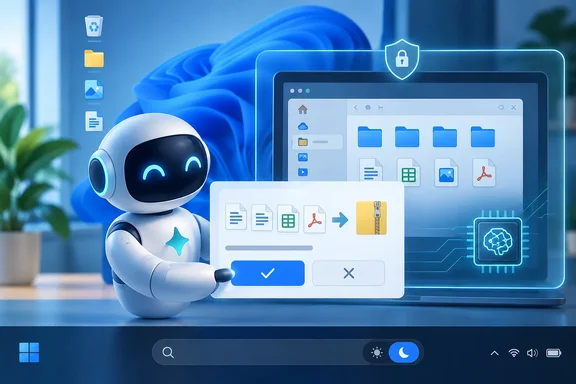
Microsoft calls the idea "Hybrid Intelligence." It combines on-device and cloud AI models so that each task runs where it fits best. In the words of Microsoft's own Windows Experience Blog, agents can "run locally when it makes sense, reach the cloud when they need to." The Engadget report also covered the launch, saying that when you enable Hybrid Intelligence, the updated Copilot app can access files on your computer, and take actions across your apps and settings.
Microsoft's blog divides the Copilot upgrade into three local capabilities, and Techaeris summarized them the same way:
- Local context: with permission, Copilot can understand relevant content on your PC, including files and recent activity, pulling local context into the flow of work.
- Local actions: Copilot can take action on your behalf across Windows, handling tasks like organizing files, assessing device diagnostics, troubleshooting issues, coding, and carrying out workflows directly on the device.
- Local models: Copilot can tap into AI models running locally on your PC, using on-device compute where it makes sense and combining it with cloud intelligence when needed.
These capabilities apply across the three sections of the redesigned Copilot app: Home, Code and Autopilot. According to Microsoft, Home can pull in the files you've been working on and help shape them into "collaboration-ready artifacts." Code can build native Windows apps from a single prompt and run code inside Microsoft Execution Containers. Autopilot is what Microsoft calls its "persistent, proactive and personal agent," and it gets local context, local models and PC actions together.
Engadget explained the cost and privacy reasoning: Microsoft says Copilot will still use cloud inference for the hardest tasks, but in scenarios where cost or privacy might be a concern, it can run prompts against models that run directly on your computer. In plain terms, Microsoft wants your PC's NPU and GPU to do the cheap work so that your cloud token budget lasts longer.
Section summary: Copilot gets access to your files, the ability to act on your PC, and local models, all with your permission. Microsoft frames the cloud as the fallback for heavy work, not the default.
The tax demo, verified
The headline demo came from Jacob Andreou, Microsoft's EVP of Copilot. Initially only one outlet had reported it, but independent coverage now backs it up. Crypto Briefing reported that in the demo, Andreou told Microsoft's Autopilot tool that he had received an email from his accountant. He then asked the agent to help get her what she was requesting.
Engadget's account of what happened next: Autopilot used a local model to find, rename and Zip the files for the employee, and then drafted an email for them to send to their account. BGR's live blog added two details that matter. During the demo, with permission, Copilot can move and rename files. Nothing is going to the cloud, as local agents handle this part of the process.
One caveat: this was a prepared video shown on stage, not a hands-on test. No one has independently checked how Autopilot handles a messy Downloads folder or three versions of "W2_final_FINAL.pdf." A polished demo shows what the product is meant to do, not how it behaves on your PC.
Andreou did give a rough timeline. Wilson's Media reported that features powered by Hybrid Intelligence will be coming to Copilot over the "next couple months," Andreou said.
Who gets it, and when
The original report suggested this is a general Windows feature. It isn't. Microsoft's blog limits the Copilot capabilities to Copilot+ PCs and says they are "expected to begin rolling out on Copilot+ PCs in the coming months." Its footnotes add that a Windows Update is required and that timing may vary by device, market and silicon platform. Microsoft has not published a Windows build number, Copilot app version, country list or subscription requirement.
| Item | Status as of October 7, 2026 | Who it's for |
|---|---|---|
| Copilot local context, actions, models | Announced; rollout "in the coming months" | Copilot+ PCs only |
| Autopilot tax-style workflows | Demoed on stage; not shipping | Copilot+ PCs (when it arrives) |
| New Windows Search with inline actions | Rolling out to Insiders now | Experimental and Experimental (26H1) channels |
| Copilot integrated into taskbar Search | Opt-in; select markets "later this year" | Not yet specified |
| Microsoft Execution Containers | Generally available | Windows 11 |
How much control do you get?
This is what most readers will want to know, and the answer is only partly clear.
Microsoft says Copilot will act "with your permission" and that you stay "in control at every step." Its blog post does not describe the actual permission prompts, how you pick which folders Copilot can see, what the default access scope is, or whether there's an activity log. Event coverage adds a little. BGR's live blogger noted that it appears as though you can deactivate Hybrid Intelligence altogether, which is great to see for those who don't need Copilot to access their data and documents. One independent writeup based on the livestream described the feature as governed by a switch, and said that before anything is sent outside the device, the system asks the user for approval.
That's encouraging, but treat it as provisional. "It appears" in a live blog is not documentation.
The history explains why people are wary. Axios pointed out that Microsoft's first Copilot+ PC push got off to a rough start after Recall, its signature feature, was delayed. Recall had to be reworked after security researchers questioned how it stored captured data. A Copilot that can read your files and act on them is a bigger trust request than Recall's searchable snapshots, so Microsoft can expect closer scrutiny.
The security layer: MXC goes GA
Microsoft spent a good part of the keynote on agent security before showing any hardware. On the same day, it made Microsoft Execution Containers (MXC) generally available on Windows 11. According to Microsoft, MXC lets organizations define which files and networks an agent can reach, and those policies are enforced at runtime. Isolation options range from process and session isolation to WSLc, virtual machines and Windows 365 for Agents.
The company's security model rests on three pillars:
- Containment: limits what an agent can touch.
- Identity: separates agent activity from the human user's activity.
- Manageability: ties agents into Agent 365 and Intune for policy and monitoring. Microsoft notes that governance at scale "may require additional services."
Engadget noted that MXC support in Copilot's Code section helps ensure local AI agents remain in a secure sandbox. Microsoft has not said that every local action Copilot takes, such as renaming your tax files, runs inside MXC. User permission prompts and runtime containment are separate controls, and IT teams shouldn't treat them as interchangeable.
What admins should do now:
- Make a list of the Copilot+ PCs in your fleet. They are the only devices in scope for these Copilot features.
- Check your Intune policy set and your Agent 365 licensing position before features start arriving through Windows Update.
- Treat "agent identity" as a new audit category. Activity that once looked like user activity may soon belong to an agent.
- Keep an eye on Microsoft Ignite in November, where the company says it will discuss putting hybrid intelligence to work in organizations.
Windows Search learns to do, not just find
The second announcement in the submitted story is a redesigned Windows Search. It's arguably the more practical news for most readers right now. Engadget reported that Pavan Davuluri, Microsoft's executive vice president of Windows and Devices, demoed how the new Search experience can quickly turn on and off settings like dark mode and do not disturb.
Microsoft's Insider release notes for October 7 say the new Search is built on WinUI 3, supports inline actions such as toggling dark mode or Bluetooth, adjusting brightness, muting and arranging windows, and handles typos and synonyms better. Microsoft's broader post promises "thousands" of actions over time, including texting someone straight from the taskbar. The submitted report also mentions a microphone-volume slider. I couldn't confirm that particular control in Microsoft's documentation, so treat it as reported but unverified.
The timing is unclear. The submitted report and some event coverage say Search arrives "this fall" for Windows 11 users. One outlet, writing from the livestream, listed Windows Search with "thousands" of quick actions from the taskbar, coming this fall to Windows 11. Microsoft's written materials only confirm an Insider rollout that began October 7 in the Experimental and Experimental (26H1) channels. Not every Insider build released that day includes the feature. The Copilot-in-Search integration is a separate, opt-in feature headed to select markets later in 2026.
To try it now:
- Join the Windows Insider Program and move to the Experimental channel (Build 26340.9616) or Experimental (26H1) (Build 28120.3181).
- Install the update through Windows Update.
- Be patient. Microsoft says it's "beginning to roll out," so not every device on those builds will get it right away.
- Type a command like "switch to dark mode" or "mute" into taskbar Search and look for an inline action, not just a link to Settings.
The bigger picture
Microsoft's case is economic as much as technical. Axios quoted Davuluri saying nothing—scratch that; Axios quoted him saying hybrid intelligence exists because people's appetite for intelligence "is effectively unlimited," and cloud budgets don't stretch that far. Running the cheap work locally saves money, keeps sensitive files on the device and makes Copilot+ hardware more useful.
There's a fair counterargument. Every agent demo makes the same promise, and it doesn't hold up until real users with disorganized folders, odd file names and inboxes full of phishing attempts try it. Can an agent that drafts emails to your accountant tell a real request from a spoofed one? Microsoft hasn't published a threat model for these Copilot features or any Copilot-specific benchmarks. Until it does, it's too early to judge.
Bottom line: Microsoft's Copilot can now find your tax files, at least in a demo. If you own a Copilot+ PC, expect these features in the coming months with permission controls whose details are still undocumented. If you're an Insider, the new action-capable Search is starting to arrive in the Experimental channels now. Everyone else can wait for reviews.
References
- Microsoft Introduces New Enhancements for Copilot, Allowing Access to Local Files on Windows - Nacionale News Nacionale News · 2026-10-07T19:00:44.808000+00:00
- Microsoft is giving Copilot more control over Windows and your files - The Verge The Verge · 2026-10-07T18:01:20+00:00
- Microsoft may have finally fixed Windows search by turning it into a chatbot - Engadget engadget.com