

Read the release labels before you plan any rollout. Several of these features only apply to agents built on the GitHub Copilot harness, and a few have caveats that are easy to miss.
At a glance: what shipped, and in what state
| Capability | Status | Scope / key caveat |
|---|---|---|
| Apps in Copilot Studio | Public preview | Built from natural-language prompts; app creation is on by default |
| Microsoft Copilot Managed Runtime | Public preview | Hosts apps from Copilot Studio, Copilot Cowork and Copilot Code |
| Hooks | Preview | GitHub Copilot harness agents only |
| Foundry IQ integration | Generally available | Documented for GitHub Copilot harness; one connection per agent |
| Expanded evaluations | Announced | Now covers AI nodes and automations, adds new graders and an Evaluation Viewer role |
| Review panel | Generally available | Doesn't replace admin governance |
| Plugin registry in Copilot Studio | Rolling out over the coming weeks | Over 100 plugins in the registry |
Apps arrive, backed by a managed runtime
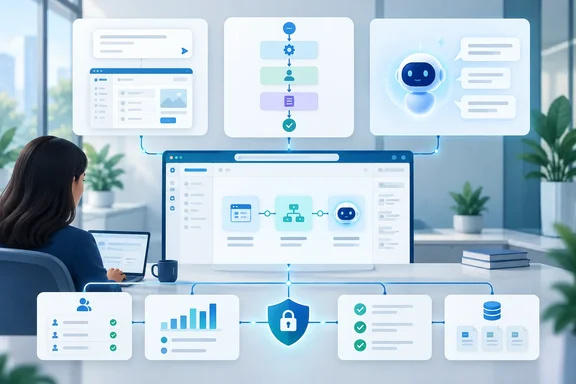
The biggest news is that Copilot Studio can now build apps (public preview), alongside agents and workflows. You describe the business outcome, the users, the data and the actions you want. Copilot Studio produces a draft app that you can preview and keep refining in conversation. You can still get to the underlying code when the conversation stops being enough.
Microsoft's example is employee onboarding:
- An app gives managers and new hires a structured interface.
- Workflows run the repeatable onboarding steps.
- An agent answers questions and handles exceptions.
That's an illustration, not a customer case study. It does make the design idea clear: use predictable automation where predictability matters, and keep the reasoning model for the parts that are actually messy.
Hosting is handled by Microsoft Copilot Managed Runtime, also in public preview. Microsoft says it provides Microsoft-operated hosting, identity, governed data access, lifecycle management, Git-backed versioning and central visibility for apps built in Copilot Studio, Copilot Cowork and Copilot Code.
What admins should check first
Microsoft's admin documentation for Copilot Managed Runtime adds detail the announcement leaves out:
- Copilot Studio app creation is on by default during public preview. You manage it in the Microsoft 365 admin center under Apps > Overview > Set up app creation spaces, or through PowerShell or the API. The CLI path is off by default.
- You can limit access to a security group. With no group configured, every eligible user can create apps. With a group configured, only its members can.
- Global Administrators and Power Platform Administrators can manage the Copilot Studio and CLI creation paths. Global Reader, AI Administrator and AI Reader roles can only view them.
- Governance is built in from the start. That includes Entra authentication, conditional access, DLP, advanced connector policies, sharing limits, and a central inventory with usage and health data in the Microsoft 365 admin center.
- External repositories are supported when they're owned by GitHub Enterprise Cloud organizations. A setting for deploying externally built artifacts is disabled by default.
Billing: two meters, two admin centers
This is where a preview can surprise finance. Building apps in Copilot Studio uses Copilot Credits through your existing Copilot Studio billing, managed per environment in the Power Platform admin center. Because these apps run on the GitHub Copilot harness, charges start during creation, not at publish time. Natural-language authoring, testing and evaluation all count.
Running apps is billed separately. Runtime spending policies are set per user in the Microsoft 365 admin center. Microsoft states plainly that the environment-based billing model for Copilot Studio agent runtime doesn't apply to app runtime. Users with a Power Apps Premium license don't use Copilot Credits to run apps, unless the app calls separately billed services or goes over API request limits.
During preview, a user without the required credits sees a warning first. Access is blocked after 20 app operations or five minutes, whichever comes first. If a pilot app suddenly stops working for half the finance team, check that limit first.
Section summary: apps and the managed runtime are both previews and app creation is on by default. Decide who can create apps, and set up build and runtime billing before your makers find the feature themselves.
Hooks: deterministic triggers inside agent runs
Agents are good at improvising. Audit logs, policy checks and context loading shouldn't depend on improvisation. Hooks (preview, GitHub Copilot harness only) connect a lifecycle event to a workflow. Microsoft's distinction is that the workflow defines what runs, and the hook decides when. A tool runs only when the agent decides it's relevant. A hook runs every time its event fires.
Microsoft Learn lists these events:
- Start (pre-loop): adds background context before the user's first message.
- User prompt submitted: can rewrite or standardize what the agent receives.
- Pre tool use: inspects, changes or blocks a tool call.
- Post tool use: transforms or records a tool's result.
- After tool failure: and Error: decide how the agent recovers (retry, skip or abort) and what the user sees.
Adding a hook
- On the agent's top menu bar, select the three dots (…), then Hooks.
- Select Create.
- Pick the Event type, enter a Name, and optionally scope the hook to specific Tools. Leave the Tools field empty to apply it to all tools.
- Pick a Workflow. Only workflows whose inputs and outputs match the event appear in the list. You can also select New workflow to start from a template for that event.
- Select Done, save the agent, then publish it. Until you publish, the hook does nothing for users.
Caveats Microsoft states
- Pre tool use is the only event that can block an action. The other events can add context or change values, but can't stop the agent.
- Hooks fail open. If the workflow fails, times out or returns output the agent can't read, the agent carries on as if the hook returned nothing. Microsoft says outright not to rely on a hook as the only safeguard for a business-critical rule.
- The workflow must be published. A workflow that's saved but not published won't run.
- Editing a shared workflow changes every hook that uses it, because hooks store a reference, not a copy.
- Treat prompts, tool results and error messages as untrusted input, and validate them inside the workflow. Prompt injection doesn't skip a step just because a workflow is involved.
The announcement says hooks make logic run "deterministically." That's true about when the hook fires. It isn't true about the outcome, because a failed hook is quietly ignored. Hooks are a strong addition, but they shouldn't be your only control.
Foundry IQ reaches general availability
The Foundry IQ integration is now generally available. A Foundry IQ knowledge base packages enterprise data sources together with retrieval and relevance settings. One knowledge base can serve many agents, and answers come back with citations.
The integration was in preview over the summer. Microsoft's August Copilot Studio update said makers could connect an agent to Foundry IQ to use a knowledge base you've already built and tuned in Microsoft Foundry. Redmond Magazine's coverage of the GA release says it adds enterprise authentication, Private Link, VNet support, retrieval tracing and established security controls.
Microsoft's Foundry blog on Tech Community describes how the private connectivity is set up. Azure Private Link for Foundry IQ gives the service behind Foundry IQ a private IP address. You open Networking and create a private endpoint for the Foundry IQ sub resource on the Azure AI Search service behind the knowledge base. On the Power Platform side, you create dedicated subnets delegated to Power Platform enterprise policies and keep the Foundry IQ private endpoint in a separate subnet.
Connecting an agent
According to Microsoft Learn:
- Open the agent, go to Build, and select Tools in the components panel.
- Select Foundry IQ, then Create new connection.
- Choose an authentication type: API key, Client Certificate Auth, Service principal (Microsoft Entra ID application), or Microsoft Entra ID Integrated.
- Pick a knowledge base, select Add to agent, and Save.
- Give the tool a detailed name and description. The orchestrator uses the description to decide when to call it.
Common problems: your agent can only have one Foundry IQ connection per agent, and only the knowledge bases you have access to appear in the picker. To confirm it's working, ask a test question in the Preview tab and open the activity trace. You should see a Foundry IQ retrieval step. If you don't, check that the knowledge base is selected and that your question falls within its content. If results are poor, the fix belongs in Azure AI Foundry, together with the knowledge base owner, not in Copilot Studio. Removing the connection doesn't delete or change the knowledge base.
A Microsoft Foundry blog post from July adds one more detail. With Entra ID Integrated authentication, retrieval can return ACL-trimmed results per user. If permissions matter for your content, and they usually do, that's a strong reason to pick Entra ID Integrated over an API key.
Evaluations expand to automations
Evaluations now cover individual AI nodes and whole automations, not only conversations. The named graders are:
- General Quality and Custom graders for repeatable scoring
- Task Completion, which checks whether the user actually got what they wanted
- Tool Accuracy, which checks whether the agent picked the expected tools and inputs
- Safety, which scores responses against configurable content-safety thresholds
- Latency, which reports response times next to the quality results
A new Custom Graders Library lets you reuse graders across agents and test sets. Copilot Studio can also generate a grader for a specific agent and scenario. Generated graders are tenant-specific and only visible inside that tenant. A new Evaluation Viewer role gives reviewers, such as compliance staff and business owners, access to results without full maker permissions.
The Review panel goes GA
The Review panel sits in the top menu bar and lists problems while you build, rather than when you first click Publish. Microsoft Learn groups issues into two severities. Blocking issues prevent publishing. Warnings don't, but may affect behavior or compliance. Typical items include a data policy blocking a tool, sign-in not being required, no channel being configured, or the agent using a preview or experimental model. The panel can also show organization-specific help links that admins set up for policy errors.
There are new evaluation warnings too. They flag agents that have never been evaluated, and agents whose model has changed since their last results. Microsoft notes the panel doesn't replace admin-level governance or compliance reporting. Some diagnostics are still only in the Power Platform admin center.
Plugin registry and skilling
Microsoft's central plugin registry already holds more than 100 plugins. It gathers skills, connectors and agents into one centrally managed catalog. Copilot Studio support is rolling out over the coming weeks, so don't expect it in every tenant yet. Microsoft is also running a "Skill up on Microsoft Copilot Studio" webinar on October 8, 2026, and points makers to Agent Academy, Microsoft Official Curriculum and AI Skills Navigator.
The bottom line
The direction is sensible: apps for the interface, workflows for predictability, agents for judgment, plus evaluation and readiness checks so production rollouts aren't based on hope. But most of what's new is still preview. Hooks fail open, Foundry IQ allows one connection per agent, and app billing is split across two admin centers.
If you're an admin, do these this week:
- Decide who can create apps in Copilot Studio. Restrict it to a security group if needed.
- Set up build credits in the Power Platform admin center and runtime spending policies in the Microsoft 365 admin center.
- Treat hooks as one layer of defense, not the only one.
- For Foundry IQ, prefer Entra ID Integrated authentication and plan the Private Link and VNet work early.
- Assign Evaluation Viewer to the people who approve agents, so sign-off isn't just a gut call.
Are your makers already building agents on the GitHub Copilot harness, or still on the Standard harness? Share how it's going in the Copilot Studio and Power Platform threads.
References
- Build apps, workflows, and agents together | New in Copilot Studio, September 2026 - Microsoft Microsoft · 2026-10-07T15:30:00+00:00
- Hooks (preview) - Microsoft Copilot Studio | Microsoft Learn learn.microsoft.com
- What's new in Copilot Studio, August 2026: GitHub Copilot harness microsoft.com