

What's changing
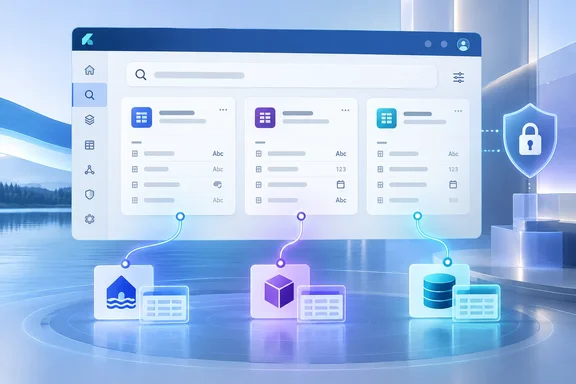
In late September, OneLake Catalog was due to begin surfacing tables as searchable objects in Microsoft Fabric. Tables are the first object, meaning an entity inside a Fabric item, that the catalog will return as a standalone result.
The practical problem is a familiar one. You may know a table name, its purpose, or only a column name, but not which item holds it. Until now, the workaround was to guess the lakehouse or semantic model, open it and look around.
The supported sources at launch are narrow:
- Tables in semantic models, lakehouses, and mirrored databases can be searched directly, without first locating the parent item.
- Microsoft plans to support more Fabric item types and additional object types later. No dates have been given for that.
- Each matching table appears as its own result, not as metadata attached to the parent item.
- Columns do not appear as standalone results, but you can still find the table through a column name. The announcement specifies an exact column-name match.
Search covers table name, description, or an exact column-name match. You don't need to know the workspace or parent item in advance.
Where you can use it
Microsoft says table discovery will be available in the Global Search UI and through the OneLake Catalog Search API. The announcement also lists three other routes: the Fabric Core remote MCP server, the Fabric local MCP server, and the search skill in the Fabric Skills library. These routes bring permission-aware discovery to applications, AI agents, GitHub Copilot and other compatible AI coding tools.
The September 2026 Fabric feature summary adds that the Catalog Search API returns results filtered to entries the calling principal is authorized to access. Microsoft's REST documentation also marks the Catalog Search API as currently in Preview. That is an API caveat, so it applies to developers building on it.
Permissions: discoverable doesn't mean readable
This is the part administrators should read twice. The announcement says this change doesn't grant access to more data. It may, however, let users see metadata for tables inside items they can already access.
- A user can find a table only with Read control-plane permission or higher on its parent item.
- Read All and Read Data permissions are not needed just to find a table.
- Data-plane permissions, including OneLake security, don't change whether a table appears in search. The relevant workload still enforces data access when someone opens or queries the table.
- Tables in semantic models protected by object-level security are excluded from search. OLS can protect table and column names as well as data, so surfacing them could leak what the model is meant to hide.
The same logic applies to AI agents. An agent that finds a table through an MCP server has found a name and description, not a licence to query. Developers should treat discovery and authorization as separate steps.
The admin switch
The controlling tenant setting is called Users can find objects in search. Microsoft's tenant settings index says it includes objects such as tables and columns in the OneLake catalog and global search, and that users can find them only if they have access to the containing items.
The announcement says the setting is on by default and already visible in the Fabric admin portal. If you turn it off, search results are limited to top-level items such as lakehouses and reports. Turning it off doesn't change access to the underlying items or data. It only changes whether contained objects show up in search.
What to do before it reaches your tenant
- Review the tenant setting. Decide whether object discovery fits your organisation's metadata policy. Microsoft recommends doing this before rollout.
- Audit table names and descriptions. This is my inference, not Microsoft guidance. Anyone with Read on a parent item can now surface those names directly. A table named after a confidential project, or a description with sensitive detail, becomes easier to find.
- Check your OLS models. They are excluded from table search for now, so don't expect them to appear.
- Developers: explore the Search API. Microsoft suggests this for data portals and governance tools. You can also connect an AI development tool through a Fabric MCP server, or install the search skill from the Fabric Skills library.
Other search changes in the same release
The announcement lists some broader search changes, but they are separate from table discovery:
- Item results can be filtered by endorsement status, workspace ID and sensitivity label ID.
- Dataflows and dashboards now appear in results.
- Reports and dashboards in a workspace app can be identified, with the app context returned.
- New query operators: quotation marks for exact phrases,
*and?as wildcards, and&&to require all terms.
The September feature summary also describes a redesigned Global Search results page that shows visual cards, and object browsing in the OneLake Catalog.
Analysis
This is a sensible step for a catalog that has so far worked at item level. Finding a table by a column name is how data work often starts, and it saves a lot of opening items one by one. Putting it in the API and MCP servers matters too, because agents need to find data before they can use it.
The trade-off is that better findability also means better exposure of sloppy naming. Microsoft is clear that access isn't widened. But anyone who has relied on obscurity, such as a table nobody could locate, will find that protection gone.
Several things are still undefined. The sources give no regional availability, capacity requirements or confirmed completion date for the rollout. The preview label means behavior may change.
References
- Announcing: Table discovery in OneLake Catalog search Azure Updates · 2026-10-05T17:55:23Z
- Fabric September 2026 Feature Summary | Microsoft Fabric Community community.fabric.microsoft.com
- Tenant settings index - Microsoft Fabric | Microsoft Learn learn.microsoft.com