

Microsoft Foundry routines go GA after a spring and summer in preview
Routines are not new to people who follow Foundry closely. At Build 2026, Microsoft introduced routines (public preview) for operationalizing any agent on a timer or a schedule, alongside hosted agents. A July update then extended the idea: Microsoft said routines run any agent on a recurring schedule or timer so it acts without a user prompt; new event-based triggers, powered by the connector gateway, now let the same agent wake up the moment an upstream system signals a change. SDK support arrived in stages. Microsoft's June roundup, for example, noted that the Java SDK added RoutinesClient / RoutinesAsyncClient for routine CRUD, triggers, and dispatch as preview sub-clients.
The September 24 announcement makes routines generally available. Microsoft's own portal documentation defines GA as generally available features supported for production use, and preview as features that are not yet generally available. For organizations with a policy against running preview features in production, this is the change that matters.
One companion feature has not graduated. The reminder tool, which lets an agent schedule its own follow-up, is still labeled preview in both the announcement and its documentation. Some of Microsoft Learn's routine how-to pages also still carried a preview label at the time of the announcement. The documentation appears to be lagging the status change. Microsoft's September 24 post is the authoritative record that routines themselves are GA.
How a Foundry routine replaces the scheduler-plus-Functions stack
Microsoft pitches routines against the plumbing teams currently assemble by hand. Its concept documentation says that without routines, teams often build this trigger layer themselves by combining technologies such as schedulers, Logic Apps, Azure Functions, queues, custom storage, and authentication code. The GitHub example in the announcement lists what that glue has to do. Something has to watch the repository for the right event, authenticate to it, deliver the payload to the agent, invoke the agent reliably, authenticate the agent to its tools, record whether the run succeeded, and keep an audit trail.
A routine collapses that into a project-scoped object with one trigger and one action. The documented run path is short. The trigger fires from a timer, a recurring schedule, or an external event. Foundry creates a routine run record in the project. Foundry invokes the configured agent endpoint with the routine input. The agent processes the request by using its configured model, instructions, tools, and dispatch identity. Foundry stores the routine run status and links the run to the agent response and trace details.
The practical upshot is that routines don't introduce a separate runtime for agent logic. The agent continues to use the same configuration, tools, and observability features that it uses when invoked from an application or playground. An agent you have already tested in the playground behaves the same way when a routine calls it. Because routines reuse the existing invocation path, they also inherit the project's network configuration, so they work in projects secured by a virtual network without extra networking setup.
Run history is where operators will spend their time. Microsoft Learn says it answers several questions for each run: whether the trigger fired, what input went to the agent, whether the invocation completed or failed, what the agent replied, and which trace holds the model, tool, and latency detail. Routines can be paused by disabling them and resumed by enabling them again. Their trigger, action, or input can be changed without recreating the agent.
Three trigger types, and where the event list currently ends
The announcement describes three ways to start an agent. The API uses its own names for them:
| Trigger | API type | When it fires | Microsoft's example uses |
|---|---|---|---|
| Timer | timer | Once, at a future date/time or after a duration | Release-day prep, deadline reminders, scheduled follow-ups |
| Recurring | schedule | Repeatedly, on a cron expression (minimum interval five minutes) | Daily summaries, weekly reports, compliance checks, backlog reviews |
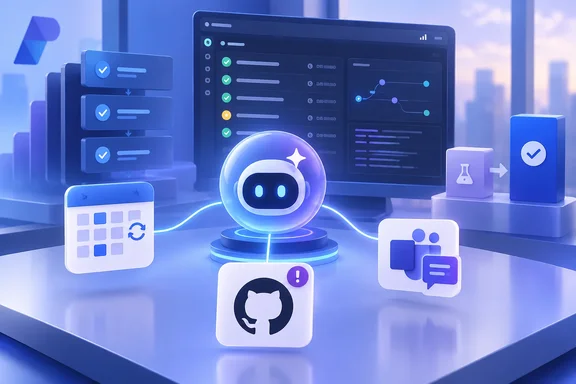
| Event | github_issue or custom with the teams provider | When an issue is opened or closed in a watched GitHub repo, or a new message is posted to a watched Teams channel | GitHub issue triage, responding to Teams support requests |
After a timer fires, the routine becomes inactive. Event triggers rely on project connections. The GitHub trigger uses a GitHub connector connection, the Teams trigger uses a Teams connector connection, and Foundry provisions both in the account's connector namespace. To create an event-based routine, you first create and authorize the relevant connection, then reference it in the trigger definition.
The event list is short. GitHub issue events and Teams channel messages are the only supported event sources today, and Microsoft says only that "more event sources" are planned. Its July messaging floated examples such as a file landing in storage or a workflow completing, but those are not among the documented GA triggers. If your use case depends on another system, you still need your own bridge, or a timer or schedule that polls.
One trigger, one agent: where Foundry routines stop and workflows begin
Microsoft is explicit that routines are deliberately narrow. The concept page tells developers to use routines for lightweight agent automation, such as daily summaries, one-time reminders, or periodic checks. If your scenario needs branching, multiple agents, human approval steps, or complex state, use a workflow instead.
The documented limits make the boundary concrete:
- A routine has exactly one trigger entry and one action.
- The only action is invoking one agent, through either the Responses API (
invoke_agent_responses_api) or the Invocations API (invoke_agent_invocations_api). The agent's protocol must match the action. - Routines support prompt agents and hosted agents. They do not support workflow agents.
- A downstream agent request gets a 30-second timeout per attempt, with three total delivery attempts by default.
The 30-second limit deserves attention. It applies to the request Foundry makes to the agent endpoint, per attempt. Microsoft does not describe it as a cap on everything an agent can do. Still, teams whose agents take a long time to respond should test with manual dispatch before relying on a schedule. The docs also note that the invoked agent can run its own internal orchestration using frameworks such as Microsoft Agent Framework or LangGraph. A routine decides when the agent runs; what happens inside the agent is up to you.
The preview reminder tool lets a hosted agent resume its own work
The second half of the announcement covers a different kind of automation. A routine starts an agent from outside. The reminder tool lets an agent decide, partway through a run, that it needs to come back later. Microsoft's routines how-to page says a hosted agent can also schedule itself to run again at a future time by calling the built-in reminder_preview toolbox tool. Use this pattern when the agent decides during a run that it needs to follow up later, such as to check back on a long-running task.
The mechanism is simple. When the agent calls the reminder tool, it specifies a delay in minutes. After that delay, Foundry re-invokes the same agent on the same conversation. The delay can range from 1 to 43,200 minutes, or up to 30 days. The tool also takes an input string telling the agent what to do when it wakes. Keeping the same conversation is the key difference: regular routines start new conversations, while reminders preserve context.
Microsoft's example is a polling loop. The agent starts a long-running task and receives a task ID. It schedules a reminder for 15 minutes later and checks the status when re-invoked. If the task is still running, it schedules another reminder; when the task finishes, it summarizes the result and notifies the user. In the documentation's version, this behavior is driven entirely by agent instructions. The model decides when to call the tool, and no custom invocation code is needed.
Setup has constraints. The reminder tool is available only for hosted agents. You can't use the reminder tool with prompt agents. You expose it by adding "Reminder (preview)" to a toolbox and attaching that toolbox's MCP endpoint to the hosted agent. The tool is connectionless and needs no external authentication. Because it is still preview, Microsoft's terms apply: no service-level agreement, and no recommendation for production workloads. The GA label does not extend to agents that continue their own work.
Creator identity versus agent identity in Foundry routines
The most important change for administrators is how identity works, and it has shifted since preview. During the preview, Microsoft's how-to documentation said an event-based routine runs under the identity of the routine creator. The connection uses the routine creator's identity to authenticate with the external system, such as GitHub, so the routine watches and acts on that system with that person's access. If the routine creator loses access to the connected resource, the routine stops firing.
The GA model separates two things. The first is the dispatch identity, meaning the identity used to invoke the agent and its tools. For every trigger type, current documentation says this defaults to the agent's own identity, using the permissions configured for it in Microsoft Entra ID. Creator identity is an explicit opt-in at creation time. The announcement's guidance is to use creator identity when tools authenticate with user identity, such as OAuth, and agent identity when every tool only needs key-based or managed-identity authentication.
Microsoft Learn draws the boundaries of "creator" tightly. It means only the Entra identity of the person or service principal who created the routine. It does not mean the agent's creator or publisher, the connection's creator, a later editor of the routine, or any other end user. You cannot supply an arbitrary user identity at dispatch time. If the creator loses access or withdraws consent for a delegated resource, the tool calls that depend on it fail. Recreating the routine as a different principal changes the creator identity.
The second is connector authentication, which is separate. Choosing creator identity for dispatch does not change the identity stored in a GitHub or Teams connection. An event routine can therefore watch a repository through one identity and act through another. Anyone reviewing a routine's permissions needs to check both.
The dispatch identity is also fixed once the routine is created. Updates ignore the authorization setting, so switching between agent and creator identity means deleting the routine and recreating it. Microsoft also warns against putting secrets, credentials, or personal access tokens in routine inputs or prompts. It recommends project connections and Entra ID-based access wherever they are supported.
CMK, regions, and beta SDKs are the real gating factors for Foundry routines
Several documented constraints will decide whether routines fit your environment, regardless of the GA label.
The first is encryption. Microsoft Learn says routines do not support customer-managed key (CMK) encryption and should not be used for workloads that require CMK protection. For regulated tenants, that alone can end the evaluation.
The second is region. Routines are not available in UK West, Switzerland West, Japan West, UAE North, or Norway East. The how-to page adds that if Routines doesn't appear in the portal navigation, the feature isn't enabled for your region or subscription, and directs customers to their account team.
The third is SDK maturity, which lags the service. The announcement's Python quickstart calls project.beta.routines, so routines still sit under a beta namespace in the Python client. The Python guidance requires azure-ai-projects 2.4.0 or later, and the typed creator-identity example is verified against 2.6.1. On .NET, the stable 2.0.1 packages have no routines API. The docs point to prerelease Azure.AI.Projects 2.1.0-beta.4 packages, and even version 3.0.0-beta.3 exposes no public creator-identity option, so C# developers must use the REST API to choose creator identity. In JavaScript, @azure/ai-projects 2.7.0 can set creator identity, but its deserialized routine object omits the authorization field. You need a raw REST GET, with api-version=v1, to confirm what was stored. The Azure Developer CLI route needs azd 1.23.13 or later plus the azure.ai.routines extension, and schedule routines must be created from a YAML manifest rather than inline.
Time zones are a quieter trap. The announcement's quickstart uses the cron expression 0 7 * * 1-5 with time_zone set to UTC, which means weekdays at 7:00 UTC, not local time. The portal interprets the time you pick in your browser's local time zone. To pin a routine to a specific zone, use the API or an SDK with an IANA zone name such as America/Los_Angeles. If you omit the field, the cron expression is read as UTC. The creator-identity sample in the announcement also has an error: it imports AzureCliCredential but calls DefaultAzureCredential, and it never imports os. Fix those before running it.
What this means for you
If you already have a prompt or hosted agent in a supported Foundry region with no CMK requirement, routines are now a sanctioned replacement for hand-built Functions-plus-scheduler setups. It is worth trying them on low-risk recurring jobs. Hold off if you depend on event sources beyond GitHub issues and Teams messages, need multi-agent orchestration, or want an agent to resume its own work in production. The reminder tool behind that last pattern is still preview.
- Check your project's region against the exclusion list (UK West, Switzerland West, Japan West, UAE North, Norway East) and confirm you have no CMK requirement before designing around routines.
- Choose the dispatch identity carefully at creation. Agent identity is the default, creator identity is an opt-in, and changing it later means deleting and recreating the routine.
- Audit event routines on two axes: the identity the agent runs as, and the separate identity held by the GitHub or Teams connection.
- Test the full lifecycle before trusting a schedule. Microsoft's recommended path is to create a schedule routine, dispatch it manually, confirm in run history that the run completes, then delete or enable it.
- Set
time_zoneexplicitly in API and SDK definitions. The portal uses your browser's local time, and omitting the field means UTC. - Pin SDK versions deliberately, because Python routines still sit under
beta, .NET needs prerelease packages, and JavaScript needs a REST call to verify the stored identity setting.
Routines give Foundry a production-supported answer to "when should this agent run," while the reminder tool stays in preview. The GA service is solid enough for scheduled summaries and GitHub or Teams triage today. The next milestones to watch are the additional event sources Microsoft has promised, SDKs dropping the beta and prerelease labels, and the reminder tool reaching GA, which would give self-continuing agents the same production footing.
References
- From Chatbots to Automated Assistants: Routines in Microsoft Foundry Are Now Generally Available Microsoft Foundry Blog · 2026-09-24T15:00:57+00:00
- Routines in Foundry Agent Service - Microsoft Foundry | Microsoft Learn learn.microsoft.com
- Automate agents with routines - Microsoft Foundry | Microsoft Learn learn.microsoft.com