

What Microsoft actually shipped
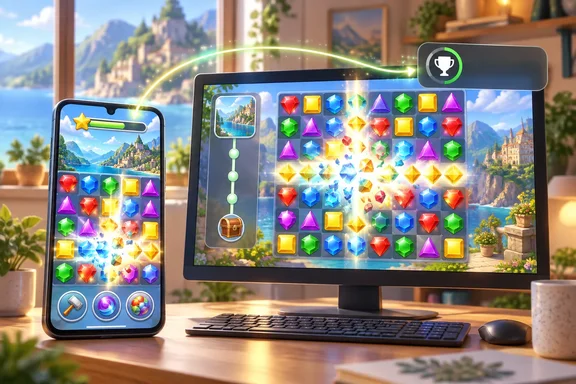
The Xbox Wire announcement was written by Tara Tegtmeyer, Senior Communications Specialist at Microsoft Casual Games. It frames the launch around three features. It offers a familiar Match-3 favourite, lets players earn Xbox Achievements on mobile, and keeps their progress connected across mobile and PC.
You may already know the game. Microsoft says it will feel familiar to anyone who played Microsoft Jewel on PC, in Microsoft Solitaire Collection, or through the Xbox mobile app. Its time in the Xbox app is well documented. In 2023, Techaeris reported that Jewel was the featured mobile game in the Xbox app's Microsoft Rewards section, and that completing a level earned 30 points per day, or 210 points each week. That figure is from 2023, so don't treat it as today's Rewards rate. It does show that Jewel used to live inside other apps and now has one of its own. Early Google Play reviewers noticed the move, and at least one welcomed the game finally getting its own app separate from the Xbox app.
Section summary: Jewel isn't a new game. It's an existing game released as a separate app, and the Xbox account integration is the main change.
Gameplay: familiar gems, some extras
The basic loop is simple: match three or more jewels to clear them and build your score. The store listing adds a few layers. Players make matches to fill the meter and collect Bonus Jewels. They can place gems from that collection anywhere on the board to make longer matches, set off chain reactions, create Power Jewels, and clear every jewel from the board in Challenge Mode.
The listed features are endless levels, new challenges every day, Bonus Jewels and Power Jewels, Challenge Mode, and Xbox Achievements. Microsoft says the Daily Challenges give players a new goal each day, but it hasn't published a schedule, reward structure or other mechanics for them.
Achievements and cross-device sync: the part Windows users should care about
Your Microsoft account connects everything. Microsoft calls Jewel a new way to earn Xbox Achievements on a mobile device, and signing in with a Microsoft account lets you track your accomplishments and keep building your Xbox profile wherever you play.
The same sign-in handles progress. Signing in with a Microsoft account syncs progress between Microsoft Jewel on iOS, Android and the standalone PC app. You can play on your phone while away from your computer, then go back to the PC version without starting over.
Microsoft has tried this before. TechRadar reported years ago that Microsoft had already added achievements to the Wordament app on iOS and Android, back when the company was working out how far to take Xbox Live on phones it didn't control. Jewel follows the same idea, now with PC progress sync added.
What Microsoft hasn't said:
- Which achievements exist, how much Gamerscore they're worth, and how to unlock them
- Whether iOS, Android and PC share one achievement list
- Whether sync happens in real time, what data it covers, and how offline sessions are handled
- Detailed PC system requirements for the standalone app
On offline play, one Google Play reviewer said the game can't be played without an internet connection. That's one user's report. Microsoft's announcement doesn't mention an internet requirement either way.
Section summary: Your Microsoft account ties it all together. Sign in on every device or your streak, progress and Gamerscore won't follow you.
Game Pass benefits: read the fine print on tiers
This is the detail people are most likely to get wrong. Game Pass members get Premium benefits when playing Microsoft Jewel on PC, including no ads and extra in-game benefits. Game Pass Ultimate members get those Premium benefits on both PC and mobile.
| Membership | PC Premium benefits | Mobile Premium benefits |
|---|---|---|
| No Game Pass | No (free version shows ads) | No (free version shows ads) |
| Xbox Game Pass (non-Ultimate) | Yes: no ads plus extra in-game benefits | Not stated in Microsoft's announcement |
| Xbox Game Pass Ultimate | Yes | Yes |
The store listings only say "Play Ad-FREE" and "Earn extra bonuses!" under Game Pass benefits, without breaking it down by tier. Microsoft's announcement is the clearer source. Nobody has said exactly what the "extra bonuses" are, so the ad-free play is the one benefit you can count on.
The free version does show ads. The Google Play listing is marked "Contains ads," and Apple's listing also notes advertising. If you're on a lower Game Pass tier and expecting no ads on your phone, you'll probably be disappointed.
Store details and privacy disclosures
Apple's App Store listing adds some useful specifics:
- Price: Free, published by Microsoft Corporation
- Compatibility: iOS 15.0 or later on iPhone, iPadOS 15.0 or later on iPad
- Size: 217.6 MB
- Age rating: 4+
- Languages: English, French, German, Italian, Spanish
On Google Play the game is listed as a puzzle game rated "Everyone," developed by Microsoft Corporation. When we looked, it showed 500+ downloads and an update date of September 8, 2026, which suggests it was on the store before the official announcement. Store figures change, so treat those as a snapshot.
The privacy labels deserve a quick look before you install. Apple's listing says Microsoft indicated that identifiers and usage data may be used to track you across other companies' apps and websites. It also lists identifiers, device ID, usage data and advertising data as information that may be linked to you for third-party advertising. Google Play's data-safety section, which the developer fills in, says the app may collect location and personal info, that data isn't encrypted, and that you can ask for your data to be deleted. These are self-reported store disclosures, not independent security audits. They're still worth knowing about, especially if kids use the device.
How to get set up
- Install Microsoft Jewel from the App Store (iOS/iPadOS 15.0 or later) or Google Play.
- On PC, install the standalone Microsoft Jewel app from the Microsoft Store.
- Sign in with the same Microsoft account on every device. Microsoft says you need to sign in for both Achievements and progress sync.
- If you have Game Pass Ultimate, use the account tied to that subscription on mobile to get the Premium benefits there. Non-Ultimate Game Pass members should expect Premium benefits on PC only.
Troubleshooting tip: If your progress doesn't appear on another device, first check that both are signed in with the same Microsoft account. Using two different accounts is the most likely cause, since Microsoft ties both sync and Achievements to that sign-in.
The bigger picture
A new Match-3 game from Microsoft won't worry the makers of the big mobile puzzle hits. The timing is more interesting. Microsoft has spent years treating phones as companion screens for Xbox: remote play, party chat, and a Game Pass catalogue you can browse from the Xbox app. A standalone casual game with Achievements, PC progress sync and a Game Pass Ultimate perk makes your Microsoft account the thing that links your phone, your PC and your subscription.
Is that a big strategic move or a small experiment? Probably a small experiment. Microsoft Casual Games hadn't launched a new mobile app in seven years, so this looks more like testing than an all-out push. For Windows players who already keep Solitaire Collection pinned to the taskbar, though, being able to pick up the same game on a phone and keep earning Gamerscore is a nice extra.
For now, the unknowns listed above are real, and the tier split on Game Pass benefits is the thing to watch.
References
- Microsoft Jewel Comes to Mobile with XBOX Achievements and Game Pass Benefits Xbox Wire · 2026-09-30T16:00:00+00:00
- Microsoft reportedly angling for Xbox Live play on Android and iOS techradar.com
- Microsoft Jewel App - App Store apps.apple.com