

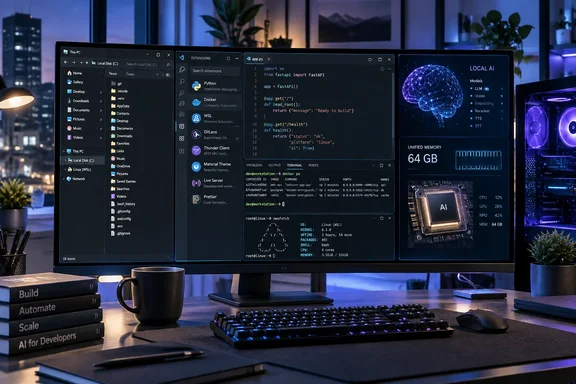
Project Zenith changes the Windows 11 starting point
The most useful way to understand Project Zenith is as a combination of device requirements and a curated Windows configuration. Microsoft’s Windows Developer Blog describes systems with at least 64 GB of unified memory and at least 250 GB/s of memory bandwidth, paired with development tools and settings selected in advance. Windows Terminal and Visual Studio Code are pinned to the taskbar, and the surrounding Windows experience is configured to remove some routine distractions.
That description puts important boundaries around the name “Windows Zenith,” used in DesdeLinux’s September 21 coverage. Microsoft announced Project Zenith as an experience on developer-class PCs. It did not announce a Windows 12 successor, a separate Linux distribution, or a new Windows edition with a distinct licensing model.
DesdeLinux reports that Zenith systems will use Windows 11 Home or Pro, depending on the device. Microsoft’s announcement does not establish that as a universal licensing rule, however. For purchasing purposes, the edition and its associated management capabilities remain properties to establish for the actual PC being bought; the Zenith name alone does not answer them.
Availability also needs more careful wording than “it’s already here.” Microsoft says Project Zenith will first become available with AMD’s Ryzen AI Halo, followed by more devices from OEM and silicon partners in the coming months. That establishes the intended first platform and a broader rollout direction, rather than a complete shipping catalog. The announcement does not provide a general release date for every configuration, a price list, or an upgrade package that turns any existing Windows PC into a Zenith-qualified device.
The hardware requirements and software configuration serve different purposes. The memory specifications are tied to Microsoft’s local-AI ambitions. Showing file extensions, installing development tools, and preparing a Linux environment address everyday setup work. Readers who only need the second group should not assume they need to buy the first.
This separation is also the best answer to the Linux-competition question. Zenith gives Microsoft a more coherent developer-PC proposition, but some of its central attractions depend on Linux technology. The competitive choice concerns which operating system hosts the workstation; the development workflow can still include Linux.
Zenith’s developer defaults remove identifiable setup chores
Microsoft’s “ready-to-code” claim becomes more concrete when broken down into the changes a developer would actually see. The announced configuration touches File Explorer, Search, Start, and the taskbar. These are observable defaults, rather than an unspecified promise of a dramatically lighter operating system.
| Area | Microsoft’s announced Zenith configuration | Practical consequence |
|---|---|---|
| File visibility | File-name extensions and hidden files are shown. | Developers can inspect names and files that would otherwise be less visible in Explorer. |
| Folder context | The full path appears in the title bar, and the details pane is enabled. | More information about the current location and selected item is visible without changing those settings first. |
| Path handling | Long-path support is enabled. | The Windows configuration begins with that support switched on. |
| Recent activity | Recently used files and folders are turned off. | Explorer’s starting presentation is less driven by recent activity. |
| Suggestions | Sync-provider tips, Start-menu tips, and account notifications are turned off. | Those specific sources of prompts and recommendations are reduced. |
| Tool access | Windows Terminal and Visual Studio Code are pinned; Command Palette is enabled in Search and Start. | Common developer entry points are available immediately. |
These changes explain the appeal without requiring claims about a new kernel or a fundamentally different Windows architecture. A developer who routinely makes these adjustments on every new machine gets a starting configuration closer to the one they would have chosen. Microsoft also explicitly says users can continue to customize the environment around their preferred tools, languages, and frameworks.
Engadget’s reporting characterizes the project as an effort to remove Windows clutter and create a more Linux-like developer experience. Its report specifically highlights preinstalled languages and runtimes, along with visible file extensions and hidden files. That is a reasonable description of the intended experience, although the settings themselves are more informative than the comparison: a less distracting Windows desktop does not establish Linux-equivalent performance or behavior.
The difference matters when interpreting claims that Zenith removes all “bloatware.” Microsoft names particular settings it changes. It does not publish, in this announcement, a comprehensive list of removed applications or promise that every consumer-oriented Windows component disappears. Likewise, turning off account notifications should not be expanded into a claim that Zenith changes account requirements, licensing, or organizational identity rules.
The before-and-after comparison is therefore about preparation. Before adopting this configuration, a developer may need to select tools and adjust Windows settings themselves. With Zenith, Microsoft and its device partners undertake a defined portion of that work before the developer starts. Neither Microsoft’s announcement nor the reporting supplied here measures how many hours that saves, or whether builds become faster as a result.
For an IT department, the useful inference is that Zenith could reduce the distance between a newly delivered PC and an organization’s desired developer baseline. It would still need to be reconciled with that organization’s approved software versions, security settings, and management requirements. A curated starting point can simplify that process without becoming a substitute for it.
WSL makes Linux part of Zenith’s appeal
Windows Subsystem for Linux, or WSL, is central to Microsoft’s explanation of Project Zenith. Microsoft describes WSL as foundational for running Linux workloads on Windows and says it open-sourced WSL in the preceding year. The company also says that, at Build 2026, it integrated WSL more deeply into Windows through WSL containers, providing a built-in way to create, run, and interact with Linux containers.
This gives Zenith a different competitive shape from a conventional Windows-versus-Linux pitch. Microsoft is trying to make the Windows workstation attractive partly by making Linux-oriented work more accessible inside it. A developer choosing that workstation need not abandon Linux tools simply because Windows remains the host environment.
DesdeLinux’s description of Ubuntu running “natively” goes further than the evidence warrants. The supported description is a Linux environment provided through WSL. That should not be treated as equivalent to installing Ubuntu as the host operating system, nor as proof that every Linux application, device-access requirement, or production deployment condition behaves identically.
The distinction is useful when deciding what to evaluate. If a team’s requirement is to work with Linux tools while retaining a Windows desktop, the announced WSL and container integration addresses that requirement directly. If the requirement is to develop and validate against a particular Linux host configuration, Zenith’s announcement supplies no guarantee that its WSL environment satisfies that requirement.
There is also a difference between a development workstation and the systems on which its output will run. Nothing in the Zenith announcement establishes a change to Linux server deployments or production AI infrastructure. Claims about Microsoft reversing a developer “brain drain,” or displacing Linux across those markets, would require migration data and workload evidence that this announcement does not contain.
The supported competitive argument is narrower and more useful: Microsoft wants Windows to be easier to select as the machine on a developer’s desk. Linux integration helps make that choice possible for people whose work extends beyond Windows software. Zenith can compete for the workstation while continuing to rely on Linux as part of the workflow.
Zenith’s local-AI requirements establish capacity, not performance
The most consequential hardware figures in Microsoft’s announcement are 64 GB or more of unified memory and at least 250 GB/s of memory bandwidth. Microsoft links those specifications to running AI coding models locally and says Zenith devices can run models with more than 30 billion parameters without metered cloud inference. Those are the company’s capability claims; the announcement does not include independent performance measurements.
The model-size figure deserves particular care. DesdeLinux’s English-language account uses the confusing wording “30.000 billion parameters.” Microsoft’s actual claim is “30B+”: more than 30 billion parameters. That is the number readers should use when assessing the proposal.
Even the corrected figure is only one part of a purchasing decision. Microsoft does not identify a universal set of supported models, specify their execution settings, or publish a tokens-per-second benchmark in this announcement. It also does not provide a Linux comparison on the same hardware. Consequently, “runs a 30B-plus model” cannot safely be translated into “runs every model of that size quickly enough for our work.”
“Unmetered” has a similarly specific meaning here. Microsoft is contrasting local execution with reliance on metered cloud tokens. It is not offering a guarantee that every AI-related service used on a Zenith PC is free, that existing subscriptions become unnecessary, or that every task can move away from the cloud. Indeed, its own announcement describes a division of work in which frontier models handle demanding problems while other work runs locally.
That framing supports a practical evaluation approach. A team considering Zenith for local AI should identify the model and task it wants to move onto the device, then require evidence for that combination before attributing savings to it. This is a purchasing recommendation, not a benchmark result: the announcement alone cannot establish whether the local model’s output, responsiveness, and operating cost meet that team’s needs.
The hardware threshold also should not be detached from its wording. A PC advertised with 64 GB of RAM has not, merely by that fact, demonstrated the complete Zenith profile. Microsoft specifies unified memory and a bandwidth threshold alongside capacity. Nor does Microsoft’s choice of Ryzen AI Halo as the first platform establish that it has published a complete certification scheme covering every eligible processor.
For readers primarily interested in ordinary development setup, the result is straightforward. Zenith’s local-AI positioning may justify specialized hardware for some buyers, but the announcement gives no basis for treating its memory requirements as the minimum needed to use Visual Studio Code, adjust Explorer, or prepare a Windows development environment. Those software improvements have a separate route onto existing Windows 11 machines.
Microsoft Execution Containers need a bounded security claim
Microsoft also connects Zenith to its broader work on agentic applications: software that can take actions as part of a workflow. The announced platform ingredients are OS-enforced identity, containment through Microsoft Execution Containers, or MXC, and enterprise-grade manageability for agents. Microsoft says Zenith devices will benefit from those platform investments from day one.
That is relevant to developers building or running software capable of acting on their behalf. Identity, containment, and management are distinct parts of the intended control model. Their inclusion explains why agent support appears alongside local models and development tools in the Zenith announcement.
The announcement does not, however, document enough of MXC’s behavior to promise that an agent cannot execute a dangerous command or harm the operating system. DesdeLinux’s statement that the mechanism “ensures” agents cannot endanger Windows is too absolute. Microsoft describes containment; it does not provide a complete threat model, a detailed permissions walkthrough, or a guarantee covering every agent failure.
A defensible interpretation is that MXC is intended to constrain and manage agent execution. It would be premature to claim a particular security boundary equivalent to a virtual machine, or to infer that every application called an AI agent automatically receives the same protection. Those details need to be established for the actual platform and application being deployed.
For administrators, the immediate consequence is a boundary on approval rather than a reason to reject the project. Zenith’s branding should not itself authorize an agent to access sensitive data or perform consequential work. The announced security direction belongs in an evaluation; evidence of the applicable controls belongs in the deployment decision.
Local execution and agent containment also answer different questions. Running a model on the workstation concerns where its computation occurs. MXC concerns how agent execution is contained. A locally running model does not, by itself, establish that an associated agent has appropriate permissions, and the presence of an agent-control mechanism does not establish that a particular model meets the team’s performance needs.
Windows Developer Config offers a separate path for existing PCs
Microsoft’s WindowsDeveloperConfig repository makes the software side of this story immediately useful beyond prospective Zenith buyers. Its README describes “opinionated setups for Windows dev boxes,” including a complete Windows 11 development-workstation setup, a customizable WSL shell environment, and individual language workloads.
This is also where the evidence supports a more detailed tool inventory than the Zenith announcement itself. The repository’s full Windows Dev Config setup lists Windows Terminal, PowerShell 7, Git, GitHub CLI, GitHub Copilot CLI, Visual Studio Code,.NET SDK 10, Python 3.14 with uv, Node.js LTS with nvm, Coreutils for Windows, Windows App CLI, Oh My Posh, and PowerToys. It also installs WSL and Ubuntu.
Those are documented contents of Windows Dev Config. They should not automatically be presented as the exact contents of every future Zenith factory image. In particular, Microsoft’s Zenith announcement does not establish DesdeLinux’s complete version-specific inventory, and the repository describes Node.js as LTS rather than fixing the claim here to Node 24.
The repository also disproves an overly simple description of the setup as one universal WinGet configuration. The full Windows Dev Config setup does not use winget configure. Most individual language workloads do. That difference affects prerequisites and troubleshooting, so the two paths should remain separate.
Windows Dev Config changes more than installed applications
The full setup is a set of PowerShell scripts that installs tools, applies Windows settings, and prepares WSL and Ubuntu through a required restart. Its documented settings include Dark theme, Developer Mode, Sudo, long-path support, File Explorer defaults, Start and Search cleanup, Do Not Disturb, disabled widgets, and Edge policies. It also configures Windows Terminal with PowerShell 7 as the default profile, an Oh My Posh prompt, Cascadia Mono NF, and a GitHub Copilot profile.
This breadth is a reason to choose deliberately. Someone who only wants Python does not necessarily want browser policies, desktop preferences, and shell configuration changed at the same time. The repository provides individual workloads precisely to support narrower choices.
The full setup’s documented operational sequence is as follows:
- Choose the complete workstation setup only if its tool and settings changes match the intended machine configuration. For a managed PC, those changes should be evaluated against the organization’s approved baseline.
- Save work before starting. The repository warns that enabling the Windows optional feature needed for WSL requires a restart and that the setup gives a 10-second warning.
- Expect a User Account Control consent request if the setup starts without elevation. The repository also says it requests consent again when resuming after the restart.
- Sign back in after the restart. A scheduled task named
WindowsDevConfigResumeis intended to restart the setup automatically. - Allow the resumed process to finish preparing WSL. The README estimates roughly 30 minutes for the overall process on a clean machine; that is the project’s estimate, not a WindowsForum measurement.
The repository describes the process as idempotent: it is designed to tolerate another run and skip work already completed. If the machine restarts and the process appears stuck, the README says the resume task should act about 30 seconds after sign-in. If no window appears after a couple of minutes, it advises rerunning the setup.
Rerun safety should not be confused with undo support. The inspected README does not provide a complete rollback sequence for every setting it changes. That is a meaningful reason to try the broad configuration on a nonproduction machine before adopting it across an organization.
There is a second security consideration before execution. The documented bootstrap downloads and executes a PowerShell script, and its -AllowUnsigned option selects the unsigned source copy rather than the signed release copy. That distinction makes the exact script revision and execution path part of the change being approved. Reviewing and fixing the revision used for a deployment is a sensible administrative precaution; “one command” describes convenience, not a reduced need to assess what the command changes.
Individual workloads avoid the full workstation makeover
The repository’s smaller workloads are the more proportionate route when a developer needs one language toolchain. Documented options include Python 3.14 with uv,.NET SDK 10, Node.js LTS with TypeScript, Microsoft Build of OpenJDK 25 LTS, Rust stable, Go, PHP 8.5, and Windows-specific application-development workloads.
For most of these, the prerequisite is enabling WinGet configuration:
winget configure --enable
The README says a non-elevated invocation also requires the Microsoft Visual C++ Redistributable. Its documented installation commands differ by architecture:
# x64
winget install Microsoft.VCRedist.2015+.x64

# ARM64
winget install Microsoft.VCRedist.2015+.arm64
These are prerequisites for the relevant WinGet configuration path, not extra requirements to impose on the separate full Windows Dev Config bootstrap. The distinction avoids troubleshooting one workflow with instructions written for another.
Once the repository’s workload files are present, its documented Python example is:
winget configure -f.\Workloads\python\configuration.winget --accept-configuration-agreements --disable-interactivity
The relative path means the command must be run from a location where that workload file exists. The switches explicitly accept configuration agreements and disable interaction, so the configuration should be examined before using it. The matching install.ps1 wrapper offers another documented route and refreshes the current session’s PATH, which determines where the shell looks for commands.
The repository identifies several useful failure branches:
- If
winget configureis unrecognized, enable it first. The includedWorkloads/_common/assert-winget-configure.ps1diagnostic can help distinguish an outdated App Installer from a policy restriction or another configuration problem. - If configuration fails with internal error
-2146233079, the README identifies a missing Visual C++ Redistributable as a usual cause for non-elevated execution. - If installation reports success but
python,node, or another tool is unavailable in the current terminal, open a new terminal or use the matching wrapper to refreshPATH. - If WSL installation fails with exit code
-1, the README identifies unavailable hardware virtualization as one possible cause, including disabled firmware virtualization on a physical PC or missing nested virtualization in a VM.
The last case needs particular scope discipline. A physical PC may require a firmware change, whose label varies by manufacturer. A Hyper-V guest may instead require the host administrator to expose virtualization extensions while the guest is powered off. Those are different configurations; neither should be presented as a universal fix for every WSL error.
Windows Developer Config therefore supplies a practical alternative to buying a new PC for software convenience. It can install tools and apply settings on Windows 11, but it cannot create Zenith’s required memory hardware, establish local-model performance, or guarantee an exact copy of an OEM image.
Choose Zenith for a demonstrated workload, not a Linux verdict
Existing Windows developers should first separate a setup problem from a hardware-capacity problem. If the goal is cleaner defaults and a repeatable toolchain, Windows Developer Config provides a path to evaluate on an existing Windows 11 system. If the goal is substantial local-AI execution, Zenith’s hardware proposal merits attention, but the buying decision needs evidence for the intended model and workload.
Linux users have a similarly concrete decision. Zenith is relevant when a Windows-hosted workstation with Linux tools would satisfy the job. The announcement supplies no reason to replace a working Linux host solely on the expectation of better performance, lower total cost, or equivalent behavior across every workload.
For procurement and administration, these are the most actionable boundaries:
- Treat Project Zenith as an announced developer-PC experience, with Ryzen AI Halo named as the first platform and additional devices planned for the following months.
- Establish the actual Windows edition, device availability, and configuration before purchasing; the Zenith announcement does not settle those details for every machine.
- Require workload-specific evidence for local AI rather than treating “30B+ parameters” as a performance benchmark or a guaranteed reduction in cloud spending.
- Evaluate WSL against the Linux workflow that must run, without assuming it is interchangeable with Linux installed as the host operating system.
- Use the smallest Windows Developer Config setup that meets the requirement, and account for settings changes, elevation, and the full setup’s restart before running it.
- Assess agent controls for the application being deployed; MXC’s announced containment role is not a blanket assurance that every agent action is safe.
Project Zenith gives Microsoft a credible convenience argument for the developer workstation: ship Windows with a more useful baseline, retain Linux workflows through WSL, and pair that setup with hardware aimed at local AI. The forthcoming partner devices will turn that proposal into specific configurations and prices that buyers can compare. Until then, the software configuration is the more directly actionable part of the story—and it lets Windows developers evaluate much of the promised reduction in setup work without first committing to a new machine.