

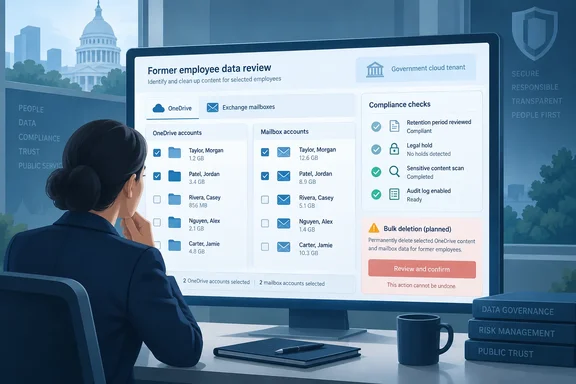
The roadmap gives a one-line summary: the feature will let admins delete both the content and the containers that belong to departed users, at scale, without manual effort. That is all Microsoft has published so far. The rest of this article explains what can be verified, what is still unknown, and what admins should do before any deletion tool reaches their tenant.
This is the government-cloud version of an existing roadmap item
The feature already has a commercial counterpart. A Microsoft 365 roadmap entry with the same title, ID 566527, is listed for the Worldwide (Standard Multi-Tenant) cloud. The M365 Admin roadmap tracker shows that entry was created 2026-06-25 and first listed with a September CY2026 general availability date.
The commercial dates have already moved. A more recent snapshot on the Merill Message Center tracker lists a GA date of November CY2026 and a preview date of October CY2026 for the worldwide entry. Both entries use the same summary about deleting content and containers for departed users at scale.
| Worldwide (ID 566527) | Government clouds (ID 569721) | |
|---|---|---|
| Clouds | Worldwide multi-tenant | GCC, GCC High, DoD |
| Original GA target | September 2026 | — |
| Latest preview target | October 2026 | November 2026 |
| Latest GA target | November 2026 | December 2026 |
This looks like Microsoft's usual pattern of shipping to commercial tenants first and government clouds roughly a month later. The worldwide entry has already slipped once, so government admins should treat December as an estimate. Microsoft's roadmap page says its dates are estimates and that all information is subject to change.
Some earlier coverage of the commercial entry said the feature would hook into Entra ID disablement events. Microsoft's published text says nothing like that, and this article does not repeat the claim.
Summary: This entry brings an announced commercial feature to government clouds. Microsoft has published dates and a one-line summary, and nothing else.
What Microsoft hasn't said
The roadmap entry leaves out most of the details admins will need. Microsoft has not published:
- How "inactive" is defined: days since account deletion, days since last sign-in, license state, or something else
- How users or containers are chosen for deletion
- Whether there are grace periods, approval steps or disposition review
- Whether "delete" means a soft delete, a recycle-bin stage or a final purge
- How retention labels, retention policies, Litigation Hold or eDiscovery holds will be handled
- What audit evidence the feature will produce
Admins shouldn't assume the new tool will override existing protections, and they shouldn't assume it will respect all of them either. Microsoft hasn't documented either way. OneDrive and Exchange also follow very different lifecycle rules today, which is a good reason to wait for documentation.
How OneDrive cleanup works today
Microsoft's SharePoint documentation says the OneDrive cleanup clock starts only when the user account is deleted from Microsoft Entra ID. Blocking sign-in does not start it, and neither does removing a license.
The current process, as documented on Microsoft Learn:
- The user is deleted in the Microsoft 365 admin center or removed through Active Directory sync.
- The deletion syncs to SharePoint, and the OneDrive Clean Up Job marks the OneDrive for deletion.
- Default retention is 30 days. Admins can change it in the SharePoint admin center or with
Set-SPOTenant -OrphanedPersonalSitesRetentionPeriod <int32>. - The user's manager gets access and an email warning. If no manager is set, a configured secondary owner gets them instead.
- A reminder email goes out seven days before the retention period ends.
- The OneDrive then moves to the site collection recycle bin for 93 days. Shared content becomes inaccessible during that time, and restoring the OneDrive requires PowerShell.
Two details matter for compliance teams. First, the recycle bin isn't indexed, so searches can't find content there and an eDiscovery hold can't capture it. Second, if access delegation is turned off, or the user has neither a manager nor a secondary owner, nobody gets automatic access or a deletion warning.
Retention settings take precedence over this process. Depending on configuration, content may be deleted before the 30-day mark or kept longer, and a OneDrive under an eDiscovery hold isn't deleted until the hold is removed.
Unlicensed accounts follow a separate path. OneDrive accounts without a valid license are archived automatically on their 93rd unlicensed day. After 12 months of unpaid archive, Microsoft says the data might be deleted regardless of retention settings or holds. The roadmap doesn't say how the new feature will interact with this archive stage.
Summary: OneDrive cleanup today is triggered by account deletion, involves manager notifications, and has a recycle-bin stage that eDiscovery can't see.
Inactive mailboxes work differently
In Exchange Online, "inactive mailbox" is a specific state. It is a deleted user's mailbox that is kept because a hold was in place before the account was deleted. Purview admins can view them under Solutions > Data Lifecycle Management > Policies > Retention policies > Inactive mailbox.
The portal shows at most 5,000 inactive mailboxes, so larger tenants need Exchange Online PowerShell:
Get-Mailbox -InactiveMailboxOnly -ResultSize Unlimited | FT DisplayName,PrimarySMTPAddress,WhenSoftDeleted
Deleting an inactive mailbox today means removing every hold on it. Microsoft's documentation on deleting inactive mailboxes says once all holds are removed, the mailbox is automatically marked for deletion and permanently deleted after it's processed.
Microsoft also documents several pitfalls:
- PowerShell only. Holds must be removed in Exchange Online PowerShell. The Exchange admin center and the Purview portal can't do it.
- Retention labels can block removal. If retention labels set to retain items are applied, the hold can't be removed.
- Delay holds. After another hold is removed, Microsoft 365 automatically adds a delay hold that expires after 30 days. Removing it early requires the Legal Hold role.
- Preservation Lock. A mailbox can't be removed from a retention policy that has Preservation Lock applied.
- Releasing an eDiscovery hold can delete the mailbox. If an eDiscovery hold is released or its case is closed, an inactive mailbox that depended on it is permanently deleted.
- A 30-day window, then permanent loss. After the last hold is removed, the mailbox is soft-deleted and can be recovered for 30 days. After that it's purged and can't be recovered.
This is the core difficulty for the planned feature. Deleting at scale is exactly how a legal hold gets released by accident, so how the tool handles holds will matter more than anything else about it.
Summary: Mailbox deletion today depends on finding and removing every hold. That makes it powerful and easy to get wrong.
Why bulk deletion could still help
Administrators have reasons to want this feature. Holding former employees' data longer than needed costs storage money, and it also creates legal risk, since kept data can be subject to discovery or exposed in a breach. Many retention schedules require data to be deleted after a set period, not just allow it. Doing that cleanup with ad-hoc PowerShell scripts across thousands of OneDrives and mailboxes is slow, and mistakes are easy to make.
Strict retention mandates are especially common in GCC, GCC High and DoD environments, so a native Purview option may appeal more there than a script library. Whether it actually reduces risk depends on the guardrails Microsoft hasn't described yet.
What to do before the preview arrives
Admins don't need to wait for the feature to prepare:
- Inventory inactive mailboxes with PowerShell and export the list to CSV. Use DistinguishedName or ExchangeGuid to identify mailboxes, because SMTP addresses can be duplicated.
- Map hold types on those mailboxes. The portal's details pane shows only Litigation Hold status.
- Check OneDrive access delegation in the SharePoint admin center (More features > User profiles > Setup My Sites), and set a secondary owner.
- Review your OneDrive retention period and confirm it matches policy.
- Coordinate with legal and records teams on which data can be deleted and who approves it.
- Plan a pilot with a small test group once the preview is available in your tenant.
Bottom line
Microsoft plans to give government cloud tenants a Purview tool for deleting departed employees' OneDrives and mailboxes in bulk. The targets are a November 2026 preview and December 2026 general availability, about a month behind the worldwide release, which has already slipped once. For now there is a title, a one-line summary and two dates. Until Microsoft publishes documentation, the current OneDrive and mailbox procedures, including their hold checks and recovery windows, remain the way to do this.
References
- Microsoft Purview: Data Lifecycle Management – Ensure regulatory compliance by deleting inactive OneDrives and mailboxes for departing employees Microsoft 365 Roadmap · 2026-10-01T23:00:07.038613Z
- OneDrive retention and deletion - SharePoint in Microsoft 365 | Microsoft Learn learn.microsoft.com
- Create and manage inactive mailboxes | Microsoft Learn learn.microsoft.com