

Microsoft says the features are generally available unless it notes otherwise. That is mostly true, but there are a few exceptions, and admins should know about them before telling the help desk to expect anything.
Teams Phone Agent: generally available, with one preview part
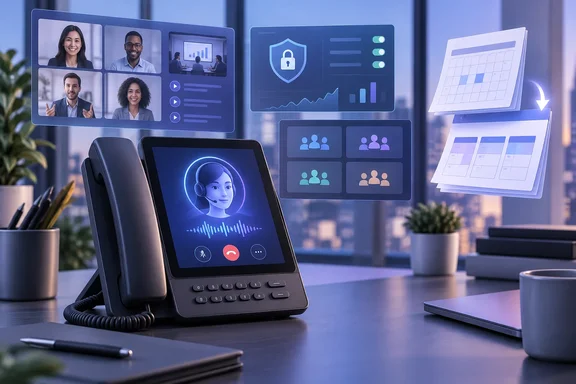
The biggest item is Teams Phone Agent. Microsoft describes it as an AI receptionist for business phone lines that can answer routine questions, book appointments and keep working after hours. The roundup says it supports more than 60 languages and locales. When a caller needs a person, it can transfer them to the right department or employee along with an AI-generated summary of the conversation, so the caller doesn't have to repeat everything.
A separate Teams Blog post announcing general availability calls it "an AI-powered calling receptionist that answers incoming calls and scales to serve customer requests during call-volume spikes and outside regular business hours", and says callers can simply say what they need instead of navigating a cumbersome phone menu.
The preview part: the roundup says custom voice agents are available for specialized workflows. The GA announcement is more specific. It lists custom agents built in Copilot Studio as still being in Frontier public preview, and says extensibility for Copilot Studio voice agents with Teams Phone Agent and Teams Phone is available in Frontier. The built-in receptionist is GA. Custom Copilot Studio agents that handle work like billing lookups are not.
Microsoft Learn's voice-applications planning page shows how quickly the feature got here:
| Date (2026) | Milestone |
|---|---|
| June 15 | Entered Frontier Public Preview |
| July 20 | Historical reporting available |
| August 12 | Spam detection, AI disclaimer customization and maximum call length configurable via PowerShell |
| August 17 | Automatic recording configurable via PowerShell |
| August 31 | AI disclaimer and maximum call length in the Teams admin center |
| September 1 | Appointments integration with Microsoft Bookings |
| September 29 | Historical reporting updated |
| September 30 | Generally available to all customers |
That is about 15 weeks from preview to GA. Some Learn subpages had not been updated when last indexed and still said Teams Phone Agent is currently only available to customers in the Frontier Public Preview program. The planning overview has been updated, so check the date on any doc you are working from.
Getting started
According to Microsoft Learn's setup guide:
- Open the Teams admin center. Expand Voice, select Auto attendants, and then select Add.
- Pick the right wizard. Quick setup can't be used to configure Teams Phone Agent. Select Advanced setup.
- Before you go live, review prerequisites, licensing, supported configurations, and setup guidance, as the GA announcement advises.
Microsoft Learn also says call queue exception handling can send calls to a Teams Phone Agent when no agents are signed in or when wait limits are exceeded. That gives you a low-risk way to start: put the AI agent behind an existing queue as overflow instead of making it the first thing every caller hears.
Summary: the receptionist is GA. Custom Copilot Studio agents are still in Frontier preview. Setup goes through Auto attendants and requires Advanced setup.
Queues app: recaps, Copilot, recording and voicemail
Several other calling updates move call-center work into the Queues app:
- Intelligent call recap: for recorded or transcribed queue calls, you get AI-generated notes covering discussion points and follow-ups. Find the call in the Queues app call history and select Recap.
- Copilot in shared call history: after a recorded call ends, users with Copilot can open the call record, go to the Recap tab and ask questions in the Copilot Chat sidecar.
- Automatic recording and transcription per call queue: admins can turn this on for individual queues and control who can access the recordings. Recordings are stored in SharePoint. Microsoft's Teams admin release notes, dated August 26, confirm this and say settings and agent access can be managed in the Teams admin center or with PowerShell. Microsoft Learn shows PowerShell support arriving August 13, compliance recording for call queues in the admin center on August 17, and admin-center configuration of automatic recording on September 30.
- Auto attendant shared voicemail: voicemails routed from an auto attendant now show up in the Queues app, so the whole team can triage them in one place.
- Custom recording and transcription notifications: admins can edit selected notification strings for Teams VoIP calls in the Teams admin center.
- Call lock for delegation: a delegator can lock an active call so delegates can't join or resume it, and optional warning tones tell participants when a delegate joins.
My take (based on general industry experience, not Microsoft's guidance): automatic recording is the update most likely to involve your legal and compliance teams. Many jurisdictions have consent rules for recorded calls. Customizable notification strings and the Phone Agent AI disclaimer help, but they don't replace advice from counsel.
Meetings: video recap and translatable recaps
Video recap turns a meeting into a short highlight reel, combining AI-generated voiceover with video clips. Microsoft says it now supports 23 languages across 31 regional variants. Microsoft Support first introduced it in May as a feature where recorded meetings are clipped into short, narrated highlights. That means no recording, no video recap. If your organization limits recording, this feature will mostly be unused.
Recap translation button: after an intelligent recap is generated, users can change its language at any time, even if a different language was selected during the meeting. For multilingual teams that is a small change with a big practical effect.
Rooms, desks and Android devices
- Interpreter agent on Teams Rooms on Android: real-time translation for people in the room, on Android rooms licensed for Teams Rooms Pro.
- Zero-touch provisioning for MDEP-based Android devices: Microsoft compares this to Autopilot for Windows. Devices are provisioned automatically, with security policies applied from first boot, all managed from the Teams Rooms Pro Management portal. It fits with Microsoft's July 15 release note saying management of Android Teams Rooms, panels and phones is moving from the Teams admin center to the Pro Management portal.
- Room optimization mode in Teams desktop: this replaces shared display mode and is in a new location, so expect "where did it go?" tickets. When room peripherals are connected, Teams can choose the audio and video devices, turn on speaker recognition and shared display, and turn off voice isolation.
- Join-time analytics: the Pro Management portal now compares meeting join times in Teams Rooms with bring-your-own-device rooms and recommends actions. Requires a Teams Rooms Pro or Teams Shared Space license.
- Bookable desks: Teams panel-based desk hubs show whether a desk is free and let people book on the device. Each device needs a Teams Shared Space license.
- Updated Gallery view on Android rooms: video gets priority on stage, tiles keep consistent aspect ratios and move around less, self-preview can be hidden, and audio-only participants can be given equal space. Admins can set the defaults on the device or in Pro Management.
Teams Events: bigger breakout rooms, clearer production roles
- Breakout rooms now support up to 1,000 participants across 100 rooms, up from 300 participants across 50 rooms. That covers training sessions and all-hands workshops that used to need workarounds.
- Production tool control: organizers can choose who gets access to "Manage what attendees see" and the green room. The setting is a meeting option chosen when the event is set up.
- Bigger presenter panel: producers can resize it during a live event.
- New sharing layouts: speaker focused, content focused and content only. Speaker focused shows presenter video alongside shared content. These layouts require Teams Premium for the organizer and are available on Teams for Windows and Mac desktop.
Security and administration
Security Detection Report. This new Teams admin center report collects messaging security detections, including impersonation, malicious URLs and weaponizable file types, in one view, and the detailed data can be exported. It builds on earlier work. Microsoft Support says Teams added automatic detection and warnings for malicious files and URLs in chats and channels in December 2025, and the July 15 release notes added user reporting of suspicious external users, with reports shown in the admin center. The Detection Report is a different tool from that user-reporting feature. It aggregates what the platform itself detects.
Other admin and compliance changes:
- Real-time alerting rules: you can now duplicate rules, bulk upload users and delete rules for in-progress meeting and call rule types. Monitoring covers up to 500 users across all rules.
- Single pane for meeting and call health (Windows): one view for live and past calls and meetings, recurring issues and trends.
- Cross-tenant audit records: participant-level audit records are now shared with every participating tenant, not just the organizer's tenant. Each record includes organizer information, so you can tell whether a meeting was hosted inside or outside your tenant. Investigators who used to lose the trail whenever a partner hosted the meeting should find this helpful.
- VDI optimization for Teams Events (Windows): attendees on virtual desktops can offload audio and video to their local device. It supports Azure Virtual Desktop, Windows 365, Citrix, Omnissa and Amazon, plus captions, DVR, reactions, streaming chat, Q&A, and first- and third-party eCDNs. This continues the new VDI architecture Microsoft described in August 2024 and the April 2026 move of Omnissa onto it.
Platform, workflows and chat improvements
- Unified app and agent installation: a change made in either the Microsoft 365 admin center or the Teams admin center now applies across Teams, Outlook and Microsoft 365 Copilot. Previously, each admin center's changes only applied to its own apps.
- Custom app readiness list: the Teams admin center lists custom apps that need updates to work in private and shared channels, so you know which developers to contact.
- Store search moves to the center of the page, with type-ahead suggestions and natural-language matching.
- Workflows: you can add several steps at once when building from scratch, and List Form collects structured input before the workflow runs.
- Single-character shortcuts (Windows): when a message has keyboard focus, single keys trigger edit, delete, reply, forward, pin, save, mark unread, quote reply and react. You can see and change them in the keyboard shortcuts dialog.
- Chat: you can ask Copilot about a message or selected text, with that context already included. Search now shows matching agents and apps. You can search cloud files from the attachment picker. Colon emoji shortcuts such as
:smile:, including custom emojis, now work on iOS and Android. Highlighted text is easier to read in dark and high-contrast modes.
Certified devices
The roundup also lists newly certified hardware:
- EPOS IMPACT 1000 headsets, in dongle and dongle-free versions, with and without stands
- Q-SYS RoomSuite Collaboration Bars, which support up to four expansion mics
- Shure IntelliMix Room Kits, the Bar Pro Kit, and various MXA, MXN and MXW audio bundles
- Yealink MP66W, an IP67-rated MDEP phone running Android 15
- Neat Pad Generation 2
- Two Barco ClickShare Hub Pro bundles, one with Huddly L1 and Shure, one with Huddly C1 Crew
- Logitech Zone Vibe Pro for Business
The specs come from the vendors and haven't been independently tested. Certification tells you a device works with Teams, not that it's better than the alternatives.
What to do this quarter
- Phone Agent: check licensing and billing, then pilot it as overflow behind an existing call queue before making it the front door.
- Recording: settle consent and retention policy before turning on automatic queue recording.
- Security: add the Security Detection Report to your SOC team's weekly review.
- Help desk: brief staff on room optimization mode replacing shared display mode, and on the new single-key shortcuts that can delete a message.
- Android rooms: if you haven't moved Android device management into the Pro Management portal yet, start planning it.
With the roundup going quarterly, the next one won't arrive until December. Until then, Microsoft Learn's dated "what's new" entries are a better way to track changes as they ship.
References
- What's New in Microsoft Teams | August - September 2026 Microsoft Teams Blog · 2026-10-01T15:30:00+00:00
- Help customers get answers and reach the right support with Teams Phone Agent techcommunity.microsoft.com
- Here are all the new features Microsoft added to Teams in August and September 2026 Neowin · 2026-10-02T05:18:02+00:00