

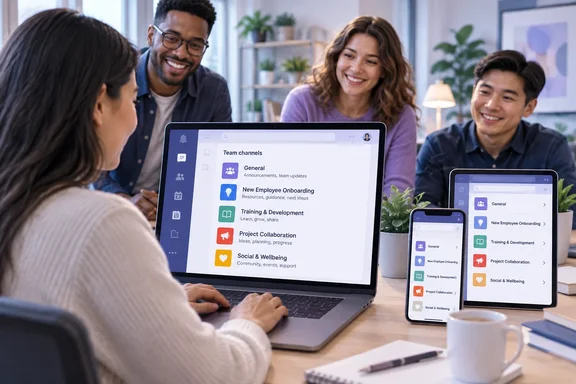
The entry is Microsoft Teams: Onboarding workflow for new team members, roadmap ID 573452. Microsoft says the feature will help people get started faster by automatically connecting new team members to relevant channels when they join a team. The stated goals are better engagement, faster onboarding, and easier access to important information from the first day.
It's a short roadmap entry with very little detail. Here's what it confirms, what it leaves open, and how it fits with the channel-onboarding changes Teams users already have.
What the roadmap entry says
These are the details Microsoft has published for item 573452:
| Field | Listed value |
|---|---|
| Product | Microsoft Teams |
| Status | In development |
| Release phase | General Availability |
| Estimated GA date | November 2026 |
| Platforms | Android, Desktop, iOS, Mac |
| Cloud instance | Worldwide (Standard Multi-Tenant) |
A few points stand out:
- It isn't available yet. Microsoft's AI at Work Roadmap documentation defines "In development" as a feature that is still in development and testing. Some customers in a preview program might have access. A General Availability target and a November date don't mean the feature has shipped.
- Mobile is included. Android and iOS are listed with Desktop and Mac. That matters because, as explained below, the previous channel-onboarding change left mobile out.
- Only the worldwide cloud is listed. GCC, GCC High and DoD aren't mentioned. Organizations on government clouds shouldn't assume they'll get the feature on the same schedule.
- The dates can change. Microsoft states on the roadmap that all information is subject to change and that features can be postponed or cancelled.
Summary: This is a planned Teams feature for the worldwide commercial cloud, estimated for November 2026, and it is still in development.
Background: Teams already changed channel onboarding once
This isn't the first time Microsoft has changed how new members find channels. In 2024, Message Center post MC790796 (tied to roadmap ID 381734) announced a new onboarding flow for teams and channels.
Before that rollout, a team owner could mark a standard channel as Show for members, and it would appear automatically in every member's channel list. Afterward, the M365 Admin message archive on handsontek.net summarized the change this way: "This functionality replaces Show for members." When joining a new team, team members will see only the General channel. Members can review channel details and opt into channels of interest.
That change had some important limits:
- It applied to new Teams for the web and Teams for desktop, and did not apply to Teams for iOS or Android.
- According to Super Simple 365, users with EDU and FLW licenses would continue to see "owner recommended" channels in their teams and channels list automatically.
- Rollout required no admin action. Worldwide general availability was scheduled for mid-to-late September 2024, after delays from the original July target.
This is how Teams currently works. Microsoft's support article on choosing which channels to display says that when you first join a team, you'll receive a notification that gives you the option to choose which channels you'd like to regularly interact with, and that recommended channels are those recommended by team owners.
The old toggle's name has also changed. In an April 2026 reply on Microsoft Q&A, a Microsoft external staff moderator confirmed that Microsoft removed "Automatically show this channel in everyone's channel list" and replaced it with "Recommend that people show this channel" as part of the Teams onboarding and channel discovery experience. If you're a team owner looking for the old auto-show checkbox, that explains why you can't find it.
Summary: Since 2024, Teams has used an opt-in model. New members see General, owners can recommend more channels, and members choose which ones to show. EDU and frontline users kept automatic display of owner-recommended channels.
What's different this time
The two descriptions use different verbs. The 2024 change was about members opting into recommended channels. The new item says new members will be automatically connected to relevant channels. In practice, that could move Teams back toward the automatic behavior of the "Show for members" era, possibly with some intelligence added.
Microsoft's entry doesn't explain how that will work. It doesn't say:
- How "relevant" channels are chosen: by team owner recommendation, by role or department, or by some kind of AI ranking. The entry sits on the AI at Work Roadmap, but nothing in it mentions Copilot or AI.
- Whether new members can decline or remove the channels they're connected to.
- Whether owners or admins get controls, policies or an off switch.
- Whether it replaces, extends or runs alongside the current "Recommend that people show this channel" option.
- Whether licensing differs, including for the EDU and frontline users who already get automatic display.
These are open questions. Until Microsoft publishes a Message Center post or support documentation, any confident claim about how the workflow behaves is a guess.
Why it matters
Channel discovery has caused real friction since the 2024 change. When that change was announced, Cloudscout's analysis of MC790796 warned that users may be confused by the new onboarding process, as they will only see the 'General' channel initially, potentially leading to frustration and decreased productivity. The same analysis said the change could lead to an increase in support requests from users who are unsure how to navigate the new channel recommendations.
The opt-in model had good reasons behind it. Nobody wants 40 channels added to their sidebar on day one. But it also means a new hire can miss the one channel where the team posts important updates. An automatic workflow that picks the right channels could close that gap. One that picks badly would simply bring the clutter back. How well it works will depend on how accurately it judges "relevant," and Microsoft hasn't shown that yet. The roadmap entry includes no test results, adoption figures or screenshots, so the promised gains in engagement and onboarding speed are goals, not measured results.
There's another side to this. Some organizations moved to opt-in channels on purpose to reduce notification overload. If automatic connection can't be turned off, those organizations may push back. That's one more reason to watch for the admin controls Microsoft eventually documents.
What Teams admins can do now
You don't need to take any action yet. These steps will prepare you without getting ahead of Microsoft:
- Track item 573452. Microsoft's roadmap documentation says that searching by the unique roadmap ID is the most reliable way to find a feature. You can also subscribe to RSS updates for a single feature card, or export filtered roadmap data to CSV.
- Watch Message Center. Rollout details and any admin controls normally appear in a Message Center post before broad deployment. The 2024 change followed that pattern.
- Review recommended channels. Whatever form the new feature takes, it will probably work better if teams have clean, well-named channels. Ask owners to check which channels they currently recommend, and archive or rename stale ones.
- Update onboarding guides early. If your new-hire guides tell people to "browse channels after you join," mark that section for review in November.
- Check your cloud. If your tenant runs in GCC, GCC High or DoD, this entry doesn't cover you yet.
Bottom line
Roadmap item 573452 is a small, practical change. If it works as described, it should cut down on the "which channels should I be in?" questions that new team members ask. The direction is clear: automatic connection rather than opt-in recommendation, now including mobile apps. The important details aren't public yet, including how channels are chosen, what admins can control, and how it interacts with today's "Recommend that people show this channel" option.
Until Microsoft publishes those details, treat November 2026 as an estimate, keep an eye on the roadmap entry, and ask your team owners whether their channel lists are ready for new members.
References
- Microsoft Teams: Onboarding workflow for new team members Microsoft 365 Roadmap · 2026-10-02T22:01:21.517047Z
- Choose channels to display in Microsoft Teams support.microsoft.com
- How to add recommended and/or auto-pin to a new channel - Microsoft Q&A learn.microsoft.com