

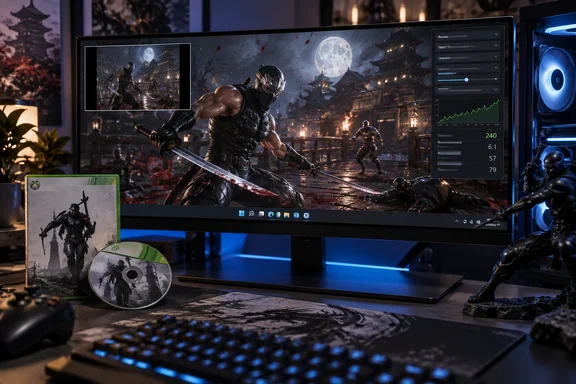
The important qualification is in the name of the game being preserved. This is a route to the original Xbox 360 version of Ninja Gaiden II, whose combat, content, and technical behavior differ from Koei Tecmo’s official NINJA GAIDEN 2 Black. The latter arrived on PC on January 23, 2025 through Steam, the Microsoft Store, and PC Game Pass, but it is an Unreal Engine 5 remaster with added characters, altered presentation, and other changes drawn partly from later versions.
Ninja’s Dawn therefore does not make the claim that PC players have never had a Ninja Gaiden 2 option before. It offers an unofficial way to run the specific 2008 Xbox 360 release locally on a modern Windows PC, provided the player already has the original game files.
Static recompilation replaces the console runtime
The project uses static recompilation: it translates the Xbox 360 game’s PowerPC code ahead of time into x86-64 code that Windows can execute. In practical terms, the program is intended to behave like a conventional Windows application after it has been built and supplied with the required game data, rather than translating console instructions live through an emulator.
That distinction affects both startup behavior and the scope for PC-facing changes. The GitHub documentation says the port has no interpreter and no just-in-time compilation warm-up, targets 60 frames per second by default, and exposes its own settings interface. It also lists selectable frame-rate caps from 30 to 144 FPS, V-Sync, custom window sizes, monitor selection, fullscreen operation, and an internal rendering scale.
The project’s ultrawide implementation deserves a more careful description than the usual “ultrawide support” label. Ninja’s Dawn widens the 3D camera field of view while retaining the game’s original 16:9 internal render surface; menus, HUD elements, and pre-rendered video remain 16:9. That avoids horizontal stretching, but it does not create a native wider render target, and the project warns that attempting one would break Xbox 360-era frame resolves used by the game.
The repository also describes internal supersampling up to 8×, though it explicitly says 2× is the practical option on current hardware and characterizes 4× and 8× as settings for hardware that does not yet exist. That is the sort of limitation missing from a feature list: the presence of an option does not mean it is a sensible configuration for a real-world gaming PC.
A modest hardware target, with one expensive feature
Ninja’s Dawn lists a lower baseline than Koei Tecmo’s official PC remaster. The community project calls for Windows 10 or 11, a Direct3D 12-capable GPU with 2 GB of VRAM, and roughly 8 GB of free disk space including the extracted Xbox 360 game. Its texture-pack workflow can need more memory, however: the README recommends 4 GB of VRAM or more when using enhanced textures.
That contrast is useful for Windows users with older PCs. Steam’s minimum requirements for NINJA GAIDEN 2 Black list a Core i5-8400 or Ryzen 5 3400G, 12 GB of RAM, a GTX 1060 6 GB or Radeon RX 590-class GPU, an SSD, and 85 GB of storage. Ninja’s Dawn is not a guaranteed performance fix for every machine, but its much smaller footprint and stated baseline could make the original game accessible on systems that fall well short of the official remaster’s storage and graphics requirements.
The project includes anisotropic filtering, anti-aliasing, FidelityFX CAS sharpening, keyboard controls, DLC handling, Xbox 360 save import, and performance telemetry for FPS, CPU load, RAM, GPU load, and VRAM use. It also has a frame-time overlay and developer-style console. These are meaningful additions for PC troubleshooting, especially since frame pacing and GPU memory pressure can matter more than average FPS in a fast action game.
Texture enhancements are more complicated. Ninja’s Dawn can dump textures encountered during play and create a replacement pack using either Lanczos scaling or Real-ESRGAN, an AI-based upscaler. The project’s current documentation says the Real-ESRGAN Vulkan engine and model ship with newer releases, while older project notes still describe a separate download requirement; users should read the documentation packaged with the release they install rather than assume every build has identical dependencies.
The texture pack can be switched on and off while the game is running, which makes comparison straightforward, but AI upscaling cannot manufacture original art detail. The developer documents one example where an AI model treated faint smoke against a black background as noise and substantially darkened it. That is a useful warning for anyone expecting automated enhancement to be universally faithful to the source material.
The original game files remain essential
Ninja’s Dawn does not include the disc image, art, audio, videos, saves, DLC, or extracted game files required to run Ninja Gaiden II. The GitHub page says users must provide their own Xbox 360 disc image or an already extracted copy containing the game’s default.xex executable, along with any DLC packages they intend to use.
This is not an installer that turns a retail Windows purchase of NINJA GAIDEN 2 Black into the 2008 game. The two releases are separate products with different asset sets and different technical foundations. The official Steam version is a remaster built in Unreal Engine 5, while Ninja’s Dawn is designed around the original Xbox 360 files.
The GitHub repository says its own source code is released under the MIT license, but makes an important distinction: that license applies to the project’s configuration, tools, launcher, and settings interface, not to material derived from Ninja Gaiden II. The release executable contains translated game code, according to the project’s legal notice, even though it excludes the game’s assets and data.
That makes ownership of an original disc a practical prerequisite set by the project, not a blanket answer to copyright questions around distribution of a translated executable. Koei Tecmo has not announced or endorsed Ninja’s Dawn, and no official licensing arrangement is described in the repository. Users should not mistake an “assets not included” policy for an official authorization.
The port documents its unfinished edges
The project is unusually candid about what still breaks or behaves differently. Its known-issues page says chapter-loading videos cannot be skipped because the game treats a failed video open as a bad disc, and achievements earned during a chapter may be awarded at the next chapter load rather than immediately at the end.
It also reports that the attract-mode demo previously froze because of a GPU ring-buffer problem. The developer says that defect has not reappeared after a fix, but does not consider it fully closed until the game has survived longer unattended testing. That is a more credible status than a blanket “fully stable” claim, but it remains developer-reported rather than independently benchmarked across a broad range of Windows hardware.
The port’s technical notes attribute another repaired issue to Xbox 360 VMX128 vector registers used by video-decoding routines. The project says some of those registers were being translated as zero-initialized host variables, producing garbled pre-rendered video until the affected routines were corrected. Whether or not most players care about the register-level diagnosis, it demonstrates why recompilation projects can expose bugs that are neither obvious crashes nor ordinary PC driver problems.
There is also a network behavior worth knowing before installation. Ninja’s Dawn enables update checks by default, contacting GitHub at launch to offer a newer version while retaining settings, game files, and DLC. The setting can be disabled for users who do not want the application to make network requests. As with any community-distributed executable, Windows users should obtain builds from the project’s actual release channel, keep a copy of their original files separate, and inspect the diagnostics package before sharing it because the project warns that it can reveal local folder names.
The PC option is preservation, not replacement
Microsoft promoted Ninja Gaiden II as an Xbox 360 exclusive before its June 2008 launch, and the game spent years tied to that platform’s code and content. Koei Tecmo’s later PC remaster closed the platform gap for the franchise, but it did not preserve every aspect of the original release; Xbox Wire itself described NINJA GAIDEN 2 Black as a remaster that combines elements from subsequent versions while aiming to retain the feel of the 360 game.
Ninja’s Dawn is valuable precisely because it pursues a different goal. It offers PC-oriented display controls, diagnostics, and texture tooling around the original Xbox 360 build instead of asking players to accept a newer reinterpretation as a one-for-one substitute.
For players who simply want a supported, commercial PC release, NINJA GAIDEN 2 Black remains the clear official option. For enthusiasts who own the 2008 game and specifically want its original version running as a Windows executable, Ninja’s Dawn is the more consequential development—and one that will need continued compatibility testing, careful release verification, and legal restraint from its users to remain useful.
References
- Unofficial PC Version of Ninja Gaiden 2 Released DSOGaming · 2026-09-16T12:32:00+00:00