

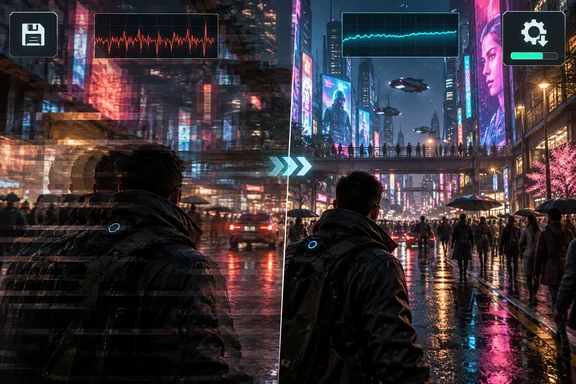
For Windows players, the distinction matters: a temporary workaround, a targeted bug fix, and consistently smooth performance are three different things.
Performance complaints do not tell the whole review story
Developed by ION LANDS and published by 505 Games, Nivalis Nights launched on September 29, 2026. It is a single-player cyberpunk life simulation centered on businesses, relationships, and everyday activities rather than a direct substitute for Cyberpunk 2077. Steam’s inspected English-language review snapshot remained Mostly Positive, with 77% of 1,428 reviews favorable. Those numbers can change.
PC Guide nevertheless highlighted performance criticism inside positive reviews. One player reportedly used an RTX 4090 and Core i9-12900KS yet described performance as “miserable.” Another, reporting an RTX 5070 and Ryzen 7 5700X3D, said crowded scenes ran worse than Cyberpunk 2077 with path tracing enabled.
These accounts deserve attention, but they are not controlled benchmarks. They do not establish comparable resolutions, settings, upscaling configurations, or test scenes. Nor do they prove that every powerful PC encounters the same problem.
The useful takeaway: positive recommendations can coexist with serious technical complaints. A thumbs-up is not a frame-time graph.
What “restart the game” actually meant
505 Games’ September 29 known-issues notice separates two symptoms: variable frame rates in NPC-heavy areas and performance dropping after several hours of play. Restarting was suggested for the latter, alongside trying the PC’s performance power mode. The publisher also said optimization work was continuing. Neither suggestion should be read as a guaranteed cure for every slowdown.
That is narrower than the headline shorthand. Restarting may be a useful workaround, but it does not explain why a particular crowded street performs poorly.
The October 1 patch adds a more concrete response. Its notes identify:
- Performance improvements involving character actions, animation, and physics.
- A camera-related issue that progressively reduced performance whenever a save was loaded.
- A correction for a level-of-detail slider setting that could produce visual artifacts.
The announcement says a light-culling system for larger scenes and further character-simulation improvements are intended for the next patch. It provides no measured FPS gains or assurance that all launch complaints are resolved. There is now a targeted fix, not proof of a finished optimization job.
What Windows players can do now
Installing the released patch is the relevant first step for the documented save-loading issue. If problems persist, preserve diagnostic evidence before trying another restart: 505 Games warns that launching the game again replaces older logs.
For a Windows support report, the publisher’s procedure is:
- Press Windows + R, enter
dxdiag, and press Enter. - Accept the driver-signature check if prompted, wait for the progress indicator to finish, then select Save All Information.
- Open this location through Windows + R:
%USERPROFILE%\AppData\LocalLow\ION LANDS\Nivalis Nights - Attach Player.log, Player-prev.log, and DxDiag.txt to the support ticket, together with the location, reproduction steps, PC specifications, and screenshots or video when available.
Steam’s requirements also provide useful context. The minimum configuration targets 1080p/30 FPS at very low settings, while the recommended configuration targets 1440p/60 FPS at high settings, both at native resolution without upscaling. Both require 16 GB RAM and an SSD with 42 GB available. Windows 10 64-bit is listed as minimum; Windows 11 64-bit is recommended. These are published targets, not independently demonstrated results in every scene.
Nivalis Nights’ launch therefore warrants neither dismissal of player complaints nor a declaration that the patch has solved everything. The documented response has moved beyond reboot advice; the remaining question is how much smoother the city becomes in actual play.
References
- New cyberpunk game with "miserable" performance hit by negative Steam reviews, dev says just 'restart the game' - PC Guide PC Guide · 2026-09-30T15:09:20+00:00
- Save 10% on Nivalis Nights on Steam store.steampowered.com
- Save 10% on Nivalis Nights on Steam store.steampowered.com