

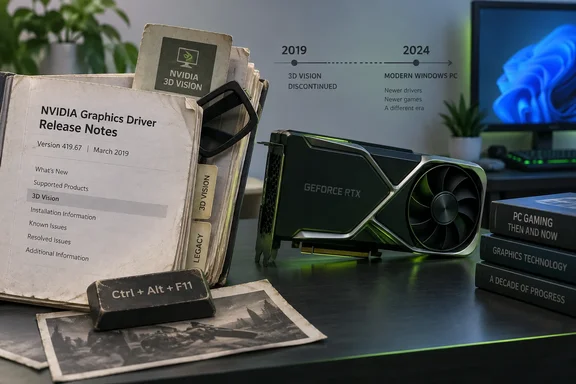
Think of it as a "Beware of the Dog" sign still bolted to the fence years after the dog moved out. The sign is harmless. It is also not evidence that there is a dog.
What Mixed News found
The 617.14 notes are document RN-08399-617.14_v01, dated September 22, 2026. Nvidia's driver page lists the driver as a WHQL release for 64-bit Windows. Mixed News says the notes repeat wording from the April 2019 notes for version 425.31 (RN-08399-425.31_v01, dated April 11, 2019, covering the Release 418 branch).
Mixed News reports that two sentences match word for word:
- 3D Compatibility Mode is described as a proprietary Nvidia rendering mode for 3D Vision, aimed at many key DirectX 10 and 11 games.
- The notes say Nvidia continues to add game support with new driver versions.
The reported how-to steps also match, with only spacing and step numbering differing:
- Open the NVIDIA Control Panel and go to Stereoscopic 3D, then Set up stereoscopic 3D.
- Click Set Keyboard Shortcuts.
- Press Ctrl+Alt+F11 during a game to toggle between 3D Compatibility mode and standard 3D Vision mode.
I have not independently checked the PDF text. These comparisons rest on Mixed News's reporting.
What the 2019 notes had that 2026 doesn't
Mixed News says the 425.31 notes did more than describe the feature:
- They listed 3D Vision profiles added or updated. The one profile for that driver was Anno 1800, marked "Not recommended". Devil May Cry 5 and Total War: Three Kingdoms carry the same marking among the profiles added across Release 418.
- They carried a known issue, "3D Vision USB Driver Does Not Get Installed". The fix was to reinstall the graphics driver with the USB emitter connected.
According to Mixed News, 617.14 has none of this across its 37 pages. It has no application profiles, no 3D Vision known issue, and no mention of a 3D Vision driver package or USB emitter. What remains is the description and the shortcut instructions.
Mixed News also reports that Nvidia's download menu still lists 3D Vision as a product type. It says the downloads under it include a GeForce driver, a Notebook driver, a Quadro driver and a Video Player. That was checked at 09:29 UTC on October 6.
The support boundary is explicit
Nvidia's own 425.31 driver page sets the boundary. Nvidia's support plan says that after the final Release 418 driver in April 2019, Game Ready drivers would no longer support 3D Vision, and that people wanting 3D Vision can stay on a Release 418 driver. Nvidia said it would keep addressing critical driver issues in Release 418 through April 2020.
Nvidia's 425.31 page also covered related products:
- 3DTV Play was folded into Release 418 for free and dropped as a standalone download.
- The 3D Vision Video Player stayed available as a standalone download until the end of 2019.
Nvidia's support FAQ adds that the company stopped selling 3D Vision emitters and glasses.
So the retained 617.14 text is leftover boilerplate. It does not show that 3D Vision works on current drivers, that Nvidia resumed support, or that Ctrl+Alt+F11 will do anything useful on a modern system. Nvidia's old 3D Vision for GeForce page also remains online. It talks about driver packaging from Release 270 onward, which is legacy web content and not a compatibility promise.
The lone VR leftover
Mixed News says the only VR content in the Windows notes is a limitation titled "Crescent Bay and OSVR Headsets on Multiple GPU Systems". It says Crescent Bay and Open Source Virtual Reality development-kit headsets don't work with VRWorks Direct Mode on systems with GPUs from more than one vendor, such as Nvidia plus Intel. The workaround is to disable the Intel integrated graphics in the system BIOS.
The 2019 notes phrased the same limitation as a forecast ("will not work"). The 2026 notes state it as fact ("do not work"). Mixed News also reports a full-text search of the 617.14 document found no SteamVR, OpenXR, Oculus or Quest. That describes the release notes only. It says nothing about what the driver can actually do with VR hardware.
Why it matters
Release notes are documentation, and documentation drifts. The practical points for Windows users and IT admins:
- Don't read release notes as a support matrix. A feature described in the notes may be long gone. Check Nvidia's support plan pages and product pages for the real status.
- Legacy 3D Vision users stay on Release 418. That is Nvidia's own advice. It also means running an old driver branch with no new security or feature updates. Keep such a machine isolated, or treat it as a hobby rig.
- Modern GPUs aren't covered. Mixed News reports that 617.14 is still the newest Game Ready driver Nvidia's lookup returns for a GeForce RTX 5090 on Windows 11, checked at 09:30 UTC on October 6.
- Documentation hygiene is a real issue. Mixed News says Nvidia has trimmed the notes elsewhere and dropped a long-running GeForce bug from the known-issues list. The 3D Vision text simply survived the cleanup.
A fair counterpoint is that this is cosmetic. Nobody is likely to be harmed by an unused paragraph, and trimming a 37-page document takes real effort. But stale instructions erode trust in the rest of the document, and they can send hobbyists chasing a feature that is no longer maintained.
Bottom line
Nvidia's 617.14 notes keep the 2019 3D Vision explanation and Ctrl+Alt+F11 instructions, according to Mixed News. Nvidia's own support notices say Game Ready drivers dropped 3D Vision after Release 418. The old text is a leftover, not a revival.
References
- Nvidia's current driver notes still carry the 3D Vision instructions from April 2019 - mixed-news.com mixed-news.com · 2026-10-06T11:05:13+00:00
- GeForce Game Ready Driver | 425.31 | Windows 10 64-bit | NVIDIA nvidia.com
- NVIDIA Support nvidia.custhelp.com