

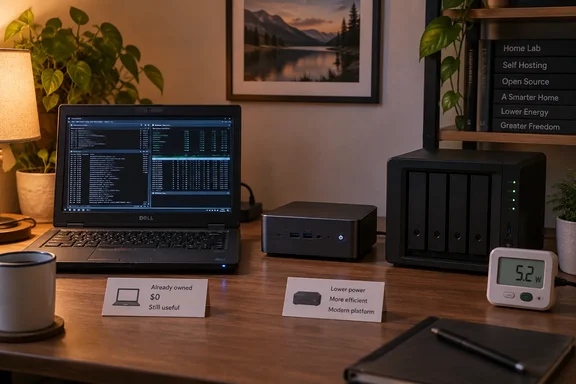
The story isn't about a Windows update or a security patch. But the question it answers comes up constantly for anyone who runs Plex, Jellyfin, a NAS or a Docker host at home: should you keep the old hardware or buy something efficient? Here's what he measured, where his numbers hold up, and how to run the same check on your own setup.
The setup: a hand-me-down Latitude and an old Synology
Vaidya's server is an eight-year-old Dell Latitude 7480. A relative handed it over after moving to a Surface Pro, so it cost him nothing. It runs bare-metal Debian on:
- CPU: Intel Core i5-6300U
- RAM: 12 GB
- Storage: 256 GB SSD
- Services: Jellyfin, Immich and Nextcloud
The 256 GB SSD is far too small for photo backups and a media library. So an old Synology DS218J now does only one job: bulk storage for the laptop. Both machines run 24/7.
He measured them with a cheap TP-Link smart plug borrowed from his air conditioner. He notes that the spikes on the plug's 24-hour graph came from the AC, not the server, which is a good reminder that shared monitoring gear needs careful labelling.
Reported readings:
| Device | Idle / light load | Heavier load |
|---|---|---|
| Dell Latitude 7480 (i5-6300U) | ~10–15 W (running normal services) | ~20–30 W (multiple Jellyfin streams, transcoding, CPU above 70%) |
| Synology DS218J | ~10–15 W | — |
| Ryzen 7 7700X + RTX 4070 Ti workstation (monitors excluded) | ~135 W | ~150 W (browser, Slack, Asana, Docker, Affinity) |
| GEEKOM A5 mini PC (Ryzen 7430U, 16 GB, 512 GB) | ~4–6 W | ~20 W normal, ~40 W maximum |
Summary: the "old, inefficient" laptop draws roughly as much as an LED light bulb. The powerful desktop is the one that burns energy.
Checking the math, including one correction
Vaidya's monitoring tool, Beszel, showed the server sitting idle about 22.5 hours a day and active about 1.5 hours. From that he estimated about 10 kWh per month for each machine. The estimate holds up. At 12.5 W idle and 25 W active, the laptop uses roughly 320 Wh a day, or a bit under 10 kWh a month.
For pricing, he used an EIA 2026 national average of 18¢/kWh. That's reasonable. The EIA's forecast put U.S. residential electricity at about 18.02¢/kWh in 2026, up from 17.29¢/kWh in 2025. More recent trackers put it a little higher: Electric Choice reports that the average U.S. residential electricity rate is 18.34¢/kWh as of September 2026, up 5.0% year-over-year.
The correction: Vaidya puts the monthly cost at "around $3.5–4." At 18¢/kWh, though, 10 kWh costs about $1.80. So $3.50–4 matches the laptop and NAS together (about 20 kWh), not either machine alone. His conclusion still stands, but anyone copying the method should know which figure is which.
The A5 comparison:
- Laptop: ~10 kWh/month
- GEEKOM A5: ~4–4.5 kWh/month (by his estimate; about 5 W idle and 20 W active gives roughly 4.3 kWh)
- Difference: ~5.5–6 kWh/month, or about $1 a month at 18¢
- A5 price: $220 used on eBay (he estimated $300–350 new for the configuration he wanted)
- Payback: about 200–220 months, or roughly 17–18 years
The mini PC saves money every month, but only about a dollar. In 18 years, whatever Ryzen APU is current will make the 7430U look like a pocket calculator.
Summary: the A5 wins on efficiency. The free laptop wins on total cost, by a wide margin.
The workstation was never going to work as a server
Vaidya also measured his daily-driver workstation, which he'd briefly considered turning into an always-on server. Here's what those readings mean over a month (my arithmetic, using his figures):
- At 135 W idle, 24/7: about 97 kWh a month, or around $17.50 at 18¢/kWh
- At 150 W, 24/7: about 108 kWh a month, or about $19.50
That's roughly ten times what the Latitude costs. The workstation is built for AAA games and large local LLMs, not for sitting idle all day. This is the most useful takeaway for Windows gamers: if your gaming rig is also your "server" because it's always on anyway, it's probably the most expensive way to run one.
Where the conclusion changes
The case study is honest, but it rests on specific conditions. Here's where the answer could flip:
- Your electricity is expensive. Rates vary a lot by region. In June 2026, Nevada had the lowest average residential power rate at 13.11 cents per kWh, while Hawaii had the highest at 52.72 cents per kWh. Using Vaidya's energy figures at Hawaii's rate, the A5 saves about $3 a month and pays for itself in roughly six years. That's still a long time, but no longer absurd. In New England, where prices average about 30.01¢/kWh in 2026, payback drops to around 11 years. In Nevada, it takes even longer than 18 years.
- Your old machine wasn't free. Vaidya says so himself: if the Latitude and the A5 cost about the same, he'd buy the A5 without hesitation. Money you've already spent on hardware is gone either way. Money you haven't spent yet still counts.
- Performance is a real need. A 2015 Skylake-era i5 against a 2023 Ryzen 7430U is a genuine performance jump. If Immich's machine learning features, several simultaneous transcodes, or a growing container list are overwhelming the laptop, that time and frustration are costs the power bill doesn't show.
- Old hardware carries some risk. An eight-year-old laptop has an aging battery, fans and SSD. That doesn't mean it will fail soon. But an honest calculation includes the chance you'll be replacing it anyway, on a schedule you didn't pick.
- The NAS stays either way. The A5's 512 GB won't hold a media library either. Its savings apply only to the compute box, and the Synology's roughly 10 kWh a month continues regardless.
Summary: electricity rates, what the hardware cost you, and how much performance you need decide the answer. Efficiency per watt matters least of the three.
How accurate is a cheap smart plug?
Smart plugs are handy, but they aren't lab equipment. TP-Link's own energy-monitoring FAQ, which covers models including the HS110, HS300, KP115 and KP125, says a dedicated chip measures voltage, current and power, with an error of around 3–5%. The company also notes the plugs aren't professional measuring devices. Vaidya doesn't name his plug model, so that figure may not apply to his unit. It does show the right level of confidence: good enough for payback math, not precise to the decimal.
A few watts of error changes nothing here. An error bigger than the 5–6 kWh gap between the two machines would change the result, and that's unlikely with ranges this far apart.
Run the same check on your own server
Here's a practical way to do it before you spend any money:
- Measure at the wall. Plug the server into an energy-monitoring plug or a plug-in power meter. Include everything that's always on: NAS, external drives, even the network switch if it only exists for the lab.
- Log energy, not just watts. Leave the meter running for several typical days and read the kWh total, instead of multiplying a single momentary reading by 24 hours. Computers change their power draw constantly, so a total over time is far more reliable.
- Check your idle/active split. A monitoring tool like Beszel (which Vaidya uses), or your own container dashboards, will show how often the machine is actually working.
- Use your own rate. Look at your bill for the price per kWh, including delivery charges, not the national average.
- Do the payback math. Divide the cost of the new hardware by your monthly savings. If the answer is longer than you'd realistically keep the hardware, the upgrade has to be justified by performance, not the power bill.
- Windows users: if your server runs Windows, run
powercfg /energyfrom an elevated prompt. It produces a report that can reveal devices or settings blocking low-power idle. It's no substitute for a wall meter, but it can explain why a machine idles higher than it should.
The bottom line
Vaidya's experiment shows that efficiency and total cost are different questions, and the gap between them is where money gets wasted. A modern mini PC like the GEEKOM A5 really does use less power than an eight-year-old Latitude. But at typical U.S. rates, a dollar a month of savings never catches up with a $220 purchase in any reasonable timeframe.
If you already own an old laptop that handles your workload, keep using it. Buy new hardware when you need more performance, when the old machine is failing, or when your local electricity rates actually make the payback work.
References
- I calculated my old PC's true power cost as a home server, and it beat every alternative I tested XDA · 2026-09-30T16:00:17+00:00
- Your electric bill will probably go up in 2026: Here’s why consumeraffairs.com
- Frequently Asked Question About Energy Monitoring | TP-Link United Kingdom tp-link.com