

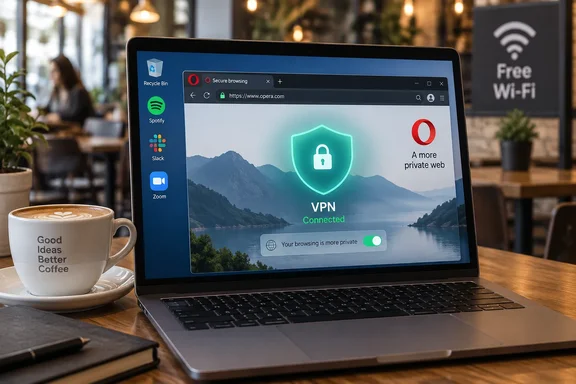
Opera's Free VPN Auto-Connect Is an Opt-In Switch for US and French Desktop Users
The core facts are consistent across independent coverage. 9to5Mac reports that Opera announced that users in the US and France can opt to have its built-in VPN turn on automatically whenever they connect to a public or unsecured Wi-Fi network, and describes it as applying to Opera's free VPN for desktop. Digital Trends separately confirms that the new automatic protection is still opt-in, so users will have to enable it first in settings. The feature is rolling out to desktop users in the U.S. and France starting today. XDA Developers, which got Opera's emailed press release ahead of launch, also describes it as rolling out now in the US and France; you can disable it if you prefer manual VPN control.
Opera's case for the feature is about friction. In the statement 9to5Mac quoted, the company says users can study, work, manage finances or browse without having to remember to turn protection on, and that the feature "remains strictly opt-in and can be easily toggled within settings." Arjan van Leeuwen, Head of Opera One Engineering, framed it as a continuation of the VPN's original goal. He said "VPNs are a vital part of users' digital hygiene."
Opera has not published the details that decide how well this works in practice. Nobody has explained how the browser decides a network is "public or unsecured". An open hotspot with no password is the obvious case, but it isn't clear whether a password-protected hotel network or a network Windows labels as Public would also count. The announcement also names no minimum stable version, gives no list of countries beyond the two launch markets, and sets no date for expanding further. "Rolling out" suggests a staged release, so a US or French user who doesn't see the option yet may simply not have received it.
The Feature Surfaced First in Opera 137 Developer
The capability had already shown up in Opera's preview builds before the announcement. On September 3, 2026, Opera's desktop blog announced Opera Developer version 137.0.6010.1. Alongside a move to Chromium 152.0.7977.42 and a rewritten React-based Settings page, the release notes list "an option to have the VPN connect automatically when you join a public network," tied to the flag #vpn-free-autoconnect.
This matters mostly for testers and admins. The Developer channel is Opera's least stable pre-release stream, and the blog shows Opera 136 reaching the Stable channel only on September 17. The September 24 rollout therefore appears to be Opera activating the feature for users in specific countries. It does not look like a sudden new build that everyone can download. Opera has not said which stable version first carries the option, so you can't safely say "update to version X and you'll have it."
For Windows enthusiasts who want to try it outside the launch countries, the only documented route is the Developer build and its #vpn-free-autoconnect flag. That is pre-release software and not suitable as a daily driver on a work machine. Opera has not said whether the flag bypasses the regional limit.
Opera's Browser VPN Covers the Browser, Not Windows
Here the coverage disagrees, and the difference changes how you should use the feature. XDA Developers wrote that when the VPN activates, it ensures all the data going to and from your laptop is properly encrypted and sent through a tunnel. That overstates what the free product does. Digital Trends has the more accurate description: Opera's existing free VPN only protects traffic inside the browser. Websites opened in Opera can be routed through an encrypted connection to one of the company's VPN servers, while apps such as Spotify, Steam, or a standalone email client continue using the regular network.
Opera's own materials support the narrower reading. The company's privacy page separates the "Free VPN" in the browser from "device-wide VPN Pro," its paid product. Its instructions for the free service describe a browser setting and an address-bar badge, not a Windows network adapter. Opera also explains the mechanism in general terms: when using a VPN connection, internet traffic and private data is encrypted and routed through a remote VPN server so the website sees the address of the server, rather than yours.
On a Windows laptop on hotel Wi-Fi, auto-connect therefore covers the tabs open in Opera. It does not cover Windows Update, OneDrive sync, Outlook or another mail client, Teams, game launchers, or a second browser. As Digital Trends notes, anyone who wants the entire device covered would still need a system-wide VPN, such as Opera's paid VPN Pro or another full-device service. For managed PCs that already use a corporate VPN or an always-on client, Opera's feature is at best an extra layer inside one browser and doesn't replace that client.
Opera documents some protocol-level behaviour only for Android. Its Android help page says the VPN proxy also handles WebRTC and DNS while browsing, and that the start-page news feed isn't proxied. Opera hasn't published an equivalent breakdown for the desktop auto-connect feature, so those Android details shouldn't be assumed to carry over exactly.
What Opera's No-Logs and Deloitte Audit Claims Cover
The privacy claims around the free VPN haven't changed, but they are the reason to trust, or doubt, a VPN that switches itself on. Opera says the service has been free, unlimited and usable without an account since 2016. Digital Trends summarizes it this way: It is free, does not require an account, and has no fixed bandwidth cap. In the launch material, Opera said its "free VPN operates under strict GDPR laws," adding that it "has been independently audited by Deloitte."
Opera's privacy page goes further. It says the company collects and stores no data when people use the Free VPN or VPN Pro, that its no-log policy was audited by Deloitte, and that its VPN service has also been reviewed by Cure53. Opera is headquartered in Oslo, Norway, and says it runs VPN infrastructure servers in the USA and Singapore that are not used to store browser data. The audit reports and their exact scope weren't part of the launch material, so these remain Opera's descriptions of the audits. Nobody has published an independent reading of what the audits tested.
One number in the launch coverage needs correcting. Some reports, including Windows Report, say 23 percent of internet users worldwide used a VPN "as of Q4 2025," citing We Are Social's Digital 2026 Mid-Year Global Update. 9to5Mac cites the same report without that date, saying only 23% of internet users aged 16 and older use a VPN for at least some of their online activities. We Are Social's earlier Global Digital Report 2026 lists the 23.0 percent figure against Q2 2025. The overall point holds that most people still don't use a VPN, but the Q4 2025 date could not be verified.
Public Wi-Fi Risks That Auto-Connect Leaves Open
Even inside the browser, a VPN protects one thing: the link between your browser and Opera's VPN server. It hides your traffic from others on the local network and hides your IP address from the sites you visit. It doesn't stop phishing pages, malicious downloads, compromised websites or tracking through cookies. Opera's separate Ad Blocker and Tracker Blocker are aimed at those problems, and the VPN is part of a broader set of built-in privacy tools, as Opera puts it.
Digital Trends points out the gaps that matter most on hotspots: a convincing fake hotspot can trick you into joining the wrong network, while a malicious captive portal can steal login details before the VPN connection is established. Attackers on the same network may also target exposed services such as file sharing or device discovery, which sit outside the encrypted VPN tunnel. The captive-portal case deserves attention because auto-connect can only kick in after you've joined and cleared any hotel or airport sign-in page. Anything you type into that portal is outside the tunnel.
For Windows users, the file-sharing point connects to a setting Windows already provides. When you join a new Wi-Fi network, Windows can treat it as a Public network, which is designed to limit discovery and sharing. That setting and Opera's VPN protect different layers, and neither one covers what the other does.
What this means for you
If you use Opera as your main browser on a Windows laptop in the US or France and often work from shared Wi-Fi, turning this on is a low-cost improvement. Everyone else can safely ignore it. Managed fleets should keep relying on their existing VPN client, and people who need protection for every app should look at a device-wide VPN. Before depending on the feature, confirm that the free VPN is enabled at all. In Opera for desktop, you do that under Settings (Alt+P), then Advanced, then Privacy & Security, where you click Enable VPN under the VPN heading. A VPN badge then appears at the left end of the address bar. Opera hasn't documented exactly where the new auto-connect toggle sits in Settings. Given that staged rollout, it may not appear on your install yet.
- The auto-connect option is opt-in, rolling out to desktop users in the United States and France from September 24, 2026, with no announced expansion date.
- Opera's free VPN only covers traffic inside the Opera browser, so Windows Update, OneDrive, email clients, game launchers and other browsers still use the unprotected network.
- After joining a hotspot, check that the VPN badge in the address bar shows a connection instead of assuming auto-detection worked. Opera hasn't said how it classifies networks as public or unsecured.
- Hotel and airport sign-in pages, fake hotspots and file-sharing exposure on the local network all sit outside what the browser VPN protects, so avoid sensitive logins on untrusted Wi-Fi where you can.
- Testers outside the launch countries can find the feature in Opera 137 Developer (137.0.6010.1 and later) behind the
#vpn-free-autoconnectflag, but that is pre-release software. - Opera's no-logs and Deloitte audit claims are the company's own descriptions, and the audit reports weren't published alongside the announcement.
Opera's change is small: it takes a free browser VPN that people often forget to switch on and puts it on a trigger they can choose to enable. In the two countries where it is live, it's a sensible default to turn on in Opera, as long as you remember that it protects the browser window and nothing else on the PC. The details still worth watching are the ones Opera hasn't published: which stable version carries the option, how networks get classified, and when other countries get it.
Update: Report identifies the auto-connect setting’s label (September 26, 2026)
According to Pasquale Pillitteri’s September 25 report, Opera’s new control is labeled “Always use VPN on Public WiFi” and appears in the VPN section of the desktop browser’s settings. That gives users a more concrete way to find the feature than Opera’s original announcement provided.
The report, citing CyberInsider for the settings detail, does not change the feature’s scope: it remains opt-in, limited at launch to desktop users in the United States and France, and protects only traffic handled inside Opera. It also says the option is not yet available in the UK, reinforcing that availability of Opera’s free VPN in a country does not necessarily mean the new auto-connect trigger is enabled there.
The report additionally points to Opera support material describing Deloitte’s no-logs review as completed on September 25, 2024, following work conducted from June through August that year. Opera has not announced a newer audit alongside the September 2026 auto-connect rollout.
References
- Opera Automatically Enables Free VPN on Public Wi-Fi, But Only in the US and France Windows Report · 2026-09-24T08:00:00+00:00
- Opera rolls out auto-on for its free VPN on public Wi-Fi (opt-in) - Pasquale Pillitteri Pasquale Pillitteri · 2026-09-25T06:28:00+00:00
- Opera’s free built-in VPN can now turn on automatically when using public Wi-Fi - 9to5Mac 9to5mac.com