

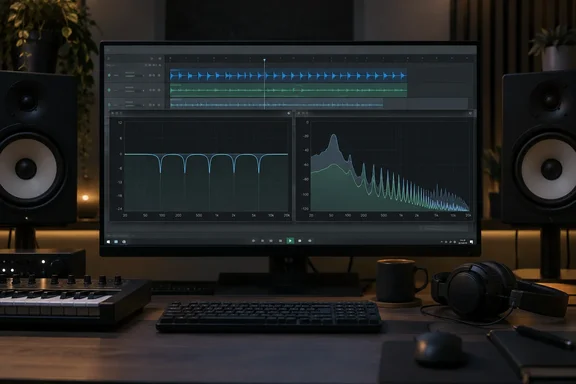
Oppressor ducks the frequencies that collide, not the whole track
Standard sidechain compression lets one track control the level of another. In iZotope's explanation of the technique, the compressor is fed by the signal from the second track, also known as the sidechain, then compresses the first track in response, effectively turning down the volume of that track when the sidechain track is active. Bedroom Producers Blog notes that producers usually recognise it as a "pumping" or "breathing" effect in modern mixes. The pumping is sometimes the goal. Often, though, it is a side effect: you wanted room for the kick, and the whole bassline drops.
Oppressor attacks that problem. The KVR listing describes it as a frequency-dependent sidechain compressor and spectral unmasker: it carves room in one track for another by ducking only the frequencies that actually collide, rather than pulling down the whole signal. You insert it on the track that should move aside and route the more important track into its external sidechain input. The listing gives these typical uses: making space for a kick inside an 808, tucking guitars behind a lead vocal, or taming resonances on a bus.
In the kick-and-808 case from Bedroom Producers Blog, Oppressor reads the frequencies in the kick and reduces only the matching bass frequencies in the 808. The rest of the 808 is left alone, so you avoid the broad pumping of conventional sidechain compression.
Oppressor did not appear out of nowhere on September 25. A developer video from July 10, 2026 already showed a multiband zero-latency sidechain compressor. A free-plugin directory listed it in mid-July with a selectable band count and a pitch as a free Trackspacer alternative: Everybody loves Trackspacer, but having a totally free alternative that brings this level of sauce is crazy. What's new in the current build is the second engine and the controls that came with it, covered below.
Multiband mode trades precision for zero latency
The default engine is a bank of filters. According to KVR, multiband mode uses 32 dynamic bell filters log-spaced across 20 Hz to 20 kHz, weighted toward the critical mids and highs. Log spacing means the bands follow how we hear pitch, with each octave getting similar coverage, rather than being spread evenly in hertz.
The more interesting claim is about the structure. The engine is built as a serial peaking-filter cascade rather than a parallel band splitter, so when no gain reduction is happening the signal passes through bit-exact, with zero added latency. A band-splitting design divides the audio into separate frequency bands and then adds them back together, and that process can affect the sound even when nothing is being compressed. Oppressor instead chains 32 bell filters that sit at 0 dB until the sidechain pushes them down. When nothing is triggering, the audio should pass through unchanged. That is the developer's description of the design. No outside measurement of the bit-exact claim has been published.
Two controls shape this mode. KVR says Smooth collapses the 32 bands down to as few as 8. Curve reshapes band distribution from even spacing to musical weighting. Fewer bands give broader, gentler cuts. The full 32 give the finest detail this engine can manage.
Zero latency matters most when you're recording or playing live through the plugin. For live monitoring or low-latency workflows on a Windows machine, multiband mode is the obvious choice.
Spectral mode buys narrower cuts at the cost of latency
The second engine uses a short-time Fourier transform (STFT). This method chops the audio into short overlapping windows and breaks each one into many frequency points, which lets the gain change at a much finer resolution than 32 filters can. KVR describes it as a 256-point STFT path for narrower, more surgical cuts. FFT size can be set from 1,024 to 8,192 samples, and the resulting latency is reported to your DAW (digital audio workstation) so it can compensate automatically.
Spectral mode adds four controls: Depth, Sharpness, Selectivity and Resolution. KVR's listing says Selectivity targets only prominent resonant peaks and leaves the rest of the sound alone. That makes the spectral engine the better fit for resonance control and harshness suppression, where you want to catch a few problem frequencies rather than duck a whole range.
The cost is delay. Neither the product listing nor Bedroom Producers Blog gives the spectral-mode delay in milliseconds. From the FFT sizes alone, you can reasonably expect it to grow as you raise the size, since larger windows give finer frequency resolution but hold more audio before processing it. Because the plugin reports its latency to the host, playback in a mix stays in sync. Tracking through spectral mode with live monitoring is a different story.
| Multiband mode | Spectral mode | |
|---|---|---|
| Method | 32 dynamic bell filters, serial peaking cascade | 256-point STFT |
| Range | 20 Hz–20 kHz, weighted toward mids and highs | FFT size 1,024–8,192 samples |
| Added latency | None, per the developer | Yes, reported to the host |
| Mode-specific controls | Smooth (32 down to 8 bands), Curve | Depth, Sharpness, Selectivity, Resolution |
| Best suited to | Real-time monitoring, broad unmasking | Narrow cuts, resonant peaks |
Internal sidechain turns Oppressor into a dynamic EQ and de-esser
Oppressor does more than duck one track under another. KVR says that with the internal sidechain enabled it detects from the track's own input, which turns it into a dynamic EQ, de-esser or harshness suppressor. In that mode the plugin reacts to peaks in its own signal. Combined with spectral mode's Selectivity control, you get a free tool for taming harsh or sibilant sounds on vocals, cymbals or buses.
The monitoring tools are well chosen for a plugin whose effect can be hard to hear. Delta solos only the audio being removed, so you can check that the plugin is cutting what you intended. Listen plays the filtered detector signal, meaning what the sidechain is actually reacting to. KVR also lists a latency-compensated bypass for A/B comparison. That matters in spectral mode, because a bypass that removes the delay as well as the processing would make a fair comparison impossible.
Attack and release get a twist called A/R Tilt. KVR describes it as spreading envelope times across the spectrum around a 500 Hz pivot, up to ×4 slower at the low end and ×0.25 at the top. In practice, bass frequencies recover slowly and avoid audible wobble, while high frequencies react quickly enough to catch short transients.
The rest of the feature list covers the other controls you'd expect from a modern mixing tool:
- Stereo processing can run as independent Left/Right or Mid/Side, with Link from 0 to 100% and Balance from −100% to +100%.
- A sidechain EQ lets you drag low-cut and high-cut points on the live spectrum, with slopes from 6 to 72 dB per octave, so only the frequencies you choose trigger ducking.
- The interface is resizable. Earlier builds did not have this.
Oppressor's global Threshold and Amount controls limit how selective it can be
A KVR user review dated September 23, 2026, rated the plugin 3 out of 5 and questioned the whole idea. The reviewer said it behaves like a standard single‑band compressor with a simple sidechain filter (high‑pass/low‑pass), meaning it reacts to the whole signal. The reviewer tested version 1 on Windows, which makes the complaint directly relevant to Windows users.
Rue Blose's reply, posted the same day, disputes the diagnosis but accepts part of the complaint. On the design, the developer says the detector runs 32 parallel band-pass filters, each with its own Q, level and attack/release, and applies reduction through 32 peak filters. The developer adds that spectral mode is a real STFT on a 256-point log grid of about 26 points per octave, not a relabelled multiband engine.
On the limitation, the developer concedes that Threshold and Amount are global: one value applies to all 32 bands, with no per-frequency adaptive threshold. With a low threshold and a high amount, every band crosses the threshold together and the plugin behaves like ordinary single-band ducking, which the developer calls "very likely what you heard." The developer also says the bands overlap on purpose, so detector separation is about 25 dB per three octaves rather than surgical.
This is the most useful fact for anyone setting the plugin up. Oppressor's selectivity depends on how hard you push it. Aggressive settings make it act like any other sidechain compressor. The developer suggests a quick self-test: put a sine wave in the sidechain, set Smooth to 32, raise Amount, and listen on Delta. If the plugin is working selectively, you should hear a narrow slice of the target track removed around the sine's pitch, not the whole signal. These are the developer's statements. No independent measurement of the band separation has been published.
Installing Oppressor on Windows 10 and 11
Windows setup is simple. KVR lists the requirements as Windows 10 or 11, 64-bit. A VST3 host is required for the plugin; a standalone application is included as well. There is no AAX version for Pro Tools and no Windows AU version (AU is a macOS-only format). You need a VST3-capable DAW, or you can use the standalone app. KVR lists no copy protection.
Distribution goes through the developer's Gumroad storefront. Bedroom Producers Blog reports that you can enter $0 to download it free or pay more to support development, and that checkout asks for your email address, full name and country. Anyone who cares about sharing personal details should know this before downloading.
Mac users face more friction than Windows users. KVR warns that this build is ad-hoc signed, not notarised under a paid Apple Developer account, so macOS blocks it on first run until the quarantine flag is cleared. The download includes an "Install Oppressor.command" helper that clears it and places the VST3 and AU in the correct folders. The universal Mac build needs macOS 10.13 or later on Intel, macOS 11 or later on Apple Silicon. Universal binary (arm64 + x86_64). The same listing says builds before 1.5.1 could not load at all on macOS 13 or older because of an incorrect minimum-OS setting. Version 1.5.1 fixes this.
What this means for you
If you mix on Windows in a VST3 DAW and have been looking at Trackspacer, Oppressor costs nothing to try. The practical choice is which engine to use and how hard to drive it. Treat it as a new tool from a single developer: Bedroom Producers Blog notes that the product page warns bugs may still exist and asks users to report them. KVR's developer profile describes Rue Blose as a one-person developer. Bedroom Producers Blog calls Oppressor the developer's first plugin, but the same KVR profile also lists a free Ableton Live project manager called Alive.
- Use multiband mode when you're monitoring live or need zero latency, and switch to spectral mode for narrow, resonance-focused cuts during mixing.
- Start with moderate Threshold and Amount settings, because the developer confirms that low thresholds with high amounts make every band trigger together, which is ordinary broad ducking.
- Run the developer's sine-wave test with Delta monitoring to check how selective the plugin is before trusting it on a real mix.
- Use the latency-compensated bypass for A/B comparisons in spectral mode, because a simple on/off switch would also remove the delay.
- On Windows you need a 64-bit Windows 10 or 11 system and a VST3 host, or the standalone app, and there is no AAX version.
- Expect Gumroad to ask for your name, email and country even when you pay nothing.
Oppressor gives Windows producers a zero-latency multiband engine and a separate STFT engine in one free VST3. Tools that do this are usually paid. It holds up best when used with restraint, as its developer admits. With version 1.5.1 fixing the macOS loading bug and the developer answering reviews on the day they're posted, the next few point releases will show whether a single developer can keep a plugin this ambitious stable. Per-band thresholds, if they ever arrive, would fix the limitation the developer has already acknowledged.
References
- Rue Blose releases Oppressor, a FREE spectral sidechain compressor - Bedroom Producers Blog Bedroom Producers Blog · 2026-09-25T12:30:48+00:00
- Oppressor by Rue Blose - Sidechain Compressor Plugin VST3 Audio Unit kvraudio.com