

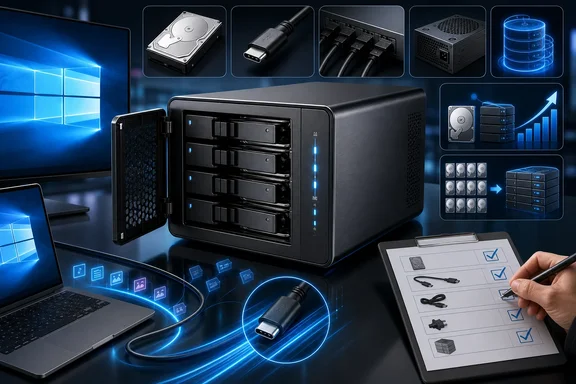
Those specifications make the enclosure relevant to people who want a large, locally attached pool of storage without setting up a separate network-attached storage server. But its suitability depends on more than bay count and the USB-C label. The official material establishes the product’s core hardware and broad Windows compatibility; it does not, on its own, settle how a particular PC will negotiate its USB connection, how the enclosure will expose disks after configuration, or what sustained transfer rates a buyer will see with a given set of drives.
That is not a reason to dismiss the 9948RC3-PRO. It is a reason to buy and configure it with a verification-first mindset.
What ORICO confirms for this model
ORICO identifies the exact product as the ORICO-9948RC3-PRO, a four-bay 3.5-inch RAID enclosure. Its published specifications list a USB-C input at 20Gbps, four SATA 3.0 outputs, a built-in 150W power supply, and compatibility with Windows, macOS, and Linux.
The stated 104TB ceiling is a capacity limit, not bundled storage. Reaching it would require four separately purchased 26TB drives. The enclosure’s total cost, usable capacity, acoustics, heat output, and practical speed will therefore be shaped substantially by the disks a buyer selects.
For a Windows desktop or laptop, the appeal is easy to understand. Four SATA hard drives can be housed in one powered chassis and connected through one host cable, rather than being spread across separate external-drive cases and power adapters. That can suit a large media collection, archives, backups with an additional independent copy, or high-capacity working storage for projects that do not need network access.
The operating-system list is meaningful, but it should be interpreted narrowly. It indicates broad platform support, not a guarantee that every Windows computer will deliver the same connection mode, storage presentation, or workload performance. Those outcomes still depend on the host system, cable, installed drives, and the enclosure’s configuration.
USB-C 20Gbps is a product specification, not a Windows result
The 20Gbps USB-C specification is an important advantage on paper, particularly beside older 5Gbps and 10Gbps external-storage connections. Yet it is a maximum interface capability rather than a promise of a particular file-copy result.
USB compatibility is negotiated. USB-IF explains that a connection scales to the best mutual capability of the devices involved. In practice, the host port, the enclosure, and the full cable path must support a compatible mode. System firmware, drivers, port implementation, and other connected hardware can also affect what a specific Windows machine reports and achieves.
This boundary is important because USB-C connector shape and USB branding are often treated as interchangeable. They are not. A USB4-capable laptop or motherboard does not automatically prove that this enclosure will negotiate a 20Gbps storage connection on that system. Likewise, a lower-than-expected result on one PC does not by itself disprove ORICO’s 20Gbps product specification. It may instead reflect the mutually negotiated capability of that particular setup.
Neither the product specification nor the USB compatibility guidance validates a particular Windows host’s negotiated mode or sustained throughput. This article also does not rely on a reproducible, configuration-documented benchmark for the 9948RC3-PRO. Buyers should therefore avoid treating a headline interface number as a guaranteed read or write speed.
A useful return-window test on Windows should match the work the enclosure will actually perform:
- Copy a large collection of files in both directions, not only a small single-file transfer.
- Test sustained writes long enough to reveal behavior beyond a brief burst.
- Use the intended drives, since hard disks, SSDs, and mixed drive sets have very different characteristics.
- Confirm the connection information reported by the PC before attributing a disappointing result solely to the enclosure.
- Repeat the test after checking cables and moving to another suitable port, where possible.
For a bulk archive, consistent behavior and dependable recovery procedures may matter more than chasing the maximum possible sequential number. For active editing or frequent large transfers, the host connection and installed disk arrangement deserve more scrutiny before the return period ends.
RAID branding leaves configuration questions to verify
ORICO officially calls the 9948RC3-PRO a RAID enclosure. However, the available model-specific product specification does not enumerate its configuration choices, document its setup sequence, or explain how every configuration is presented to Windows. It also does not identify the storage controller used in this specific model.
That absence should shape the buying process. It does not establish that the enclosure lacks a feature, nor does it justify assuming that it behaves like another multi-bay enclosure with a similar chipset, product name, or retailer description. Storage behavior is often determined by firmware and implementation details that cannot safely be inferred from a general controller data sheet or a third-party listing.
The key question for Windows users is not simply whether the product has RAID branding. It is what Windows sees after setup. Depending on the selected and documented configuration, an enclosure can potentially appear to the operating system as a single logical storage device or as separately visible disks. Those are materially different workflows.
A single logical volume can be convenient for users who want one large drive letter. Separately visible disks can be more appropriate for people who want to manage disks independently, use operating-system-managed storage, or maintain distinct backup and archive roles. The right choice depends on the user’s recovery plan as much as on capacity needs.
Before trusting the enclosure with valuable data, consult the manual supplied with the purchased unit and verify the behavior on the actual hardware. In particular, determine how Windows exposes the storage, how the system responds to a disk replacement or power interruption, and what recovery documentation is provided for the chosen configuration. Do not assume that a drive set prepared in one enclosure will be portable to a different enclosure or directly readable through a SATA connection without first confirming the documented recovery path.
Conservative setup is good storage practice
Storage configuration deserves caution even when a device-specific warning has not been independently confirmed. The safest approach is to treat initial setup and later reconfiguration as potentially consequential operations and to avoid experimenting with the only copy of important files.
Back up any existing disks before installing them in a new multi-bay enclosure. Ideally, use fresh drives or noncritical test disks for initial configuration. That allows a buyer to establish how the hardware behaves before it contains irreplaceable photos, project files, or archives.
After setup, inspect the result in Windows Disk Management or the preferred Windows storage-management utility. Confirm the number of disks or volumes that appear, their reported capacities, and their identifiers. Give volumes clear labels and keep a written record of which physical drive occupies each bay if the workflow requires individual-drive management.
This is also the point to test the recovery assumptions that are easy to overlook during an uncomplicated first installation. Restart the PC, safely disconnect and reconnect the enclosure if the vendor’s documentation permits it, and make sure the expected storage is still recognized. A user should understand the intended response to a failed disk before a failure occurs, rather than discovering the procedure while data access is already disrupted.
RAID, whatever configuration an enclosure implements, should not be confused with a complete backup plan. Redundancy can address some drive-failure scenarios, but it does not inherently protect against accidental deletion, file corruption, malware, physical damage, theft, or an enclosure failure. Files that cannot be replaced need a separate copy stored independently from the enclosure.
Individual-drive workflows need identifier testing
The broad Linux support claim may also interest Windows users who plan to repurpose the enclosure with Unraid or another storage-focused operating system. In that scenario, drive identity is a practical issue rather than an obscure technical detail.
Unraid identifies disks by serial number and size rather than by the SATA port used. That makes it important to confirm which disk identifiers the operating system can see through the enclosure. The available evidence does not verify identifier behavior for this exact ORICO model, so a buyer should not assume either complete transparency or a limitation without testing.
Anyone intending to use an individual-drive workflow with Unraid should test with empty or noncritical disks first. Check the identifiers that the operating system reports, label the physical bays, and record the mapping between the displayed disk and the drive’s physical location. The same practice is useful on Windows for disk rotation, troubleshooting, and replacement planning.
This test is valuable because a four-bay chassis is physically compact but administratively more complex than a single external drive. When several disks have similar capacities and models, an accurate bay map can prevent a replacement or troubleshooting mistake later.
The 9948C3 is a specification contrast, not a substitute
ORICO also lists a similarly named product, the ORICO-9948C3. The official specifications identify it as a 10Gbps enclosure with an 88TB maximum capacity, up to 22TB per disk, a built-in 150W power supply, and Windows, Linux, and macOS support. ORICO categorizes it as a four-bay MacVault enclosure without RAID.
That makes the 9948C3 a useful contrast when reading ORICO’s model names: similar-looking product codes do not establish equivalent capabilities. The 9948C3’s official specification differs from the 9948RC3-PRO in stated host-interface bandwidth, maximum supported capacity, and RAID positioning.
Prospective buyers should compare the exact model number and the current official specifications rather than assuming that products with “9948” in the name share the same behavior. No relationship such as predecessor status, feature equivalence, or relative value should be inferred from the naming alone.
A sensible Windows buying standard
The 9948RC3-PRO has a credible, officially stated foundation for high-capacity direct-attached storage: four 3.5-inch bays, support for up to 104TB, integrated 150W power, USB-C at up to 20Gbps, four SATA 3.0 interfaces, and Windows support.
What remains for the buyer to establish is just as important for more advanced use: the USB mode negotiated by the intended computer, real sustained behavior with the chosen drives, the exact storage presentation after setup, and the recovery process for the selected configuration.
That makes the enclosure most suitable for buyers prepared to validate their specific setup promptly. Check the supplied manual before making configuration changes, back up existing disks, inspect how Windows exposes the storage, test connection and transfer behavior during the return period, and verify identifier visibility before building an individual-drive Unraid workflow around it. Those steps turn a promising set of published specifications into a storage decision grounded in the behavior of the hardware actually on the desk.
References
- ORICO-9948RC3-PRO product page ORICO
- ORICO-9948C3 product page ORICO
- Arrays — Unraid Docs Unraid