

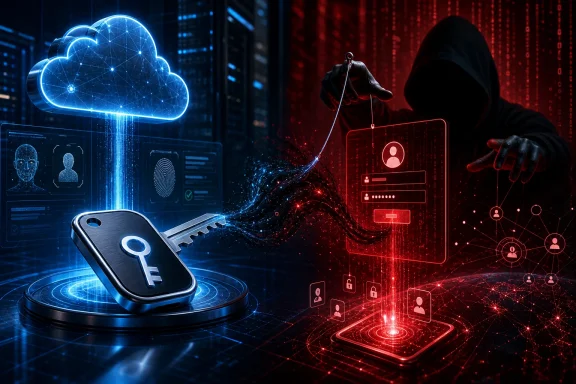
That distinction matters for Windows organizations deciding whether to deploy passkeys. Properly implemented FIDO2 passkeys remain a phishing-resistant authentication method. The danger described here sits around the technology: persuasive phone calls or messages, lookalike sites, adversary-in-the-middle phishing, device-code authorization, and unauthorized changes to a victim’s authentication methods. A stronger sign-in method does not eliminate the need to protect the enrollment and recovery paths around it.
What Microsoft observed
Microsoft Security Research says it has tracked active cloud-based intrusions across multiple accounts since May 2026. The observed progression began with unusual sign-ins and moved to attacker-added authentication methods. From there, the actors performed substantial Microsoft Graph activity, accessed SharePoint and OneDrive at high volume, and in some cases collected email through the Exchange REST API.
Microsoft’s description is especially useful because it connects what can otherwise look like isolated events in separate logs:
- A user is contacted under the guise of IT support.
- The caller or message invokes an urgent change involving a passkey, MFA, or single sign-on update.
- The target is sent to a Microsoft-lookalike site or induced to complete a device-code flow.
- The attacker obtains access to the cloud identity and adds an authentication method under their control.
- The compromised account is used for reconnaissance and broad data access across Microsoft 365 services.
That sequence is a practical reminder that identity compromise is not over once a password or MFA code has been obtained. An attacker who registers a new method can create persistence that survives the victim’s immediate realization that something was wrong. The account can then become a legitimate-looking route into mail, documents, collaboration spaces, and other cloud resources available to that identity.
Microsoft does not assign every intrusion it describes to one named group. It characterizes the initial-access activity as an ecosystem used by multiple actors, including Storm-3121 and Storm-3032. It says activity associated with Storm-3121 can lead to ShinyHunters and Falcon extortion, while Storm-3032 is described as actors splintered from BlackFile operating under the Helix extortion banner. Those are Microsoft’s ecosystem assessments, not proof that a single actor conducted every event in the reported set.
A passkey lure is not a passkey breach
The central technical correction is straightforward: the “passkey” in the lure was often a pretext, not the authentication technology that failed.
Microsoft says these social-engineering campaigns frequently use the passkey narrative to lead into adversary-in-the-middle phishing or device-code flows. In an adversary-in-the-middle scenario, a fraudulent sign-in process stands between the user and the service, seeking to capture the credentials, codes, or authenticated session needed to access the account. In device-code abuse, the attacker attempts to get a victim to authorize a code or flow that grants access in a way the victim may not understand.
Microsoft Entra’s passkey documentation describes genuine FIDO2 passkeys as using origin-bound public-key cryptography. A passkey created for a particular site or app works only with that intended origin. The documentation specifically says an attacker cannot use a trick to make someone sign in on an attacker-controlled device. That property is precisely why passkeys are designed to resist conventional phishing.
This does not mean every workflow advertised as a passkey setup is automatically safe. Employees can still be deceived before a true passkey is used, or manipulated into taking another authentication action altogether. The safe response to an unexpected “passkey migration” or “MFA update” request is not to follow a supplied link, read a code to a caller, or approve an unfamiliar prompt. It is to independently open the organization’s known sign-in portal or contact the helpdesk through a trusted internal channel.
For IT teams, messaging matters. If a real passkey rollout is underway, employees should know in advance what it will look like, which portal will be used, and what support staff will never request. Ambiguity gives a social engineer room to substitute an attacker-controlled process for a legitimate enrollment.
The wider pattern has appeared before
A separate January 2026 report from Mandiant and Google Threat Intelligence documented a closely related pattern. In those incidents, a group tracked as UNC6661 posed as IT personnel claiming MFA updates were required, sent targets to sites styled for the victim organization, harvested SSO credentials and MFA codes, and enrolled an attacker-controlled MFA device. Mandiant reported subsequent movement through victim environments and data theft from SaaS platforms.
That earlier reporting supports the broad pattern: voice-based social engineering can be combined with convincing, organization-branded phishing pages and authentication-method enrollment to turn an employee interaction into SaaS compromise. Mandiant also reported that some related domains had been registered through NICENIC.
The corroboration has limits. The January reporting does not independently establish that the later Microsoft incidents involved the identical victims, domains, infrastructure, operators, or Microsoft Storm designations. It is evidence of an established technique, not a basis to collapse all of these incidents into a single campaign or actor.
Reading the cloud-activity evidence carefully
Once access was obtained, Microsoft observed Graph reconnaissance and high-volume activity involving SharePoint and OneDrive. It also observed Exchange REST API email collection in some cases. This is alarming behavior because Microsoft 365 accounts frequently aggregate a user’s work communications, files, shared project material, and organizational context.
But defenders should retain the report’s careful wording. Microsoft calls the final stage “high-volume cloud data collection and suspected exfiltration.” It says the activity was consistent with potential exfiltration, rather than claiming every record proves completed theft. In particular, some SharePoint, OneDrive, and attachment-related sign-in records do not themselves prove that an individual document or attachment was downloaded.
This is more than legalistic caution. Cloud investigations routinely require separating authentication, listing, access attempts, collection activity, and transfer from a tenant. A spike in data-access events can be highly suspicious and justify incident response, but it should not be reported internally as confirmed loss until the available evidence supports that conclusion.
Likewise, Microsoft says high-volume activity was consistent with automation, but warns that the python-httpx user agent is not malicious on its own. Security teams should not turn a single user-agent string, domain, or IP address into a standalone verdict. Legitimate administration, integration tooling, testing, and automation can produce unusual traffic. Conversely, an attacker can change infrastructure and user agents rapidly.
The stronger signal is correlation: a suspicious sign-in, an authentication-method change, a newly established persistence mechanism, unusual Graph enumeration, mail access, and a sharp increase in file operations against the same identity form a much more meaningful chain than any one artifact alone.
What Windows and Microsoft 365 administrators should prioritize
The report’s most immediate operational lesson is to monitor identity changes with the same urgency traditionally reserved for endpoint persistence. A newly added authentication method on a user account can be an attacker’s foothold, not a routine administrative event.
Administrators should investigate combinations of the following, particularly when they affect an identity that recently received an unexpected support call or sign-in prompt:
- unusual or unfamiliar sign-ins;
- new authentication methods or altered MFA registration;
- large-scale Microsoft Graph activity after an identity event;
- atypical SharePoint or OneDrive access volume;
- Exchange REST API email collection;
- unexpected mailbox rules; and
- new application or session activity that does not fit the user’s normal work pattern.
Microsoft’s guidance is to use provided domains and IP addresses as hunting and correlation leads, not as conclusive evidence of compromise. That is a sound approach for any indicator-driven hunt. A match should trigger examination of the identity, workload behavior, persistence events, and data-access volume around it. A non-match should not end an investigation where the behavioral pattern is present.
For Windows users inside managed organizations, the practical guidance is less technical but just as consequential. Treat unsolicited urgent authentication help as suspect, even when the caller knows the company name or uses accurate technical terms. Do not disclose an MFA code, complete a device-code request for someone else, or authenticate through a link provided in an unexpected call or message. Report the interaction using an independently verified helpdesk contact method.
Device code deserves a policy decision, not a reflex
Microsoft classifies device-code flow as a high-risk authentication method because it can be used in phishing and to access corporate resources from unmanaged devices. Its documented recommendation is to block the flow wherever possible.
That does not mean an organization should deploy a broad block without checking operational consequences. Microsoft also advises organizations to understand existing usage first and to account for legitimate device-registration scenarios. Some Conditional Access approaches that cover all resources can require an exemption for the Device Registration Service to avoid disrupting enrollment-related operations.
A sensible implementation path is therefore to review sign-in records for current device-code use, identify the business processes that genuinely require it, and restrict or block the flow where it is not necessary. Any scoped exceptions should be deliberate and regularly reviewed. The aim is to reduce an attractive social-engineering route without silently breaking legitimate registration or device workflows.
Containment must remove persistence
Where compromise is confirmed, Microsoft recommends revoking active sessions and refresh tokens, resetting credentials, removing unauthorized authentication methods and mailbox rules, and requiring secure re-registration. Mandiant’s guidance independently emphasizes revoking session tokens and restricting identity-management operations during containment.
These actions address different pieces of the attacker’s foothold. A password reset alone may be insufficient if the actor retains a valid session, refresh capability, registered MFA method, or mail-forwarding rule. Conversely, broad action without reviewing the account’s changes can leave unnoticed persistence behind.
Organizations should also treat the affected account as an investigative starting point, not necessarily the boundary of the incident. The report’s progression from identity access to Graph activity and cloud data collection means responders need to determine what the identity could access, what it actually accessed, whether other authentication methods changed, and whether related accounts show the same sequence.
The durable lesson: protect the human workflow around authentication
This campaign pattern does not weaken the case for FIDO2 passkeys. It reinforces it, while showing that phishing-resistant authentication cannot substitute for secure enrollment, clear support procedures, conditional-access controls, and behavioral monitoring.
For enterprises moving from passwords and legacy MFA toward passkeys, the best response is neither to pause adoption nor to assume the technology makes social engineering irrelevant. Deploy passkeys through predictable, trusted processes; teach users how authentic enrollment works; limit risky authentication flows such as device code where feasible; and investigate identity changes alongside cloud workload activity.
The attackers’ advantage in these incidents was not a demonstrated ability to phish a genuine passkey. It was the ability to make a familiar security change sound urgent enough that people would authorize a different, attacker-controlled path into the cloud.