

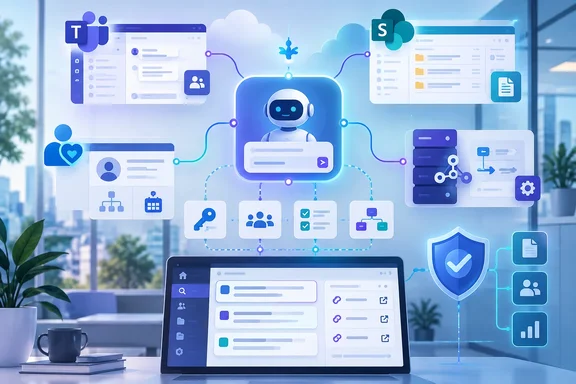
The announcement came as a press release distributed through EIN Presswire, which dates it to September 22, 2026 from San Jose, California. PeopleReign describes itself as "a leader in AI-powered employee service automation," and says the release introduces workflow cloning, in-platform administration for Microsoft Teams, automated knowledge gap remediation, and an open Model Context Protocol framework for custom tool support. HRTech Series ran the same copy under an EIN Presswire byline and added that the fall 2026 platform is generally available for all current and new customers. Every account of the release comes from that one press release. No independent outlet has tested or reported on the features. What follows separates PeopleReign's claims from what Microsoft's own documentation says about the Teams and permission side of the story.
PeopleReign's fall 2026 release groups Teams, SharePoint and MCP changes into four themes
PeopleReign sells a virtual agent for employee service: a chatbot and voice assistant that answers HR and IT questions, runs workflows and hands off to live agents. The fall 2026 release is organized into four themes. The first is enterprise self-service and administration. The second covers virtual agent capabilities. The third is continuous improvement, and the fourth is integrations.
The headline promises "agentic loops" and "language-driven AI configuration," but the published feature list never defines agentic loops. Natural-language configuration shows up only in a customer testimonial, not in the feature descriptions. The concrete, documented items are these:
- The visual workflow builder can clone an existing workflow with a single click. It also adds a preview mode where administrators specify user interfaces to test role-based access rules before publishing a new skill.
- Administrators can manage Microsoft Teams credentials inside PeopleReign, inspect scope permissions, track expiration dates, and test connection status in real time.
- Virtual agent replies can carry embedded files and images. PeopleReign says these render consistently across Slack, Microsoft Teams and browser portals.
- AI voice gets lower latency through prompt pre-processing and model routing, and voice adds Spanish. Chat already covered 90 languages.
- Answers carry more precise source citations, shown as expandable "accordion-style" deep links to knowledge articles, policy documents and runbooks.
- Knowledge gaps automation turns unresolved conversations into draft articles, clusters missed deflections by intent, and recommends edits to existing articles.
- A new broadcast insights dashboard tracks push-notification reach, deliverability, open rates and failure rates, and the AI Workbench admin interface has been redesigned.
- New integrations cover SAP SuccessFactors (bi-directional), embedded SharePoint site configuration, and MCP.
The release fits PeopleReign's twice-yearly pattern. Its spring 2026 release, announced February 24, 2026, brought a redesigned Virtual Agent Dashboard, a Freshchat by Freshworks integration, ServiceNow integrations for live agent assistance and PeopleReign Recommend, and enhanced Deflection Genius capabilities. The fall 2025 release, announced in September 2025, introduced Deflection Genius, AI-driven Helpfulness Score metrics, redesigned dashboard analytics, enhanced security controls, and widget customization. Seen against that history, the fall 2026 release moves away from analytics dashboards and toward access and action: credentials, data sources and tool calls.
For WindowsForum readers, the Microsoft pieces are the part that matters: Teams credential management, SharePoint scoping, and MCP connectivity that a Teams-hosted agent could use. None of this is a Microsoft product launch. It is a third-party service that plugs into Microsoft 365, and the admin decisions it creates land on whoever owns Teams apps, Entra consent and SharePoint permissions in your tenant.
Teams credential control in PeopleReign doesn't replace consent review in the Teams admin center
PeopleReign says administrators can now manage Microsoft Teams credentials directly in its platform. They can see which scope permissions those credentials carry, watch expiration dates, and run a live connection test. For anyone who has had a bot quietly stop working because a client secret expired, the expiration tracking and connection test solve a real problem. They cut down one of the most common and least visible causes of broken Teams integrations.
The release does not say which Microsoft Graph permissions PeopleReign requests, whether it uses delegated or application access, or whether it supports resource-specific consent. That gap changes what an administrator should check, because Microsoft's permission model treats those options very differently.
Microsoft's Teams documentation describes two ways an app can reach organizational data:
| Consideration | Delegated permissions | Application permissions |
|---|---|---|
| How the app acts | On behalf of a signed-in user | On its own, under its own identity, with no user signed in |
| What it can reach | Only data covered by the consented permission and available to that user | Any data the consented permission covers |
| Who can consent | Admins, users or group owners, depending on Entra ID configuration | Only admins |
That table carries the main risk. Under delegated access, a mistake is capped by what the individual user can already see. An app holding application permissions can reach everything the permission covers across the organization. Microsoft lists Global Administrator, Cloud Application Administrator and Application Administrator as the roles that can consent to Entra ID permissions for Graph access. It also advises using a lower-privilege role wherever possible and saving Global Administrator for when it is truly needed.
The third option is resource-specific consent (RSC). According to Microsoft, RSC permissions apply to a single resource: a team, a chat or meeting, or a user. An app with RSC access to one team cannot read a team or chat it hasn't been added to. RSC permissions are declared in the app's manifest rather than in Entra ID, and the resource owner grants them when the app is added to a team. For an employee-service bot that mostly talks to people one-on-one, it is worth asking whether org-wide Graph permissions are needed at all.
A green connection test in PeopleReign confirms that credentials work, not that their scope is right. The in-platform "inspect scope permissions" view is useful for seeing what has been granted. Deciding whether that grant is appropriate still happens in Microsoft's consoles.
Checking a PeopleReign-style app in the Teams admin center
Microsoft's documented steps for reviewing a Teams app's permissions work the same way for any third-party app, PeopleReign included:
- Sign in to the Microsoft Teams admin center and go to Teams apps > Manage apps.
- Use the Privilege level column to sort apps. Microsoft rates an app High if it holds at least one high-privilege permission. It rates it Medium if it holds at least one medium-privilege permission and no high ones. It rates it Low if it holds neither. Microsoft says these levels are calculated the same way as App Governance in Microsoft Defender for Cloud Apps.
- Select the app and open the Permissions tab. Choose Review permissions and consent to see the Entra ID (Graph) permissions it requests.
- On the same tab, look under Resource-specific consent (RSC) permissions for any team- or chat-scoped permissions declared in the manifest.
- Download the full permission list as a .csv file if you want to diff it over time or attach it to a change request.
If the app is in your catalog, you should see its permissions, its privilege level and its RSC declarations. If the credentials PeopleReign shows don't match what the Teams admin center shows, stop and ask the vendor before you grant anything more.
What a Teams bot receives without any consent prompt
Microsoft's documentation also points out that some access comes with the app itself, without any consent step. A bot added to a team, group chat or personal chat can read team members' first and last names, user principal names and email addresses. It can get channel names and IDs, and it is notified when people join or leave a team. Once a user has messaged a bot, the bot can send that user proactive messages at any time. Microsoft also notes that messages sent to a bot leave the corporate network. For an HR agent that people will ask about pay, leave and benefits, that is where your data-processing review should start.
MCP support turns PeopleReign workflows into agents that can act on other systems
The most consequential developer-facing change is MCP. PeopleReign says customers can integrate with any external systems using the Model Context Protocol framework, and that workflows can now natively connect AI agents directly to custom external tools, databases, and third-party APIs using standard MCP servers.
MCP is an open protocol for connecting language models to outside context and capabilities. The protocol specification says an MCP server offers three kinds of building blocks, each controlled by a different party:
- Prompts are predefined templates that the user invokes, such as slash commands or menu options.
- Resources are structured data attached and managed by the application, such as file contents or git history.
- Tools are executable functions controlled by the model. The specification's examples include API POST requests and file writing.
The tools category is why MCP support is more than a new data connector. With a traditional integration, a developer writes code that decides when an HR system gets updated. With an MCP tool, the model can choose to call that function in the middle of a conversation. If a PeopleReign workflow connects to an MCP server whose tools can write to a database or call a payroll API, the agent can take those actions, bounded only by what the server exposes and how the workflow is set up.
PeopleReign's own customer testimonial shows how this is expected to be used. The CIO of an unnamed global construction company says "configuring new integrations with natural language makes it easy for us to add new virtual agent skills," and that the MCP integration allowed the company to centralize all new AI workflows into PeopleReign. Centralizing every AI workflow behind one vendor's agent is an efficiency gain. It also puts a lot of control in one place: whoever can edit PeopleReign workflows can effectively decide what that agent is allowed to do in downstream systems. The same CIO goes on to call the product "way better than Claude for employee service!" That is an unnamed customer's opinion in the vendor's own press release, not a benchmark, and it should be read that way.
The release leaves several MCP details unstated, and each one affects whether you can safely switch the feature on:
- Which MCP specification revision and transports are supported.
- How PeopleReign authenticates to MCP servers and stores their credentials.
- Whether administrators can allowlist specific servers or individual tools.
- Whether high-impact tool calls can require human approval before they run.
- What gets logged when the model invokes a tool, and where those logs go.
Until PeopleReign documents those answers, the sensible position is to treat every MCP server connected to the platform as a new privileged integration. Give it its own review, its own least-privilege service credentials, and a clear record of which tools it exposes. Any tool that writes, deletes, or touches identity, payroll or HR records deserves the scrutiny you would give a new service account with the same rights. That recommendation is our inference from how the MCP specification defines tools. PeopleReign has not described how its implementation limits them.
SharePoint site scoping and SAP SuccessFactors write access widen the agent's data reach
Two of the new integrations change what data the virtual agent can reach, and in one case what it can change.
PeopleReign's SharePoint embedded configuration lets customers integrate with specific SharePoint sites within the platform for improved data access controls, context harness management, and virtual agent tool selection. In practice, the goal is to stop the agent from searching everything it can technically reach in SharePoint and point it at the sites that hold approved policy and knowledge content. Scoping to named sites is a sound design choice for an HR bot. You don't want answers drawn from a draft reorganization plan that happens to sit in a readable library.
What PeopleReign doesn't say is how site-level scoping interacts with document-level permissions. The new citation feature makes this a practical question. If the agent answers from a SharePoint document and shows a deep link to it, administrators need to know three things. Does the answer respect the asking employee's own access to that file? Can the agent quote content the user couldn't open directly? Can a citation reveal that a restricted document exists? Test this in a pilot with two accounts that have different SharePoint access, and do it before rollout rather than after the first complaint.
The SAP SuccessFactors integration is described as bi-directional in PeopleReign's wording, with access to employee data, lifecycle events and organizational information. Bi-directional means the agent can write to the HR system of record, not just read from it. Combined with natural-language skill configuration and MCP tools, this puts an AI agent a short configuration step away from changing employee records. The release doesn't list which SuccessFactors objects are writable or what approval controls apply. Ask for that list, and match it to the specific workflows you plan to enable.
Knowledge gaps automation continues PeopleReign's Deflection Genius work, and needs a human reviewer
The third theme, continuous improvement, builds directly on analytics PeopleReign has been shipping for a year. In the fall 2025 release, Deflection Genius was pitched as a workbench that helps Knowledge Managers pinpoint where the Virtual Agent is falling short, showing which topics and conversations aren't being successfully deflected, exploring root causes, and offering actionable recommendations. Deflection, in service-desk language, means resolving a request through self-service so it never becomes a ticket. A missed deflection is a conversation the bot couldn't close.
The fall 2026 knowledge gaps automation takes the next step, from diagnosis to drafting. PeopleReign says it analyzes missed deflections and clusters them into intent categories. It generates new articles from unresolved interactions and recommends edits to existing articles. The vendor calls the output "publish-ready knowledge assets." Reading this as the successor to Deflection Genius is our interpretation of the two releases; PeopleReign doesn't draw the line itself.
"Publish-ready" is the claim to push back on. Drafting a knowledge article from conversations the bot failed to answer has two built-in risks. First, the source material is employee conversations, which may contain personal details such as a medical leave reason, a salary figure or a manager dispute. Those details can end up in an article meant for everyone. Second, the bot failed those conversations because the knowledge base didn't have the answer. A model filling that gap with fluent prose may produce a confident, well-formatted policy statement that is simply wrong. For benefits, payroll, leave and identity-verification procedures, a wrong article is worse than a missing one.
The release gives no accuracy figures, approval workflow, retention settings or redaction controls for this feature. Until those are documented, treat the generated articles as drafts that need an owner's sign-off, not content to publish automatically.
The other items in this theme are lower-stakes. The broadcast insights dashboard reports reach, deliverability, open rates and failure rates for push notifications. In the testimonial, the construction company's CIO uses it "to ensure team members are submitting time cards." That is a reminder that engagement dashboards double as monitoring tools, which HR and works councils may want to know about in some jurisdictions. The AI Workbench redesign is a navigation and layout update with no functional claims to verify.
Voice, citations and rich media in Teams: vendor claims to check in your own tenant
The virtual agent changes are the most visible to employees and the least verifiable from the announcement.
PeopleReign claims lower voice latency from prompt pre-processing and "intelligent model routing." In general usage, model routing means sending each request to whichever underlying model best fits it. PeopleReign doesn't say which models it routes between or give any latency numbers, so there is nothing to compare against. The Spanish voice addition is a clearer, narrower claim. Chat already worked in 90 languages, and voice now adds Spanish. Any other non-English language on voice isn't covered by this release, so the 90-language figure applies to chat only.
Rich media is where Microsoft's documentation adds a useful check. PeopleReign says files and images now appear inside virtual agent conversations and that visual elements render consistently across Slack, Teams and browser portals. Microsoft's documentation on Teams bots says a bot can send and receive files in personal chat only, not in group chats or channels, and that each file transfer requires user approval. PeopleReign may deliver images and documents as inline cards or links rather than Teams file transfers, which would sidestep that limit. The release doesn't say which it does. If your employees will use the agent in a team channel rather than a one-on-one chat, test file delivery there specifically before relying on the "omni-channel parity" claim.
The improved citations are a clear improvement for trust and auditing. Being able to trace an answer back to a named knowledge article, policy document or runbook lets both employees and knowledge owners check where it came from. A citation shows where an answer claims to come from, but it doesn't guarantee the answer matches that document. Spot-checking cited answers against their sources belongs in any pilot, especially after the knowledge gaps automation starts adding AI-drafted articles to the pool the agent cites from.
What to check before you enable PeopleReign's Teams and MCP features
Current PeopleReign customers don't need to install anything, since the release is generally available now. Microsoft 365 and security teams should decide which new capabilities to switch on, and review each one's access before turning it on. How urgent that is depends on your deployment. If you use PeopleReign only as a read-only FAQ bot in Teams personal chat, the fall release changes little until someone connects an MCP server or turns on SuccessFactors write-back. If you plan to use MCP or the SuccessFactors integration, review access first.
The Teams side has the most documentation to work from. Open the app in the Teams admin center, record its privilege level, review its Graph and RSC permissions, and export the .csv. Then compare that against what PeopleReign's new credential view reports. If the app holds application permissions, confirm that those permissions, and org-wide access in general, are really needed. Check who in your tenant is able to consent. Microsoft's guidance is to use the lowest-privilege admin role that can do the job.
For cloning, the release says one click copies a workflow for use across production and sub-production environments. It doesn't say whether connection credentials, endpoints or MCP server bindings travel with the clone. Clone a test workflow, then inspect the copy before trusting a sub-production workflow not to write to production systems.
For the AI-facing features, run a short structured pilot. Use two test accounts with different SharePoint access, a team channel as well as a personal chat, a Spanish voice session if you need it, and a sample of cited answers checked against their sources.
- Review PeopleReign's Teams app under Teams apps > Manage apps in the Teams admin center. Record its privilege level and export its Graph and RSC permissions before relying on PeopleReign's own credential view.
- Prefer delegated or resource-specific consent over org-wide application permissions wherever the workflow allows it. Only admins can grant application permissions, and those permissions reach everything their scope covers.
- Inventory every MCP server and the tools it exposes before connecting it to a workflow, and give each one least-privilege credentials. MCP tools are functions the model decides to call, including writes.
- Get a written list of the SAP SuccessFactors objects the bi-directional integration can modify. Gate any payroll, HR-record or identity change behind an approval step.
- Require a named owner to approve every article produced by knowledge gaps automation, and check drafts for personal details from the conversations they were built from.
- Test file and image delivery in Teams channels as well as personal chats. Microsoft documents bot file transfers as working in personal chat only.
PeopleReign's fall 2026 release is a real functional step for an employee-service platform. In one admin console it adds Teams credential hygiene, scoped SharePoint knowledge, SuccessFactors write access and an open door to MCP tools. The hard parts are the questions the announcement doesn't answer: which Graph permissions it needs, which MCP tools it allows, and which HR records it can change. The Teams admin center can answer the first question today. For the other two, ask PeopleReign for its permission manifest and MCP controls before you connect the first server. PeopleReign has released on a spring and fall schedule, so if the pattern holds, the next release would land in early 2027. By then, customers who began with the permission review will know exactly what this agent can do in their tenant.
References
- PeopleReign announces agentic loops, language-driven AI configuration, and virtual agent upgrades in fall 2026 platform einpresswire.com
- Microsoft Teams apps permissions and consent - Microsoft Teams | Microsoft Learn learn.microsoft.com
- Overview - Model Context Protocol modelcontextprotocol.io