

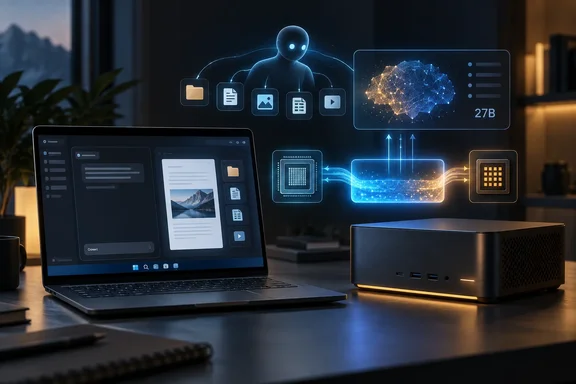
Perplexity Portable Computer Moves From NVIDIA-Only to AMD Ryzen AI Max
Portable Computer has moved quickly. According to Tom's Hardware, it is a local version of Perplexity Computer, which is the company's agent for multistep tasks, and it launched originally for Linux on Aug. 25. Perplexity's launch post said the first release was available to Pro and Max Subscribers on the NVIDIA DGX Spark, and that the first release is available on Linux, with Windows support coming soon.
Windows support arrived in mid-September, but only for NVIDIA hardware. Tom's Hardware reported that the host system must have at least 24GB of VRAM with a GeForce RTX or RTX PRO GPU. Each step so far has added hardware, not features:
| Date (2026) | Milestone |
|---|---|
| August 25 | Portable Computer launches on Linux, starting with NVIDIA DGX Spark and Linux PCs with RTX GPUs |
| September 14 | Windows version released for NVIDIA GeForce RTX and RTX PRO GPUs with 24 GB or more of VRAM |
| September 24 | Support extended to Windows PCs with AMD Ryzen AI Max Series processors, including Ryzen AI Halo |
AMD's newsroom post, published the same day as Perplexity's, says users on these systems can "run local AI tasks and recurring workflows on their own hardware without using Perplexity Computer credits for inference." AlphaSignal's summary puts it plainly: this expand a product that previously required NVIDIA hardware. It is the same software on new hardware. Superpower Daily describes the AMD support as a new hardware route for that existing software, not a separate agent product.
Perplexity's September 15 Help Center article, updated before the AMD launch, still says on-device inference "needs an NVIDIA DGX Spark or an NVIDIA GeForce RTX or RTX PRO GPU." For AMD systems, treat the September 24 launch post as the current record. Other details in the Help Center, such as disk sizes and troubleshooting symptoms, were written with NVIDIA systems in mind.
Why Ryzen AI Max's Shared Memory Is the Point
AMD's case for the partnership rests on memory design. The company says Ryzen AI Max processors "bring CPU and GPU performance together with a large pool of shared memory to run local models alongside everyday applications." On a regular desktop, a 27B model has to fit in the graphics card's own VRAM, which is why the NVIDIA route requires 24 GB cards. On Ryzen AI Max, the GPU draws from the same memory pool as the rest of the system.
That changes how you read the requirement. Perplexity's AMD launch post lists "an AMD Ryzen AI Halo developer platform or any system with an AMD Ryzen AI Max Series processor and at least 24 GB of memory accessible by the GPU." It does not say 24 GB of system RAM, and the difference matters when you buy. AlphaSignal notes that the 24 GB graphics-addressable memory figure matches the existing NVIDIA RTX requirement. It adds that the AMD path therefore depends on usable GPU-addressable memory, not the processor badge alone. Buyers must check the system's total memory, firmware allocation options, and selected configuration.
AlphaSignal also reports that Perplexity cites HP's ZBook Ultra G3a with Ryzen AI Max PRO 400-series processors as one compatible product family, subject to configuration. No other outlet has named specific compatible models, so treat that as a single example, not a list of qualified PCs.
Neither company has published benchmarks, token-per-second figures, or quality comparisons between the AMD and NVIDIA versions. The shared-memory argument explains why the hardware can run the stack. It says nothing about speed.
What Actually Runs on the PC When Portable Computer Is Local
The product's main claim is that the whole agent runs on the device, not only the model. Perplexity's Help Center lists what runs locally: the model acting as orchestrator, the planner and tool router, the scheduler and durable task queue, a local search index over your files and code, and a sandbox for code and tool execution. Because the orchestrator is local, the company says a task "can start, plan, read local files, execute tools, and finish without contacting Perplexity's servers."
Two models are available: PPLX 27B, which Perplexity post-trained, and Qwen 27B. VentureBeat reported at launch that users could choose Qwen 3.8 27B or PPLX 27B, a version Perplexity has post-trained on its own harness, with Nvidia's Nemotron 3.5 Lightning coming soon. Only one local model can run at a time, and switching means loading the other one.
Local means "local unless you approve otherwise." The local model only knows what is on your machine. When a task needs current web data or stronger reasoning, it can hand off one step to Perplexity Search or to one of more than 15 cloud models. Perplexity says the app will ask before routing a task to one of 15+ cloud models, and each approved step runs in the cloud and uses Computer credits at the standard rate.
Several limits follow from this design:
Scheduled Workflows, Connectors, and MCP on Ryzen AI Max
Perplexity is pitching recurring background work more than chat. Its AMD launch post describes four scenarios, all vendor examples, not tested results:
Recurring jobs use the same local model, so inference doesn't add a credit charge each time. There is an operational catch: scheduled tasks only run while the Perplexity app is open and the PC is awake. On a laptop that sleeps overnight, that 8 a.m. briefing won't be ready.
For connectors, the Help Center lists Microsoft Outlook, OneDrive, and Word, plus Google Drive, Gmail, Slack, and GitHub, all used through the local orchestrator. Portable Computer also supports local Model Context Protocol (MCP) servers, which let the agent control tools installed on the PC. These are used only in Local mode, and cloud Computer ignores servers configured under Settings → MCP servers.
Adding a local MCP server in the Windows app works like this:
The most important warning in Perplexity's documentation is here. Local MCP servers run outside the sandbox. They run with your user permissions and can reach your files and the network. The sandbox and folder permissions don't cover them, so only add servers you trust as much as any other program you install.
Setting Up Portable Computer on an AMD Ryzen AI Max PC
The requirements for the AMD version are:
Requirement Detail Subscription Perplexity Pro or Max, on individual or enterprise plans Hardware Ryzen AI Halo developer platform, or a Ryzen AI Max Series system with at least 24 GB of memory accessible by the GPU Operating system Windows 10 or Windows 11 Models PPLX 27B, Qwen 27B Disk space About 20 GB free for initial setup
On Windows there is no separate installer. Local inference lives inside the regular Perplexity app.
Tasks run locally while a model is selected under Local. If the Local section shows Set up instead of a model name, setup isn't finished. Perplexity says the other check is the approval prompt: anything that would leave the device should trigger a request first.
Perplexity's troubleshooting table, written for the NVIDIA route, covers these cases:
The app also has a naming quirk. Perplexity treats Personal Computer, which gives the agent local file tools, and Portable Computer, which runs the model and agent on the device, as separate features that can both be on. You can have local file access with cloud inference, so selecting a local model is what actually keeps the work on the machine.
Where IT Admins Get Control in Portable Computer
For organizations, the main control is an admin setting. Perplexity says administrators on managed accounts decide whether local inference is allowed, so IT can enable it for the teams that need it. Desktop tools are a separate permission. Allowing local inference doesn't automatically give the agent file access.
Perplexity describes several safeguards. Code and tools run in an on-device sandbox with read and write access limited to permitted folders. Connected apps are reached only through connectors the user configured. An on-device classifier scans outgoing content for sensitive details such as names, account numbers, and credentials before it leaves the PC, and lets the user share it, keep that step local, or stop. These are vendor-described controls, and no independent security review has been published.
The admin toggle is set in Perplexity's account management, not in Windows. The documentation mentions no Group Policy, Intune configuration profile, or other Windows-native management controls. Beyond the Perplexity admin setting, the tools you have are the ones you'd use for any desktop app: deciding who gets Pro or Max seats, controlling installs of the Microsoft Store app, and deciding which folders and SaaS connectors are acceptable for an agent to touch.
The AMD launch also connects to Microsoft's plans. According to Mallory's roundup, Microsoft has shown Project Zenith, a developer-focused Windows 11 configuration that targets systems with at least 64 GB of unified memory and more than 250 GB/s memory bandwidth; initial devices will use AMD Ryzen AI Halo. That is a separate Microsoft project, not part of Perplexity's release, but it shows Ryzen AI Halo becoming a standard hardware target for local agents on Windows.
What this means for you
If you already own a Ryzen AI Max system and pay for Perplexity Pro or Max, trying this costs about 20 GB of disk space and a few minutes. If you're considering buying hardware for it, check GPU-accessible memory before anything else. Organizations should decide on local inference and desktop tools as two separate policies before users ask. People on other AMD chips, or with less than 24 GB available to the GPU, aren't covered by this release.
Perplexity has now taken Portable Computer from a Linux-only DGX Spark release to Windows on both NVIDIA and AMD hardware in about a month, and the 24 GB GPU-memory requirement is the same across all of them. Ryzen AI Max machines already give the GPU large shares of system memory, so they meet that bar without a separate graphics card. The things still to watch are the Nemotron model Perplexity says is "coming soon" and a Help Center update that describes AMD systems directly. Once those arrive, the choice between AMD and NVIDIA for local agents on Windows will come down to measured performance, which no one has published yet.
References
- With AMD Ryzen AI Max Series Processors, Perplexity Brings Portable Computer to Agentic PCs - AMD AMD · 2026-09-24T17:11:31.116000+00:00
- What is Portable Computer? - Perplexity Help Center perplexity.ai