

MakeUseOf calls this closing "the last free loophole." That goes too far. What has closed is free remote video playback through Plex's own remote-streaming system. Your home network is still free, and so is a VPN-style route back to it. Here is what changed, who pays, and what options are left.
What happened
Firecore, the company behind Infuse, posted that it received a note from Plex that, beginning later this week, remote streaming from a Plex server will require a paid Plex license. Firecore added that this now includes videos played through 3rd-party apps like Infuse, and that this change does not affect playback while on your local network.
The announcement went up on September 21, 2026. "Later this week" doesn't give a firm date, so it's safer to say the rollout was imminent than to name a day. There's also no sign that every platform and client flipped over at the same moment. MakeUseOf itself says behavior can vary by platform and whether the server owner has an active Plex Pass.
Summary: Remote video playback through Plex's servers and API now needs a paid pass, including in third-party apps like Infuse. Playback on your home network is unchanged.
How we got here
This has been coming for a long time:
- March 2025: AlternativeTo reported that Plex announced a dual shift: a price increase and a new policy for streaming media outside a home network.
- April 29, 2025: The rollout was slated for April 29, but the first enforcement appeared months later.
- November 2025: Enforcement started on Roku. Plex warned that, although the requirement currently applies only to Roku, it will expand next year to all major platforms, including Android TV, Apple TV, Fire TV, and any third‑party client that uses the Plex API for remote streaming.
- 2026: Plex's support documentation says to expect additional apps to enforce the requirements and that eventually all apps and platforms will be affected.
- September 2026: Third-party clients are now included.
Until now, the third-party exemption was the gap people relied on. In May 2026, Android Authority wrote that the Remote Watch Pass is a restriction built into Plex's software. It's not a restriction inherent to the server itself. Its advice was to use a third-party app such as the open-source Plezy, because Plex offers an open API for media playback, and third-party developers have created alternative apps that can connect to your library without enforcing paywalls.
Plex had already said it would close that gap. The warning from November 2025 specifically named API clients. The Infuse notice confirms it is now happening. It is fair to assume other API-based clients will be affected eventually, though no evidence yet shows each app's current behavior.
Summary: Plex publicly planned this 18 months ago. The latest step removes the "use a different app" workaround.
Who has to pay
The rules are more specific than "everyone pays," and they decide whether your household needs one subscription or several.
| Scenario | What covers remote video |
|---|---|
| Server owner has Plex Pass | Every account streaming from that server |
| Viewer has Remote Watch Pass | Only that viewer's own account (plus their Plex Home managed accounts) |
| Nobody has a pass | Local-network playback only |
| Music via Plexamp / photos via Plex Photos | Free, not restricted |
According to Plex's requirements page, remote playback is allowed if the admin account for the Plex Media Server has an active Plex Pass (which also allows remote playback for any other user streaming from that server). The Remote Watch Pass is more limited. Plex's overview says it does not extend or apply to other full Plex accounts to which you have granted access to your Plex Media Server. If you're the only person who streams remotely, Plex says a Remote Watch Pass would also allow you to do so (but would not provide other Plex Pass features and benefits and the ability to stream remotely applies only to your specific account).
Plex's plans page lists the full Plex Pass as including remote streaming for all users, Hardware Transcoding, Downloads, Skip Intro & Credits, and more. For a Windows server owner sharing with family, the math is simple. One Plex Pass on the admin account covers everyone. Individual Remote Watch Passes make sense only for one person, or for a viewer whose server owner won't pay.
What does it cost? At the Roku rollout, AlternativeTo reported Plex Pass at $6.99 per month or $69.99 annually and the Remote Watch Pass at $1.99 per month (or $19.99 annually). Those were introductory prices. Android Authority reported in May that that Remote Pass is getting a lot more expensive, and its writer complained about spending $30 every year to stream my own media. Check Plex's current prices before you budget. They have already changed at least once.
Music and photos are not affected. Plex says streaming of music or photos (such as to the Plexamp or Plex Photos apps) is not impacted by these remote playback restrictions. Music and photos content can be streamed for free.
Summary: A Plex Pass on the server owner's account covers everyone. A Remote Watch Pass covers only the person who bought it. Music and photos stay free.
"I'm at home and Plex says I'm remote"
This is the support ticket that will generate the most confusion. Plex defines the boundary strictly: "remote" playback would be any time that the player app cannot make a connection to the Plex Media Server on the same subnet of the same local network. Plex admits that configurations for particular devices (player app or Plex Media Server) as well as users with advanced network setups could run into issues.
If a device at home is suddenly asking for a pass, check the network before assuming it's a billing problem. From general experience, these are the usual culprits:
- Separate subnets. A guest Wi-Fi network, an IoT VLAN, or a mesh node running in router mode can put the TV on a different subnet from the server.
- Windows Defender Firewall on the server PC. Plex's troubleshooting guide says that if disabling a firewall fixes connectivity, you should add Plex Media Server to the firewall's allowed list.
- Double routers. An ISP gateway plus your own router can create double NAT, which Plex's guide says interferes with connections. Its suggested fix is putting one device into bridge mode.
None of these guarantees a fix for every case, but they're the first things to rule out.
What's still free
Stay on your home network. Plex's plans page still says you can stream them across every device on your home network — no subscription required.
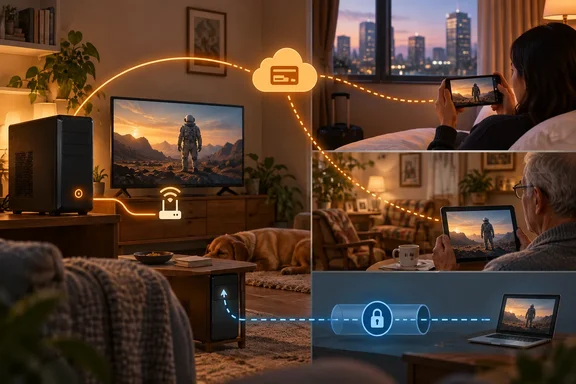
Use a mesh VPN such as Tailscale. Firecore itself points to Tailscale or a traditional VPN as an option for people who don't want to use Plex Remote Access. MakeUseOf describes it this way: you install it on the server and on your devices, and your phone or laptop behaves as if it were on your home Wi-Fi. Tailscale has a Windows client, so it fits a typical Windows Plex server. There are catches:
- Every viewer needs the VPN app installed and needs access to your network. That's easy for your own phone and a lot to ask of your aunt.
- The VPN has to make your device look local to Plex, which brings back the subnet rule above. Whether a given setup passes Plex's local check depends on how it's configured. Nothing Plex has published guarantees it.
- Plex hasn't endorsed this approach and could change how it decides what counts as local.
Run a reverse proxy with Docker (advanced). MakeUseOf describes community setups that run Plex in Docker behind a reverse proxy like Caddy. The appeal is that guests don't need to install anything. The downside is serious: this is a community configuration, not Plex guidance. It can expose your server to the internet if you get it wrong, and it needs ongoing maintenance. If "reverse proxy" is a new term to you, don't start here.
Switch servers. Some users have moved on already. AlternativeTo points people toward Jellyfin, Emby, and the other alternatives. Migrating has real costs, though. One ResetEra user argued that Plex has way more powerful sorting and filtering options, plus it has a native Apple TV app compared with Jellyfin.
One more limit if you do pay: if your connection falls back to Plex Relay, Plex's relay documentation says streams are capped at 2 Mbps even for Plex Pass and Remote Watch Pass subscribers. For better quality you need a working direct Remote Access connection. That usually means UPnP or a manual port forward to internal TCP port 32400, and it may not be possible at all behind carrier-grade NAT.
Summary: Free remote viewing still works if you set up your own network tunnel. Plex's own remote route is what now costs money.
Is Plex being unreasonable?
The complaint is easy to understand. A ResetEra commenter put it this way: "Streaming remotely doesn't even use their bandwidth." In a direct connection, your server, your upload bandwidth and your files do the work.
Plex does still run infrastructure, though: account authentication, server discovery, relay servers and the apps themselves. It's also a company that needs revenue, and ad-supported streaming has been a tough business. Charging per server, with the owner's Plex Pass covering everyone, is a reasonable design. Closing the API route was always part of the plan, and it keeps apps like Infuse from undercutting Plex's own pricing.
The real problem is trust. Plex has changed its terms, prices and app lineup repeatedly. People who built their home media setup around Plex are right to ask what gets paywalled next.
Bottom line
Nothing on your home network changes, and neither does Plexamp or Plex Photos. If you stream video remotely, even through Infuse or another third-party app, someone now has to pay: either the server owner with a Plex Pass or each viewer with a Remote Watch Pass. If you'd rather not pay, a mesh VPN is still the simplest free option, as long as you're comfortable managing it yourself and your family is willing to install another app.
References
- Plex just closed the last free loophole for streaming your own movies remotely MakeUseOf · 2026-09-30T12:42:37+00:00
- Plex begins enforcing restrictions on free remote streaming, starting with Roku this week alternativeto.net
- Plex to start charging users to stream content remotely from servers (Included for free with Plex Pass or Pay via "Remote Watch Pass" Subscription) | ResetEra resetera.com