

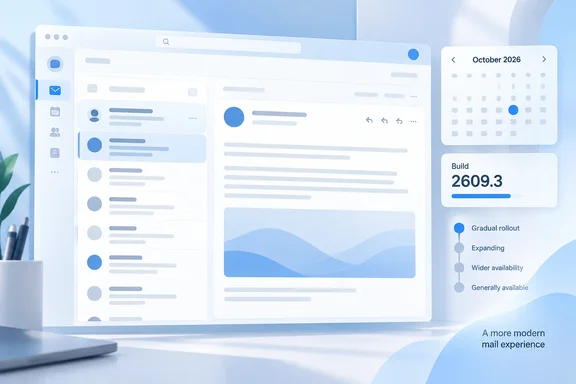
This is a visual update. Microsoft has not announced changes to mail features, message handling or workflows. Teams that train users from screenshots, though, should expect the mail app to look different in October.
The facts at a glance
| Field | Roadmap value |
|---|---|
| Roadmap ID | 571681 |
| Product | Power Apps |
| Impacted products | All model-driven apps |
| Platform | Web |
| Status / release ring | Launched / General Availability |
| Monthly channel | Already enabled with 2602.1 |
| Semiannual channel | Enabled with 2609.3 |
| Dependencies | N/A |
| Feature activation | Default on |
| Cloud instances | Worldwide (Standard Multi-Tenant), GCC, GCC High |
| GA month | October 2026 |
The "All model-driven apps" field is roadmap metadata. The title and description of this item are specifically about the mail app, so don't read it as a fresh redesign of every model-driven app.
Microsoft's own documentation matches the roadmap timing. Its "Modern, refreshed look for model-driven apps" page says the mail app supports the modern, refreshed look. It's on by default for environments on the monthly channel as part of the February 2026 release, and will be enabled on the semi-annual channel with the October 2026 update. Microsoft lists the mail app under the heading "Modern, refreshed look outside of browser," next to the mobile app. Mobile is a separate track, and admins have to enable it there with an app setting.
Summary: If your environment uses the monthly channel, you've had this since February. If you chose the semiannual channel, it arrives this month and is on by default.
Where does 2609.3 come from?
The build number follows Microsoft's normal semiannual schedule. The release channel documentation for model-driven apps says the semi-annual channel turns on generally available (GA) ready features twice a year, in April and October. Its schedule table lists the October release's production build as YY09.3 (for example, 2609.3). In other words, 2609.3 is simply the October 2026 semiannual production build.
A few channel details worth knowing:
- Rollout is gradual. Semiannual updates go out twice a year, starting early April and early October and following the gradual weekly rollout. Not every tenant or region gets the change on the same day.
- Monthly is the default. When Auto is selected, Power Platform and Dynamics 365 environments use the Monthly channel. Newly created model-driven apps also default to Monthly. Admins and makers can select Semi-annual if they need the slower cadence.
- Weekly changes still ship. Security and non-end user impacting changes continue to be delivered with the weekly releases. The semiannual channel only holds back changes that users will notice, like this one.
Microsoft says the semiannual channel is meant for users where more training and extensive testing are needed before rollout out of new end user impacting features. If that describes your organization, October is when that training is needed.
The same change for embedded apps
The mail app item has a companion. Roadmap item 571682 makes the same semiannual move for embedded experiences. According to that listing, it extends the modern, refreshed look to embedded app experiences so model-driven app content retains consistent Fluent styling and interaction patterns when it appears inside another host. It uses the same wording about 2602.1 and 2609.3, the same default-on activation and the same cloud instances.
Taken together, the two items close the gaps where model-driven app content could still look old after the main browser experience was modernized. A semiannual organization's main apps, embedded content and mail app should now share one design.
What the refreshed look includes (and what it doesn't)
The roadmap entry doesn't list any mail-specific control changes. The general features below describe the wider "New Look," not confirmed changes to the mail app.
Microsoft documents the modernization in two waves:
- Wave 1, "The New Look": Updated styling in forms, views, dashboards, dialogs, and controls; the floating command bar; the Power Apps grid; new field control styling. It is generally available and mandatory as of 2026 Wave 1.
- Wave 2, header and navigation refresh: Modern app header, streamlined sitemap, more working space on forms with a sticky condensed header, tightened spacing, updated command bar behavior. It is generally available, but for existing apps it's still opt-in today.
Roadmap 571681 does not turn on Wave 2. Nothing in it changes app headers or sitemaps for apps that haven't opted in.
In the wider New Look, Microsoft also describes drop shadows and brighter backgrounds that separate page sections. Field labels, inputs and error messages get Fluent styling, and the Power Apps grid replaces the old read-only grid in views.
Known limitations admins should still expect
The general limitations for the refreshed look still apply:
- Classic themes are gone. With the modern, refreshed look, Power Apps no longer honors classic theme customizations. You can, however, override the colors for the app header to match your organization branding.
- No dark mode or theme switching. Microsoft says both aren't supported for now.
- Custom navigation icons must be SVG. Other formats, such as PNG, are replaced by a default icon.
- Custom chart colors get overridden unless the chart XML includes the CustomColorOverride property.
Can you turn it off?
Probably not, and the documentation disagrees with itself a little here.
Microsoft's deprecation notices are clear. The Power Platform "important changes" page says starting in April 2026, makers will no longer be able to switch to the classic look in model-driven apps. This timing applies to all release channels, including the semi-annual channel. It also says the admin settings related to this feature will be removed. The 2026 Wave 1 release plan says the update removes the app setting New look for model-driven apps, so users can't revert back to classic look.
The Learn page on the refreshed look still includes a "Revert to the classic look" procedure that uses that app setting. Plan around the deprecation notices, which are newer and more specific. Even setting that aside, the roadmap shows nothing mail-specific to opt in or out of. The feature is default on and has no dependencies.
Summary: Expect to keep the new look. Spend your time on training rather than on finding a toggle.
Admin checklist for October
- Check each app's release channel. Semiannual apps are the ones changing now. Monthly-channel apps already had this in February.
- Update training materials. Microsoft's own guidance for the wider rollout is to review internal documentation, training, and screenshots to align with the modern look.
- Update scripts and runbooks that mention the old classic-look toggle. Microsoft notes that if you keep guides referencing the old toggle or admin settings, you should update those references.
- Check branding. Make sure the app-header color override is set if your organization relied on classic themes.
- Allow for staggered rollout. If one environment hasn't changed yet, that's expected during a gradual weekly rollout. It isn't necessarily a fault.
- Treat dates as estimates. The AI at Work roadmap says its release dates are estimates and that all information is subject to change.
Verdict
This isn't a big release. It's the scheduled point where semiannual organizations catch up to a mail app look that monthly-channel users have had since February. Microsoft is keeping its promise that the slower channel gets tested features later. It is also making sure no part of a model-driven app is left in the old style.
For admins, the useful information is specific: build 2609.3, on by default, available in Worldwide, GCC and GCC High, with no toggle to fall back on. Good docs and well-informed users will make this a non-event. If nobody warns users that their tools are about to look different, expect helpdesk tickets.
References
- Power Apps: Modern, refreshed look for the mail app Microsoft 365 Roadmap · 2026-10-06T22:56:31.053213Z
- Release channel for your model-driven app - Power Apps learn.microsoft.com
- Modern, refreshed look for model-driven apps - Power Apps learn.microsoft.com