

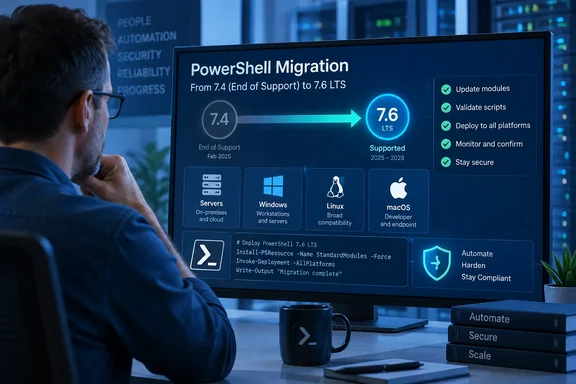
The deadline is not new. It comes straight from the .NET lifecycle, and Microsoft's PowerShell lifecycle table has shown it for a long time. What the Azure Updates notice adds is a formal countdown. For teams whose scheduled tasks, CI pipelines, Azure automation or management scripts call pwsh.exe, the remaining weeks are for testing, not just for scheduling an upgrade.
Why PowerShell 7.4 and .NET 8 Retire on November 10, 2026
The retirement date wasn't picked separately for PowerShell. PowerShell follows the Microsoft Modern Lifecycle Policy, and each release's end-of-support date follows the .NET support policy for the .NET version it was built on. PowerShell 7.4 shipped on November 16, 2023 on .NET 8.0, so it retires when .NET 8 does. The consultancy Pro IT NW summed it up this way: "PowerShell 7.4 LTS expires the same day because it is built on .NET 8 and inherits its lifecycle."
Several other products retire on the same date. According to Pro IT NW, six Microsoft platforms reach end of support on November 10, 2026: .NET 8 (LTS), .NET 9, PowerShell 7.4 (LTS), PowerShell 7.5, Windows 11 Enterprise and Education version 23H2, and Windows 11 IoT Enterprise version 23H2. Shops that run custom .NET 8 applications next to PowerShell automation face two migrations with one deadline. The firm also points out that Microsoft's cutoff time works out to end of day November 10, not November 11.
Microsoft's lifecycle page, last updated August 13, 2026, shows where each current release stands:
| Release | Released | End of support | .NET base | Latest servicing build |
|---|---|---|---|---|
| PowerShell 7.4 (LTS) | Nov 16, 2023 | Nov 10, 2026 | .NET 8.0 | 7.4.20 |
| PowerShell 7.5 (Stable) | Jan 23, 2025 | Nov 10, 2026 | .NET 9.0 | 7.5.11 |
| PowerShell 7.6 (LTS) | Mar 18, 2026 | Nov 14, 2028 | .NET 10.0 | 7.6.6 |
| PowerShell 7.7 | Preview | Not supported | .NET 11.0 | 7.7 previews |
The page says it plainly: the current LTS release is PowerShell 7.6.6, and the previous LTS release, PowerShell 7.4.20, is still supported until 10-Nov-2026. Microsoft also supports only the latest update within a release line. A machine on an older 7.4 build is therefore already outside support today, weeks before the retirement date.
What End of Support Means for a PowerShell 7.4 Installation
Microsoft's lifecycle documentation says that once a PowerShell version reaches end of life, it gets no further updates, including security updates, and Microsoft encourages customers to upgrade to a supported version. Nothing in the documentation says 7.4 will stop running. The WindowsForum migration guide published in July put it this way: an unpatched 7.4 may still launch, but it will be outside Microsoft's support window.
The real cost is exposure over time. Any vulnerability found in PowerShell 7.4 or in the .NET 8 runtime underneath it after November 10 stays unpatched on those machines. For regulated environments, running unsupported runtimes also tends to show up as a compliance finding, whether or not anyone exploits it.
Support can also end before the PowerShell date. Microsoft's platform rules say support ends when either the target operating system or the PowerShell version reaches end of life, whichever comes first. On Windows, that means PowerShell is supported only as long as the Windows version under it is. Linux container users should note that Microsoft's own table puts Alpine 3.21's end at November 1, 2026, nine days before 7.4 retires.
The retirement also has limits on what it touches. The PowerShell lifecycle doesn't cover modules shipped outside the PowerShell release package. Microsoft's example is the ActiveDirectory module that ships with Windows Server, which is supported under the Windows lifecycle. Support itself is also limited. PowerShell is released under the MIT license and Microsoft supports it on a best-effort basis. Without a paid support agreement, users get community support only.
Windows PowerShell 5.1 Stays Put
The notice is about PowerShell 7, the open-source pwsh.exe shell. It has nothing to do with Windows PowerShell 5.1, the powershell.exe built into Windows. Microsoft's lifecycle page says its PowerShell 7 lifecycle document doesn't cover Windows PowerShell, which is a Windows component that follows the Windows support lifecycle.
The two install side by side. PowerShell 7 goes into its own directory and doesn't replace 5.1. Some Windows PowerShell modules run in PowerShell 7 through the Windows Compatibility feature, while others still require 5.1. The practical result goes both ways. Upgrading PowerShell 7 doesn't mean removing 5.1, and having 5.1 installed does nothing for a machine still running 7.4.
WindowsForum's earlier guidance gives a simple rule for keeping them apart: use pwsh.exe for validated PowerShell 7.6 automation and retain powershell.exe only for documented Windows PowerShell dependencies. Before changing any scheduled task, service wrapper or pipeline step, check which executable it actually calls.
PowerShell 7.5 Won't Buy You Time: Plan for 7.6 LTS
Moving from 7.4 to 7.5 might look like the smaller step, but it leads to the same deadline. PowerShell 7.5 reaches end of support that same day, so moving from 7.4 to 7.5 does not extend the support window. Because 7.5 is a Stable release, it was only ever going to be supported for about six months after the next LTS shipped. PowerShell 7.6 arrived in March, so 7.5 expires on the same day as 7.4.
PowerShell 7.6 LTS, built on .NET 10, is supported until November 14, 2028. That gives about two years before the next forced move, and it's the only release that extends support past this November. Stable releases fit teams that want new features and can re-qualify every year. LTS releases carry only critical security and servicing fixes intended to avoid disturbing existing workloads, which suits production automation.
The upgrade isn't guaranteed to be painless. PocketLantern's migration brief points to documented breaking changes in 7.6: the ThreadJob module name changing to Microsoft.PowerShell.ThreadJob and Join-Path -ChildPath changing to string[]. Scripts that import ThreadJob by its old name, or that depend on how Join-Path handles a single child path, need to be checked. Moving from .NET 8 to .NET 10 underneath can also affect compiled binary modules that assumed a particular runtime.
PocketLantern also reports one platform limitation that matters for Azure customers: 7.4 is the last PowerShell version supported for Azure Functions Linux Consumption plan apps. If you run PowerShell functions on that hosting plan, check Microsoft's current Azure Functions guidance before assuming a straight language-version bump is possible. You may need to change the hosting plan as well.
How the Upgrade Path Differs by PowerShell Installation Method
On Windows, how you upgrade depends on how PowerShell was installed, and Microsoft's documentation treats each method differently. Microsoft recommends WinGet for Windows clients. It calls the MSI package the best choice for Windows Server and enterprise deployment. MSIX is described as convenient for casual users but limited. ZIP is for side-by-side installs, Server Core, IoT and Arm systems, and the .NET Global tool is aimed at developers.
Identify how PowerShell 7.4 was installed
Microsoft's documented check uses $PSHOME, which points to the directory of the running PowerShell:
- Open the PowerShell 7 session you want to check and look at
$PSHOME. - If it's
$HOME\.dotnet\tools, PowerShell was installed as a .NET Global tool. - If it's
$Env:ProgramFiles\PowerShell\7, it was probably installed from the MSI. You can confirm this in Programs and Features. - If it starts with
$Env:ProgramFiles\WindowsApps\, it's the MSIX (Microsoft Store) package. - Any other location most likely means a ZIP install.
To confirm the runtime, Microsoft documents [System.Runtime.InteropServices.RuntimeInformation]::FrameworkDescription, which shows the full .NET version. A 7.4 session reports .NET 8 and a 7.6 session reports .NET 10. This check only covers one interactive session, though. Across a fleet, use your software inventory and look at what your automation hosts actually run.
Upgrade with the matching method
Microsoft advises that if you upgrade before a new version reaches you through Microsoft Update, you should use the same method you originally installed with. Newer PowerShell 7 versions replace older ones in place, while previews install side by side. For WinGet-managed machines, the documented commands are:
- Run
winget list --id Microsoft.PowerShell --upgrade-availableto see whether an upgrade is offered. - Run
winget upgrade --id Microsoft.PowerShellto apply it.
Package format is where this gets tricky. Starting with the PowerShell 7.6.0 package, a plain winget install --id Microsoft.PowerShell installs the MSIX by default. To get the MSI you need --installer-type wix. winget upgrade, on the other hand, keeps whichever format (MSI or MSIX) is already installed, if the new version offers it. From PowerShell 7.7.0 on, there will be no MSI package at all.
That default matters because the MSIX has real limits. Store-based installs are per-user only and don't accept inbound PowerShell remoting, since the sandbox blocks changes to $PSHOME, including the WSMan configuration. Commands such as Register-PSSessionConfiguration, Set-ExecutionPolicy -Scope LocalMachine and Update-Help -Scope AllUsers aren't supported, and all-users profile scripts can't be created. If an admin replaces an MSI-based 7.4 on a remoting target with a fresh winget install, remoting to that machine can stop working. Upgrading in place, or asking for the WiX installer explicitly, avoids this.
Servers have another constraint. WinGet isn't available on Windows Server 2022 or earlier, and Windows Server 2025 includes it only with Desktop Experience. For most server fleets, the MSI through your existing deployment tooling is the realistic route.
Microsoft Update, WSUS and Configuration Manager
PowerShell 7 can be updated through Microsoft Update, which covers Windows Update for Business, WSUS and Configuration Manager, if that option was enabled. The MSI's USE_MU=1 and ENABLE_MU=1 properties control this and are on by default. Setting ENABLE_MU=0 doesn't remove settings made by an earlier install, and Group Policy can override it. Microsoft's installation guide doesn't say whether Microsoft Update will move a 7.4 installation up to 7.6 or only service it within the 7.4 line. Don't rely on Microsoft Update to do the move before November 10. Deploy 7.6 deliberately and use Microsoft Update to keep it patched afterward.
For containers, Microsoft says the .NET SDK Docker images that include PowerShell are for testing. Production workloads should use images you build and maintain yourself, so any 7.4-based images you own need rebuilding too.
What This Means for You
Anyone running production automation on PowerShell 7.4 should test it on 7.6 LTS now and deploy before November 10. Anyone who only has Windows PowerShell 5.1 has nothing to do because of this notice. Machines already on 7.6.6 need only routine patching. Machines on 7.5 are in exactly the same position as 7.4 machines.
- Inventory every place PowerShell 7 runs, including scheduled tasks, service wrappers, CI agents, container images and Azure workloads. Confirm the version and install method, not just whether PowerShell 7 is present.
- Go straight from 7.4 to 7.6 LTS, which is supported until November 14, 2028. PowerShell 7.5 is not a useful stop because it retires the same day as 7.4.
- Before cutover, check scripts for the documented 7.6 breaking changes, including the
Microsoft.PowerShell.ThreadJobmodule rename and theJoin-Path -ChildPathtype change. Also test binary modules against .NET 10. - Upgrade with the method that installed 7.4. Use the MSI, or
winget ... --installer-type wix, on machines that must accept PowerShell remoting, because the default MSIX install for 7.6 blocks inbound remoting. - Leave Windows PowerShell 5.1 installed. Keep
powershell.exeonly for workloads with documented 5.1 dependencies. - Any 7.4 machine that can't move by the deadline should be on the latest 7.4.20 build, have a named owner, and be treated as an unsupported exception with a firm migration date.
This retirement follows directly from the .NET release schedule, so PowerShell 7.4 won't get an extension without one for .NET 8. Teams that move to 7.6 in the next seven weeks get support through November 2028, when 7.6 and .NET 10 retire together. They'll also get something to plan for: PowerShell 7.7, currently in preview, will ship with no MSI package, so the format choices you make now will shape the next upgrade too.
References
- Retirement: Support for PowerShell 7.4 ends on November 10, 2026 Azure Updates · 2026-09-23T16:50:05Z
- .NET 8 LTS ends November 10, 2026, and PowerShell with it — Pro IT NW proitnw.com
- PowerShell Support Lifecycle - PowerShell | Microsoft Learn learn.microsoft.com