

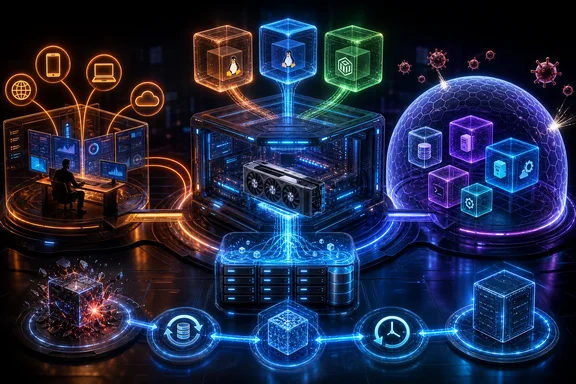
That distinction matters most when a service such as Immich needs NVIDIA acceleration, when a container receives a ZFS-backed directory, or when an administrator reaches for a snapshot after an update goes wrong. These are useful patterns, but each deliberately trades some simplicity or isolation for capability. A resilient home lab is less about never touching bare metal than about being explicit about where bare metal still matters.
What Proxmox actually separates
Proxmox Virtual Environment combines two different virtualization approaches on a Debian-based host:
- KVM virtual machines receive private, virtualized hardware.
- LXC containers are operating-system-level virtualization and share the host kernel.
Both can be valuable, but they should not be treated as interchangeable security or recovery domains.
A KVM VM is the stronger choice when a workload needs a more independent operating environment, a separate kernel, or direct assignment of a physical device. The virtual hardware boundary is especially relevant for services that are exposed to less-trusted code, need unusual drivers, or have dependencies that would otherwise complicate the host.
An LXC container is generally the lighter option for a Linux service that can comfortably use the host kernel. That can reduce overhead and operational sprawl. But “lighter” does not mean that its interactions with the host disappear. Container configuration, mounted host paths, and device permissions become part of the service’s effective trust boundary.
For a Windows-focused home-lab owner, the useful mental model is not that every service needs a VM. It is that a VM and a container answer different questions. Use a VM where separation and hardware independence are central; use a container where efficient Linux service hosting is the priority and the host-level integrations are understood.
Backup, snapshots, and rollback are not the same promise
Proxmox documents a backup workflow in which its backup tool creates consistent snapshots of running containers and KVM guests, archiving guest configuration and data. That is a meaningful improvement over rebuilding an application from scattered notes and manually re-creating its settings. A guest-scoped backup can make it practical to restore a known workload state after a failed update or configuration change.
Yet it is important not to turn that capability into an unsupported promise of instant, complete recovery.
First, the term snapshot is ambiguous. It might mean a guest snapshot, a guest backup created from a running workload, an underlying storage snapshot, or several of these combined. Those mechanisms can differ in what they capture, how they are restored, how long restoration takes, and whether data outside the guest is included.
Second, a container recovery does not automatically repair the host. If an NVIDIA driver resides on the Proxmox host, restoring the container alone cannot establish that the host driver was rolled back. It may restore guest-side libraries, configuration, application state, or a container’s own packages, but it is not evidence that the host component changed. Any incident narrative that says a container snapshot “rolled back the drivers” needs to state which driver layer was restored.
Third, guest backups do not by themselves establish protection against a failed host, a destroyed storage pool, corruption elsewhere in the system, or loss of the backup destination. The practical value depends on what is included, where the backup lives, how long versions are retained, and whether restoration has been tested.
The better operational claim is modest and useful: guest-level backups and snapshots can reduce the blast radius of routine changes. They are one layer of recovery, not the entire recovery strategy.
ZFS snapshots are powerful—and destructive when rolled back
ZFS adds another useful recovery primitive, but its semantics are sharper than the word “undo” suggests. Rolling a ZFS dataset back to a snapshot discards everything written to that dataset since the snapshot was taken. That is exactly what makes rollback useful after a bad change, but it also means later data may be intentionally lost.
Rollback scope requires care as well. Child datasets are not automatically rolled back with their parent. A service whose database, media library, and configuration are spread across separate datasets may not return to one coherent point in time merely because one dataset was rolled back.
That produces a sensible rule for home labs: treat a ZFS rollback as a destructive maintenance operation, not as a casual safety net. Before using it, identify the dataset being changed, determine whether related data sits in child or separate datasets, and know which writes will be discarded. A backup with a separately tested restore path is still necessary when the desired outcome is recovery from host failure, broad data loss, or an incorrectly scoped rollback.
GPU acceleration: separate the host driver from the workload requirements
Immich officially supports CUDA-backed machine learning acceleration for Smart Search and facial recognition. Its stated baseline includes an NVIDIA GPU with compute capability 5.2 or higher, a driver supporting CUDA 12.3—documented as version 545 or later—and NVIDIA Container Toolkit for Linux deployments outside WSL2.
These requirements provide a useful compatibility checklist, but they do not support a common oversimplification: that the NVIDIA driver on the host and the software inside a container must have exactly identical version numbers.
NVIDIA documents compatibility paths from CUDA 11 onward in which applications built with one CUDA Toolkit release can run with drivers meeting the relevant minimum version requirements. Newer driver compatibility and feature constraints still matter, and a mismatch can absolutely cause a deployment to fail. But equality of version strings is not the general rule.
The practical test is therefore compatibility, not visual symmetry in package managers:
- Confirm the GPU meets the application’s supported hardware baseline.
- Verify that the installed host driver meets the CUDA requirement of the application stack.
- Ensure the Linux container path has the required NVIDIA container components.
- Test the actual machine-learning functions after upgrades, rather than assuming a container starts successfully means acceleration is active.
- Record the working host driver, container runtime, and application release before changing any of them.
This last step is particularly important because GPU acceleration spans layers. The host owns the physical driver, while the workload may depend on user-space CUDA components and container integration. A rollback plan should name the layer it restores and should not imply that guest recovery has fixed host state.
Device access is an intentional exception to container isolation
LXC can expose host paths to a container through bind mounts. It can also permit device access through cgroup v2 device allow rules. These features make GPU-enabled or storage-connected container workloads possible, but they change the threat model.
A bind mount is not simply a convenient shortcut to a storage pool. It makes a host-backed directory accessible inside the container. The permissions chosen for that mount determine what the container can do to the exposed files. If the mount is writable and the container is compromised—or an application bug deletes or modifies files—the host-backed data within that mounted path is at risk.
The same applies to device access. Granting access to a device node is a necessary integration step for some workloads, but it should be treated as a privileged exception rather than ordinary container plumbing. Docker’s security documentation, which explicitly compares its container model with LXC, warns that shared directories, mounts, and capabilities can leave isolation incomplete.
That does not mean bind mounts or device rules are inherently wrong. It means they should be deliberately constrained:
- Mount only the specific data path a service needs rather than a broad pool root.
- Prefer read-only mounts where the service genuinely does not need to write.
- Avoid treating a container with broad writable host storage as equivalent to an independently isolated VM.
- Keep the workload’s device permissions narrowly scoped.
- Include mounted data paths and host-side dependencies in recovery planning.
This is the point where a clean architectural diagram can mislead. A service may be “inside a container,” but its storage and acceleration dependencies can still connect it directly to host-managed assets.
GPU passthrough and GPU sharing solve different problems
A whole-GPU assignment to a VM follows a different model. In ordinary VFIO-style direct assignment, the device is unbound from its host driver and bound to VFIO before the VM uses it. In practical terms, that supports a straightforward distinction: a GPU directly passed through to a VM is not simultaneously operating as a normal host-driven GPU for containers.
This is why choosing between VM passthrough and container GPU access starts with the intended ownership model. If one VM requires direct control of the card, pass-through is the relevant design. If a host-driven GPU should accelerate a Linux container workload, device exposure and the appropriate container integration are the relevant design. Neither is automatically better; they allocate control differently.
There are technologies intended to partition some suitable devices. Linux has a mediated-device framework, and NVIDIA offers vGPU software for a defined set of supported GPUs and hypervisors. But that should not be presented as proof that every consumer GPU can be cleanly shared among VMs. NVIDIA’s current supported-vGPU GPU list does not include the GeForce RTX 3080.
That absence does not prove that no experimental or third-party route exists for a particular card. It does mean that an RTX 3080 owner should not build a plan around official NVIDIA vGPU support without validating the exact hardware, driver branch, virtualization stack, and licensing implications independently. A design that needs reliable simultaneous GPU partitioning should start from supported hardware rather than assume it can be added later.
A practical recovery-first design
The strongest argument for a hypervisor-based home lab is not that it removes all complexity. It moves complexity into layers that can be documented and recovered independently.
A useful design separates those layers:
- Host layer: Proxmox configuration, physical storage, network configuration, and the host-resident GPU driver.
- Guest layer: VM disks or container root filesystems, service configuration, and application packages.
- Data layer: databases, media libraries, and other persistent datasets, particularly those delivered through bind mounts.
- Backup layer: retained copies that can restore the guest and, where needed, its data outside the failure domain being protected against.
For each layer, write down the recovery action rather than relying on the word “snapshot.” Can the service configuration be restored? Can its data be restored to a coherent point? Does the restore depend on the host driver already working? Does the backup exist somewhere other than the system that could fail?
This discipline also identifies cases where bare metal remains reasonable. A performance-sensitive workload, a device-attached service, a fully trusted single-purpose appliance, or a setup whose additional virtualization layers create more complexity than benefit may have a legitimate reason to run directly on hardware. There is no evidence for a universal rule that every home-lab service should be virtualized or containerized.
The more defensible default is conditional: use Proxmox, KVM, and LXC when their boundaries and recovery workflows improve your ability to operate the system; retain bare metal where the workload’s hardware relationship, trust model, or simplicity makes that the clearer choice. The result is not a lab without failure. It is a lab where a failed change is more likely to be a defined recovery task than an all-night rebuild.
References
- Features - Proxmox Virtual Environment Proxmox Server Solutions GmbH
- Hardware-Accelerated Machine Learning Immich
- Minor Version Compatibility — CUDA Compatibility NVIDIA