

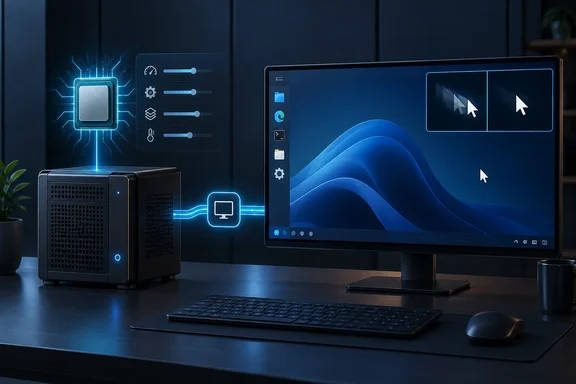
host and switched the display to SPICE. His account is subjective. He gives no benchmarks and no before-and-after timings. The only hardware detail is an Intel Core i7-6700K. The Proxmox documentation does back the mechanisms he describes, along with the trade-offs.
Setting one: CPU type host
Proxmox's backend default is kvm64. The UI default for a new VM is x86-64-v2-AES, which needs an Intel host from Westmere onward or at least a fourth-generation AMD Opteron. Proxmox staff have said the newer default replaced kvm64 because kvm64 was outdated and most CPUs from the last decade support more. A staff member on the Proxmox forum says x86-64-v2-AES has been the default since PVE 8.0.
Sherback says this generic model hides his 6700K's AVX, AVX2, FMA and BMI extensions from the guest. Proxmox staff explain that setting the type to host gives the VM exactly the same CPU flags as the host system. He reports that the gain shows up in heavier moments, such as unpacking large archives, installing updates and browsing with many tabs. He also says it should help Mesa's software OpenGL renderer when there is no real GPU. That is his reasoning, not a measured result, and it doesn't apply if you pass through a physical GPU.
Why host isn't a universal answer
The catch is live migration. When a VM moves to a system with a different CPU type or microcode version and the flags it was given are missing, the QEMU process will stop. Proxmox's migration guidance gives two rules:
- If every node in the cluster has the exact same CPU model, you can use
host. - If the nodes differ, or you plan to add different CPUs later, use one of the generic x86-64-v<X> models.
The article suggests x86-64-v3 as a middle road. It says that model exposes AVX2 and other newer extensions and stays portable across Broadwell or newer. I could not confirm that exact compatibility boundary in current Proxmox documentation. Check it against your own nodes before relying on it.
The Windows 11 warning
Sherback says Windows 11 runs poorly with host because the guest sees the extensions and enables virtualization-based security, which runs a hypervisor inside the VM. I found no Proxmox documentation corroborating that mechanism, so treat it as his observation. The custom CPU model documentation does mention a Hyper-V-related workaround for Windows guests on recent Intel hosts. That is a separate issue, but it shows Windows guests can behave differently with CPU settings. If you run Windows guests, test them separately.
A NETLAB+ hardware guide also lists host or x86-64-v2-AES as options. It notes that in some cases a machine may not boot properly with the CPU set to host, and then it recommends x86-64-v2-AES. That is another reason to change one setting at a time.
Setting two: SPICE display
Sherback says the cursor trails and window smearing mattered more to him than raw CPU speed. He traces them to the display path rather than compute. Since QEMU 2.9, the default VGA display type is std for all OS types except some older Windows versions, which use cirrus. He had been using the noVNC console in a browser tab. Proxmox documents the qxl option as the QXL paravirtualized graphics card, and selecting it also enables SPICE.
In his workflow, the console button then hands him a file that opens in Remote Viewer. He says the cursor tracks properly and the VM feels closer to a local machine. A second XDA piece also says SPICE allows higher resolutions without the visual artifacts of the default display. That is again a subjective report, not a controlled test.
Clipboard and display memory
- Shared clipboard: Sherback says running the SPICE agent in the guest enables a shared clipboard. Proxmox's documentation says that if you use SPICE, virtio or virgl, you need to choose which clipboard to use.
- Display memory: For high resolution modes of 1280x1024x16 or above, you may need to increase the VGA memory option.
- Command line: The documentation gives
qm set <vmid> --vga qxlas the way to use SPICE.
SPICE trade-offs
- Client software: every machine you connect from needs a viewer application. You can no longer just use the web UI.
- QXL is older: Sherback says VirtIO-GPU is the usual recommendation for current Linux desktops. Proxmox will also open a SPICE session for a VirtIO-GPU display, so the two aren't mutually exclusive. He says QXL is not where he would start for a Wayland guest. I couldn't confirm that as official Proxmox guidance, so read it as his advice.
- Old guests: the NETLAB+ guide says anything running Linux kernel 3.16 or lower needs the display set to Standard VGA.
How to try this safely
- Take a backup or snapshot of the VM first.
- Shut the VM down. In the web UI, open Hardware and edit the Processors entry. Change the type to
hostonly if the node is standalone or all nodes have the same CPU model. - Boot it and confirm the guest starts normally. Windows guests deserve extra attention here.
- Separately, edit the Display entry and select SPICE, which is the QXL option.
- Install Remote Viewer on your client and use the console button to open the connection file. Install the SPICE guest tools in the guest if you want the clipboard.
- If something breaks, revert one change at a time so you know which one caused it.
What to make of it
The useful lesson is to separate two symptoms. A CPU model that hides instruction sets affects workloads that can use them. A smeared cursor is a display and console problem. Fixing one won't fix the other.
Sherback's own conclusion is limited to one node with one desktop VM. In a cluster with live migration, the default exists for good reasons. A generic model such as x86-64-v3 may be a safer compromise, once you've verified your hardware supports it.
Proxmox community discussions note that most software can't use the extra instruction sets. They describe host as the most performant option but not a magic switch. So expect a noticeable improvement from the display change on a desktop VM, and a more modest one from the CPU change.
References
- Two Proxmox settings fixed the lag in my VMs, and the performance difference is instant XDA · 2026-10-03T13:00:22+00:00
- Proxmox VE 8 : Right QEMU CPU Types ? forum.proxmox.com
- VMs using "CPU Model" that matches the installed chips. Should we move to x86-64-v2-AES for performance? forum.proxmox.com