

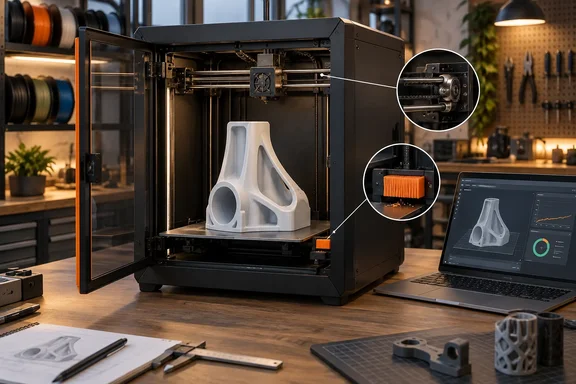
For workshops, design teams, school labs, and small businesses that use a large-format printer as a shared production tool, the useful news is not that Prusa shipped a slightly revised chassis. It did not. The real change is that a failed cleanup cycle should no longer leave a machine waiting for someone to acknowledge a prompt while the bed cools. Prusa is also making the physical upgrade available, but it is not simply a firmware download: the retrofit includes a belt-system conversion, Nextruder work, installation of the wiper, and a calibration pass.
The CORE One L+ is therefore a better buy than the original at the same nominal $1,999 MSRP cited by Tom’s Hardware. Existing owners should view the upgrade as a maintenance-window project, not as an automatic cure for every print-start problem.
The nozzle wiper replaces a weak point in unattended jobs
Before the L+ update, the CORE One L cleaned filament residue from the nozzle by tapping it against the print sheet before leveling. That method can work, but it is a poor fit for hot, ooze-prone materials such as PETG, nylon, ASA, and carbon-fiber-filled compounds. When the machine judged cleaning unsuccessful, it could pause before printing and wait for intervention.
Tom’s Hardware described this as the one persistent nuisance during more than 1,000 hours with its earlier CORE One L. The review’s practical conclusion is more significant than a cosmetic feature claim: a silicone wiping pad makes the printer more credible as a “start it and leave it” machine, particularly when a print occupies most of the 29.7-liter build volume and will run through the night.
Prusa says the wiper is designed to clear loose strands and blobs before the first layer. Firmware 6.8.1 changes the printer’s behavior accordingly, replacing the old nozzle-cleaning routine with a wipe sequence on equipped machines. The wiper can also be triggered manually with the G12 G-code, which gives operators a way to incorporate it into controlled start procedures rather than relying entirely on a default profile.
There is an important limit to the claim. The wiper cleans the nozzle’s printing area; it is not a substitute for periodically removing baked-on plastic from the rest of the nozzle or heater block. A user report filed in Prusa’s public firmware repository also describes the L+ failing its initial wiper touchpoint with minor residue present. That is one report, not evidence of a widespread defect, but it means buyers should not interpret the new pad as proof that pre-print failures have disappeared.
The operational improvement is still real. Reducing the number of runs stopped by a minor blob matters more in a print farm or office than it does for a hobbyist standing nearby. The cost of a failed first layer is not only wasted filament; it is lost machine time, a delayed prototype, and another task for whoever administers the equipment.
GT1.5 belts target the surface artifacts large printers expose
The other L+ change is less visible in product photos but potentially more consequential for parts intended to be seen: GT1.5 belts and matching transmission wheels replace the original belt geometry. Prusa says the new belts make unwanted repeating patterns finer and harder to notice, particularly on broad, smooth walls where small motion artifacts become obvious.
Those artifacts are often called vertical fine artifacts, or VFAs: faint, repeating surface patterns linked to the motion system, pulleys, belts, motors, or their interactions. A large-format printer makes the issue easier to spot because it can produce bigger enclosures, panels, props, and prototype housings with long uninterrupted faces. A strong first layer cannot hide a periodic pattern running up the side of a 300 mm-tall print.
Tom’s Hardware reports smoother-looking surfaces after the GT1.5 change, but that conclusion comes from a single review unit and should be read as testing experience rather than a universal measurement. Prusa’s narrower claim is the safer one: the belt change makes patterns less noticeable, rather than promising to eliminate all VFA-like defects across every filament, layer height, speed, and model orientation.
The retrofit has a detail that owners should take seriously. Prusa’s firmware documentation says GT1.5 belts move the toolhead a slightly different distance per motor revolution than the prior belts. In the printer menu, the belt selection must match the physical hardware. Selecting GT1.5 mode without the new belts—or fitting the belts but leaving the old configuration—can produce dimensional errors and homing trouble. Changing the setting also resets belt tuning and XY homing calibration, then restarts the machine.
That is the difference between a hardware improvement and an accessory. This upgrade changes motion geometry, so it belongs in a documented maintenance process. An IT-style asset record for shared equipment should note the printer’s hardware edition, firmware version, belt type, nozzle diameter, and material profiles after the work is complete. Otherwise, the next operator may troubleshoot what is actually a configuration mismatch.
Existing CORE One L owners can upgrade, but it is a real retrofit
Prusa’s store lists the CORE One L-to-L+ upgrade at roughly $23 before local taxes and shipping, closely matching the $25 figure highlighted by Tom’s Hardware. That price is unusually low for a vendor-supplied upgrade that changes both the nozzle-cleaning mechanism and the motion system. It also undercuts the usual buyer’s-remorse problem caused when a revised model arrives shortly after a major purchase.
But the low price should not obscure the labor. Prusa’s own upgrade manual breaks the process into six stages: preparation, printer teardown steps, belt replacement, Nextruder assembly work, wiper installation, and a preflight check. The company includes the needed plastic pieces and publishes printable versions, which is consistent with its repair-oriented approach. It does not make the conversion tool-free or risk-free.
Owners should schedule the work when they can run verification prints afterward. Start with the prescribed calibrations, then test X/Y dimensions, first-layer behavior, and a smooth-sided model that makes repeating artifacts visible. Preserve a known-good slicer profile before changing printer settings, especially in shops that depend on tuned profiles for ABS, ASA, nylon, or filled materials.
Prusa currently marks the upgrade as in high demand, with an estimated lead time of three to four weeks. That availability note is more useful than the promotional reassurance that upgrades exist: a current CORE One L owner cannot assume the kit will arrive with their next order.
The L+ remains constrained by its standard 290°C hotend
The refresh did not increase the CORE One L’s standard maximum nozzle temperature. Tom’s Hardware lists the machine at 290°C, while noting Prusa’s optional HT Hotend reaches 400°C. That distinction matters for anyone who bought the large enclosed platform specifically to produce engineering parts.
The review successfully printed PA6-CF20, a carbon-fiber nylon, but noted that the material would normally be run at 300°C. The resulting parts were still usable, which demonstrates that material profiles have room for compromise. It does not mean 290°C is ideal for every nylon, polycarbonate, or high-temperature composite a buyer might want to use.
Prusa’s HT Hotend is the appropriate path for users who genuinely need higher-temperature capability, though Tom’s Hardware reported it out of stock during testing. New buyers should include that limitation in the budget rather than treating the L+ as a 400°C printer. Out of the box, it is a 290°C machine with an optional route to more demanding materials.
This also weakens simplistic comparisons against machines whose headline specification is a higher hotend temperature. Temperature ceiling alone does not determine whether a printer will deliver stable engineering parts; chamber behavior, build plate adhesion, nozzle material, filament drying, and slicer profiles remain decisive. Still, the stock limit is a real product boundary, and the L+ revision does not move it.
Offline operation is the more distinctive enterprise feature
For Windows-based design workflows, the CORE One L+ can be driven through PrusaSlicer and network tools, but its more unusual capability is that it can operate entirely offline. Prusa says the printer can be configured, sliced for, and updated without cloud connectivity; it also says the Wi-Fi module can be physically removed for environments with stricter requirements.
That is a concrete differentiator for organizations that cannot place workshop equipment on a cloud-connected consumer account, or that need to move print files by controlled USB media. Prusa markets a separate Critical Infrastructure configuration that removes Wi-Fi circuitry and onboard cameras, but the standard L+ already offers a meaningful offline path.
The tradeoff is administrative rather than technical. Offline printing means the team, not a vendor cloud service, must own file transfer controls, firmware staging, profile management, and camera alternatives. For many home users, Prusa Connect and the Buddy3D camera are more convenient. For a lab handling sensitive prototypes, convenience may be the wrong priority.
The CORE One L+ does not reinvent Prusa’s large enclosed printer. It fixes a pre-print behavior that could demand human attention and revises the motion hardware to make surface artifacts less conspicuous. For new buyers, that makes the L+ the version to buy; for original CORE One L owners, the inexpensive retrofit is compelling, provided they treat its belt conversion and post-install calibration as production maintenance rather than a casual add-on.