

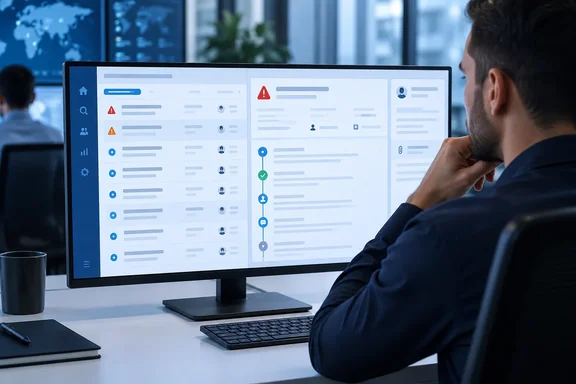
If your team tracks alert history in a spreadsheet, a Teams thread or one analyst's memory, this change is aimed at you.
What's changing
Microsoft first described the feature as part of a broader IRM alert update on its Tech Community security blog. The blog argued that "Investigation context shouldn't live in someone's memory or a side document." It said analysts and investigators can now add and view notes directly in alerts and cases within the Purview portal.
Notes come in two kinds:
- System-generated notes are applied automatically on key changes including alert or case status, assigned user, alert or case closure, and case escalations.
- Analyst notes let investigators capture their own observations as they work.
That blog post gave July 2026 public preview and roadmap ID 564620 as the launch details. It also grouped notes with two other changes: a unified alert queue that combines classic and agent-triaged alerts, and expanded user profile details.
Summary: Notes on alerts are new. Cases already supported analyst notes, and they now get system-generated notes too. Both kinds of note appear together in one timeline.
Where the notes live
According to Microsoft Learn, alert notes belong to the new unified alert experience. To access the unified alert experience, select the Alerts (preview) tab in the left navigation of the Insider Risk Management solution. In that view, system-generated notes are automatically added to alerts when there's a change in alert status, a change in the assigned user, or closure of an alert. They appear in the Notes tab of the alert details panel.
Microsoft Learn adds one caution: some system-generated notes may not appear for activity before July 1. Read older timelines with that gap in mind.
The case documentation lists four triggers for system-generated case notes:
- A change in case status
- A change in the assigned user
- Case closure
- Case escalation
These notes appear next to analyst-written notes in the case's Notes tab.
The limits to know first
Microsoft Learn documents several limits that are easy to miss:
| Behaviour | What Microsoft documents |
|---|---|
| Manual note cap | Up to 50 manual notes per alert or case |
| System notes | Don't count toward the 50-note cap |
| Editing | Notes can't currently be edited or deleted |
| Defender sync | IRM alert notes don't sync with Microsoft Defender |
| Historical gaps | Some system notes may be missing for activity before July 1 |
Two of these deserve extra attention.
Notes can't be edited or deleted. The case documentation calls notes permanent additions to a case. Typos, guesses and remarks you'd regret stay in the record. In an insider-risk case, which can end up with HR or legal, that record may be read by people outside the security team. Write as if someone outside the team will read every word, because they might.
Notes don't sync with Defender. Many SOCs work in the Defender portal, so this matters. A note entered in Purview won't show up on a related Defender alert. If your team works across both products, decide which one holds the official notes, or you'll end up with two incomplete stories.
How to add a case note
The steps for cases are documented by Microsoft:
- In the Purview portal, open Insider Risk Management > Cases.
- Select the case, then open its Case notes tab.
- Choose Add case note, type the note and save.
You may not need to add the first note by hand. When you confirm an alert and create a case, anything you type in the comments field of the Confirm alert and create insider risk case dialog becomes a case note automatically. Resolving a case also adds the resolution reasons to the case notes. The case notes dashboard shows who wrote each note and how long ago it was saved, and you can search note text by keyword from the case dashboard.
What success looks like: After you reassign or close an alert in the unified view, a system note for that change should appear in the alert's Notes tab next to any analyst notes. If it doesn't, first check that you're in Alerts (preview) and not an older view. Microsoft documents system notes for alerts only in the unified experience.
Why the unified alert view matters here
This feature doesn't stand alone. Microsoft Learn says the classic and new alert experiences would both be available for at least 60 days. After August 31, only the unified experience would be supported. If your analysts were still using the classic dashboard, the move to the unified view is when alert notes become available to them.
Petri's coverage of the unified view says the update lets analysts view classic and agent-generated alerts in one place and preview alert details, user information, and AI-generated summaries directly from the list. Notes complete that picture. The list now shows what the Triage Agent thinks of an alert, and the Notes tab shows what humans did about it.
Rollout timing
The admin digest M365 Admin, which tracks Message Center posts, gave a staggered schedule. It said public preview began in late June 2026; expected to complete by mid-July 2026, with general availability across Worldwide, GCC, GCC High and DoD starting in late September and expected to finish by mid-October 2026. The same digest says affected groups include IRM analysts, investigators and administrators, plus organizations using the Alerts (preview) experience.
So if you're in a government cloud and don't see the Notes tab yet, the rollout probably hasn't reached you. Nothing is likely broken.
Analysis: a timeline, not an audit system
Petri said the feature creates a more complete audit trail and preserves investigation context within Microsoft Purview. That's fair as far as it goes, but there's an important distinction.
System-generated notes are a convenient history inside the investigation. They don't replace the separate Insider Risk Management audit log. Microsoft Learn describes that log as always on and impossible to disable, and says it keeps information for 180 days. It's also separate from the Microsoft 365 audit log. If a regulator, auditor or outside counsel asks who did what, the audit log is still the system of record. Notes give the story, and the audit log gives the proof.
Here's a short scenario to show the difference. An analyst confirms an alert about large SharePoint downloads by a departing employee, then hands it to a senior investigator. Before this update, the reason for the handoff might have lived in a chat message. Now the reassignment creates a system note on its own, the analyst's reasoning can sit right next to it, and the comment from the confirm-and-create-case dialog carries over into the case. That's real continuity. Still, it's an inference from how the feature is designed. Microsoft hasn't published figures on time saved, and nothing in the documentation says notes alone meet any particular retention or legal requirement.
There's also a privacy point. IRM pseudonymizes users by default and relies on role-based access. Notes that can't be deleted are a good reason to keep identifying guesses and personal comments out of them. Record what was observed and what was done, not opinions about the person.
Bottom line for admins:
- Move analysts to Alerts (preview) if they haven't moved already.
- Write a short note-writing standard covering facts, actions and next steps, and remind people that notes are permanent.
- Decide whether Purview or Defender holds the official investigation notes.
- Keep using the IRM audit log for formal accountability.
It's a small feature, but it changes how IRM teams keep records. For a team handling sensitive internal investigations, having the full investigation history in one place is worth a lot.
References
- Microsoft Purview: Insider Risk Management - Expanding note capabilities across alerts & cases Microsoft 365 Roadmap · 2026-10-06T22:56:31.053213Z
- Microsoft Purview Insider Risk Management Gets Unified Alert Experience petri.com
- Introducing a unified alert experience for Microsoft Purview Insider Risk Management techcommunity.microsoft.com