

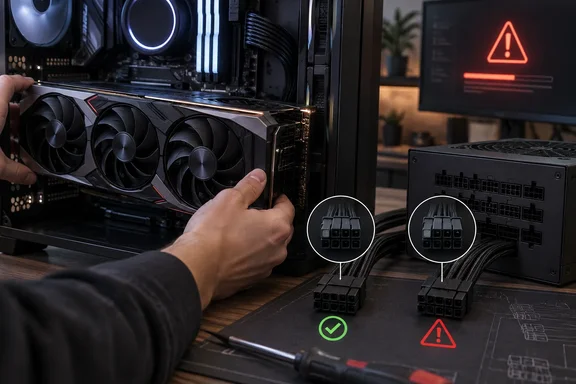
The report’s most important detail is not the age of the power supply or the GPU upgrade. It is the alleged use of PCIe cables from another modular PSU to avoid dismantling existing cable routing. That can put the wrong voltage or ground assignment onto pins at the PSU end of a cable even though the GPU-end 6+2-pin connector looks correct.
Wccftech’s headline says the unit “went up in smoke,” but the account reproduced in its story does not establish that. There are no published photographs of fire damage, no confirmed PSU model number, no cable part numbers, and no update identifying whether the graphics card, motherboard, storage drives, or other hardware survived. The available account supports a serious electrical fault and shutdown; it does not yet support a firm conclusion about the extent of the damage.
The connector is familiar; the wiring behind it may not be
PCIe auxiliary power connectors are standardized where they meet the graphics card. The modular connector on the other end of the cable, where it attaches to the PSU, is not universally standardized. Manufacturers can use the same-looking multi-pin housing while assigning individual positions differently across product families, revisions, and sometimes generations of the same brand.
be quiet! explicitly warns in its support FAQ that cables from other models, earlier series, or other manufacturers can trigger protective circuits because the pin assignments differ. Seasonic, ASUS, and Corsair publish comparable compatibility warnings: use the cable supplied with the specific PSU unless the manufacturer documents compatibility for the exact model family.
That distinction is easy to miss during an upgrade. A builder sees an unused eight-pin socket on the power supply, finds a cable with a matching plug, and assumes the job is done. The system may then send 12V where the attached cable expects ground, or create a short as soon as the PSU is switched on. A protection circuit can stop the event quickly, but it is not a guarantee that nothing downstream was exposed to the fault.
The user’s reported shutdown is therefore better read as evidence that some protection likely reacted, not proof that the protection system saved every component. Until the machine is tested with verified cables and a known-good PSU, the condition of the RX 9070 XT and the rest of the PC remains unknown.
An old 850W PSU was not necessarily the problem
The reported 850W rating does not itself look implausible for a modern high-end graphics-card upgrade. A quality 850W unit can remain adequate if its output capacity, connectors, and cable set match the new system’s actual demand. Age can affect capacitors, fans, electrical efficiency, warranty coverage, and transient behavior, but “15 years old” does not explain the described immediate failure as directly as the cable mismatch does.
The report also does not identify the exact be quiet! model. That omission matters because a 15-year-old product could predate current ATX revisions, lack the native connector mix expected by newer hardware, or have different cable designs from later be quiet! series. An 850W label alone cannot establish whether the unit was electrically suitable for the full configuration.
For the RX 9070 XT installation described by Wccftech, the user reportedly needed three eight-pin PCIe connectors. That setup should have prompted a cable inventory before installation, not a search among loose leads already hidden in the chassis. If the PSU did not retain enough of its original PCIe cables, the safe answers were to obtain verified replacement cables from be quiet! or replace the power supply—not to reuse an unmarked cable whose origin could not be established.
There is one useful qualification to the blanket advice that cables can never be reused. Some manufacturers document compatibility across specific product lines. Corsair, for example, maintains cable-type compatibility charts. But that is a manufacturer-specific exception requiring exact model verification, not a visual inspection rule. “It fits” is not verification.
What to do after a suspected cable mismatch
Anyone who realizes they have mixed modular cables should stop troubleshooting by repeatedly pressing the power button. Each additional attempt can turn an uncertain electrical event into a confirmed hardware loss.
A cautious recovery sequence is straightforward:
- Disconnect AC power, switch the PSU off, and remove every modular cable whose origin cannot be tied to that exact PSU model.
- Do not reuse a cable just because it has the same number of pins, the same sleeve color, or a familiar connector shape at the component end.
- Inspect the PSU sockets, cable terminals, GPU power sockets, motherboard connectors, and nearby PCB areas for melted plastic, discoloration, loose pins, or a burnt-electronics odor.
- Rebuild the minimum configuration with a known-good PSU and only its original or manufacturer-approved cables, then test outside a cluttered cable setup if practical.
- Avoid connecting valuable drives or the new graphics card until basic power-on behavior is stable; a mismatch can affect more than the component that first drew attention.
- Contact the PSU maker with the exact model and cable markings if original leads are missing. Do not rely on marketplace listings that call a cable “universal” without a documented compatibility table.
For experienced builders, a continuity test can help compare a cable against an authoritative pinout, but it is not a substitute for manufacturer confirmation. Testing an unknown cable incorrectly—or assuming that a shared connector housing means shared electrical mapping—can reproduce the original mistake.
Cable management should never outlive cable provenance
The uncomfortable lesson in the reported incident is that tidy cable management can obscure critical information. When a PSU is replaced, its cables should be removed with it, tagged and stored with it, or discarded. Leaving old leads routed behind a motherboard tray creates a future trap: the cable looks installed, available, and probably correct precisely because it has been out of sight.
This is especially relevant as GPU upgrades demand more power connectors or newer cable standards. Builders frequently focus on wattage calculators, GPU clearance, and cooling, while the cable set becomes an afterthought. The safer upgrade checklist includes the PSU’s exact model, the number of separate PCIe feeds required, the manufacturer’s cable-compatibility documentation, and the origin of every lead connected to the PSU.
Wccftech has not reported a follow-up showing the alleged damage or identifying any destroyed components. Until that evidence appears, the story is a narrowly documented shutdown rather than proof of a total system loss. The practical consequence is already clear: if a modular cable cannot be traced to the PSU now installed in the case, leave it unplugged.