

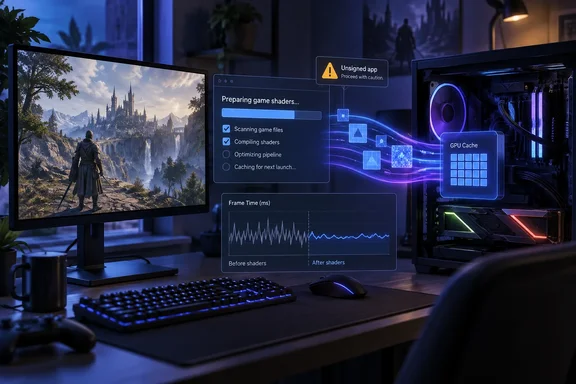
What SCSKiller actually does
When a game meets a new visual effect, the GPU driver has to compile the matching shader, and the frame waits for it. That wait is the hitch you feel.
SCSKiller moves the work earlier. It scans the shaders shipped with a game, determines the pipelines it is likely to build, and compiles them into the GPU driver's shader cache before the game is launched. The game then finds the pipelines already in the cache instead of stopping to build them.
Its documentation says it compiles through DirectX, the way the game would, and does not touch your drivers or their settings. Game files are never modified, with one exception: the optional recorder (see below) adds a few files to the folder of any game you enable it for.
What it can't fix
The developer is upfront about the limits:
- Fixes: shader compilation stutter.
- Can't fix: traversal and streaming stutter, or hitches with other causes.
- Occasionally: a shader the tool couldn't find or record can still compile in-game.
Coverage elsewhere echoes this. Part of Style notes that it will not solve stutters caused by asset streaming, CPU bottlenecks, traversal loading, memory issues, background processes, or poor engine optimization. A ResetEra commenter, asked whether it would help Dead Space remake, answered that those are traversal stutters, so no. That is a user's reading, not a test result.
The numbers, and how far to trust them
The project's results come from about five minutes of play per game, comparing a cold driver cache with one prepared by SCSKiller. A counted stutter is a shader compile the game waited 20 ms or more for.
| Game and GPU | Stutters (≥20 ms): cold → compiled | Worst stall: cold → compiled |
|---|---|---|
| Final Fantasy VII Rebirth, RTX 5090 | 19 → 0 | 76 ms → 5 ms |
| Final Fantasy VII Rebirth, Ryzen AI Max+ 395 | 162 → 0 | 291 ms → 7 ms |
| Silent Hill: Townfall, RTX 5090 | 24 → 0 | 347 ms → 8 ms |
| Hogwarts Legacy, RTX 5090 | 1,014 → 87 | 2,400 ms → 100 ms |
| Hogwarts Legacy, Ryzen AI Max+ 395 | 27,743 → 206 | 2,146 ms → 104 ms |
| Tiny Tina's Wonderlands, RTX 5090 | 583 → 0 | 315 ms → 13 ms |
| Star Wars Jedi: Survivor, RTX 5090 | 9,038 → 11 | not listed |
Three cautions apply:
- The figures were measured with SCSKiller's pipeline recorder, and the project says your numbers will vary by game, GPU and driver.
- These are not independent, controlled benchmarks. Hogwarts Legacy still logged 87 and 206 stalls after compilation, so "eliminated" is too strong.
- The test hardware is high-end: an RTX 5090 and a Strix Halo APU. A mid-range GPU or an older driver may behave differently.
Outside coverage is thin so far. A social-media post says Wccftech tested Final Fantasy VII Rebirth and saw the shader-related stutters essentially disappear. That is one game, reported secondhand here.
Compatibility and requirements
- OS: Windows 10 (version 2004) or 11, 64-bit.
- GPU: NVIDIA or AMD. Intel GPUs are not supported yet. The developer says they don't have one to test on.
- APIs: DirectX 12 on both vendors, and DirectX 11 on NVIDIA only.
- Launchers detected: Steam, Epic Games, EA app, GOG, Ubisoft Connect, Xbox (PC), Battle.net, PURPLE, HoYoPlay and Gaijin. You can also add a game manually.
- Account: none needed. Signing in with Patreon only adds supporter features, such as a community shader-hash database.
Detecting a game doesn't guarantee a full compile. Some games are marked as needing a recording, and some are listed as unsupported. For example, the release notes say AION 2 is unsupported because its files are encrypted and its anti-cheat keeps it from being recorded.
How to use it
Per the project's instructions:
- Open SCSKiller. It finds your games and the shaders they ship with.
- Queue games and press Compile. "Add all recommended" is a good start. Keep the game closed while it compiles.
- Launch the game from your store, or with the app's Play button. You can close SCSKiller, because the game reads the driver's cache on its own.
- If a game says it needs a recording, turn on Record, play for a few minutes, then compile.
Driver updates matter here. A driver update clears the shader cache, so SCSKiller notices and recompiles, on its own if you let it. If you update GPU drivers often, expect to recompile.
Anti-cheat and the recorder
The recorder drops files into the game's folder (the project lists d3d12.dll, scskiller.ini and scskiller.armed). That makes anti-cheat the obvious worry. The developer says SCSKiller never launches, injects into or records anti-cheat games, and only reads their files. The one exception is an opt-in offline session without EasyAntiCheat for ELDEN RING and ARMORED CORE VI, confirmed before every launch and "at your own risk". The documentation warns that if those files are still present when you start the game online, you could be banned. That's a cautionary note for anyone using that mode.
The security trade-off: unsigned releases
SCSKiller is not code-signed yet. Code signing through the SignPath Foundation is in progress, but alpha and beta builds will stay unsigned. In practice:
- SmartScreen will probably show "Windows protected your PC". The documentation says to choose More info, then Run anyway. You should see this once per install, because in-app updates don't trigger it.
- Smart App Control on Windows 11 blocks unsigned apps with no Run anyway option. If it's on, the developer says to wait for a signed release.
- Hash checks: the release notes publish SHA-256 hashes you can compare using PowerShell's Get-FileHash. The notes themselves aren't signed, so a match shows the file arrived intact. It does not prove who built it.
- Download source: the repository says the only official downloads are its GitHub Releases. Search results already show several similarly named GitHub repositories, so check you're on the right one. The project says anything else claiming to be SCSKiller isn't theirs.
For a gaming PC that also handles work or banking, a utility that adds files to game folders and runs unsigned deserves caution. Waiting for the signed build is reasonable. The code is GPL-3.0-or-later and open to inspection, which helps, but few people will read it.
Microsoft, AMD and NVIDIA: different tools, same problem
Microsoft's Advanced Shader Delivery (ASD) is a Windows 11 Direct3D 12 technology that moves compilation off the player's device in Microsoft's own description. More precisely, shaders are precompiled and delivered with the game download. It needs a supported Windows version, an ASD-capable GPU and driver, and storefront integration. The developer pipeline builds a State Object Database, tests it as a Precompiled Shader Database, and deploys it to a storefront. So ASD depends on developers and stores. SCSKiller works after the fact on installed games, with no publisher participation.
AMD has extended DirectX 12 background shader compilation to Unreal Engine 5 titles in Adrenalin 26.9.2, according to the Neowin report. I couldn't open AMD's support page, so I'm not repeating its guidance on benchmarking after compilation.
NVIDIA's Auto Shader Compilation is a beta in the NVIDIA app. NVIDIA describes it as a feature that rebuilds DirectX 12 game shaders after a driver update while your system is idle, or on demand. The Neowin report says it is off by default. Its stated role is rebuilding after driver updates, while SCSKiller aims to compile a game's pipelines more broadly, including before first play.
These approaches overlap but aren't interchangeable. The headline's "couldn't" framing ignores that each vendor is shipping its own mitigation.
Should you try it?
Consider it if you have an NVIDIA or AMD GPU, play DirectX 12 titles known for compile hitches, and can tolerate an unsigned beta-era tool. Expect the best results in games where the cause really is shader compilation. If your hitches come from streaming or traversal, this won't help.
Test it fairly: note your frame-time behavior before and after, and keep the driver version fixed. Avoid anti-cheat titles unless you understand the offline-session caveats.
The takeaway is that SCSKiller is a promising, narrowly scoped community tool backed by self-reported numbers. It doesn't replace ASD or the vendors' own compilation features, and its unsigned status is a real consideration for Windows users.
References
- This free app promises to fix major flaw on Windows Microsoft, AMD, Nvidia couldn't Neowin · 2026-10-05T11:52:02+00:00
- GitHub - BlueHeisenberg/SCSKiller: Kill shader compilation stutter before you play. Compiles your games' shaders into the GPU driver's cache ahead of time. Windows, NVIDIA and AMD. · GitHub github.com
- (wccftech) New Free Open Source SCSKiller Tool Targets PC Shader Compilation Stutter (compiles shaders before game is launched) resetera.com