

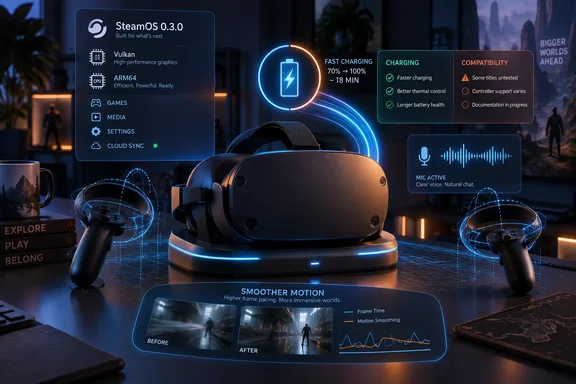
Valve announced SteamOS 0.3.0 for all Steam Frame users through the headset’s Steam Community page. Notebookcheck first highlighted the release’s charging improvement, while Ars Technica’s early review provides useful context: it found the standalone headset could manage only about 90 minutes in its graphics-focused Performance mode with many VR games. SteamOS 0.3.0 promises faster recovery between sessions, not longer sessions once the headset is being used.
That distinction is important for anyone deciding whether the Frame can replace a PC-tethered VR setup. The update addresses a real usability problem, but it does not change the 21.6 Wh battery capacity, publish new battery-life figures, or claim a lower power draw during games. Owners should expect quicker charging in the specific off and sleep states Valve names, then test active charging and in-game runtime separately.
Charging, tracking, and microphone fixes target the rough edges
Valve’s general fixes are unusually specific for a first headset update. The company says Steam Frame now charges “substantially” faster when powered off or sleeping, improves controller tracking when haptics are active, is more stable under heavy load, and no longer produces garbled microphone audio.
The charging item is the clearest practical win, particularly because early reviews found standalone VR use to be demanding on the battery. Ars Technica measured about an hour and a half in Performance mode across many VR titles, and PC Games Hardware similarly reported short endurance in its own testing. Neither review’s runtime figures can be treated as a universal result — games, performance modes, wireless activity, ambient temperature, and streaming all affect it — but both underscore the same issue: charging speed matters more when a full charge is quickly consumed.
Valve has not quantified the before-and-after charge rate. There are no wattage figures, minutes-to-full estimates, charger requirements, or confirmation that the improvement applies while the headset is actively running a game. That leaves the most useful owner test simple: charge the Frame from the same approximate battery level before and after installing 0.3.0, first while shut down and then while asleep. A better result in either state should not be mistaken for an improvement to battery endurance.
The tracking fix is similarly targeted. It applies specifically when haptics are active — the moment when a controller is vibrating during a hit, grab, shot, or UI action. Those are precisely the moments where degraded positional tracking is hardest to ignore, especially in rhythm games and fast action titles. Valve has not identified the sensor behavior behind the issue or named affected games, so users with persistent controller drift outside haptic-heavy interactions should not assume they are encountering the bug addressed here.
The microphone repair is more straightforward. Valve says it fixed a “garbled audio” issue. For voice chat, multiplayer coordination, and social VR, that is a material reliability fix, but it remains a software fix claim rather than proof that every poor voice-quality report has the same cause. If audio is still distorted after the update, test more than one application before blaming the headset hardware.
Motion smoothing now does what its setting says
SteamOS 0.3.0 also repairs the per-application Motion Smoothing setting called “Force Always-On,” which Valve acknowledges had been ignored. A control that displays as enabled while failing to apply is worse than a missing option: it sends users troubleshooting performance in the wrong direction.
Valve separately says it improved motion smoothing behavior in Half-Life: Alyx. PC Games Hardware reported that the headset’s standalone performance in Valve’s flagship VR game depended heavily on interpolation to reach a smoother 72 fps output in its testing. The update may therefore be most visible in Alyx for users who were already leaning on motion smoothing, though Valve has supplied no benchmark or scene-by-scene analysis.
The remaining interface changes are smaller but sensible. Steam Frame now includes a VR Settings option to choose whether the game dims when the dashboard is visible, and entering the Play Area menu no longer automatically displays the boundary. Both changes reduce unwanted interruptions rather than adding headline features. On a headset, where settings overlays compete directly with the experience in front of the user, that is not trivial polish.
For current owners, the update should be installed before re-evaluating tracking, microphone behavior, or motion smoothing. It is available through the Frame’s normal SteamOS update mechanism, but it is a Frame-specific ARM64 SteamOS build, not a Steam Deck or conventional Windows PC update.
Valve’s Playable-resolution change conflicts with its documentation
The release’s most unsettled item sits in the developer section. Valve’s patch notes say it changed Steam Frame’s Playable performance criteria “to allow any resolution,” replacing a previous 1440p requirement. On its face, that should permit more standalone VR titles to receive a Playable compatibility badge rather than failing on resolution alone.
However, Valve’s Steamworks documentation for the Steam Frame Standalone Compatibility Review Process still says that VR games below 1440 × 1440 per eye receive an Unsupported badge. The same document says a title needs 72 fps at 1728 × 1728 during normal play to earn a Verified designation. PC Games Hardware independently identified this discrepancy and reported that the old 1440 × 1440 Unsupported rule remained in Valve’s developer documentation on September 19.
This is more than a wording quirk. Steam Frame’s compatibility labels are supposed to tell buyers whether a game can run locally on the headset, without a gaming PC handling the rendering. Valve says the review outcome does not control whether a game is available to customers, but it changes how the game is presented in the Steam store and library. A title marked Playable may need configuration work; a title marked Unsupported signals a more fundamental compatibility problem.
The patch notes and the documentation might be describing subtly different thresholds, or the documentation may simply not have been updated when the software shipped. Valve has not explained which interpretation is correct. Until it does, developers should not assume that lowering a VR game’s render resolution will automatically make it eligible for Playable status, and buyers should treat any new badge changes as more meaningful than the broad wording of a single changelog bullet.
The broader technical context helps explain why Valve is working on this now. Steam Frame runs SteamOS on an ARM-based Snapdragon 8 Gen 3 platform. Valve’s Steamworks materials describe several routes for games to run locally: Windows games through Proton, x86 software through FEX translation, and Android applications through its Lepton compatibility layer. Each route carries different performance and compatibility costs, and VR’s frame-time requirements make a nominal resolution target only one part of whether a game feels acceptable.
Vulkan and Mesa entries promise groundwork, not a universal speed boost
Valve also lists Vulkan-layer fixes for game compatibility, broader operating-system performance work, and Mesa graphics improvements. These changes are potentially significant because the Frame’s local game support depends on a stack of translation layers, Vulkan drivers, the SteamVR runtime, and the headset’s ARM graphics hardware working together.
What Valve has not provided is a list of fixed games, a test matrix, or measured gains. The release does not say that a particular title now launches, that a crash has been eliminated, or that frame rates have risen by a defined amount. Users should resist the usual temptation to read “Mesa graphics performance” as a blanket upgrade for every VR game.
Ars Technica’s review found several early standalone compatibility failures, including titles that would not launch, displayed major graphical glitches, or crashed the headset. SteamOS 0.3.0’s Vulkan compatibility work may address some issues in that class, but Valve has not connected its fixes to named applications. The only credible way to assess the result is game by game, with the same render settings and performance mode used before and after the update.
The useful conclusion is narrower than Valve’s 12-item changelog suggests. SteamOS 0.3.0 is a worthwhile early maintenance release for Steam Frame owners because it repairs explicit broken behavior and improves charging in idle states. It does not yet establish that the headset’s battery life, broad standalone compatibility, or all-game graphics performance has materially changed.
Valve now needs to reconcile the Playable resolution rule in its public developer guidance. Until that record is corrected or clarified, Steam Frame’s compatibility badge remains less precise than it needs to be for developers building for the new platform — and for buyers deciding whether a game will run locally rather than through a Windows gaming PC.
Update: Testing suggests charging gains extend to active use (September 20, 2026)
Contrary to the earlier uncertainty around active charging, The Verge reportedly measured higher Steam Frame charging rates after SteamOS 0.3.0 even while a game was running. Its test found the headset began charging at roughly 19–21W after the update and could reach about 42W, compared with a reported pre-update start near 8W and peak around 27W.
That does not establish longer in-game battery life, but it suggests the patch’s charging changes may be broader than Valve’s stated off-or-sleeping scope. Results will still depend on charger capability, cable quality, battery temperature, and workload; Valve recommends a USB-C charger rated at 45W or higher.
References
- Latest Steam Frame update introduces significant improvements Notebookcheck · 2026-09-19T22:37:00+00:00