

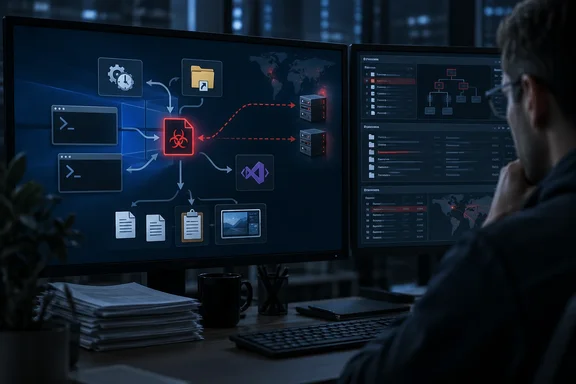
SOC Prime summarised the threat on October 1, 2026. The research behind it comes from Securonix Threat Research and was published on September 21, 2026. The main point for defenders is that this malware sets up several separate ways to restart itself, so partial cleanup is not enough.
What Securonix found
The analysis comes from Securonix researchers Akshay Gaikwad and Aaron Beardslee. They built their analysis from one infected machine, so Securonix cannot say how many organizations are affected. Securonix also did not name a threat group.
The infection chain is busy. It begins with a desktop VBScript and deploys a redundant persistence framework under %LOCALAPPDATA%\WinDefendSvc. According to Securonix, the sample does the following:
- Creates four scheduled tasks from XML definitions
- Places msdiag.vbs in the user Startup folder
- Terminates existing loader instances
- Backdates core artifacts
- Launches two hidden PowerShell modules
- Compiles C# code at runtime through the legitimate .NET compiler
- Opens a specific web page in Chrome, and executes a cleanup batch file
The folder name WinDefendSvc is chosen to look like part of Microsoft Defender. It is not a Microsoft component.
In short: this is one detailed case study, not a measured outbreak. The techniques still apply to any Windows network.
How it got in is unknown
Securonix observed the entry script as 95c9050t66.vbs, launched by wscript.exe from a user-accessible Desktop path. Some coverage goes further than the evidence. SC World, citing The Hacker News, wrote that the initial access vector likely being phishing or social engineering. Phishing is a reasonable guess, but Securonix does not confirm it. Securonix emphasized that process telemetry alone cannot establish the initial-access vector. GBHackers also noted that the Desktop location is consistent with payloads introduced through phishing attachments, browser downloads, archive extraction, removable media, or manual execution.
To trace the source on an affected machine, Securonix suggests examining the original script and its NTFS metadata. That includes the Zone.Identifier alternate data stream, which Windows adds to many downloaded files to record where they came from. Check it alongside browser, email, archive-extraction and endpoint file-creation records.
Two other details are unresolved:
- The Chrome page. Chrome opened a page on an IranTenders domain. Securonix says that page's role is unconfirmed and does not show the domain is malicious. Don't add it to a blocklist on this evidence.
- The cleanup script. A
purge.batfile ran and triggered a two-second delay. The telemetry did not show its other commands, so what it deleted is unknown.
Five ways back in
The malware plants at least five footholds, four scheduled tasks and a copy of itself in the Startup folder, and researchers warn that removing only one may leave the others able to rebuild the infection. Help Net Security put it simply: deleting the script from the desktop does nothing to the copy in the Startup folder.
The task names are where the "STOMP" behaviour gets awkward for defenders. Securonix recorded the following:
| Phase | Scheduled task names observed |
|---|---|
| Initial VBScript run | Local Credential Manager, Network Audio Service, Windows Display Manager, Device Credential Handler |
| Later run from the Startup folder | Network Session Agent, System Audio Controller, Host Session Broker, System Registry Handler |
Both sets of tasks are built from the same task.xml through task4.xml files. As GBHackers summarised, the malware can reuse the same task XML files while rotating the visible task names, undermining detections that rely only on scheduled-task names. A detection rule that looks for "Network Audio Service" will miss the next round of names.
Securonix also says the process telemetry did not show what is inside those XML files: the triggers, the account each task runs as, and its settings. That is why recovering the XML files matters.
The "timestomp" part of the name refers to faked file timestamps. The VBScript set the last-modified time of five staged files (msdiag.vbs, diag_pack.dat, win_conn_cfg.dat, sys_loader.ps1 and win_conn.ps1) to January 15, 2024 at 08:30:00, even though the activity happened in 2026. Securonix treats that shared, backdated timestamp as a strong anti-forensic indicator. It also notes that changing this one timestamp does not necessarily erase other filesystem or event-log evidence.
In short: one cleanup action will not remove this malware. You need to find and remove every foothold.
Two PowerShell modules, two C2 channels
TASK#STOMP launches two hidden PowerShell modules, sys_loader.ps1 and win_conn.ps1, with -NoProfile, -ExecutionPolicy Bypass, and -WindowStyle Hidden. Before doing so, the installer enumerates running processes and terminates older instances whose command lines contain sys_loader or win_conn, then relaunches clean copies.
Securonix makes a point that often gets lost: -ExecutionPolicy Bypass does not elevate privileges or get around Windows access controls. Execution policy is a safety setting, not a security boundary, and malware bypasses it routinely.
Securonix Threat Research obtained and decoded the two Base64-encoded payload files referenced by the loader scripts: diag_pack.dat and win_conn_cfg.dat. The decoded code runs in memory. The encoded .dat files stay on disk, though, so this is not "fileless" malware, and those files can be recovered as evidence.
Two hidden PowerShell modules handle the theft. One hunts for documents, the other keeps a second channel open to the operators. Securonix's breakdown of the document collector:
- File types: .doc, .docx, .pdf, .ppt, .pptx, .xls, .xlsx, .zip, .rar and .7z
- Where it looks: all fixed drives, skipping system and staging folders
- Filters: files created or modified in the last 365 days, up to 500 MB each
- Duplicate checks: path, MD5 hash and file size
- Order: Word files first, then PDF, PowerPoint, Excel and archives
- Ongoing: it keeps watching for new or changed files after the first sweep
The same modules also collect host and network details, saved Wi-Fi passwords, screenshots, and clipboard text (which is cleared after it is read), and they accept arbitrary PowerShell commands.
Both modules contact the same two command-and-control (C2) servers, corecloudfileshare[.]xyz and attachmentsharingdrive[.]xyz. If a request to one fails, they switch to the other. They also send the same hardcoded X-Auth-Token header. Securonix lists API paths including /status, /upload, /api/register, /api/heartbeat, /api/c2/poll/ and /api/c2/result/, and a user-agent string that impersonates Chrome 120 on 64-bit Windows 10.
For TLS, each module uses Add-Type to compile a small C# helper on the fly, which launches csc.exe and cvtres.exe as child processes. The helpers, named SSLFix and SSLFix2, force TLS 1.2 and accept any server certificate. News4Hackers described the effect as enabling communication with C2 servers even when certificates are invalid, self-signed, or mismatched. The setting applies only to the malware's own connections. It does not mean every TLS connection on the host is compromised.
A note on SOC Prime's test script
SOC Prime's write-up includes a test script for generating C2-like traffic. It uses a placeholder token (STOMP_DEBUG_TOKEN_9928374) and an /api/checkin path. That path is not among the endpoints Securonix reports, and the token is not the value Securonix decoded. The script is fine for checking that your logging captures the traffic. Don't build production detections from its values. Use the domains, token and paths in Securonix's report.
Hunting checklist for Windows admins
Securonix's main advice is to correlate behaviours rather than rely on filenames or task names. Cybersecurity Insiders summarised it this way: correlation across endpoint, PowerShell, Task Scheduler, filesystem and network telemetry provides a more complete detection picture than relying on any single filename, task name or process.
What to look for:
- Scripts creating tasks:
wscript.exeorcscript.exelaunchingschtasks.exewith/Createand/XML, especially when the XML file sits in AppData, Temp, Desktop or Downloads. Several task creations from the same script within five minutes is a strong signal. - Task-creation logs: collect Security Event ID 4698 (a scheduled task was created) and the Task Scheduler Operational log with full task definitions. General knowledge, not from the report: Event 4698 is only written when "Audit Other Object Access Events" auditing is enabled. Many organisations don't enable it, so check before you rely on it.
- PowerShell from the staging folder: hidden PowerShell running with
-ExecutionPolicy Bypassfrom%LOCALAPPDATA%\WinDefendSvc, or readingdiag_pack.datorwin_conn_cfg.dat. - Compiler activity: PowerShell starting
csc.exeand thencvtres.exe. Some developer and admin tools do this legitimately, which is why this signal works best alongside the others. - Script Block Logging and AMSI: both can capture the decoded PowerShell. General knowledge: Script Block Logging is enabled under Computer Configuration → Administrative Templates → Windows Components → Windows PowerShell, and decoded blocks appear as Event ID 4104.
- Network traffic: the two C2 domains, the static token and the listed API paths.
- Backdated files: several files sharing an identical, old last-modified time that doesn't match when they were created.
Response: collect evidence first, then remove everything at once
If you confirm TASK#STOMP activity, Securonix's guidance follows this order:
- Preserve evidence: task XML files, the
.datpayloads, the scripts and relevant logs, before any cleanup. - Stop the running processes: end the VBScript and PowerShell processes tied to
WinDefendSvc. - Remove every foothold together: all scheduled tasks under either set of names, plus the
msdiag.vbscopy in the Startup folder. - Block the confirmed C2 indicators where your policy allows.
- Reboot and check again that none of the components come back.
Treat the host as a data-exposure incident as well. The malware collected documents and Wi-Fi passwords, so rotate wireless credentials and review which files could have been uploaded.
Bottom line
TASK#STOMP is not technically novel. It uses familiar techniques: script launchers, scheduled tasks, Base64-encoded payloads and on-the-fly C# compilation. What makes it hard to remove is the combination of five separate footholds, rotating task names, faked timestamps and two C2 servers. Detection based on task names or file names will not keep up with it. Rules that watch for process behaviour (scripts creating tasks, PowerShell launching the compiler) will catch it. Until the delivery method is confirmed, treat the phishing theory as a guess.
References
- TASK#STOMP PowerShell Backdoor Steals Documents - SOC Prime SOC Prime · 2026-10-01T07:43:49+00:00
- TASK#STOMP: PowerShell Backdoor for Document Theft and Remote Access securonix.com
- TASK#STOMP Windows Backdoor Exploit: Ongoing Document Theft Threat news4hackers.com