

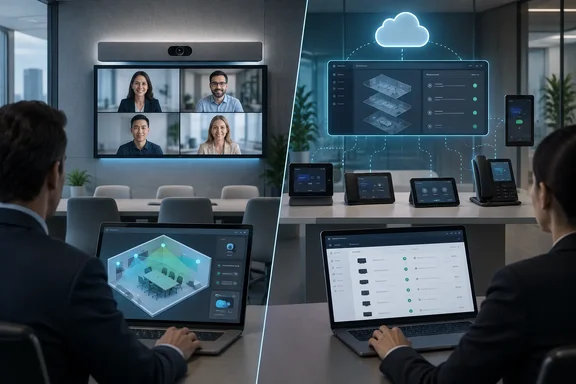
The comparison comes from a UC Today feature. We checked its claims against Cisco's and Microsoft's own documentation. The vendor records mostly back the broad story, and they add several prerequisites and limits that change how "zero touch" and "single portal" should be read.
Cisco Control Hub and Teams Rooms Pro Management start from different centres
The two platforms solve different problems. Cisco's Workspaces view in Control Hub treats the room as the unit of management. Each workspace shows device and peripheral status, usage data and room telemetry. Since May 2026 it has also carried Workspace Advisor and workspace-aware AI. Cisco's longer-term aim is to put that room data next to network, security and observability data from the rest of its portfolio.
Microsoft treats the certified Teams device as the unit of management and wants every one of those devices in one console. Microsoft Places handles reservations, occupancy and desk planning. PMP handles device inventory, health, settings, updates and remote actions. Microsoft's own transition documentation says PMP offers management parity across Teams Rooms on Windows and Teams Rooms on Android, enabling administrators to manage both platforms through a consistent experience.
The choice comes down to what administrators already have in front of them when a room fails. A Cisco shop can see the codec, the room model and, increasingly, the network path in one place. A Teams-first shop gets one incident queue covering Windows rooms, Android rooms, phones and panels from many hardware makers. The Entra ID and Intune estate sits next to it, and that estate is exactly what Microsoft's deployment tooling depends on.
Zero Touch Provisioning in RoomOS 26.5 versus Autopilot and Autologin: both move the work elsewhere
Cisco's Zero-Touch Provisioning (ZTP) lets an administrator claim a device by its wired Ethernet MAC address, assign it to a workspace or a personal user account, and pre-configure it before it ever connects. Bulk rollouts use a CSV of MAC addresses. Claimed devices that haven't connected yet show as Pending. When a factory-reset device joins the network, the installer picks automatic onboarding on the welcome screen and the device registers and pulls down its waiting configuration. There is no 16-digit activation code to type.
The two sources disagree on availability. UC Today describes the rollout, which began with RoomOS 26.5 in April 2026, as phased rather than fully generally available. Cisco's current help documentation says ZTP is generally available for supported devices running RoomOS 26.5.0 or later. Both can be partly true: the feature is GA, but reaching it still involves manual steps. Cisco says devices below 26.5 currently need a manual upgrade followed by a factory reset. An automated pre-onboard upgrade and updated factory images are promised for "the coming months". RoomOS 11 is not supported. The documented exclusions matter for enterprise networks:
- TLS-intercepting proxies are not supported, because the device needs a direct, trusted connection to Webex services.
- Devices that require Hybrid Calling must use the older activation-code or manual onboarding workflow.
- Certificate enrollment for 802.1X or SCEP remains a separate manual process.
- Camera positioning, mounting and other physical installation still have to be done by hand.
- Organisation or location defaults for time format, time zone and language must be set in Control Hub, or the first-time wizard will ask for them. Board Series devices also need their audio placement set.
Microsoft's equivalent for Teams Rooms on Windows combines Windows Autopilot with Autologin. Microsoft says the combination means nobody has to physically interact with the device: it installs Windows and the Teams Rooms app out of the box and signs in to the room's resource account. Microsoft's documented process has nine steps. You verify prerequisites, register devices as Autopilot devices with a GroupTag prefixed "MTR-", and create a device group. You deploy the Teams Rooms app update tool as a Win32 app through Intune and create an Enrollment Status Page profile. Then you create a self-deploying Autopilot profile, assign a LAPS policy, link resource accounts under Planning > Autopilot devices in PMP, and deploy.
The prerequisites are the real cost. Every device needs a Teams Rooms Pro licence, which Microsoft says includes the required Intune and Entra ID P1 entitlements. Automatic Intune enrollment has to be configured, and only Windows 11 Teams Rooms devices are supported. Microsoft Entra hybrid-joined devices can't use Autopilot self-deploying mode. The resource-account link in PMP is valid for up to 90 days, so staging devices far ahead of an office opening needs planning. Microsoft also recommends excluding the Teams Rooms device group from other Intune configuration and compliance policies so that rooms receive only the policies meant for them.
In both products, "zero touch" moves the effort from the room to the admin console. Cisco currently asks less of the person standing in the room once RoomOS 26.5 is on the device. Microsoft can remove more of the on-site work, but only after the identity and endpoint-management groundwork is done.
Teams Rooms Pro Management has the more concrete incident model
Neither vendor publishes accuracy or repair-rate figures for its room-management AI, so neither can honestly be ranked as "smarter". What can be compared is how each one documents detection and escalation. Microsoft's documentation is the more specific.
PMP's monitoring agent reports incidents by category. Critical and Important incidents cover displays, conference microphones and speakers, cameras, HDMI ingest, Exchange and Teams sign-in, and proximity sensors. Warnings cover stale Teams Rooms app versions and Windows builds that are no longer recommended. Microsoft says a warning can escalate to Important if it isn't dealt with. Any device with an Important incident is marked unhealthy, although Microsoft cautions that an unhealthy device isn't necessarily a room outage.
Each incident is in one of two states. "Needs Action" means a human has to act, and the incident includes typical causes, suggested fixes and a Notes entry recording anything the system already tried. "System Investigating" means the service has detected the problem and its AI is working out next steps, handing back to the administrator if it can't fix the issue itself. A third status, Unmonitored, is the one to watch after network changes. It means the monitoring agent has lost contact with the cloud service, which Microsoft attributes to network problems, firewall policy changes or changes to the device image. Each room signal keeps a single ticket ID for its whole life, so repeated failures show up in one history.
UC Today also reports that PMP runs nightly checks for black or empty camera output, audio quality and whether the Teams app is displaying correctly, with supported faults triggering automated configuration changes or resets. Microsoft's PMP overview confirms camera, display and audio incident categories but doesn't describe the nightly test schedule. Treat that detail as reported rather than documented. The same publication notes that Microsoft's AI Assistant in PMP answers questions about room health and inventory but doesn't take actions, and that Microsoft warns its answers may contain mistakes.
Cisco's pitch is broader. According to UC Today, Cisco added workspace context to the Control Hub AI Assistant in May 2026, so admins can ask about devices, workspace issues and utilisation. In June, AI Canvas moved into Controlled Availability through Cisco Cloud Control, putting collaboration data alongside network, security and observability data. Cisco's June 2026 announcement described Cloud Control as a unified operations environment across those domains and said Controlled Availability began in the United States. Amit Barave, Cisco's VP and GM for the Webex Suite and AI, told UC Today that combining those signals could cut troubleshooting from weeks to hours. That is a vendor claim. No published room-management results yet show how often it happens in practice.
Workspace Advisor gives Cisco a spatial view of the room, with hard limits
Workspace Advisor is Cisco's clearest differentiator, and nothing in Microsoft's documented PMP feature set matches it. Control Hub builds a 3D model of each workspace from room capacity, dimensions and furniture layout. Cameras, microphones, displays and peripherals are filled in from the workspace inventory. The model then shows camera, microphone and screen coverage using a colour scale. Green means good coverage and a room likely to be wheelchair-accessible. Yellow means marginal coverage. Red means coverage isn't sufficient. Blue flags a possible wheelchair-accessibility problem. Coverage gaps also appear in the workspace's issues list, and the tool suggests a meeting-zone configuration that can be edited and written back to the device.
Admins can build the model by hand, entering room size, table layout, screen mount height, wall materials and similar details. They can also import a room from Cisco's Workspace Designer using a share link. The model is only available once capacity is set for the workspace. Cisco warns that the model is based on Workspace Designer templates and may not match the physical room.
The limits are long and they matter:
- Only collaboration devices on RoomOS 26 or later are fully supported. RoomOS 11 devices appear as placeholder objects.
- Workspaces with Desk Series devices or phones aren't shown at all.
- Network switches, third-party controllers such as Crestron, analog and third-party microphones, and screens not connected to a Cisco device don't appear.
- Mixed microphone types aren't supported, and only two screens are shown even if more are connected.
- Only standard Workspace Designer template rooms work, not custom rooms.
The feature is on by default for workspaces with supported devices and can only be turned off organisation-wide. Turning it off takes up to 24 hours to apply and permanently deletes every existing spatial model and its customisations. Admins who have spent time refining room models should think carefully before flipping that toggle.
Microsoft's September 2026 Teams Admin Center retirement makes PMP the only home for Teams devices
Microsoft's consolidation is the more urgent story for Teams administrators because it is happening now. Microsoft's Learn documentation says the phased deprecation of the device management features in TAC will start in the September 1st week, 2026 and expect to complete by end of September 2026, and that at the end of it PMP becomes the primary management portal. The move covers Teams Rooms on Windows, Teams Rooms on Android, Teams phones, and Teams panels, and industry newsletter Empowering.Cloud confirms that SIP phones are included under Message Center item MC1227622.
The migration isn't fully automatic. Microsoft is pushing a supported Admin Agent to eligible Android devices, but Microsoft cannot automatically update offline devices with Minimum required admin agent version. It also warns that end-of-support devices may not update automatically and may not be manageable in PMP. Administrators cannot pause or disable automatic Admin Agent updates. Empowering.Cloud puts a number on it: devices on Admin Agent 794 or later update automatically when they reconnect; anything older needs a manual OEM firmware update, and signed-out devices need one sign-in to onboard. Microsoft's documentation adds that Android devices must connect to IoT Hub to be fully manageable, and that existing TAC settings templates can be imported into PMP.
Alerting is the change most likely to catch teams out. Microsoft is retiring TAC's Device state rule and the health alerts it produces. The Device state rule page under Notifications & alerts > Rules in the Teams admin center will no longer be available, and existing rule configurations will stop being evaluated. Device offline / health alerts will stop being delivered to the Admin Alerts and Notifications team's MonitoringAlerts channel. Any webhook integrations configured against the Device state rule will stop receiving the alert payload. Any service-desk integration built on those webhooks has to be rebuilt against PMP.
PMP access and licensing also shape the result. Microsoft lists the Entra roles that can reach the portal, including Global Administrator, Teams Administrator, Teams Device Administrator, Global Reader, and PMP incident generation requires a Teams Rooms Pro or Teams Shared Device licence. UC Today adds that PMP's new reports on faulty, missing or moved peripherals in BYOD rooms also need a Teams Shared Devices licence for the room.
Mixed-platform rooms: Teams SIP join and Cisco Devices for Zoom Rooms
Both vendors say they support mixed estates, but they mean different things. Microsoft means more device types and hardware makers under one Teams operating model. The June 2026 Teams Rooms update, as reported by UC Today and described in Message Center item MC1294522, brought SIP-based joining of Webex and Zoom meetings to Teams Rooms on Android. The Message Center announcement says the feature is off by default and requires Teams Rooms Pro licensing and configuration, so rooms won't start joining third-party meetings on their own. Teams remains the centre of the room experience either way.
Cisco means taking its hardware and Control Hub intelligence into other vendors' meeting platforms. Its 2026 strategy runs Cisco devices in Teams Rooms and Zoom Rooms mode while Control Hub keeps workspace data and ThousandEyes diagnostics. Cisco's ZTP documentation shows the mechanics: the MAC-address wizard lets admins pick Microsoft Teams as the platform and installs it at the end of onboarding. One caveat applies here. If ZTP upgrades a Teams Rooms-mode device beyond the version on its Microsoft Approved channel, the device won't automatically downgrade.
On Zoom, UC Today reports that Cisco Devices for Zoom Rooms entered public beta in June. Cisco's product page gives Q4 2026 for native Zoom Rooms on selected Cisco video devices. As of late September that is a forecast, not a shipping feature. Even after it ships, the Zoom Admin Portal remains a second admin console alongside Control Hub.
What this means for you
Teams administrators have the most pressing job. Anyone still running Teams phones, panels or Android rooms through TAC should finish the PMP transition before the end of September, not wait for the vendor comparison to settle. Platform buyers can take more time. The better test is to map your existing identity, endpoint and network tooling against each vendor's prerequisites, not to compare AI roadmaps.
- Check every Teams Android device's Admin Agent version and online status now. Offline devices, signed-out devices and anything below agent 794 need manual action to stay manageable in PMP.
- Rebuild any alerting or webhook integration that depends on the TAC Device state rule, because those alerts stop when the rule retires in late September 2026.
- Before choosing Autopilot and Autologin, confirm your Teams Rooms devices run Windows 11, aren't Entra hybrid-joined, and have Teams Rooms Pro licences and resource accounts ready.
- Before planning a Cisco ZTP rollout, get devices onto RoomOS 26.5.0 or later and check for TLS-intercepting proxies, Hybrid Calling requirements and 802.1X certificate needs, all of which fall outside the zero-touch path.
- Treat Workspace Advisor as a planning aid for RoomOS 26 rooms using standard templates, and don't disable it organisation-wide unless you accept losing every saved room model.
- Treat Cisco's native Zoom Rooms support and its cross-domain AI troubleshooting as roadmap and Controlled Availability items, and keep them out of production decisions until they are generally available.
Microsoft's advantage is breadth and timing. By the end of this month, PMP will be the one console for a multi-vendor Teams device fleet, with a documented incident model and a deployment path that suits organisations already running Entra and Intune. Cisco's advantage is depth: room geometry, device telemetry and eventually network data in one place for estates built on RoomOS and Cisco infrastructure. The Q4 Zoom Rooms release and the move of Cloud Control beyond Controlled Availability will show whether that depth holds up across a mixed estate. Until then, most organisations will find the choice has already been made by what they run today.
References
- Cisco vs Microsoft Teams Rooms: The Room Management Battle UC Today · 2026-09-25T12:31:00.180000+00:00
- Microsoft Teams Rooms Pro Management Portal - Microsoft Teams | Microsoft Learn learn.microsoft.com