

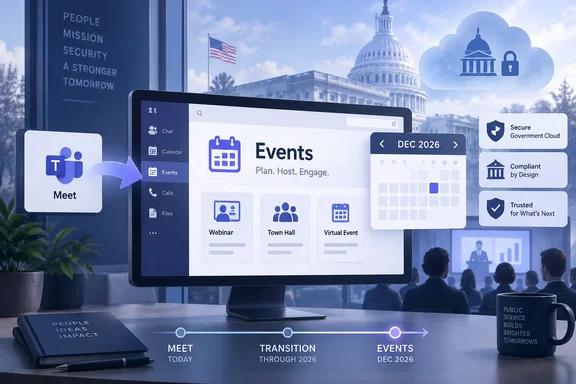
The change is more than a navigation-label swap. In commercial Teams, Microsoft replaced the Meet app’s separate event workflows with an Events hub intended to let users discover organization-wide events, track upcoming sessions, and create webinars, town halls, and custom events from one place. Microsoft’s roadmap says the same experience, including the app rename from Meet to Events, is planned for Teams on Windows desktop, Mac, and the web in GCC High and DoD.
For administrators, the important point is that December’s delivery appears to be feature parity for a user-facing workflow, not a new permission model. Microsoft’s Teams documentation says existing webinar and town hall policies continue to govern the unified Events experience. Agencies should therefore use the time before rollout to review the controls they already have, rather than waiting for a separate “Events app” administration feature to appear.
GCC High and DoD are arriving after the commercial rollout
Microsoft’s commercial rollout was announced in Message Center post MC1227087, archived by Microsoft 365 Message Center Archive, under Roadmap ID 547834. That notice said the redesigned Meet app would become Events for general availability tenants by the end of July 2026, after Microsoft had already pushed back the commercial availability dates during the rollout.
Roadmap ID 571390 sets a December 2026 target for GCC High and DoD. On the available dates, that places the specialized-cloud deployment roughly five months after the commercial general-availability target. That lag is familiar to Teams administrators in regulated environments, but it has practical consequences: training materials, screenshots, service-desk documentation, and internal event-host procedures can diverge between a commercial tenant and a government tenant even when both organizations use the same Teams client name.
Microsoft has not published a granular rollout window within December, listed any preview ring for GCC High or DoD, or said whether GCC High and DoD will receive the feature simultaneously. The roadmap also does not identify a message-center post for the government rollout. Agencies with hard event dates around the end of 2026 should not plan on the Events label or the new discovery surface being present on a particular day in December until Microsoft provides tenant-level rollout confirmation.
The distinction is particularly relevant for contractors and agencies operating more than one Microsoft 365 environment. A commercial tenant may already have an Events app in its Teams rail, while a GCC High or DoD tenant can continue showing Meet until its own deployment lands. User instructions that simply tell staff to “open Events” will fail in the latter environment before the rollout completes.
The new hub changes how organizers reach existing controls
Microsoft’s current Teams administration documentation describes the Events app as a centralized place to create, discover, and manage digital and hybrid events. Rather than forcing organizers to begin by choosing a rigid event type, the app uses a unified creation flow where they set capacity, registration, and attendee-interaction options according to the scenario.
Behind that simplified form, however, the old administrative boundaries remain. Microsoft says events of up to 1,000 attendees follow webinar policy settings, while events optimized for large audiences follow town hall policy settings. The latter use broadcast-oriented behavior: attendees cannot turn on microphones and cameras on demand, video is delivered with a slight delay, and viewers can pause and rewind the stream. Interactive events retain the webinar-style controls, including attendee microphone, camera, and interactive-chat capabilities where policy permits them.
This matters because the Events app could make an event feel easier to create while changing none of the agency’s authorization decisions. In the Teams admin center, the relevant controls sit under Meetings > Events policies. The webinar setting maps to the AllowWebinars control in CsTeamsEventsPolicy; the town hall setting maps to AllowTownhalls. Turning either setting off does more than remove a template: Microsoft says organizers with that policy cannot create the associated class of event.
Microsoft’s documentation contains another operational detail that event owners should understand before policies are changed: if an administrator turns off the relevant event setting after a user schedules an event, that organizer cannot run or start it. A policy cleanup performed close to an agency town hall can therefore disrupt a scheduled event even if the event was valid when it was created.
The user-facing redesign does not remove this dependency. It may make policy audits more important, because a broader group of employees could discover an apparent “create event” path in Teams without necessarily being allowed to use every configuration available in the interface.
Attendance defaults deserve review before the app reaches government tenants
The Events app is also likely to expose a policy decision that some agencies made long ago and have not revisited: whether event attendance is public by default. Microsoft’s current Teams guidance says the default events-policy settings allow Everyone to attend both webinar-style events and large-audience events.
For webinar-style events, administrators can restrict attendance to people in the organization, excluding guests. For events optimized for large audiences, the restrictive setting is different: access can be limited to people in the organization and guests. The distinction reflects the separate webinar and town hall policy models, but it can be easy to miss if an organizer sees only a unified scheduling surface.
Government users should not read Microsoft’s roadmap entry as an announcement that anonymous external access is changing in GCC High or DoD. Microsoft has not said that. The more defensible conclusion is narrower: the user workflow is changing while the existing policy framework remains in force. Agencies should validate the settings assigned to actual organizers—especially executives, public-affairs staff, training teams, and program offices—rather than relying on the global policy’s intended configuration.
A sensible pre-rollout check is short:
- Review the
CsTeamsEventsPolicyassignments for users who regularly schedule webinars and town halls. - Confirm whether webinar attendance should remain open to everyone or be restricted to internal users.
- Confirm whether large-audience events should permit everyone or only organization members and guests.
- Test an organizer account with the policies actually assigned to it, because the Events interface does not override organizer-scoped restrictions.
- Update help-desk scripts and user guides to account for the Meet-to-Events rename.
Microsoft says the Events app is preinstalled for Teams users in the general product documentation. The government-roadmap item does not say whether tenant administrators will need to change an app-setup policy for the renamed entry to appear prominently in GCC High and DoD. That omission makes it worth checking current app-pinning and app-permission policies in a test tenant once the rollout begins, particularly in organizations that tightly manage the Teams app bar.
What will remain unchanged
Microsoft’s commercial announcement is useful context for the government deployment because it explicitly stated that existing meetings and Audio Recap would remain available, with a continuity path from the older Meet experience. It also said current webinars and town halls would have a seamless upgrade path, existing events would not be affected, and existing webinar and town hall policies would continue to be honored.
Those are product claims for the commercial rollout, not a detailed migration guarantee for GCC High and DoD. Roadmap ID 571390 itself is notably brief: it promises event discovery, upcoming-event tracking, organizer planning tools, and the Events name. It does not explicitly enumerate shared or delegate mailbox scheduling, event landing pages, Q&A, polls, or every commercial capability described in the earlier Message Center notice.
Administrators should therefore avoid promising full, field-for-field equivalence based solely on the December roadmap entry. The responsible planning assumption is that the central Events experience is coming, while specific advanced capabilities should be checked against Microsoft’s government-cloud documentation and the tenant after deployment.
The most immediate action is not a configuration change. It is a change-management task: treat December 2026 as a planned UI and workflow transition for Teams event organizers in GCC High and DoD, audit the policies that will govern their choices, and avoid publishing instructions that assume the renamed app is already present.
Update: GCC High and DoD rollout target moves to November 2026 (September 22, 2026)
Microsoft’s Roadmap ID 571390 now lists November 2026 as the general-availability target for the Teams Events experience in GCC High and DoD, rather than the December timing previously shown. The item remains marked In development, so agencies should still treat the date as a target rather than a tenant-specific deployment commitment.
The refreshed roadmap description continues to say that users will be able to discover organizational events, track upcoming events, and plan their own events through Teams, with the Meet app renamed to Events. Microsoft still lists Windows desktop, Mac, and web as supported platforms, and does not provide a phased rollout schedule or confirm whether GCC High and DoD tenants will receive the change simultaneously.
References
- Microsoft Teams: Events in Meet app in Teams in GCC High and DoD Microsoft AI at Work Roadmap · 2026-09-21T23:04:49.251754Z