

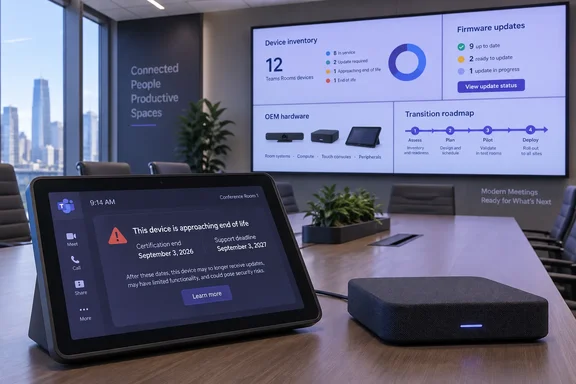
The important correction to the more alarming interpretations of this deadline is that affected rooms did not suddenly stop joining meetings on September 3. Microsoft lists September 3, 2027 as the support-end date for Teams devices on Android 10 and Android 11. But certification expiration changes the operational calculation immediately: hardware makers, not the customer or Microsoft alone, determine whether a device receives an Android upgrade and is recertified; devices that cannot make that transition are on a finite runway.
For Teams administrators, this is a discovery problem before it becomes a purchasing problem. Knowing that an office has 40 Teams rooms is insufficient if the inventory cannot identify the appliance model, current Android release, OEM firmware revision, touch-console pairing, update channel, and the room account or business function tied to it. The deadline applies to the Android platform embedded in Teams appliances—not to the Windows PCs that run Teams Rooms on Windows—and the remediation path differs sharply by model.
Certification has ended, but the hardware may still be usable
Microsoft’s Android device lifecycle separates two dates that are easy to conflate. The September 3 deadline ended Teams certification for devices based on Android 10 and Android 11; Microsoft’s published support table gives them another year, through September 3, 2027. Microsoft also says that after certification expiration it intends to support the latest Teams device application on certified devices for a period after certification ends, subject to its support policy.
That is not a guarantee that every old appliance will receive a modern Android image, new features, or equivalent support outcomes. Teams Android devices use OEM-controlled Android Open Source Project builds. The manufacturer supplies the operating-system and firmware package to Microsoft for certification, and Microsoft distributes supported packages through the Teams admin tooling. If an OEM elects not to produce a new build, there is no tenant-side setting that converts an Android 10 room bar into an Android 13 device.
Microsoft’s current documentation carries an awkward but material ambiguity. Its Android-version table sets the Android 10 and 11 Microsoft support endpoint at September 3, 2027—one year after certification ends. A separate Teams Rooms certified-hardware page says Microsoft is committed to supporting the latest device applications for two years after certification expiration. Microsoft does not explain the difference between those statements or explicitly say which governs Android 10 and 11 rooms. Admins should therefore plan around the earlier, model-specific date: September 3, 2027.
That distinction is more than legalistic. A room can appear healthy in a dashboard, have a current Teams app, and still be a poor candidate for further investment if its base firmware has no supported upgrade path. Keeping the Teams client current remains necessary, but it does not extend the Android lifecycle or create OEM support where none exists.
The exposure is model- and firmware-specific
Microsoft’s certified-device inventory shows why a simple “replace every older Teams room” directive would be wasteful. The affected population is not one homogeneous generation of hardware, and an appliance’s model name by itself can obscure the version that matters. Administrators need to validate the Android release and the presently installed firmware against Microsoft’s published device records and the OEM’s lifecycle documentation.
Several still-recognizable Teams Rooms on Android configurations appear in Microsoft’s list with September 3, 2026 certification end dates. They include Poly Studio X30, Studio X50, Studio X70, and G7500 systems running the listed 4.0 firmware on Android 10; Poly TC8 touch consoles running Android 11; Logitech Rally Bar Huddle units on CollabOS 1.10.53 and Android 11; and DTEN Mate Touch consoles on Android 10. Microsoft also lists older Neat Bar and Neat Board firmware configurations based on Android 10 with the same certification date.
Those examples are not a universal retirement list. A particular room may already have an OEM-approved upgrade, a replacement touch controller, or a later hardware revision. Conversely, an organization may find that a newer-looking console is the vulnerable component in an otherwise serviceable room kit. Treating the compute appliance, camera bar, and touch console as a single asset without confirming their individual firmware and Android status is how a refresh turns into a meeting-day failure.
The most consequential data point is whether an OEM has published a supported upgrade and recertification path. An update downloaded directly from a manufacturer’s service is not automatically equivalent to a Microsoft-supported configuration. Microsoft says Android operating-system and firmware updates must be certified and available through the Teams admin center or Teams Rooms Pro Management Portal for the device to remain eligible for support involving Microsoft applications.
The inventory work has moved while the deadline passed
The timing is particularly inconvenient because Microsoft is moving Teams Android device management out of the Teams admin center and into the Teams Rooms Pro Management Portal. Microsoft’s transition guidance says Teams Rooms on Android, Teams phones, Teams panels, and SIP devices began shifting in June 2026, with the remaining overlapping Teams admin center management features scheduled for retirement during September 2026.
That means the room audit should include the management migration itself. Microsoft says existing devices should appear automatically in the Pro Management Portal as Android device management reaches general availability, but visibility depends on devices being connected and sufficiently current. Its provisioning guidance specifies minimum Admin Agent requirements for Android devices, while the update-management guidance recommends updating to Admin Agent version 830 or later for full management in the portal.
A practical review should produce a decision record for every affected room rather than a generic list of assets:
- Record the room name, resource account, appliance and console model, serial number, current OEM firmware, Android version, Teams application version, Admin Agent version, and last successful check-in.
- Confirm whether the device is visible in the Teams Rooms Pro Management Portal and whether its update history shows Microsoft-supported application and firmware packages.
- Obtain a written answer from the OEM on whether the precise hardware and firmware combination can move to Android 12 or later and retain Microsoft Teams certification.
- Classify rooms by business impact, including executive rooms, training spaces, customer-facing areas, emergency operations rooms, and rooms with specialized AV integration.
- Replace or replatform systems with no recertification path before September 2027 rather than waiting for an app, authentication, or firmware issue to force an outage.
This work should also encompass Teams panels and shared Android devices if the same operations team owns them. Microsoft’s Android lifecycle page covers Teams phones, panels, touch consoles, and Teams Rooms on Android, even though the immediate reporting has focused on meeting-room estates. A phone or panel stranded on Android 10 may not stop a board meeting, but it can create its own support and security-management exception.
Do not confuse application currency with platform currency
Microsoft continues to require Teams Android devices to stay on the latest or latest-minus-one Microsoft application versions. Administrators that defer client updates can make an otherwise supported room unstable and may have to upgrade before Microsoft will investigate a software defect. Automatic update policies are therefore useful, particularly as the Pro Management Portal takes over update rings and monitoring.
But application patching is not a lifecycle substitute. An Android 10 or 11 appliance can receive a recent Teams client during the support window while remaining past its certification end date, and that support window is now measured in months. Microsoft’s migration materials also warn that moving update management from the Teams admin center to Pro Management Portal is a one-way administrative choice once an organization confirms portal-managed update rings, so a pilot ring for representative room hardware is preferable to a tenant-wide switch made during an inventory scramble.
The expiration also exposes a procurement blind spot in all-in-one conferencing appliances. Unlike a Windows-based Teams Room, where the PC can sometimes be refreshed or rebuilt independently of displays and USB peripherals, an Android room bar commonly binds compute, operating system, video, audio, and vendor firmware into one lifecycle decision. A failed recertification path can turn a technically functional camera-and-speaker system into an unsupported collaboration endpoint years before the physical AV equipment wears out.
Microsoft gave Android 10 and 11 customers an extra year after extending the certification date from 2025 to September 3, 2026. That grace period is over. The remaining operational deadline is September 3, 2027, and organizations that cannot identify which rooms depend on Android 10 or 11 are already planning their refreshes with less time—and less negotiating leverage with OEMs—than they think.